Quick wins for a faster PC:
Scan for outdated or missing drivers - takes under a minuteDriver Scan →Clear out junk files and repair common Windows errorsFree Scan →Fix the driver behind crashes, sound loss and screen glitchesFind Drivers →To find fuel nearby, allow a map or station-finder app to use your location, or search with a city, ZIP/postal code, or street address. Compare stations by the fuel you need, distance, displayed price, payment options, and opening information. A map pin, “open” label, or price listing only shows that a station is listed or has reported a price; none of those facts proves that fuel is in stock right now. When running out of fuel would be unsafe or costly, check the data timestamp and call the station, or use a service that explicitly reports inventory.
Start with the distinction that matters: location is not inventory
Station-finder services combine several different kinds of data. A location record answers “Where is a forecourt?” A route result answers “How do I get there?” A price feed answers “What price was reported for this fuel type?” An inventory feed, when one exists, answers “Is this product available at this moment?” Those answers are not interchangeable.
As an Amazon Associate I earn from qualifying purchases.
Most public map and price tools can locate stations and show prices, but the sources available for this guide do not establish a universal, authoritative, live inventory feed. Pumps can run out after a price update, a station can close unexpectedly, and an app can retain a cached listing. Treat a displayed price as price information, not a stock guarantee.
Do these 3 things before closing this tab:
1Scan for outdated or missing drivers - takes under a minute2Clear out junk files and repair common Windows errors3Fix the driver behind crashes, sound loss and screen glitches- Station listed: the service has a location record.
- Station open: the service believes the business is operating, often from posted hours or a business update.
- Price shown: a price was supplied or collected for a particular fuel type.
- Fuel confirmed: the station or a service with explicit inventory reporting has recently said that the requested product is available.
If your tank is nearly empty, use the first three to shortlist a destination, then verify the fourth by phone or an explicitly time-stamped stock report before committing to a long detour.
#1 Best Overall

- 14-GALLON (53L) FUEL CADDY: The Scepter Flo 'N Go Fueling Station is a fuel tank on wheels for farm, marine, lawn mowers, home, and recreational use; A large capacity and convenient features make it great for filling vehicles and gas cans
- HEAVY DUTY PORTABLE GAS TANK: The rugged caddy design with 6-inch wheels and heavy-duty top handle allows you to maneuver the gas can over tough terrain; High-density polyethylene construction prevents corrosion and denting
- 2 FUELING MODES: Gravity-Flow Mode provides continuous flow when elevated above the tank being filled; Manual-Pump/Siphon Mode requires continuous use of hand pump when caddy is on the ground or below the tank being filled; Siphon-mode flow rate - 2.0 GPM
- EASY TO USE: Patented pump handle features a gas station-style stop and start pump handle; 10' automotive-grade rubber hose easily reaches equipment; Bolt-on hanger provides easy hose storage; Includes child safety lock
- SAFETY FEATURES: Anti-kinking hose sleeve adds prevents damage to the fuel hose at the connection point; Brass shut-off valve provides safe and quick hose disconnection; Spill-proof shut-off mechanism delivers mess-free fueling
How to find stations near your current location
Use location access for the fastest search
- Open your preferred map or fuel-price app and search for “gas station,” “petrol station,” or the exact fuel type, such as diesel, E85, LPG, CNG, hydrogen, or EV charging.
- When prompted, allow location access while using the app. If you previously denied it, open your phone’s Settings, choose the app, select Location, and enable the least-permissive option that still gives an accurate result.
- Review the map at your current zoom level. Station pins can be hidden when the map is zoomed out, so zoom in around the route you actually plan to drive.
- Open each candidate’s details card rather than navigating to the first pin automatically. Confirm the address, fuel type, hours, price date or update time, and any restrictions shown.
Location permission is not mandatory. If you prefer not to share your position, search by a city, ZIP code, postal code, neighborhood, or complete address. GasBuddy documents both device-location and city or postal-code searches, with results that can be sorted by distance or price: GasBuddy’s station-finding instructions and price-search instructions.
Search a destination or route instead of your current position
For a trip, search around the destination, a planned highway exit, or a midpoint rather than only around your driveway. A station two miles away in the wrong direction can cost more time than one eight miles ahead on your route. If the app supports “along route” results, use that mode and check both sides of divided highways: crossing a median or interchange may be impossible at the exit you select.
Use a specific query when the result set is too broad
Add the fuel and place to the query: “diesel near [postal code],” “E85 near [city],” or “hydrogen along [highway].” Specialized fuels are not stocked at every conventional station, and a generic “gas station” search can hide the distinction. For a station you already know, search its street address or name and then verify that the listing refers to the correct branch.
Filter and compare the stations that can actually serve your trip
Once the map returns candidates, compare only details that affect your decision. GasBuddy documents filters for fuel type, brand, payment method, price, distance, ratings, and amenities: its search-filter documentation. Other apps use different labels, but the decision logic is the same.
| Detail | Why it matters | What to verify |
|---|---|---|
| Fuel type | Regular gasoline, diesel, ethanol blends, LPG, CNG, hydrogen, and charging connectors are not interchangeable. | Look for the exact grade or connector, not just the station name. |
| Distance and route | The nearest pin may require a turn, toll, U-turn, or off-route detour. | Use turn-by-turn routing and inspect the entrance location. |
| Displayed price | Price comparisons are useful only for the specified grade and reporting time. | Check whether the amount is per gallon, litre, kilogram, or charging unit, and note the update time. |
| Payment method | Some sites restrict unattended pumps, fleet cards, cash discounts, contactless payment, or app payment. | Confirm card, cash, fleet, and mobile-wallet acceptance before a late-night stop. |
| Opening status | Forecourt, convenience store, and payment facilities can have different hours. | Check today’s hours and whether pumps are available outside the shop’s hours. |
| Amenities | Restrooms, food, air, truck access, accessible pumps, and car-wash facilities can determine the best stop. | Use amenities as a tie-breaker, not as evidence of fuel stock. |
| Ratings and notes | Recent comments can reveal closures or broken equipment that a directory has not processed. | Read the date of a note; old reviews are not a current operational status. |
Reset filters when a known station disappears
Filters can remove a station even when it is physically nearby. A diesel-only filter, a minimum rating, a payment requirement, or a narrow price range may exclude it. Clear all filters, broaden the map area, and search the station’s address directly. GasBuddy specifically notes that filters and search geography affect which stations appear: search-filter guidance and station-search guidance.
Rank #2
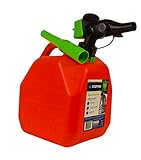
- 2 GALLON GAS CAN: The Scepter SmartControl fuel container features squeeze-control flow for spill-free filling; Easily refill lawnmowers, chainsaws, yard tools, recreational vehicles, cars, ATVs, motorcycles, and other gas-powered equipment
- CONTROLLABLE FLOW WITHOUT SPILLS: SmartControl controllable flow rate means no spilling, allowing you to squeeze less for a little, or squeeze more for a lot; bonus funnel with convenient storage ring making filling cars, ATVS or other equipment easier
- HEAVY DUTY GAS CONTAINER: High-density polyethylene construction prevents corrosion, denting, and breakage; The 5-layer HDPE design prevents vapor leaks and preserves gasoline longer; Storage ring conveniently holds the bonus funnel when not in use
- FAST FILLING JERRY CAN: Integrated air vent in the spout and included funnel provide fast flows saving time and hassle; SmartControl controllable flow rate means you squeeze less for a little gas, or squeeze more for a lot
- SAFETY FEATURES: EPA / CARB & Child Safety Compliant with child safety lock; Flame mitigation device prevents internal vapor ignition for added protection; Dust cap protects spout during storage
How to judge whether a displayed price is current
Read the timestamp and the fuel-grade label
Prices change at different times for different grades. A card may show regular gasoline updated today while its diesel value is older, or it may display a member price that requires an account or payment method. Look for “updated,” “reported,” or “last checked” text, and compare like with like: the same grade, unit, currency, and payment condition.
Understand the United Kingdom’s reporting clock
The UK Fuel Finder service collects current retail prices and forecourt information and makes the data available to third-party apps and websites. UK fuel traders must submit a price change within 30 minutes of that change. That is a reporting duty; it is not a promise that every downstream app refreshes instantly, nor is it an inventory signal. See the government’s Fuel Finder collection and data-access guidance.
Interpret confidence-based price displays
A TechRadar report published October 8, 2026 described UK fuel prices appearing in Google Maps and Waze through Fuel Finder data. It reported that a price would be shown only when confidence in its correctness was high, while the station could still appear without a price. The report quoted Sarah-Jayne Williams, director of product partnerships for Google Maps and Waze: “Accuracy is very important, so we will still show the petrol station and where it is, but you’ll only see a price if we have high confidence that it’s the right price.” This describes a threshold for displaying a price, not verification that the requested fuel is in stock. Check current behavior in your location because app rollouts can change: TechRadar’s October 8, 2026 report.
How to check actual fuel availability
Use an explicit stock report when one is available
Some commercial, fleet, emergency-response, or station-operated systems may expose pump status or inventory. Before relying on one, check what “available” means, when the status was recorded, and whether it covers the exact grade you need. A green status from an hour ago is weaker evidence than a direct confirmation from the forecourt.
Call the station when the consequence of failure is high
Use the phone number in the listing or on the station’s official website. Ask a precise question: “Do you have regular unleaded,” “Is diesel dispensing now,” or “Can your hydrogen pump serve a passenger vehicle?” Ask whether the answer was checked recently and whether a particular pump, payment system, or delivery outage limits service. Phone confirmation is especially important during storms, shortages, regional emergencies, overnight travel, or when your vehicle’s range is nearly exhausted.
Rank #3
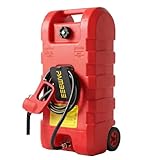
- 15-GAL LARGE CAPACITY: The 15-gallon maximum capacity gas tank can store enough fuel for multiple vehicles. The fuel tank and fuel nozzle are made of high-density polyethylene, which is rust-proof, and the 10-foot hose is made of automotive-grade rubber and comes with a hose holder for easy storage.
- 2 MODES OF OPERATION: This 57L gasoline container supports both siphon and gravity drive refuelling for vehicle, making excellent use of gravity. A flow rate of 3 gallons per minute can be achieved in siphon mode. Please note that the speed of the siphon depends on how fast you press, if you press slowly the oil will come out slower.
- EASY TO TRANSPORT: Designed with a top handle and 6-inch wheels, the fuel tank can be easily transported on various terrains. Feature with high portability, our fuel tank is a reliable companion whether refueling a small boat or transporting fuel to different locations.
- LEAK-PROOF DESIGN: The gasoline can has 2 brass shut-off valves, one at the tank and one at the hose. This design allows for safe and easy disconnection of the hose, which can prevent fuel leaks, thus reducing fire hazards and environmental risks.
- WIDE APPLICATION: This portable fuel tank can be placed in the boot of a truck, garage, shop, kit, or shed. Using this liquid fuel tank for fast, clean, and reliable delivery of gasoline, diesel, paraffin, light oil, etc., you can refuel your car, motorbike, boat, lawnmower, snow blower, generator, or automobile anytime, anywhere!
Build a fallback before you leave
- Choose a primary station with the correct fuel and a recent price or status update.
- Identify a second station farther along the route or on a parallel road.
- Keep enough range to reach the fallback; do not plan on the dashboard’s optimistic maximum.
- Save the station address and phone number offline if you are entering an area with weak data coverage.
United States: conventional and alternative-fuel searches
For ordinary gasoline and diesel, a U.S. map or price service can provide nearby results, distance or price sorting, and filters. GasBuddy’s documented workflows cover location, city, and postal-code searches, while its filters include fuel type, payment method, price, distance, ratings, and amenities. Use those features to narrow choices, then verify stock directly when it is critical.
Free tools Windows power users keep installed
One-click scans. No signup required.
For alternative fuels, the U.S. Department of Energy’s Alternative Fueling Station Locator searches near an address or ZIP code and along a route: DOE Alternative Fueling Station Locator. Select the precise fuel or charging technology and inspect access restrictions, operating hours, and station details. The locator identifies places intended to provide an alternative fuel; it should not be presented as a guarantee that conventional gasoline or diesel, or a particular pump, is available at this moment.
U.S. route-planning checklist
- Enter the ZIP code or route endpoint instead of relying on a broad “near me” search when traveling.
- Filter for the vehicle’s exact fuel or connector.
- Check whether the site is public, private, pay-at-pump, fleet-only, or access-controlled.
- Confirm the station’s entrance and the hours for the pumps, not only the attached store.
- Call ahead for a remote station, a specialized fuel, or a trip with no nearby fallback.
United Kingdom: Fuel Finder data and app displays
Fuel Finder is the UK government’s data ecosystem for forecourt information and current retail prices by fuel type. Its time-stamped records and the 30-minute trader reporting requirement can make price comparisons more timely, but neither establishes live tank inventory. A third-party app may update after the underlying feed, apply its own confidence rules, or omit a price that it considers stale.
Finding petrol or diesel in the UK
- Search the town, postcode, or route in your map app, or use a service that consumes Fuel Finder data.
- Compare the same fuel grade and note the timestamp attached to each price.
- Check opening hours and the route’s access restrictions, especially at motorway services.
- If the trip depends on one station, phone the forecourt to confirm that the requested grade is dispensing.
Google Maps and Waze price visibility described in the October 8, 2026 report may vary by area and rollout stage. If a station pin appears without a price, that does not mean the station is closed; it means the app did not meet its display-confidence condition or did not have a current price to show.
Independent reader supportYour contribution helps us test, update, and keep practical guides available for everyone.Brazil: locating authorized stations with ANP’s app
Brazil’s regulator offers ANP com VC – Postos, which can locate authorized fuel stations near your position or in a selected city: ANP app information. The app provides station address and authorization details, products sold, fuel origin, and selected inspection and fuel-quality monitoring results. Those regulatory details help you choose a legitimate station and understand what it is authorized to sell.
What’s actually slowing this PC down?
Pick the symptom - the matching free tool is one click away.
Rank #4

- EASY TO POUR GAS CAN – Amazon exclusive, 5-gallon fuel container for easy refilling of lawnmowers, chainsaws, yard tools, recreational vehicles, ATVs, motorcycles, and other gas-powered equipment
- CONTROLLABLE FLOW WITHOUT SPILLS – SmartControl controllable flow rate means no spilling, allowing you to squeeze less for a little, or squeeze more for a lot; bonus funnel with convenient storage ring making filling cars, ATVS or other equipment easier
- FAST FILLS – Integrated air vent in spout and included funnel makes for fast flows of up to 3 gallons per minute, saving you time and hassle
- FLAME MITIGATION DEVICE – Flame mitigation device helps prevent internal vapor ignition to provide an added layer of protection for a cleaner, safer experience
- SAFE & DURABLE – EPA / CARB & Child Safety Compliant, the 5-layer construction prevents vapor leaks and preserves gasoline longer
Use the product list to distinguish gasoline, ethanol, diesel, and other offerings, then check the station’s current operating status through its contact details. Authorization, inspection information, or a product listing does not itself confirm that a tank has fuel at the moment you arrive.
Troubleshooting when the app gives a bad or incomplete result
No stations appear
- Turn on location access, or replace “near me” with a city, ZIP/postal code, or full address.
- Zoom in and out once to refresh the map area.
- Clear fuel, brand, payment, price, rating, and amenity filters.
- Check spelling and use the local term, such as “petrol” instead of “gas,” where appropriate.
- Switch from an along-route view to a normal nearby search, or vice versa.
The station is listed but the price is missing
The station may have no recent price submission, or the app may suppress a price that fails its freshness or confidence threshold. Open the station card, look for an update time, and call the station if the price affects your decision. Do not infer that a missing price means no fuel is available.
The map says open, but the forecourt is closed
Business hours can be outdated, and a store’s hours may not match pump access. Look for a recent closure notice, check the station’s phone number, and use the fallback you identified before departure. During emergencies, assume normal hours and price data can become stale quickly.
The displayed price is unexpectedly low or high
Confirm the grade, unit, currency, member qualification, cash-versus-card condition, and timestamp. Compare two or three nearby entries rather than treating one outlier as definitive. A low price can be a different fuel grade or an old report; a high price can reflect a premium grade or a location with limited competition.
The route leads to the wrong side of the road
Open the navigation preview and inspect the entrance, direction of travel, turn restrictions, and divided-road layout. Add the station as a stop only after confirming that your vehicle can legally and safely enter it. For highways, a station visible across the carriageway may require the next interchange.
A practical decision rule for low-fuel situations
Use your remaining range to set a conservative limit. If the nearest listed station is close enough with a substantial margin, navigate there and keep a second option in view. If the margin is small, stop relying on distance alone: choose a station with a recent update, call for confirmation, and avoid detours for a small price difference. For specialized fuels, verify compatibility before driving because a nearby conventional station may be unusable for your vehicle.
Before tapping “Start”
- Correct country and local search area.
- Exact fuel type and grade selected.
- Address and entrance match the route.
- Displayed price’s unit, payment condition, and timestamp understood.
- Opening status checked for the current day and time.
- Phone number or explicit inventory status available when stock is critical.
- Fallback station identified with enough range to reach it.
What these tools can and cannot tell you
| Question | Usually answerable by a map or station directory? | Extra verification needed |
|---|---|---|
| Where is the nearest listed station? | Yes, with location or place search. | Confirm the pin and entrance if the route is complex. |
| Which nearby station lists the lowest price? | Often, if current prices and comparable grades are available. | Check timestamp, grade, unit, and payment conditions. |
| Does the station sell my fuel type? | Often, when the station record lists products. | Confirm the exact grade, connector, or vehicle access. |
| Is the station open right now? | Sometimes, from hours or status data. | Call when hours are critical or conditions are changing. |
| Is fuel physically in stock right now? | Not from a pin, price, or ordinary “open” label alone. | Use an explicit, recent inventory report or contact the station. |
The dependable workflow is therefore two-stage: use digital search to find and compare realistic candidates, then use a timestamped stock signal or a direct call for the final availability decision. Prices and locations are useful navigation data; they are not a universal live-tank indicator.
Quick Recap
Product prices and availability are accurate as of the date/time indicated and are subject to change. Any price and availability information displayed on Amazon at the time of purchase will apply.
Recommended Free Tools

