On iPhone, a blocked number isn’t one universal list for every app. Apple stores “blocked contacts” per feature (Phone, Messages, and FaceTime), so the fastest way to find your blocked numbers is to check the right screen for the behavior you’re dealing with.
This guide walks you through the exact settings paths (iOS 17, iOS 16/15), how to confirm a block actually landed, and what to do when the list seems empty even though calls/messages are being stopped.
As an Amazon Associate I earn from qualifying purchases.
What Apple means by blocked numbers (and where they live)
When you block a contact in iOS, you’re telling the system to stop that contact from reaching you via specific apps. Depending on how you blocked them, the entry may appear in the blocked list for Phone, Messages, or FaceTime.
Also, some call filtering is not true blocking (for example, “Silence Unknown Callers”). That’s why you might not find a number in the block list even though calls aren’t ringing.
#1 Best Overall
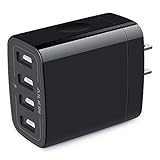
- 【Premium Performance】4-USB output with a total current 5V/4.8A and input with 100-240V enables you to charge four mobile devices simultaneously at high speed. It can really save your time.
- 【Safety assurance】AILKIN'S charger block has a protection system against overcharging, over-current and overheating. The charger will automatically stop charging when power is full, which can maximumly protect your device.
- 【Lightweight】Home charger adapter allows charging at home or in the office via USB cable connection. Simply plug in the USB cable, and plug the adapter into the wall. Compact, lightweight, portable, stylish, and easy to store.
- 【Multipurpose】Universal USB AC adapter matches all USB cable cords or matches your phones. You can share them with your lover, family, or friends.
- 【What You Get】1 x 4 port USB wall charger. fit for the Latest smartphones or tablets, Like iPhone Duo/18 Pro Max/18 Pro/17 Pro Max/17Pro/17/Air/16Pro Max/15Pro/15 Plus/15/14/13/12/11 Pro Max, Mini, SE, XR, XS MAX, XS, X, 8 Plus, iPad Pro, iPad Air, and iPad mini. Samsung Galaxy Note 20 Ultra Note10 Plus 9, Galaxy S24 S25 5G S26, A04S A03S A02S A14 A12 A13 A51 A52 A53 A12 A17 A13, Google Pixel 11 10 9 8 Pro 7a 7 6 Pro 6, HTC, Blu, LG, Moto, Kindle Fire HD 10 9 8, etc.
Check your blocked list in Phone (primary method)
If you blocked someone from a call, voicemail, or their contact card, their entry usually appears in the Phone blocked list.
iOS 17 and iOS 16 path
- Open the Settings app.
- Tap Phone.
- Tap Blocked Contacts.
That screen is the central view for blocked contacts used by the Phone app.
What you’ll see on the screen
In Settings > Phone > Blocked Contacts, you’ll typically see contact names and phone numbers (or emails for contacts that contain both). Each entry corresponds to a block added for Phone behavior.
Crashes, No Sound, or Screen Glitches?
Random freezes, missing sound and display glitches usually trace back to one bad driver. Find and replace yours safely.Free scan · under a minutePC Slower Than It Used to Be?
A free scan shows the junk files, broken settings and background clutter dragging Windows down - then fixes them in one click.Free scan · Windows 10 & 11If your list is empty, it doesn’t automatically mean you never blocked anyone—it may mean you blocked through Messages/FaceTime, or you’re seeing filtering rather than blocking.
Find blocked numbers from Messages
If the person is primarily affecting your iMessage/SMS experience, check the Messages blocked list. Blocking from Messages still creates a blocked contact entry, but it may not show under Phone depending on how the block was applied.
Confirm whether you blocked someone via iMessage
- Open Settings.
- Tap Messages.
- Look for Blocked Contacts (or a similar item in your iOS version).
If you don’t see a Messages-specific blocked list on your iOS version, don’t assume you have no blocks. Re-check Phone blocked contacts and FaceTime blocked contacts, and verify you didn’t use third-party call/spam tools.
Find blocked contacts for FaceTime
FaceTime blocking can stop a person from contacting you with calls even if they’re not blocked in Phone.
Rank #2

- Simple & Steady Charging: Forget fumbling with overly complicated fast chargers! Our USB blocks deliver consistent 5V/1A (5W) output for balanced, steady power—no fancy settings, just plug-and-play ease. It’s a dependable solution for overnight charging (no more battery anxiety), powering desk accessories, or as a reliable travel backup
- Universal USB-A Compatibility: No more hunting for different chargers! Fully compatible with (and replacement for) iPhone 16/15/14/13/12/SE/11 & older, Samsung Galaxy S25/S24/S23/S22 & older, Google Pixel 10/9/8/7/6, plus e-readers, Bluetooth speakers, portable fans, and most standard USB-A devices. One charger covers your whole household’s needs
- Regulated Charging, Peace of Mind: Your device’s longevity is our top priority. Equipped with a multi-guard internal system, this 5W USB power adapter helps defend against overcharging, overcurrent, and overheating—all to support your battery’s health and extend its lifespan. Charge overnight with added confidence
- Compact, Grippable & Durable Design: Designed for your busy days. This lightweight USB plug is ultra-portable, with a unique fingerprint-proof, anti-slip design for easy handling. Its reinforced shell resists scratches and drops, so this sturdy little charger stays ready—even with daily use
- What You Get: Your purchase includes 2 dependable USB Wall Chargers (Purple), plus our friendly 24/7 customer service. Have questions? We’re here to help anytime. Order your stable charging duo today
How FaceTime blocking differs from Phone blocking
- Open Settings.
- Tap FaceTime.
- Tap Blocked Contacts.
Any names/numbers you blocked for FaceTime should appear here.
Blocked numbers vs. Silence Unknown Callers
Many people confuse “blocked numbers” with “calls that go quiet.” iPhone has a setting called Silence Unknown Callers that behaves differently.
Why this can look like blocking but isn’t
- If Silence Unknown Callers is enabled, calls from numbers Apple can’t match to your contacts, recent outgoing calls, or recent incoming calls may be silenced.
- Silenced calls aren’t necessarily added to your Blocked Contacts list.
To check it: Settings > Phone > Silence Unknown Callers.
Blocking from a call or contact card (how to verify it was added)
If you recently blocked someone, verifying is simple: block it (or check it was blocked) and then confirm the contact appears in the right list.
- Open the Phone app.
- Go to Recents and tap the info (i) button on the call entry.
- Look for Block this Caller (wording may vary) and confirm if you see it.
- Go back to Settings > Phone > Blocked Contacts to verify the entry is present.
If the call entry shows “Unblock” or the block option is reversed, the contact was already blocked via Phone behavior.
If the list is missing: troubleshooting checklist
When blocked numbers don’t show up, the issue is usually one of: wrong settings screen, iOS version differences, iCloud/contact sync, Screen Time restrictions, or carrier/spam filtering.
Update iOS, then re-check the correct settings screen
On iPhone, UI labels can vary slightly across iOS releases. Before more advanced troubleshooting, update and re-check.
Rank #3
![iPhone Charger Cord 6FT,3Pack[Apple MFi Certified]USB C iPhone Fast Charger](https://m.media-amazon.com/images/I/41t4m9zoZxL._SL160_.jpg)
- ⚡【3X iPhone Charger Fast Charging Block】:3set Quick Apple iPhone charger fast charging with iphone charger 6foot supports power delivery fast charge, which will charge iphone 14 13 12 up to 50% just in 30 minutes--3x faster than the 5W original apple charger,which can save more time in your life and work.
- ⚡【3pack 6FT/2M iPhone Charging Cable】:Enjoy the convenience of a long 6 ft iPhone cord. No more struggling to reach the power outlet while using your device or being restricted by a short cable length.Tangle-free 6 Feet length is convenient for usage while charging and sync at home/office/travel in bed, hotel rooms, and more.
- ⚡【Safety Efficient iPhone Fast Charging】:Fast Charger iPhone is compact and lightweight, making it perfect for on-the-go use. Easily slip it into your bag or pocket and have a reliable charging solution wherever you are.Designed with your safety in mind. It features multiple safety mechanisms to protect against overheating, overcharging, and short-circuiting, ensuring a safe and reliable charging experience.
- ⚡ 【Universal Compatibility】:3Pack 6FT iPhone Fast Charger to Fast Charge for iPhone 14/iPhone 14 Pro/iPhone 14 Pro Max/iPhone 14 Plus/iPhone 13/13 Mini/13 Pro/12/12Pro/12 Pro Max/12 Mini/11/11 Pro/11 Pro Max/XS Max/XS/X/XR/8 Plus/8/SE 2022/2020, iPad Pro/ iPad Air/ iPad, AirPods Pro. Standrad Charging Speed works with iPhone 7/7 Plus/6s/6s Plus/6/6 Plus/SE/5s/5/5c.
- ⚡ 【What You Get】:3pack Super Fast Apple iPhone Charger AND 3pack 6feet Long Apple Charging Cable.If you have any questions, don't hesitate to contact us! We promise to solve your problems within 24 Hours!
- Open Settings.
- Tap General.
- Tap Software Update.
- Install the update if one is available, then restart the iPhone and check Settings > Phone > Blocked Contacts.
Confirm you’re logged into the right Apple ID (and iCloud settings)
If you recently changed Apple IDs, restored from another device, or switched iCloud settings, blocks tied to contacts may not appear where you expect.
Free tools Windows power users keep installed
One-click scans. No signup required.
- Open Settings and tap your name at the top.
- Confirm the correct Apple ID is signed in.
- Check Settings > [your name] > iCloud and verify Contacts is enabled.
Why this matters: if contacts aren’t synced, the blocked contact entry you’re expecting may exist as a raw number without matching the contact record (or vice versa).
Check Screen Time restrictions
Screen Time can restrict how calls and messaging behave, and it can mimic “blocking” from a user perspective.
- Go to Settings.
- Tap Screen Time.
- Tap Content & Privacy Restrictions (if enabled).
- Check call/messaging related settings.
If Screen Time is locked with a passcode, you may need the passcode to change anything.
Look for carrier-side blocking or spam filtering
Some telecom carriers offer call screening, spam detection, or “block” features inside their own apps. Those entries won’t appear in iPhone’s Blocked Contacts list.
The Tool Desk
Outbyte PC Repair FREERepair Windows errors before they cause bigger problemsFix Now →Outbyte Driver Updater FREEScan for outdated or missing drivers - takes under a minuteDriver Scan →Try this: open your carrier’s app (for example, AT&T Call Protect, Verizon Caller Name & Spam, or similar) and check for “blocked” or “spam” settings. Also check any “Do Not Disturb” profiles your carrier may provide via their service.
Third-party apps and call blocking permissions
If you installed a spam blocker (Truecaller-like apps, call screening apps, or security suites), they may intercept calls before iOS processes them as blocked contacts.
Rank #4

- 【Premium Performance】4-USB output with a total current 5V/4.8A and input with 100-240V enables you to charge four mobile devices simultaneously at high speed. It can really save your time.
- 【Safety assurance】AILKIN'S charger block has a protection system against overcharging, over-current and overheating. The charger will automatically stop charging when power is full, which can maximumly protect your device.
- 【Lightweight】Home charger adapter allows charging at home or in the office via USB cable connection. Simply plug in the USB cable, and plug the adapter into the wall. Compact, lightweight, portable, stylish, and easy to store.
- 【Multipurpose】Pure white color match all USB cable cords or match your phones. You can share them with your lover, family, or friends. strengthen your relationship.
- 【What You Get】1 x 4 port USB wall charger. fit for the Latest smartphones or tablets, Like iPhone Duo/18 Pro Max/18 Pro/17 Pro Max/17Pro/17/Air/16Pro Max/15Pro/15 Plus/15/14/13/12/11 Pro Max, Mini, SE, XR, XS MAX, XS, X, 8 Plus, iPad Pro, iPad Air, and iPad mini. Samsung Galaxy Note 20 Ultra Note10 Plus 9, Galaxy S24 S25 5G S26, A04S A03S A02S A14 A12 A13 A51 A52 A53 A12 A17 A13, Google Pixel 11 10 9 8 Pro 7a 7 6 Pro 6, HTC, Blu, LG, Moto, Kindle Fire HD 10 9 8, etc.
Two places to verify:
- Settings > Phone for call filtering toggles (if available).
- Settings > [your app name] to check call blocking/screening permissions.
If the app claims it blocked calls, the iPhone blocked list might remain unchanged.
Export or back up what you blocked (practical options)
Apple doesn’t provide a one-click “export my blocked list” function on iPhone. Still, you have a few workable options depending on what you need.
What’s actually slowing this PC down?
Pick the symptom - the matching free tool is one click away.
Manual copy of the list
The simplest method is to review each blocked list screen and write down numbers or names you want to preserve.
- Check Settings > Phone > Blocked Contacts.
- Check Settings > FaceTime > Blocked Contacts.
- If available on your iOS version, check the Messages blocked area.
If your list is long, take a few screenshots so you don’t have to repeat the scroll.
Use iCloud backup vs. local backup (what it preserves)
When you back up your iPhone and restore it to the same Apple ecosystem, blocked contacts generally persist because the underlying contacts data and settings are restored. The exact behavior depends on your backup method and iCloud settings (especially Contacts).
To check what’s syncing: Settings > [your name] > iCloud > Contacts. For backups: Settings > [your name] > iCloud Backup.
Unblock a number once you find it
Once you find the blocked contact, you can remove it from the list. This restores the ability for that contact to reach you through that app’s channel.
Best Value

- 📔 2027 DESK CALENDAR - 12 months desk calendar 2027 covers from Jan 2027 - Dec 2027. Monthly overview in every page (17" x 12") give you an overall vision of more than full year of reference to plan.
- 📔 SUFFICIENT LINED BLOCKS - Large, ruled daily blocks offer you ample space for scheduling your busy life. Each month in this large desk calendar features daily block (1.7" x 2.2") with Julian dates and US holidays, to-do list as well as notes.
- 📔 OPTIMAL QUALITY PAPER - Our high-quality desk/wall calendar paper is designed to prevent from feathering and seepage. White Paper is ink-proof and thick enough to avoid ink bleeding through, which would offer you a smooth writing experience.
- 📔 SUPERIOR DESIGN - Perforated design allows you to tear off and move to the next spread easily averting disorder. Two transparent corner protectors to keep your pages flat, and two top holes for optional hanging it on the wall.
- 📔 ENHANCED YOUR LIFE EFFICIENCY - Monthly daily blocks to enhance your organizational capability. To-do list as a perfect tool to help you making daily plans and noting down important appointments, special events, ideas and more. Utilizing this monthly desk pad calendar to intensify your life productiveness, being a better one.
- Open Settings.
- Go to the relevant blocked list: Phone > Blocked Contacts (or FaceTime > Blocked Contacts).
- Swipe left on the blocked contact or tap the entry.
- Tap Unblock this Caller (wording may vary).
Unblocking applies immediately once removed. If calls still don’t come through, check if “Silence Unknown Callers” or carrier spam blocking is still active.
Common mistakes when managing blocked numbers
- Checking only Phone blocked contacts. If you blocked via FaceTime or Messages, you might need to check multiple lists.
- Assuming a silent call means blocking. “Silence Unknown Callers” can hide calls without adding them to your blocked list.
- Blocking the wrong identifier. If a contact has multiple numbers (mobile + work), blocking one number won’t block the other.
- Expecting carrier blocks to show in iOS settings. Carrier spam filtering lives outside the Apple blocked list.
- Ignoring contact sync. If Contacts isn’t syncing via iCloud, the blocked entry you expect may not match your contact card.
FAQs
Can I see blocked numbers if I don’t have the contact saved?
Yes. Your blocked list can include raw numbers. If you blocked from a call entry, the phone number is stored as part of the blocked contact record even if there’s no matching contact card.
Why isn’t the number showing in Settings > Phone > Blocked Contacts?
Common reasons: you blocked them in Messages or FaceTime instead of Phone; you’re seeing “Silence Unknown Callers”; the block was done by a carrier or third-party call screening app; or Contacts sync isn’t set up the way you expect.
Recommended Free Tools
If I unblock someone, will their old messages return?
Unblocking restores future delivery behavior. Messages that were already suppressed while blocked may not reappear. Phone call logs may still show missed calls, but actual message delivery depends on when the block took effect.
Do blocked contacts sync to other iPhones?
They can, depending on your iCloud setup and how your contacts/IDs are synced. If your blocked contact doesn’t appear after switching devices, verify you’re on the same Apple ID and that Settings > [your name] > iCloud > Contacts is enabled.
Does blocking stop FaceTime and calls at the same time?
Not automatically. Blocking is often app-specific. If you want full coverage, check blocked contacts in both Phone and FaceTime and confirm what’s blocked in each list.
Bottom Line
To find a list of blocked numbers on iPhone, start with Settings > Phone > Blocked Contacts. Then check Messages (if available on your iOS version) and Settings > FaceTime > Blocked Contacts to catch blocks created in those apps.
Do these 3 things before closing this tab:
1Clear out junk files and repair common Windows errors2Fix the driver behind crashes, sound loss and screen glitches3Repair Windows errors before they cause bigger problemsIf the list looks empty, don’t assume nothing is blocked—verify Silence Unknown Callers, and check for carrier or third-party spam blocking that won’t appear in Apple’s blocked contacts screen.
Quick Recap
Product prices and availability are accurate as of the date/time indicated and are subject to change. Any price and availability information displayed on Amazon at the time of purchase will apply.

