The fastest way to extend a 6-inch Kindle’s battery is to reduce the front-light level, switch on Airplane Mode when you do not need an internet connection, put the reader to sleep after reading, and let the Kindle finish indexing after large downloads while it remains connected to power. Use a compatible USB-C cable with the current 6-inch model. These steps address both normal consumption and the temporary drain that often follows setup, software updates, or a large book transfer.
Amazon advertises up to six weeks of battery life for the current 6-inch Kindle. That is a manufacturer maximum under specified usage conditions, not a guaranteed interval for every reader. Longer sessions, a brighter light, wireless connectivity, Bluetooth, frequent syncing, and fresh indexing can all shorten the time between charges.
As an Amazon Associate I earn from qualifying purchases.
What battery life to expect from the current 6-inch Kindle
The 2026 Kindle is a 6-inch, 300 ppi, glare-free e-reader with a USB-C charging port. Amazon and About Amazon list battery life of up to six weeks. “Up to” is important: it describes the best case under the manufacturer’s usage assumptions. It is not a battery-health rating and does not predict exactly how many days your own Kindle will run.
PC Slower Than It Used to Be?
A free scan shows the junk files, broken settings and background clutter dragging Windows down - then fixes them in one click.Free scan · Windows 10 & 11Outdated Drivers Are Slowing You Down
One free scan finds every outdated or missing driver and matches the right update for your exact hardware.Free scan · exact hardware match| Specification or claim | What it means for battery planning |
|---|---|
| Screen | 6-inch glare-free display at 300 ppi. The built-in front light uses additional power when enabled, particularly at higher levels. |
| Wireless | Internet connectivity supports downloads, syncing and purchases, but leaving it active when you are reading offline adds avoidable activity. |
| Charging connector | USB-C on the current 6-inch model. A replacement cable must match that port and be compatible with the Kindle. |
| Advertised endurance | Up to six weeks, an Amazon maximum under specified conditions. Real intervals vary with reading time, light level, wireless use, Bluetooth, syncing and indexing. |
Use the six-week figure as a reference point rather than a promise. A reader who uses a brighter light in every session, downloads books frequently, keeps wireless enabled and searches while the Kindle is indexing will consume more power than the light-use scenario behind a maximum claim.
#1 Best Overall
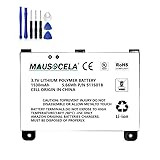
- BATTERY PART NO.: Replacement Battery S11S01B
- COMPATIBLE MODEL: Battery for B003B0A294563B74,D00701,D00701 WiFi,DX DXG,S11S01A
- SAFE AND RELIABLE: Our batteries are manufactured to the same exact specifications as original batteries. Each battery has undergone strict specification testing and use testing to absolutely ensure the safety and durability of the battery
- LONG LIFE WITHOUT CAPACITY LOSS: This battery pack guarantees a high number of charge cycles with low self-discharge – for longer breaks between charges
- EASY TO INSTALL: High-quality replacement batteries, carefully crafted to meet original factory specifications, easy to remove and install batteries.
Lower the front light before changing anything else
Amazon’s support guidance is direct: “Lower your device’s light settings: Devices with a built-in light use more battery.” Set the light to the lowest level that lets you read comfortably. In a dark room, a high setting is usually unnecessary; in bright ambient light, you may be able to reduce it further or turn it off.
How to adjust it
- While a book is open, reveal the Kindle’s reading controls.
- Find the light control and move its slider downward in small steps.
- Read a page for a minute before lowering it again. Stop when text remains clear without eye strain.
There is no useful universal “best” number because comfort depends on the room and your eyesight. The practical test is whether the page is readable at the lowest comfortable setting. Check the light after changing rooms; a level that feels appropriate outdoors can be unnecessarily high at night.
Why this setting matters
The screen itself is designed for long reading sessions, but the built-in light is an active electrical load. Lowering it removes that load continuously for every page you read. Because the light is used throughout a session, this is usually a more dependable saving than trying to change a setting you rarely use.
Quick wins for a faster PC:
Repair Windows errors before they cause bigger problemsFix Now →Fix the driver behind crashes, sound loss and screen glitchesFind Drivers →Clear out junk files and repair common Windows errorsFree Scan →Use Airplane Mode whenever you are reading offline
Airplane Mode disables the Kindle’s internet connection. Amazon specifically says it conserves battery on Kindle (6th Generation and newer) when the device does not need an internet connection. Turn it on after your books have downloaded and your reading progress has synchronized.
What you gain and what you lose
| Setting | Battery effect | Functions available | Functions postponed |
|---|---|---|---|
| Wireless on | More background connectivity and syncing activity. | Downloads, purchases, lookups that require a connection and progress syncing. | None, while the connection is available. |
| Airplane Mode on | Removes internet activity while it is enabled. | Books already stored on the Kindle, reading, local navigation and other offline functions. | Downloads, purchases, online lookups and synchronization until connectivity is restored. |
Practical switching routine
- With wireless available, download the books you plan to read.
- Allow the Kindle to synchronize your progress if you have been reading on another device.
- Open the device’s quick settings and turn on Airplane Mode before settling into an offline reading session.
- Turn Airplane Mode off when you need a purchase, a download, a lookup that requires the internet or a fresh progress sync.
- After the task completes, switch it on again if you are returning to offline reading.
Airplane Mode is not a permanent requirement. It is a convenient choice when you know you will not use online features for a while. Leaving it on means you must remember to restore connectivity before expecting a new book or synchronized reading position to appear.
Put the Kindle to sleep instead of leaving the reading screen active
When you finish reading, press the power button once briefly. Amazon’s instruction is: “Put your device to sleep when done reading. Press the power button once briefly.” A short press is the sleep action; it is different from holding the button down for a full shutdown.
End-of-session checklist
- Finish any page turn or menu action.
- Press the power button once and release it.
- Confirm that the Kindle has entered its sleep state before putting it away.
Making this a habit prevents the Kindle from remaining needlessly active between sessions. If you use a cover, do not assume that closing it has performed the same action on every setup; the explicit brief power-button press is Amazon’s documented instruction.
Recommended Free Tools
Rank #2

- 【Compatible Model】 Please Make sure your phone is suitable for this replacement battery before ordering. Battery Model: 58-000246 Battery.
- 【Durable】100% brand new, high quality, upgraded batteries with A+ grade cells, UL certified. Each battery is tested under strict quality control standards before shipment, fast charging and high efficiency, can provide you with up to 545+ cycles of charging.
- 【Quality Assurance】 100% brand new, high quality, upgraded batteries with A+ grade cells, UL certified. Each battery is tested under strict quality control standards before shipment, fast charging and high efficiency, can provide you with up to 549+ cycles of charging.
- 【Easy To Install】Instruction/Manual NOT included, but there are many installation tutorials videos on YouTube to reference.
- 【Customer Guarantee】 We take care of all quality-related problems with a replacement or a complete refund. If you are not 100% satisfied with your battery change when using this battery during the period, we will reply to you within 33 hours.
Enable Power Saver for longer idle periods
Power Saver places the Kindle in a low-power sleep mode after it has not been used for a few hours, according to Amazon. Enable it if the reader spends long periods on a desk, in a bag or on a nightstand between sessions.
When Power Saver is most useful
- You read in short bursts and often forget to press the power button.
- The Kindle sits unused for several hours between reading sessions.
- You carry it as a backup reader and may not open it for days.
Power Saver does not replace the brief sleep-button press. Use the button immediately when you finish; treat Power Saver as protection against the sessions you forget to close properly.
Manage the temporary drain caused by downloads, updates and indexing
A Kindle can appear to lose battery quickly after setup even when nothing is defective. Amazon explains: “After downloading, your Kindle indexes your books to provide search capability, but it affects battery life.” Indexing is work performed after content arrives, so the extra consumption may continue after the download itself appears complete.
Best procedure after a large download
- Connect the Kindle to power before starting a large library transfer or a software update.
- Keep it connected while the books download.
- Leave it charging for a period afterward so indexing can finish.
- Avoid judging battery endurance during this initial processing period.
- Once downloads and indexing have settled, disconnect it and observe normal use over subsequent sessions.
The same approach applies to a new Kindle. Setup activity, updates and a newly populated library can create a short-lived spike in consumption. Charging during that work prevents the temporary load from being mistaken for the reader’s normal battery performance.
Free tools Windows power users keep installed
One-click scans. No signup required.
Signs that indexing is the likely cause
- The Kindle is new, has just been reset or has just received a software update.
- You recently downloaded many books at once.
- Battery use improves after the device remains connected to power and the library stops processing.
If the battery continues to fall unusually fast after downloads, updates and indexing have finished, treat it as a troubleshooting issue rather than assuming the temporary activity is still running.
Choose a compatible USB-C cable and charge reliably
The current 6-inch Kindle has a USB-C charging port. Amazon recommends a compatible USB cable, preferably the cable supplied with the Kindle. For a replacement or spare, select a USB-C cable that fits the Kindle securely and is intended for charging; do not force a connector that does not match.
Cable checks
- Match the connector to the Kindle’s USB-C port.
- Prefer the supplied cable when it is available and undamaged.
- Replace a cable that is frayed, bent at the connector or intermittently disconnecting.
- Check that the plug seats fully and that the charging indicator appears.
- Keep the port free of lint and debris; never push an object into it.
The relevant requirement is compatibility, not a particular cable color or brand. The available guidance does not establish a required charger wattage or a guaranteed charging time, so avoid treating an advertised charging speed as a battery-life measure.
Rank #3
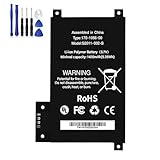
- BATTERY PART NO.: Replacement Battery 170-1056-00, DR-A014, MC-354775, S2011-002-A, S2011-002-S
- COMPATIBLE MODEL: Battery for D01200,DR-A014, KD Touch, KD Touch 4th
- SAFE AND RELIABLE: Our batteries are manufactured to the same exact specifications as original batteries. Each battery has undergone strict specification testing and use testing to absolutely ensure the safety and durability of the battery
- LONG LIFE WITHOUT CAPACITY LOSS: This battery pack guarantees a high number of charge cycles with low self-discharge – for longer breaks between charges
- EASY TO INSTALL: High-quality replacement batteries, carefully crafted to meet original factory specifications, easy to remove and install batteries.
Charging during heavy activity
Charging while books download and index is recommended because those tasks affect battery life. It is also sensible to charge before a long trip if you expect to use a brighter light or wireless features, but do not infer a precise extra reading time from a partial charge; the available specifications provide a maximum endurance claim, not a per-charge percentage chart.
What’s actually slowing this PC down?
Pick the symptom - the matching free tool is one click away.
Compare the main battery-saving choices
Each setting trades a little convenience for less active power use. Use this table to choose a routine that fits how you read.
| Choice | Battery impact | Convenience retained | Trade-off |
|---|---|---|---|
| Lower front light | Reduces continuous light power. | Reading remains available, with no network feature removed. | Very low levels may be uncomfortable in a dark room. |
| Airplane Mode | Stops internet connectivity while enabled. | Stored books and offline reading continue normally. | Downloads, purchases, online lookups and syncing wait until it is turned off. |
| Brief power-button press | Places the Kindle in sleep immediately. | Wake it when you want to resume. | You must remember to press the button. |
| Power Saver | Automatically enters low-power sleep after a few hours of inactivity. | Protects against forgotten idle sessions. | It is delayed; it does not replace immediate sleep. |
| Charging during indexing | Prevents temporary download and indexing work from consuming an uncharged battery. | Search indexing can finish while the Kindle is powered. | The Kindle may still show faster drain until processing is complete. |
A repeatable routine for everyday reading
Before you start
- Download the books you expect to read while wireless is available.
- Let progress synchronize if you have changed devices.
- If the library is large or the Kindle has just updated, connect it to power and allow post-download indexing time.
- Set the front light to the lowest comfortable level for the room.
During reading
- Keep Airplane Mode on when you do not need internet features.
- Lower the light again if the room becomes brighter.
- Do not repeatedly wake the Kindle just to check for a download that can wait.
After reading
- Press the power button once briefly.
- Leave Power Saver enabled for additional protection during long idle periods.
- Reconnect wireless only when you need downloads, purchases, lookups or synchronization.
Diagnose a Kindle that is draining unusually fast
Work through the causes in the order most likely to explain a sudden change. This avoids replacing a cable or treating a normal indexing period as a hardware failure.
| Symptom | Likely explanation | Action |
|---|---|---|
| Drain started immediately after first setup | Books are downloading and being indexed. | Keep the Kindle on power until the library has finished processing, then reassess. |
| Drain followed a large transfer | Post-download indexing is using power. | Leave it charging for a period after the transfer completes. |
| Battery falls quickly during ordinary reading | Front light may be brighter than necessary, or wireless may be active. | Lower the light and enable Airplane Mode when online features are unnecessary. |
| Battery falls while the reader is put away | The Kindle may not have entered sleep. | Press the power button once briefly after each session and keep Power Saver enabled. |
| Charging starts and stops | Cable, connector fit or port debris may be interrupting power. | Try a known-compatible USB-C cable, inspect the connector and check for debris without forcing anything into the port. |
| Fast drain remains after setup, updates and indexing | The issue is persistent rather than temporary activity. | Follow Amazon’s device-support and charging guidance. The available specifications do not provide a battery-health percentage or a per-setting savings figure. |
What not to conclude too quickly
A single low reading after a busy setup day does not establish that the battery is defective. Conversely, a Kindle that continues to drain abnormally after all downloads and indexing have finished should not be excused indefinitely as “normal.” Compare behavior after the device has returned to an ordinary reading routine.
Limits of the six-week claim
“Up to six weeks” is a maximum claim for the current 6-inch Kindle, not a promise that every owner will see six weeks between charges. The claim can be shortened by heavier reading, a higher front-light level, wireless use, Bluetooth, frequent syncing and fresh indexing. Your reading pattern matters more than a calendar target.
There is no established figure in the available specifications for how many hours each setting saves, how much a particular light level costs, or what battery-health percentage should trigger replacement. Do not use an invented percentage or a universal day count to judge your device. Use the documented controls, allow temporary processing to finish, and escalate persistent abnormal drain through Amazon’s support guidance.
Quick Recap
Quick checklist
- Set the front light to the lowest comfortable level.
- Turn on Airplane Mode when you do not need an internet connection.
- Download and synchronize books before going offline.
- Charge during large downloads, updates and the indexing period afterward.
- Press the power button once briefly when you finish reading.
- Enable Power Saver for long idle periods.
- Use the supplied cable or another compatible USB-C cable for the current 6-inch Kindle.
- If rapid drain persists after setup activity ends, use Amazon’s device-support and charging guidance.
Product prices and availability are accurate as of the date/time indicated and are subject to change. Any price and availability information displayed on Amazon at the time of purchase will apply.

