After an AI incident, open a dated record immediately, capture facts and decisions as they occur, preserve volatile data before response work changes it, and maintain a traceable custody record for every item. The workflow below adapts established NIST and CISA incident-response practices to AI services without assuming that every model or platform exposes the same logs, prompts, artifacts, or internal traces.
What to do first
Treat documentation and preservation as response work, not paperwork to complete after recovery. Create one incident record with a consistent time zone, assign an incident identifier, and nominate an owner for the record. From the first alert through final resolution, record observations, decisions, actions, people involved, and material system changes.

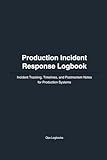



As an Amazon Associate I earn from qualifying purchases.
Use your approved incident-response, privacy, security, and records-retention procedures. This guide is practical general guidance, not legal advice or a forensic standard operating procedure. Requirements can differ by jurisdiction, sector, contract, and incident type. Involve legal counsel and qualified incident responders when the event may lead to regulatory reporting, litigation, prosecution, employment action, or a formal forensic examination.
What’s actually slowing this PC down?
Pick the symptom - the matching free tool is one click away.
- Start the timeline: write down when and how the event was detected, who reported it, which service or system was affected, and the initial observed impact.
- Preserve before changing: identify short-retention or highly volatile data and consider a timely snapshot before containment or recovery alters system state.
- Track every item: give evidence a unique identifier and record collectors, handlers, timestamps with time zone, storage locations, and transfers.
- Protect the record: limit access, preserve confidentiality and integrity, and retain material according to approved policy.
1. Open a dated incident record
Create the record as soon as the event is detected. Use an identifier that will not change, such as AI-2026-0017, and record the time zone at the top of the record. If systems operate in several regions, store the original local timestamp and a normalized UTC value where your procedure allows it.
#1 Best Overall
Record the initial facts
- Detection date and time, time zone, detection method, and reporting person or system.
- Affected AI service, application, model endpoint, workflow, tenant, device, or supporting infrastructure that can be identified from available records.
- Current status: suspected, confirmed, contained, recovering, or resolved.
- Observed impact, including affected users, data, decisions, availability, integrity, confidentiality, or safety concerns.
- Known indicators, related incidents, and immediate contacts.
- What is directly observed versus what is only a hypothesis.
Do not turn an early theory into a fact. Write “the endpoint returned an unexpected tool call at 14:03 UTC” rather than “the model was compromised” until evidence supports that conclusion. Preserve the original alert, ticket, message, or report instead of copying only a summary.
Use a timeline that survives review
Every entry should answer four questions: when did it happen, who acted or observed it, what happened, and what happened next. Include decisions that affect containment, evidence handling, communications, or system state. Note periods when no action occurred if a gap could otherwise be misunderstood.
| Time (with zone) | Actor | Event or action | Result and next step |
|---|---|---|---|
| 2026-10-16 09:12 UTC | Monitoring service | Detected repeated policy-violation outputs from endpoint X | Alert opened; on-call engineer notified |
| 2026-10-16 09:26 UTC | Incident responder | Disabled the affected integration token under containment procedure | New requests rejected; preserve token and audit records |
| 2026-10-16 10:04 UTC | Security lead | Approved export of gateway and application logs | Evidence items E-004 and E-005 created |
NIST SP 800-61 Rev. 2 says every step from detection through final resolution should be documented and timestamped. Its incident-record examples include status, summary, indicators, related incidents, actions, impact assessment, contacts, evidence gathered, comments, and next steps. Use those fields as a starting point, then add fields required by your own procedure.
2. Record actions as they happen
For each technical or administrative action, record the actor, exact time, purpose, command or change at a useful level of detail, result, and follow-up. Capture approvals and disagreements when they affect evidence or system state. If a responder must act before the recorder is ready, make a contemporaneous note and complete missing detail as soon as practical; do not silently reconstruct the event from memory.
Separate observation, action, and interpretation
- Observation: “The audit stream contains 37 requests from tenant T between 09:00 and 09:10 UTC.”
- Action: “At 09:18 UTC, the responder placed tenant T in read-only mode.”
- Interpretation: “The pattern may indicate credential misuse; authentication logs are still being checked.”
This separation lets later reviewers see what was known at each decision point. Amendments should append a new entry with the author, time, reason, and link to the original entry. Avoid deleting or overwriting the original record.
Choose a recording method that your policy permits
NIST SP 800-61 Rev. 3 states: “Facts discovered and actions taken during incident response tasks can be recorded by many means, including a paper logbook, audio/video recordings, or automatic session monitoring and logging, as permitted by the organization’s incident response plan and policy.” The method is secondary to completeness, timestamping, protection, and retrievability. Automatic session capture may be useful for privileged administration, while a written log can document decisions when systems are unavailable. Follow privacy, monitoring, and consent requirements before recording people or communications.
3. Decide what evidence to preserve
Evidence is any data that can clarify what happened, when it happened, who or what was affected, how the system behaved, or whether a control worked. Make a reasoned selection rather than collecting everything indiscriminately. The right set depends on the incident, available records, retention windows, confidentiality, and the risk that response actions will alter the source.
Windows Errors? Fix Them Before They Spread
Repair common Windows errors and clear accumulated junk for a smoother, more stable PC - no reinstall needed.Free scan · no reinstallCrashes, No Sound, or Screen Glitches?
Random freezes, missing sound and display glitches usually trace back to one bad driver. Find and replace yours safely.Free scan · under a minutePrioritize volatile and short-retention sources
Ask which information will disappear, rotate, or be overwritten first. Examples can include memory, active process state, temporary files, short-lived tokens, ephemeral containers, streaming telemetry, and logs with a short retention period. A system snapshot taken early can be valuable because incident conditions change and responder actions can change system state.
CISA’s StopRansomware guidance gives operational examples such as capturing a system image and memory from affected devices where appropriate, collecting relevant logs and related samples, and preserving highly volatile or limited-retention evidence to prevent loss or tampering. These are incident-response examples, not a universal capture list for every AI event.
Use decision axes instead of a fixed checklist
| Question | If the answer is yes | Practical response |
|---|---|---|
| Could the source disappear or rotate soon? | High volatility or short retention | Preserve or export it before routine containment changes the source. |
| Will response work alter the source? | High alteration risk | Coordinate a snapshot, image, or read-only export with the incident lead. |
| Can it establish impact or cause? | High relevance | Prioritize it and document why it was selected. |
| Does it contain sensitive data? | Confidentiality risk | Use approved access controls, encryption, and handling restrictions. |
| Will the organization need it later? | Future access need | Preserve required software, keys, formats, and retrieval instructions. |
| Is collection allowed? | Policy, contract, or legal constraint | Escalate to the responsible owner or legal counsel before collecting. |
Possible evidence categories
Depending on the event and what your organization can access, relevant material may include:
- System images, virtual-machine snapshots, container images, or configuration exports.
- Memory captures and active process information when technically appropriate and authorized.
- Identity, authentication, authorization, gateway, application, orchestration, and network logs.
- Prompt and response records, tool-call records, safety-filter events, moderation decisions, and routing metadata when the service retains them.
- Model, endpoint, policy, feature-flag, retrieval-index, plugin, and dependency versions that can be established from records.
- Input files, output files, incident-triggering samples, and related artifacts, subject to privacy and confidentiality controls.
- Deployment, change-management, access-review, ticketing, alerting, and communication records.
Do not assume that a provider exposes hidden reasoning traces, complete prompts, training data, weights, or every intermediate computation. Record what is available, what was requested, and what is unavailable. An absence should be described accurately rather than filled with an inference.
4. Coordinate preservation with containment and recovery
Preservation and containment can conflict. Leaving a compromised system untouched may increase harm, while changing it immediately may destroy useful evidence. The incident lead should document the trade-off and obtain the required approval.
- Identify the threatened source. Note the host, service, account, log stream, storage bucket, endpoint, or artifact and its retention behavior.
- Assess immediate harm. Decide whether safety, privacy, financial, or operational risk requires immediate isolation or shutdown.
- Capture a timely state. Where authorized and technically feasible, create a snapshot, image, memory capture, or read-only export before changing the state.
- Record the intervention. Log the person, time, command or control change, reason, expected effect, and actual result.
- Verify preservation. Confirm that the export is complete, readable, access-controlled, and stored in the designated evidence location.
If an emergency action must happen first, state that plainly and identify which evidence may have been lost or altered. That limitation is more useful than claiming an unbroken capture.
5. Maintain identity and chain of custody
Create an evidence register as soon as an item is collected. Give each item a unique identifier such as E-004, and preserve the original item according to approved procedure. If you create a working copy, record that relationship and never confuse the copy with the original.
Minimum register fields
| Field | What to record |
|---|---|
| Identifier | Unique evidence ID and incident ID. |
| Description | Source, system, date range, format, size, and other identifying details. |
| Collection | Collector name, role, contact, method, date and time, and time zone. |
| Integrity | Approved hash or integrity check, tool and version where required by procedure, and verification result. |
| Storage | Repository, location or object path, access classification, and storage status. |
| Handling | Every person who accessed or moved it, purpose, date and time with time zone, and resulting location. |
| Transfers | Outgoing and receiving parties, authorization, date and time, method, and acknowledgement. |
| Disposition | Retention decision, legal hold if applicable, and authorized destruction or return. |
NIST SP 800-61 Rev. 2 specifically calls for identifying information, handler names and roles or contact details, handling dates and times with a time zone, and storage locations. It says chain-of-custody forms should document transfers and include each party’s signature. Whether a formal forensic process is needed depends on the circumstances and organizational policy.
Quick wins for a faster PC:
Fix the driver behind crashes, sound loss and screen glitchesFind Drivers →Repair Windows errors before they cause bigger problemsFix Now →Scan for outdated or missing drivers - takes under a minuteDriver Scan →Example transfer entry
E-004 transferred from Jordan Lee, incident responder, to Priya Shah, forensic analyst, at 2026-10-16 12:40 UTC for malware analysis. Original remained in repository IR-EVIDENCE-01; read-only working copy created as E-004-W1. Both parties acknowledged transfer in the evidence register.
Use synchronized clocks where possible and preserve the original timestamps. If a tool converts formats, filters records, or redacts data, retain the unmodified source when permitted and document the transformation, tool, operator, purpose, and output identifier.
6. Protect incident records and plan retention
Incident records often contain credentials, personal data, security architecture, customer information, or sensitive model and business information. Store them in an approved repository with access limited to authorized personnel. Apply encryption and logging controls required by your organization, and monitor access to the evidence itself.
Make retention a documented decision
NIST guidance highlights investigation needs, possible prosecution, cost, and the ability to access data and required hardware or software later as factors in retention. Coordinate retention with legal holds, regulatory obligations, contractual requirements, privacy limits, and the organization’s records schedule. Record who approved the period and why. Do not destroy an item merely because the service’s ordinary log-retention period has expired if a preservation requirement applies.
The Tool Desk
Outbyte PC Repair FREEClear out junk files and repair common Windows errorsFree Scan →Outbyte Driver Updater FREEScan for outdated or missing drivers - takes under a minuteDriver Scan →Preserve future usability
- Keep format and decoding information for specialized exports.
- Record the system, software, version, and permissions needed to read an item.
- Store keys or certificates through the approved key-management process, not inside an unprotected incident note.
- Test that a sample can be retrieved without modifying the original.
- Document any redaction, compression, normalization, or de-identification.
What AI-specific context should be captured?
No single AI-specific evidence checklist is established by the sources used here. Apply general incident-response principles to the AI components that are relevant and observable in your environment.
Capture the service and configuration state you can establish
- Service or product name, endpoint, tenant, region, environment, and responsible owner.
- Model or model-family identifier, deployment revision, routing choice, and timestamped configuration when available.
- Policy, safety, moderation, tool-permission, retrieval, and feature-flag versions.
- Identity that made the request, client application, session or correlation identifier, and relevant request and response timestamps.
- Input and output records, tool calls, external actions, filters, and errors that the service actually retains.
- Changes made before, during, or after the event, including rollback and emergency configuration changes.
These fields are examples, not universal requirements. A hosted service may expose only request identifiers and summarized audit events; an internally operated system may provide deployment manifests and detailed telemetry. State the source and confidence of each field, and identify gaps explicitly.
Keep sensitive AI data proportionate
Prompts, uploaded documents, generated outputs, and user identifiers may contain personal, confidential, or regulated information. Preserve what is relevant under approved handling rules, minimize unrelated content, and record the basis for redaction or restricted access. Do not place secrets, access tokens, or private user data into a broadly shared incident channel.
Independent reader supportYour contribution helps us test, update, and keep practical guides available for everyone.Common mistakes and how to correct them
Waiting until the incident is over
Why it fails: memories fade, timestamps become uncertain, and short-retention logs disappear.
Correction: open the record at detection and append entries continuously. Mark later analysis as analysis, not as an original observation.
Collecting only screenshots
Why it fails: screenshots omit metadata, surrounding events, and integrity information.
Correction: preserve the underlying export, log object, image, or memory capture when authorized, and keep screenshots as explanatory supplements.
Changing the system without recording it
Why it fails: emergency rotations, restarts, patches, and policy changes can alter the evidence.
Free tools Windows power users keep installed
One-click scans. No signup required.
Correction: record each intervention, its purpose, operator, time zone, expected effect, and result. If an action was undocumented at the time, add a clearly labeled retrospective entry.
Assuming every AI provider keeps the same data
Why it fails: retention, access, and telemetry differ by service, plan, region, and configuration.
Correction: document what the service can provide, request preservation promptly, and record unavailable artifacts without implying they existed.
Treating a hash as proof of truth
Why it fails: an integrity check can show that a stored file did not change after capture; it does not by itself prove who created the file, what happened before capture, or that the file explains causation.
Do these 3 things before closing this tab:
1Scan for outdated or missing drivers - takes under a minute2Repair Windows errors before they cause bigger problems3Fix the driver behind crashes, sound loss and screen glitchesCorrection: combine integrity records with source details, timestamps, custody history, and corroborating evidence.
Keeping the only copy in a paper notebook
Why it fails: paper cannot preserve logs, memory, images, or technical metadata and may be lost or accessed improperly.
Correction: use a paper incident logbook only as an optional recording aid, while storing technical evidence and the authoritative record in approved secure repositories.
A practical record template
Adapt the following fields to your system. Keep the template in your approved incident-management tool rather than copying sensitive values into an uncontrolled document.
Recommended Free Tools
Incident header
- Incident ID and classification.
- Opened date and time, time zone, and record owner.
- Detector, reporter, affected service, environment, and current status.
- Initial factual description and observed impact.
- Legal, privacy, communications, and executive contacts.
Timeline entry
- Date and time with time zone.
- Author and role.
- Observation, decision, or action.
- Command, change, or communication reference.
- Result, uncertainty, and next step.
- Related evidence IDs or ticket links within the approved system.
Evidence item
- Evidence ID and incident ID.
- Description, source, date range, format, size, and collection method.
- Collector and contact details.
- Integrity value or verification record, if required.
- Storage location and access classification.
- Every handling event and transfer.
- Retention, legal-hold, and disposition decision.
How to decide whether formal forensic handling is needed
Escalate when the incident may involve criminal conduct, litigation, regulatory scrutiny, contested employment action, safety consequences, substantial financial loss, or a request for evidence from an authority. Legal counsel can advise on preservation notices, privilege, jurisdiction, reporting, and cross-border transfer. A qualified forensic responder can select acquisition methods, validate tools, and protect original media.
Do not promise that a particular collection method guarantees admissibility or proves causation. Admissibility and evidentiary weight depend on applicable law, facts, procedure, authenticity, relevance, and the forum reviewing the material. Your record should demonstrate disciplined handling and accurately disclose limitations.
How the named guidance fits together
NIST SP 800-61 Rev. 2, published August 6, 2012, provides detailed historical guidance on incident documentation, evidence identification, handling information, and custody records. NIST SP 800-61 Rev. 3, published in April 2025, is the newer incident-response recommendation and addresses recording methods, record integrity and provenance, confidentiality, integrity, and retention. Use the newer recommendations while retaining the older document’s practical evidence-record fields where they fit your procedure.
NIST’s AI Risk Management Framework is voluntary and helps organizations manage AI risks; it does not supply a universal forensic capture recipe. CISA’s January 14, 2025 announcement describes the JCDC AI Cybersecurity Collaboration Playbook and Fact Sheet as collaboration and information-sharing resources, not a mandatory evidence checklist. CISA’s ransomware guidance offers concrete preservation examples that must still be adapted to the actual incident.
Quick Recap
Final review before closing the incident
- Confirm the timeline runs from detection through resolution, with a stated time zone.
- Check that observations, decisions, actions, and hypotheses are distinguishable.
- Verify that volatile or short-retention evidence was preserved or that its loss is documented.
- Match every evidence item to an identifier, collector, storage location, integrity record, and custody history.
- Record system changes, containment actions, transformations, redactions, and unavailable artifacts.
- Apply access controls, retention, legal-hold, and disposal decisions.
- Document unresolved questions, impact assessment, follow-up owners, and next steps.
- Obtain the required review or approval before changing the record to resolved.
Product prices and availability are accurate as of the date/time indicated and are subject to change. Any price and availability information displayed on Amazon at the time of purchase will apply.

