On the Galaxy S22 Ultra, open Settings > Advanced features > S Pen. Use Air command to change the floating menu and its shortcuts; use Air actions to reassign supported S Pen button presses and gestures. These are separate settings, and remote actions require a charged, connected S Pen.
Change the Air command menu and its shortcuts
- Open Settings > Advanced features > S Pen.
- Tap Air command.
- Change the menu style or open Shortcuts to add or remove apps and features shown in the floating menu.
Air command shortcuts are quick links in the on-screen S Pen menu. They do not change what the pen button or gestures do. If pressing the pen button does not open the menu, check Open Air command with Pen button; you can also open Air command from its on-screen icon. [Samsung Support]
As an Amazon Associate I earn from qualifying purchases.
Reassign S Pen button presses and app actions
- Return to Settings > Advanced features > S Pen and tap Air actions.
- Under App actions, choose a supported app.
- Tap an action such as Single press or Double press, then select one of the commands offered for that app.
Choices depend on the app: an action available in one app may not appear for another. Samsung describes Air actions as controlling apps remotely with the connected S Pen; the feature is limited to compatible apps. [Samsung Support UK: Galaxy S22 Ultra Air actions] [Samsung Support]
Free tools Windows power users keep installed
One-click scans. No signup required.
Choose what a long press opens
In Air actions, use Hold down Pen button to to select the app launched by holding the button. The available options may vary by software version.
#1 Best Overall
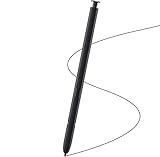
- Brand New- Compatible with Samsung Galaxy S22 Ultra.Tested one by one by professional technicists before shipping.
- High Quality - Galaxy S22 Ultra real pen soft tips great sensitive.4096 levels of pressure sensitivity. Precise touch and control, support all menu functions.[Note: WithoutBluetooth and does not support remote control functionality.]
- Wide Application - The stylus pen helps in daily use , writing ,painting etc.And it does no harm to your screen.
- Helpful -Troubled with your lost stylus Galaxy S22 Ultra, then this will work for you.
- Package Includes:1 X Galaxy S22 Ultra Pen Replacement(Black), WithoutBluetooth
Use and customize Anywhere actions
The Galaxy S22 Ultra also supports Anywhere actions, which are intended to work across screens rather than only within one compatible app. They use S Pen button gestures, with Samsung documenting navigation and screen tools among the defaults. To see or change the available commands, open Settings > Advanced features > S Pen > Air actions. The precise actions and labels can vary by software version. [Samsung Support UK: Galaxy S22 Ultra Air actions]
Fix Air actions that do not respond
- Check charge and connection: Air actions need a charged S Pen with an active connection. Distance, obstacles, or external interference can disconnect it.
- Reconnect the pen: Insert the S Pen into its slot; Samsung says this reconnects it. For gesture use, its S22 Ultra guide specifies a minimum operating distance of 10 cm from the screen.
- Reset if needed: In Air actions settings, use Reset S Pen if reconnecting does not resolve the issue.
- Separate menu trouble from remote-action trouble: If Air command will not open, check Open Air command with Pen button or tap the Air command icon. If remote button presses or gestures fail, check the connection and charge instead.
Samsung’s S22 Ultra-specific Air actions guidance was published on 24 May 2022; current menu labels and feature availability can differ by model, app, and software version. If you replace a missing or damaged pen, verify that the exact replacement is compatible with the Galaxy S22 Ultra and supports Bluetooth Air actions; writing support alone does not establish remote-action support. [Samsung Support UK: Galaxy S22 Ultra Air actions] [Samsung Support] [Samsung Support]
Quick Recap
Best Value
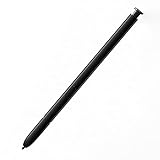
- This pen come without Remote function , other function is work
- 100% New and Best Quality. the pen can be detected now when you redesign after 10/10/2018
- 2 months warranty, contact seller to free replacement.
- About products : (WithoutBluetooth)4096 levels of pressure sensitivity.Precise touch and control, support all menu functions.Strict inspection one by one before delivery.
- Work For Samsung S22 Ultra
Rank #4

- DESIGN FOR ACCURACY: Take advantage of the expansive screen on Galaxy S22; S Pen features a slim 0.7mm pen tip with 4,096 pressure levels to write and sketch as naturally and accurately as putting pen to paper
- REMOTE CONTROL: S Pen becomes a remote control for your apps thanks to built-in Bluetooth capacity; Take pictures, switch between cameras, pause or turn up your playlist and so much more — all with a quick gesture or a click of the S Pen button on the side
- AIR COMMAND: Pull up the Air Command menu with a click of the S Pen button; Simply hover S Pen over the phone’s screen and click the button on the side to pull up features like Smart Select, Screen Write, Live Messages and more
- Air actions support may vary by app
Rank #3
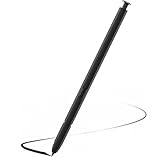
- Compatible with Galaxy S22 Ultra Only , Not Fit S22 and S22 Plus. Samsung Galaxy S22 Ultra Pen Replacement is the reliable choice when you need a backup or replacement for your original Galaxy S22 Ultra S Pen
- S22 Ultra S Pen Replacement can connect your mobile phone and control your mobile phone to take photos and video recording. PPT page turning
- Pull Up The Air Command Menu At The Click Of The S22 Ultra Stylus Pen Button; Simply Hover S22 Ultra Pen Over The Screen And Click The Button On The Side To Pull Up The Features Like Smart Select, Screen Write, Live Messages And More
- Slim 0.7 mm Pen Tip, 4096 Pressure Levels, S22 ultra pen allows you to make quick notes, draw or edit along with all other typical touch-screen
- Packaging Included S Pen S22 Ultra , Replacement Tips/Nibs
Rank #2
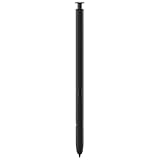
- 【Compatibility】Galaxy S22 Ultra 5G All Version ( Not Compatibility Galaxy S22 & S22 Plus )
- 【Product Features】0.7mm Pen Tips/Nibs , 4096 Pressure Sensor , allows you to make quick notes, draw or edit along with all other typical touch-screen
- 【One-Touch Command】This S Pen replacement for S22 Ultra lets you manage your phone's camera with a single click. Effortlessly capture photos, record videos, and navigate through PPT presentations
- 【Packaging】S Pen Compatible with Galaxy S22 Ultra , Tip/Nibs Replacement
- 【Service】We provide 30 days replacement for all quality-related issues
Product prices and availability are accurate as of the date/time indicated and are subject to change. Any price and availability information displayed on Amazon at the time of purchase will apply.

