ColorOS 16 puts most visual controls in one place: Settings > Home screen, Lock screen & style. From there you can change wallpapers, edit lock-screen clock styles through Flux Themes, choose fonts and text treatments, resize Home Screen icons and folders, and—on supported phones—set a full-screen Always-On Display (AOD). The exact options can differ by model, hardware, carrier, region and installed software, so treat the menus on your phone as the final authority.
This guide follows OPPO’s documented ColorOS 16 paths and separates controls that are broadly available from those that require specific support. OPPO announced ColorOS 16 globally on October 15, 2025, but its rollout and feature set are approximate and can change by device and market (OPPO’s announcement).
As an Amazon Associate I earn from qualifying purchases.
ColorOS 16 personalization controls at a glance
Use this table to jump to the setting you need. Menu wording can vary slightly with language, region or a carrier-customized build.
| What you want to change | Documented path or gesture | Important qualification |
|---|---|---|
| Wallpaper | Settings > Home screen, Lock screen & style > Wallpapers | Available image choices and motion options depend on the phone and software. |
| Lock-screen clock | Settings > Home screen, Lock screen & style > All Flux Themes > In use card > tap the clock | The editing controls shown by Flux Themes are not guaranteed to be identical on every model. |
| Home Screen icon or folder size | Long-press an icon or folder, then choose an available shape | OPPO documents tall, wide and large formats; the choices can differ by device. |
| Fonts and text styling | Use the typography controls presented by the wallpaper or theme editor | AI-suggested styles and other AI features can vary by region, cloud availability, account and software version. |
| Full-screen AOD | Settings > Home screen, Lock screen & style > Clock, then choose and edit a supported clock theme | OPPO identifies it as a ColorOS 16-and-above feature, but hardware support and presentation vary. |
Open the combined Home screen, Lock screen & style area
Start in the combined personalization page rather than searching separate menus. Open Settings, tap Home screen, Lock screen & style, and select the control you need. OPPO’s support documentation uses this label for wallpaper and clock-related settings (full-screen AOD instructions).
#1 Best Overall

- 6.82 inches, LTPO AMOLED, 1B colors, 1440 x 3168 pixels
- 512GB Storage, 12GB RAM
- Android 16, Qualcomm SM8850-AC Snapdragon 8 Elite Gen 5 (3 nm), Octa-core (2x4.6 GHz Oryon V3 Phoenix L + 6x3.62 GHz Oryon V3 Phoenix M)
- Rear: 200 MP, f/1.5, 23mm (wide), 1/1.12", PDAF, OIS, 200 MP, f/2.2, 70mm (periscope telephoto), 1/1.28", PDAF (15cm - ∞), OIS, 3x optical zoom, 50 MP, f/3.5, 230mm (periscope telephoto), 1/2.75", PDAF, OIS, 10x optical zoom, 50 MP, f/2.0, 14mm, 123˚ (ultrawide), 1/1.95", PDAF, Front: 50 MP, f/2.4, 21mm (wide), 1/2.75", PDAF
- 163.2 x 77.0 x 8.7 mm or 9.1 mm
If you cannot find the exact wording, use the Settings search field for “wallpaper,” “clock,” “AOD,” “Flux Themes” or “Home screen.” A translated interface may capitalize “Lock screen” differently, and some carrier builds can place a control one level deeper. Do not assume a promotional screenshot represents every OPPO phone running ColorOS 16.
Change the Home Screen and lock-screen wallpaper
Set a standard wallpaper
- Open Settings.
- Tap Home screen, Lock screen & style.
- Tap Wallpapers.
- Choose an available image or another wallpaper option shown on your phone, preview it, and apply it to the destination offered by the interface.
The final screen may let you assign the image to the Home Screen, the lock screen, or both. If your build presents separate confirmation buttons, read the destination label before applying so an image intended for one surface does not replace the other.
Use a Motion Photo or video wallpaper
OPPO says ColorOS 16 can use Motion Photos or videos as wallpapers. Select the supported motion or video option from Wallpapers, choose the item, preview how it behaves, and confirm. A moving wallpaper can consume more battery and may be limited by file format, duration, resolution or storage rules that are not specified in the global announcement. If a particular clip is rejected, try a shorter or locally stored file and check whether the wallpaper picker exposes a supported format.
What’s actually slowing this PC down?
Pick the symptom - the matching free tool is one click away.
Understand AI Dynamic Depth and generated text styles
OPPO describes AI Dynamic Depth for motion-photo wallpapers and AI-generated text styles that match a wallpaper. These features can change how the subject, clock or text appears rather than simply replacing the background. Availability is not universal: OPPO states that AI functions may depend on regional laws, cloud availability, software version, account status and network requirements (ColorOS 16 product page).
Rank #2
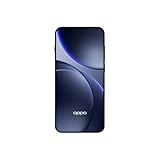
- 6.59 inches, AMOLED, 1B colors, 1256 x 2760 pixels
- 512GB Storage, 12GB RAM
- Android 16, Mediatek Dimensity 9500 (3 nm), Octa-core (1x4.21 GHz C1-Ultra & 3x3.5 GHz C1-Premium & 4x2.7 GHz C1-Pro)
- Rear: 50 MP, f/1.6, 23mm (wide), 1/1.4", 1.12µm, multi-directional PDAF, OIS, 50 MP, f/2.6, 73mm (periscope telephoto), 1/1.95", 0.61µm, 3x optical zoom, multi-directional PDAF, OIS, 50 MP, f/2.0, 15mm, 120˚ (ultrawide), 1/2.76", 0.64µm, multi-directional PDAF, Front: 32 MP, f/2.4, 21mm (wide), 1/2.74", 0.8µm
- 157 x 73.9 x 8 mm (6.18 x 2.91 x 0.31 in)
“Users can personalise their phones by setting Motion Photos or videos as wallpapers, choosing from a wide range of fonts, or letting AI suggest text styles that match their wallpaper.” — OPPO, October 15, 2025 (global ColorOS 16 announcement)
If the AI option is absent, the basic wallpaper and font controls can still work. Check for a system update, sign in if your device requests an account, and verify that the phone has an internet connection when an online generation step is involved. Do not treat the absence of an AI button as proof that the phone is not running ColorOS 16; the feature may simply be unsupported in that market or on that hardware.
Resize Home Screen icons and folders
ColorOS 16 lets you change the footprint of an individual app icon or folder without rebuilding the entire Home Screen. OPPO documents a long-press gesture that offers shapes such as tall, wide or large, while the surrounding layout adapts to the resized item.
Quick wins for a faster PC:
Fix the driver behind crashes, sound loss and screen glitchesFind Drivers →Repair Windows errors before they cause bigger problemsFix Now →- Go to the Home Screen.
- Long-press the app icon or folder you want to change.
- Choose the resize or shape control that appears.
- Select an available format, such as tall, wide or large.
- Tap an empty area or use the confirmation control to finish.
The exact labels and number of choices are model-dependent. A folder may occupy more grid space after resizing, causing neighboring icons to move; that is expected behavior, not a loss of apps. If no resize control appears, long-press from the Home Screen rather than the app drawer, make sure the launcher is the active default, and check whether your software build includes the feature.
Rank #3

- 6.78 inches, LTPO AMOLED, 1B colors, 1272 x 2772 pixels
- 512GB Storage, 16GB RAM
- Android 16, up to 5 major Android upgrades, ColorOS 16, Mediatek Dimensity 9500 (3 nm), Octa-core (1x4.21 GHz C1-Ultra & 3x3.5 GHz C1-Premium & 4x2.7 GHz C1-Pro)
- Rear: 50 MP, f/1.5, 23mm (wide), 1/1.28", 1.22µm, multi-directional PDAF, OIS, 200 MP, f/2.1, 70mm (periscope telephoto), 1/1.56", 0.5µm, 3x optical zoom, multi-directional PDAF, OIS, 50 MP, f/2.0, 15mm, 120˚ (ultrawide), 1/2.76", 0.64µm, multi-directional PDAF, Front: 50 MP, f/2.0, 21mm (wide), 1/2.76", 0.64µm, PDAF
- 161.3 x 76.5 x 8.3 mm (6.35 x 3.01 x 0.33 in)
Change the lock-screen clock with Flux Themes
OPPO’s documented clock editor is inside Flux Themes. It is separate from simply choosing a wallpaper.
- Open Settings.
- Tap Home screen, Lock screen & style.
- Tap All Flux Themes.
- Select the In use card.
- In the editing interface, tap the clock.
- Choose or adjust the clock style, then save or apply it using the control shown on screen.
OPPO’s Nepal support article uses this sequence for changing the lock-screen clock (OPPO clock-style instructions). The editor can expose different fonts, layouts, colors or placement controls depending on the selected theme. If tapping the clock does nothing, first select the card marked In use; editing a preview card may expose different controls.
Choose fonts and lock-screen text styling
ColorOS 16’s personalization tools include font selection and text treatments. The available typography controls may appear while editing a theme, a clock or a wallpaper. Select the font or text-style control, preview the result against your chosen background, and apply it only after checking that the clock and notification areas remain readable.
Do these 3 things before closing this tab:
1Clear out junk files and repair common Windows errors2Scan for outdated or missing drivers - takes under a minute3Repair Windows errors before they cause bigger problemsAI-generated text styles are optional. They may require a supported device, an online service, an account or a regional software entitlement. A manually selected font is the dependable fallback when an AI suggestion is unavailable or produces a style that reduces contrast.
Rank #4
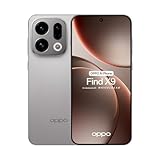
- 6.59 inches, AMOLED, 1B colors, 1256 x 2760 pixels
- 512GB Storage, 12GB RAM
- Android 16, Mediatek Dimensity 9500 (3 nm), Octa-core (1x4.21 GHz C1-Ultra & 3x3.5 GHz C1-Premium & 4x2.7 GHz C1-Pro)
- Rear: 50 MP, f/1.6, 23mm (wide), 1/1.4", 1.12µm, multi-directional PDAF, OIS, 50 MP, f/2.6, 73mm (periscope telephoto), 1/1.95", 0.61µm, 3x optical zoom, multi-directional PDAF, OIS, 50 MP, f/2.0, 15mm, 120˚ (ultrawide), 1/2.76", 0.64µm, multi-directional PDAF, Front: 32 MP, f/2.4, 21mm (wide), 1/2.74", 0.8µm
- 157 x 73.9 x 8 mm (6.18 x 2.91 x 0.31 in)
Set up full-screen Always-On Display (AOD)
What full-screen AOD does
OPPO describes full-screen AOD as a mode that can show the lock-screen wallpaper together with key information while the display is otherwise in its ambient state. Tapping the display transitions to the full lock screen. This is different from a conventional AOD that shows only a clock, date, notification icons or a small graphic.
Documented setup path
- Open Settings.
- Tap Home screen, Lock screen & style.
- Tap Clock.
- Choose a clock theme that supports the full-screen presentation.
- Enter its editing mode and configure the wallpaper, clock and information elements offered by the editor.
- Apply the theme, then lock the phone to verify how the AOD appears in practice.
OPPO identifies full-screen AOD as available on ColorOS 16 and above, but that statement does not establish support for every OPPO model. Display hardware, power-management behavior and regional firmware can change the result (OPPO’s full-screen AOD support page). The product description also notes that hardware-dependent features can vary (ColorOS 16 product information).
Check the result instead of trusting the preview
After applying the theme, press the power button to turn the screen off and wait for the AOD to appear. Confirm that the wallpaper, clock and key information are visible, then tap once to verify the transition to the full lock screen. If the phone shows only a minimal clock, the selected theme or the device may not support the full-screen mode. Some phones also limit when AOD appears to reduce power use; check the AOD schedule or display settings offered on your model.
Choose between the main customization outcomes
| Choice | Best when you want | Trade-off or limitation |
|---|---|---|
| Still-image wallpaper | Predictable appearance and low visual movement | No motion effect; image-cropping and placement depend on the picker. |
| Motion Photo or video wallpaper | Animation on the Home Screen or lock screen | May use more battery and may accept only supported files or devices. |
| Standard AOD | At-a-glance time and notifications with a restrained display | Shows less of the lock-screen artwork. |
| Full-screen AOD | Lock-screen wallpaper plus key information while the phone is idle | Requires ColorOS 16 or later and compatible hardware/theme support; power behavior can differ. |
| Manual font or text style | Consistent appearance without online generation | Fewer automatic suggestions than an AI-enabled editor. |
| AI-suggested text style | Typography matched automatically to a wallpaper | May be unavailable because of region, account, network, cloud or software conditions. |
Why a ColorOS 16 option may be missing
The phone is not on the expected software build
Open Settings > About device and check the ColorOS version shown by your phone. A rollout label alone is not enough: OPPO says schedules are approximate and subject to change by model, region, carrier and development progress. If the version is older, install an official update when one is offered, restart the phone, and look again in the combined personalization area.
Best Value

- 6.82 inches, LTPO AMOLED, 1B colors, 1440 x 3168 pixels
- 512GB Storage, 12GB RAM
- Android 16, Qualcomm SM8850-AC Snapdragon 8 Elite Gen 5 (3 nm), Octa-core (2x4.6 GHz Oryon V3 Phoenix L + 6x3.62 GHz Oryon V3 Phoenix M)
- Rear: 200 MP, f/1.5, 23mm (wide), 1/1.12", PDAF, OIS, 200 MP, f/2.2, 70mm (periscope telephoto), 1/1.28", PDAF (15cm - ∞), OIS, 3x optical zoom, 50 MP, f/3.5, 230mm (periscope telephoto), 1/2.75", PDAF, OIS, 10x optical zoom, 50 MP, f/2.0, 14mm, 123˚ (ultrawide), 1/1.95", PDAF, Front: 50 MP, f/2.4, 21mm (wide), 1/2.75", PDAF
- 163.2 x 77.0 x 8.7 mm or 9.1 mm
Your model or display hardware does not support the feature
ColorOS 16 can include software controls that are hidden when the hardware cannot render them. This is particularly relevant to full-screen AOD, which depends on display and power-management capabilities. There is no complete device-by-device compatibility matrix in OPPO’s cited support material, so the presence or absence of the control on your phone is more reliable than a global promotional image.
Your region, carrier or language uses different labels
The support instructions cited here were published for India, Nepal and Singapore, while OPPO’s feature announcement is global. A localized build may rename “Home screen, Lock screen & style,” omit Flux Themes, or move a control. Search Settings for the functional term and check OPPO support for your market rather than copying a path from another country word for word.
An AI control needs network or account access
AI wallpaper and text features can rely on cloud services and may be governed by local law. Connect to a stable network, complete any account prompt, and retry. If the feature still does not appear, use the standard wallpaper and manual font controls; those do not depend on an AI suggestion being available.
The launcher gesture does not respond
- Long-press an icon or folder directly on the Home Screen, not inside Settings.
- Try a different icon to determine whether the problem is limited to one app or folder.
- Exit Home Screen edit mode if it is already open, then long-press again.
- Restart the phone after a system update and check for launcher updates included with the firmware.
- If the resize control never appears, your model or launcher build may not expose that option.
Keep the lock screen readable and practical
A visually dense wallpaper can make the clock and notification text difficult to read. Before applying a theme, preview it with the phone’s normal notification icons and check the upper and lower portions of the screen where the clock is placed. A darker or less detailed image often gives manual text styles better contrast than a busy Motion Photo.
When testing full-screen AOD, confirm that the information you expect—such as the clock or notification indicators—actually appears while the phone is idle. The mode is designed to show key information, but the exact set of items is controlled by the selected theme and the phone’s firmware.
What ColorOS 16 can and cannot guarantee
The documented controls establish the available workflow, not a universal feature set. OPPO’s global product material says some features depend on hardware and that AI features may not be present at launch or may vary with regional laws, cloud availability, software version, account and network requirements. Its rollout schedule is also approximate. In practical terms, two OPPO phones with ColorOS 16 can show different wallpaper choices, clock editors, icon shapes or AOD behavior.
Use the combined settings page as your starting point, follow the exact control that appears on your device, and verify the result on the locked phone rather than relying on a screenshot from another model. That approach lets you customize the phone you already own without assuming that a new device is required for a particular visual option.
Windows Errors? Fix Them Before They Spread
Repair common Windows errors and clear accumulated junk for a smoother, more stable PC - no reinstall needed.Free scan · no reinstallOutdated Drivers Are Slowing You Down
One free scan finds every outdated or missing driver and matches the right update for your exact hardware.Free scan · exact hardware matchQuick Recap
Product prices and availability are accurate as of the date/time indicated and are subject to change. Any price and availability information displayed on Amazon at the time of purchase will apply.

