You can no longer start a new podcast workflow with consumer Skype: Microsoft retired Skype on May 5, 2025, and its lifecycle record lists May 6, 2025 in Pacific Time. Skype for Content Creators once supported sending call feeds as NDI outputs, but the old setup is now historical. For a current route, NDI documents output from the new Microsoft Teams client on Windows; whether Teams Free accounts can use it is not confirmed, so check eligibility before relying on it.
What NDI did for a Skype podcast call
NDI is a network-based way for compatible software and devices to send and receive audio and video over an IP network. In a podcast production, an NDI output can make a remote caller’s media available to compatible receiving software without treating NDI as a podcast app in itself.
As an Amazon Associate I earn from qualifying purchases.
Skype for Content Creators historically offered NDI call feeds, which made it useful for bringing remote guests into a production workflow. Microsoft’s current retirement information confirms Skype consumer is no longer available, but the exact old menu sequence and setup requirements are not established here; avoid relying on old screenshots or instructions as a current procedure.
Quick wins for a faster PC:
Scan for outdated or missing drivers - takes under a minuteDriver Scan →Repair Windows errors before they cause bigger problemsFix Now →Fix the driver behind crashes, sound loss and screen glitchesFind Drivers →What to check before trying the current Teams route
- Skype status: Microsoft Support gives May 5, 2025 as the Skype consumer retirement date. Microsoft Lifecycle displays May 6, 2025 in Pacific Time. Skype for Business is a separate product and is not covered by the consumer retirement notice.
- Teams account eligibility: Microsoft directed Skype users to Teams Free, but NDI’s documented procedure does not confirm that Teams Free consumer accounts can broadcast NDI. Verify that the specific account and current Teams client expose the NDI options before planning a recording.
- Operating system: The NDI procedure is for the new Teams client on Windows. Do not assume the same controls or support on Mac or other platforms.
- Receiver compatibility: NDI’s creator material names OBS Studio, Streamlabs, and vMix integrations. Check the current documentation for your receiving application and version rather than assuming every version supports the same workflow.
- Network route: The Teams computer and receiving computer need a suitable network path for the media. A wired Ethernet connection is an option for a local network layout, not a mandatory purchase or universal requirement.
Install NDI Tools from the official source
- Open the official NDI Tools installation instructions and choose the installer for your operating system.
- Download NDI Tools from the official NDI site. The download page listed version 6.3.2 when checked on October 3, 2026; versions can change, so use the version currently offered rather than seeking an older build.
- Install the software and follow the on-screen prompts. NDI Tools is software; you do not need to buy capture hardware just to use NDI.
- Confirm that the computer receiving the call has compatible NDI receiver software installed and that it can see the source on the network. If it cannot, resolve network or application compatibility before starting the podcast.
Enable NDI output in new Teams on Windows
NDI documents this sequence for the new Microsoft Teams client on Windows. It is not a confirmed step-by-step guide for Teams Free accounts; first establish that your account has the feature.
#1 Best Overall

- Compact but Powerful Design: ZowieBox is smaller than a phone, featuring a tally light and LCD screen for streaming status. Capture console gameplay in up to 4K with zero-lag HDMI passthrough, while the built-in video encoder converts video for IP streaming. The IP stream can also be decoded back to a 4K HDMI signal.
- Standalone Game Streaming: Just plug and play—ZowieBox enables PC-free live gaming without affecting gameplay. As an RTMP hardware encoder and HDMI streamer, it delivers stable streaming directly from your source, making it ideal for gaming, live events, and professional broadcasting.
- NDI|HX3 Converter Technology: ZowieBox converts HDMI signals to NDI|HX3/HX2/HX, functioning as an NDI video encoder, or NDI Video Decoder for flexible IP workflows. Certified NDI technology enables low-latency gameplay streaming through OBS/vMix. Note: Encoder and decoder modes cannot run simultaneously; full NDI signals are not supported.
- UVC to HDMI Conversion: Supporting up to 4K@30fps and 1080p@60fps decoding, ZowieBox enables flexible conversion for webcam and video workflows. As a video decoder and HDMI to IP converter, it expands connectivity options for professional video devices. Note: USB capture card functionality is not currently supported.
- All-around Configuration Options: Control ZowieBox through its web UI on a PC, phone, or tablet. Manage connected PTZ cameras, tally light, video/audio, OSD, work mode, streams, network, and system settings. Support for VISCA over IP encoder workflows enables flexible PTZ control, while the dashboard provides video preview and system status.
- Install the additional NDI files as directed by NDI’s Microsoft Teams NDI instructions.
- In Teams, open Settings and more, then Settings, then App permissions, and turn on NDI.
- Join or start the call. During the call, open the call’s more-options menu and enable Broadcast over NDI.
- In your receiving application, select the available Teams NDI source and confirm that the caller’s audio and video arrive as expected before recording or going live.
These controls may change as Teams is updated. If the account lacks the App permissions control or the per-call broadcast option, do not assume an NDI installation problem: the account or client may not be eligible for the feature.
Network and quality considerations
NDI sends media over IP, so both ends depend on a usable network route and compatible software. For a fixed podcast desk, Ethernet can be a practical way to connect devices to the same network, but the cited NDI guidance does not require a new cable for every setup. If the source is not visible, check that the devices can communicate on the network and that the receiver is looking for the correct source.
Rank #2

- Decode NDI Streams to HDMI – Converts full-bandwidth NDI and NDI|HX streams to HDMI for seamless IP-to-display integration.
- High-Resolution HDMI Output – Outputs resolutions up to 4096×2160 at 60 fps with automatic scaling and EDID-based optimization for connected displays.
- Advanced Video Processing – Built-in processing supports de-interlacing, aspect ratio and frame rate conversion, color space adjustments, cropping, and scaling for optimal playback.
- Flexible Power & Network Control – Operates via Power over Ethernet (PoE) or USB power, with full web-based configuration, HTTP API control, and support for central management systems.
- Low Latency for Live Production – Delivers near-zero latency decoding, with tally indicators, embedded audio support, and PTZ camera control integration.
NDI advertises formats up to 4K 60fps in 10-bit HDR on its content-creation page. That is a vendor description of supported formats, not independent performance testing and not a guarantee that every camera, computer, network, Teams account, or receiving application will deliver those settings. For a podcast, verify the actual format and audio/video behavior in the complete setup before a real recording.
Troubleshooting a missing or unusable NDI feed
- No NDI option in Teams: Check that you are using the new Teams client on Windows, have installed the additional NDI files, and enabled NDI under App permissions. Confirm account eligibility; Teams Free support is not established by the documented procedure.
- Broadcast option is missing during the call: The global permission and the per-call broadcast are separate controls. Confirm the App permissions setting first, then check the call options. If it remains absent, the feature may not be available for that account or client.
- Teams says it is broadcasting, but the receiver sees nothing: Confirm the receiver supports NDI in its current version, is on an appropriate network path, and is scanning for the Teams source. Recheck the receiver’s own source-selection instructions.
- Feed appears but audio or video is wrong: Check source selection and the receiving application’s audio/video routing. Test with the exact Teams and receiver versions intended for production; compatibility and performance depend on the full setup.
- Old Skype instructions do not match: Consumer Skype is retired, and its historical interface should not be treated as a currently available setup path. Move to a supported calling workflow and confirm its NDI eligibility instead.
Copyright and podcast publishing checks
NDI transports audio and video; it does not grant rights to record, rebroadcast, or publish a guest’s contribution or third-party material. Get the permissions you need from guests and rights holders, and review the platform rules that apply to your recording or livestream before publishing.
Rank #3
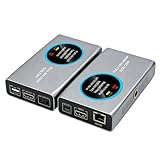
- 2-in-1 Full NDI Encoder & Decoder Easily switch between HDMI to Full NDI encoding and NDI to HDMI decoding via Web UI. One device replaces two, ideal for live streaming and IP video workflows.
- True Full NDI – Not NDI HX Supports Full NDI protocol for higher bitrate, sharper image quality, and lower latency compared to NDI HX. Built for professional broadcast environments.
- Ultra-Low Latency Performance End-to-end latency is under 60ms for smooth real-time video transmission. Perfect for live events, conferences, and production setups.
- PoE Powered for Easy Setup Supports Power over Ethernet (PoE) for single-cable setup, or use USB-C for flexible power options. Simplifies installation in any environment.
- Professional Features Built-In Includes HDMI loop out, PTZ control, tally light, audio embed/de-embed, and LCD display for real-time monitoring and control.
Or let it run in the cloud
If your separate goal is keeping a prerecorded YouTube channel live 24/7, StreamNeo is a different tool from NDI: it loops uploaded videos in the cloud rather than sending a live camera or podcast call. Upload a recording or build a playlist, add your YouTube stream key once, and go live. Your computer and home connection do not have to stay on; uploads stream as made up to 4K 60fps at one flat price per slot, with automatic recovery if YouTube drops the stream. The first day is free with no card. Monthly: $9.99 per month. See StreamNeo, or start the free first day.
Quick Recap
Best Value

- SDI NDI Encoder Decoder: Encode SDI signals to NDI or decode NDI signals to SDI. It supports NDI|HX3, NDI|HX2, and NDI|HX (Certified), but not full NDI (NDI|HB). Streamlines workflows with high-efficiency NDI|HX formats, ensuring seamless integration between different production systems. Note: ZowieBox cannot be used as an encoder and decoder at the same time. It can only switch between the two working modes, not use both modes at the same time
- AVoIP to NDI and SDI: It can decode AVoIP video streams (RTMP, RTSP, SRT) into NDI and SDI in decoding mode, seamlessly integrating diverse video sources into NDI-compatible workflows for enhanced efficiency in media production and broadcasting
- UVC to SDI Converter: Easily turn your UVC cameras into SDI cameras. With up to 1080@60fps decoding resolution, ZowieBox allows you to unfold more possibilities for webcam devices. Note: USB capture card functionality is not supported
- SDI Extender: Using two ZowieBoxes enables point-to-point transmission: one serves as an SDI encoder/transmitter, while the other functions as an SDI decoder/receiver. This setup allows SDI video signals to be transmitted via a LAN. Note: The SDI signal of ZowieBox (hardware before 10.1.13) is not compatible with ATOMAS SHOGUN INFERNO, SHOGUN ULTRA, Blackmagic Decklink Quad 2
- Standalone Live Streaming: Just plug and play, ZowieBox can stream videos PC-free, not affecting your computer performance at all. Support SRT caller/RTMP(S)/RTSP streaming protocol
Rank #4

- Decode NDI Streams to SDI – Converts full-bandwidth NDI and NDI|HX streams into SD/HD/3G-SDI output for integration with baseband equipment.
- High Compatibility SDI Output – Supports output up to 1920×1080p60 (plus 1080i and 720p formats) over 3G-SDI with accurate BT.601 and BT.709 color spaces.
- Advanced Decoding Support – Accepts NDI, NDI|HX2, NDI|HX3, H.264, H.265, SRT, RTSP, RTMP, UDP/RTP, and MPEG-TS protocols and decodes up to 2K60 NDI streams.
- Professional Controls & Features – Includes de-interlacing, aspect ratio conversion, image flip, safe-area control, and PTZ camera control via compatible interfaces.
- Flexible Power & Deployment – Power via PoE or USB; compact design with ¼-20 mounting thread for easy integration into studio or field setups.
Product prices and availability are accurate as of the date/time indicated and are subject to change. Any price and availability information displayed on Amazon at the time of purchase will apply.

