You can control a conventional RGB LED strip from an Android phone by making the phone a USB host, connecting it to an Arduino through a USB OTG cable, and using three transistor driver stages to switch the strip’s higher-current 12V supply. The Arduino receives red, green and blue brightness bytes (0–255) over USB serial and outputs PWM on three pins. This approach is based on Trevor Shannon’s Make: project, “Android-Arduino LED Strip Lights” (published August 22, 2013; page updated July 15, 2022).
What this project actually connects
The phone does not power the LEDs. It sends color data over a USB serial connection. The Arduino interprets three channel values and drives external transistors, while a separate 12V supply provides the strip current.
As an Amazon Associate I earn from qualifying purchases.
- Phone: Android USB Host Mode through a compatible USB OTG cable.
- Arduino: A Uno or another Arduino board with USB-to-serial communication and PWM-capable outputs.
- Strip: The example uses a conventional, non-addressable RGB strip with four wires: one supply connection and separate red, green and blue control lines.
- Drivers: Three transistor stages, one for each color channel.
- Power: A 12V adapter matched to the strip’s voltage and actual current requirement.
This four-wire, 12V arrangement is specific to the example circuit. RGB strips sold today may use different voltages, wiring, connectors or integrated controllers.
Free tools Windows power users keep installed
One-click scans. No signup required.
Parts and tools
| Item | Purpose or qualification |
|---|---|
| Arduino Uno or compatible USB-to-serial Arduino | Reads the phone’s serial data and produces PWM. |
| Android phone with USB Host Mode support | Acts as the USB host; compatibility is device- and Android-version-dependent. |
| USB OTG cable and USB cable | Connects the phone to the Arduino. |
| 12V four-wire analog RGB strip | Use a strip whose voltage and wiring match the driver circuit. Adafruit #346 is the example named by Make:. |
| Three TIP31-style transistors | Switch the strip’s color-channel current. Confirm the exact device and pinout from its datasheet. |
| Three 1K resistors | Each one sits between an Arduino PWM output and a transistor base. |
| 12V AC adapter | Must be rated for the strip’s required current, not merely its voltage. |
| Breadboard, jumper wires and USB leads | Temporary circuit and data connections. |
| Soldering iron, solder, electrical tape, wire strippers and a razor blade | Assembly and strip preparation tools listed in the project. |
| Computer with Arduino IDE | Loads the Arduino sketch. |
Why the Arduino needs transistor drivers
The Make: description says a one-meter strip with red, green and blue at full brightness can draw nearly 1A, while an Arduino output pin can supply around 40mA. Those are project-specific figures, not universal ratings for every strip or board. Connecting the strip directly to Arduino pins can overload the board.
#1 Best Overall

- Black PCB board 5050 SMD RGB LED strip light, high intensity and reliability. Waterproof flexible LED strip (IP65 Waterproof Level).
- Widely for home decoration use, hotels, shopping malls, clubs, advertisement.
- Input volts: DC 12 V (12 V 5 A for 5 meters 5050 300 LED light strip).
- 60 SMD RGB LEDs per meter, total 300 LEDs for 5 meters,Every 3-LEDs cutable without damaging the rest strip.
- Package included: 1 x 16.4ft /1 roll waterproof RGB LED Strip light (not include power supply and controller ).
In the described circuit, each PWM pin drives a transistor base through a 1K resistor. The transistor then switches the higher-current path for one color from the 12V supply. Repeat the same stage for red, green and blue.
Connect the Arduino ground to the 12V supply ground. Without a common reference, the PWM control signal may not switch reliably. Before applying power, verify the transistor pinout and identify the strip’s common supply and three color wires; similar-looking strips are not necessarily wired alike.
Rank #2
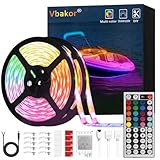
- 【Package Included】: Full kit for your boat project, no other accessories need, our kit included 2 pcs 5m(16.4ft) Marine LED Strip Lights, 44key remote, receiver and 12v power cord and 10 pcs tape hooks and 10pcs led strip clips and screws.
- 【Easy Installation】: Complete led light strip kit Including 2 rolls of 16.4ft led light strips, 44keys remote Control, sensor box, instruction manual, the led lights have a strong backing adhesive, you can install it on any dry and clean places, We now include extra mounting brackets/fixing clips, you don't worry about the strip falling down, flexible to install anywhere you want, It can be cut between every 3 leds
- 【Waterproof and Safe】: Protect your strip lights from water with this waterproof feature; Extremely low heat by low voltage power enables the lights to work longer and become safer
- 【Widely Application】: The boat led strip kit is perfect for under gunwale light, boat deck light, fishing night light, cockpit light, accent light, center console light, courtesy light, interior lights. Common use for pontoon boat, duck boat, bass boat, kayak, Jon boat, sailboat, fishing boat, trailer, car, RV, truck, also idea for home bedroom, living room, kitchen, party etc.
- 【Durable and environmentally friendly】: Low carbon, no radiation, no flicker, and no pollution to human and environment. By adopting qualified FPC circuit board and LEDs, the strip has heat dissipation, making it much more durable.
Build the hardware
- Check the strip. Confirm that it is a 12V, four-wire analog RGB type and identify its supply and color conductors. Do not assume a connector’s pin order.
- Prepare three driver channels. For each color, run an Arduino PWM output through a 1K resistor to the base of one transistor. Wire the transistor so it switches that color’s strip channel, following the transistor manufacturer’s pinout and the circuit arrangement in the Make: project.
- Connect the strip supply. Feed the strip from the appropriately rated 12V adapter. The Arduino’s 5V output is not a substitute for this supply.
- Join grounds. Connect Arduino ground and 12V adapter ground together.
- Inspect before power-up. Check for reversed supply leads, accidental shorts, incorrect transistor orientation and a mismatched strip voltage. Use electrical tape or suitable insulation where exposed conductors could touch.
Set up Android USB control
The phone must support Android USB Host Mode (also called USB host or OTG support). In this arrangement, the phone hosts the USB connection and the Arduino behaves like a serial peripheral, similar to when it is connected to a computer.
Recommended Free Tools
- Confirm that the specific phone and Android version support USB Host Mode and that the required host drivers are available.
- Connect the OTG cable to the phone and the Arduino’s USB cable to the OTG adapter.
- Install and run the project’s Android Color app if its historical APK and source remain usable on your device. The Make: page provides the project downloads and sketch references, but does not establish compatibility with current Android releases.
- Grant any USB-access prompt shown by Android, then send red, green and blue values from the app.
Make: records this explicit warning: We fried a phone during our test build.
That is a report from this project, not a failure rate, but it is a serious reason to check host compatibility, cable wiring and power isolation before connecting an expensive phone.
Rank #3
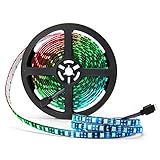
- Black FPC LED Strip Light: The FPC is black, which is different from most of white FPC strips. Perfect black FPC strip for you to decorate TV, computer and other dark furniture. RGB led strip lights suitable for indoor lighting and decoration. Such as kitchen, under cabinet, dining room, bedroom,gaming room, car, bicycle, etc.
- RGB Color Changing Rope Lights: The led chip is SMD 5050, and each LED contains R, G, B, three independent lamp beads. You can use one RGB remote controller to change colors, such as red, orange, yellow, green, cyan, blue, purple, white, etc. Dozens of colors. Give you a true symphony visual experience. (Power supply and remote controller is NOT included!!!)
- IP65 Waterproof Tape: This 16.4ft length rgb led strip Light is waterproof(IP65), outdoor and indoor use. The polyester resin material covering the PCB to protect LEDs against multi-directional, low-pressure water jets.
- Low Power Consumption Strip: This rope light works with 12V power adapter, low Power Consumption & environmental. Safe to touch. (DC 12V Power is NOT included). The supernight led strip light can be your fairy lights for wedding sparklers, Christmas lights, valentines day, Halloween, party, Indoor decoration, etc.
- Best After-Sales Service: Please contact with us if our 5050 LED strip light can not work or has other problem. Professional SUPERNIGHT team would help you solve any problems in 24 hours, all year around.
How the serial and PWM data works
The app sends three brightness values, one each for red, green and blue, in the range 0–255. The Arduino waits until three bytes are available, reads them in sequence and applies them to its three PWM outputs. A value of 0 represents the channel’s minimum command and 255 its maximum command in the project’s data model.
Because the strip’s color lines are switched by transistors, PWM changes the effective brightness of each channel. Combining the three channel values produces mixed colors. The source describes the communication and sketch behavior, but does not provide a current compatibility guarantee for modern Android USB stacks or Arduino revisions.
Rank #4

- 【Addressable Smart WS2811 IC】DC12V 16.4FT 720LEDs/m, with a total of 100 WS2811 IC chips. The more LEDs, the brighter the light. Compared with traditional 5050SMD LED strips, the FCOB light strip creates brighter, softer, more dreamlike colors, and more uniform light. The LED strip is driven by an addressable Smart WS2811 chip and supports adjustable mixing of RGB colors. Capable of displaying multiple colors simultaneously, reinvents your space with dynamic RGB lighting.
- 【Chasing Color】Delivers real-time synchronized chasing sequences with over 16 million colors through advanced RGB technology. Compatible with Tuya DR03W Wi-Fi, Bluetooth, Alexa, Google Home & RF controllers; BanlanX APP, SP530E, SP630E, SP611E,SP602E,SP608E;WLED ESP32 SP803E SP805E (Controller sold separately), Also support other DIY Controller. The controller can be used to create dynamic lighting effects such as color curtain, flowing water, raindrops, and jumping flashes.
- 【UL Listed for safety assurance】UL listed safety, double-layer copper PCB for great conductivity and heat dissipation, 65,000+ hour lifespan; strong 3M adhesive for easy tool-free installation.
- 【Cuttable and Linkable】Flexible 12mm COB strip with cut marks every 1.96in(50mm). Includes male and female 3-pin connectors on both ends for end-to-end series connection.IP30 non-waterproof.
- 【Wide Application】Our COB LED Strip Light is perfect for various interior decoration.Such as living room, hallway, bedroom, kitchen, accent lighting, cabinet lighting, stair, mirror, corridor, DIY backlight, DIY lighting, special use and other commercial and residential lighting projects.Come with a strong self adhesive backing.
Power, wiring and compatibility checks
- Strip voltage: Match the adapter to the strip’s stated voltage. The example is 12V; other strips may not be.
- Current capacity: Size the adapter for the strip length and worst-case color load. The nearly-1A figure applies to the cited one-meter example with all three colors fully on.
- Arduino loading: Keep the strip current out of the Arduino pins; they provide control current to the transistor stages.
- Transistor identity: “TIP31” variants can have different package markings or pin arrangements. Check the exact manufacturer data sheet instead of copying a pin order from memory.
- Ground reference: Arduino and 12V grounds must be common for the described low-side switching arrangement.
- Phone host support: Android branding alone does not guarantee USB OTG or the necessary host drivers.
Troubleshoot in a safe order
The phone does not detect the Arduino
- Check that the phone supports USB Host Mode and that the OTG cable is a data-capable host adapter.
- Try the Arduino and cable with a computer to separate USB hardware problems from phone compatibility problems.
- Check Android’s USB permission prompt and the app’s driver requirements.
The Arduino connects but the strip stays off
- Confirm the 12V adapter is connected to the strip and has sufficient capacity.
- Verify the common ground between the Arduino and adapter.
- Recheck transistor orientation, the 1K base resistors and the strip’s color-wire identification.
Only one color or an unexpected color appears
- Inspect the strip’s four conductors and connector pinout.
- Confirm that the app’s red, green and blue byte order matches the firmware’s read order.
- Check for a damaged transistor or a short between color channels.
The phone becomes hot, disconnects or behaves erratically
Disconnect it immediately. Do not continue testing until the OTG wiring, power paths and host compatibility have been checked. The project’s own phone-damage warning should be treated as a practical stop condition, not an inconvenience.
Do these 3 things before closing this tab:
1Scan for outdated or missing drivers - takes under a minute2Clear out junk files and repair common Windows errors3Fix the driver behind crashes, sound loss and screen glitchesAnalog RGB versus addressable strips
| Type | Control method in this project | What changes |
|---|---|---|
| Four-wire analog RGB | Three PWM channels switch the red, green and blue lines through transistors. | All LEDs on a channel receive the same brightness command. |
| Individually addressable strip | Not established by the published build. | Requires a different data protocol, firmware and electrical arrangement; the Make: page presents this only as a possible adaptation. |
Possible extensions
The project suggests, but does not demonstrate, replacing the USB cable with Bluetooth or Wi-Fi, using phone orientation to change color, combining GPS and sensors for a location-aware data logger, or adapting the firmware for an individually addressable strip. Treat each as a separate design exercise with its own power, protocol and software requirements.
What is established—and what is not
The published project gives a 1–3 hour build estimate and labels the difficulty moderate. It documents the USB-host concept, three-channel serial data, transistor switching and the stated project-specific electrical figures. It does not provide a current Android-phone compatibility matrix, a comparative performance test, or confirmation that its historical APK and download paths work on present-day devices. Plan for that uncertainty before buying parts or connecting a phone.
Source
Trevor Shannon, Make:, Android-Arduino LED Strip Lights, published August 22, 2013; page updated July 15, 2022.
Quick Recap
Product prices and availability are accurate as of the date/time indicated and are subject to change. Any price and availability information displayed on Amazon at the time of purchase will apply.

