Do these 3 things before closing this tab:
1Clear out junk files and repair common Windows errors2Fix the driver behind crashes, sound loss and screen glitches3Repair Windows errors before they cause bigger problemsConnect factory equipment to an industrial AI system through a site-specific operational-technology (OT) architecture—not by plugging every machine directly into a cloud API. Inventory the machines and controllers, identify their interfaces and data meanings, collect or translate signals through suitable control systems or an industrial edge gateway, contextualize the data, and pass only the required information across a controlled OT-to-IT boundary. The correct topology depends on installed equipment, safety functions, latency, reliability, and cybersecurity requirements.
NIST’s SP 800-82 Rev. 3 and its IIoT architecture describe these layers, while the UK National Cyber Security Centre (NCSC) recommends isolating industrial protocols and brokering external exchange through a DMZ. AI is the downstream consumer; dependable collection, semantics, and governance determine whether its output is useful.
As an Amazon Associate I earn from qualifying purchases.
What a connected factory architecture looks like
A practical design separates the equipment that produces signals from the services that analyze them. A typical path is:
- Equipment and control: machines, sensors, PLCs, distributed control systems (DCS), robots, drives, and safety systems generate measurements and states.
- Collection and edge: an existing supervisory system, historian, or industrial edge gateway reads permitted data, translates protocols, buffers records, and may perform local filtering or calculations.
- OT data platform: a historian, manufacturing data platform, or message broker stores time-series values and operational context such as asset, line, recipe, shift, and quality state.
- Controlled boundary: a firewall zone, DMZ, or equivalent broker separates the plant network from enterprise and cloud services.
- AI and enterprise consumers: models, dashboards, maintenance applications, data lakes, and planning systems receive the subset of data they need.
NIST describes a three-tier IIoT architecture with proximity networks and edge gateways, an access network and service platform, and enterprise applications. It defines edge computing as distributed resources and services along the path between data sources and cloud; edge functions can include collection, processing, analysis, and—in an implementation that has been explicitly engineered for it—action. See the architecture discussion in the SP 800-82 Rev. 3 PDF.
#1 Best Overall

- Multiple Internet access methods is offered: Global frequency LTE 4G/3G & Ethernet port & ADSL.
- Router fucntion is supported: Routing, VPN and firewall.
- Support graphical programming (Node-RED) to quickly develop edge computing functions to meet unique functional requirements.
- Suitable for a variety of industrial IoT scenarios, supporting Modbus RTU/TCP protocol conversion and other popular PLC common protocols.
- Modular design, uses can expand different types of IO modules: DI, DO, AI, AO, IO. Easily slide to achieve quick access to the IO expansion machine, to meet the needs of more scenarios.
Do not treat this as a universal wiring diagram. A packaging line with a modern controller, a legacy machine with a serial interface, and a safety-critical process will need different collection and isolation decisions.
Start with an equipment and data inventory
Before choosing hardware or a protocol, document what exists and what the AI use case actually requires. The inventory is both an integration plan and a safety boundary: it identifies where a read-only connection is possible and where a change could affect control.
| Inventory item | What to record | Why it matters |
|---|---|---|
| Asset and controller | Machine, line, PLC/DCS, robot, sensor, firmware, vendor, model, and owner | Determines available drivers, support status, and maintenance responsibility |
| Physical and logical interface | Ethernet, serial, fieldbus, backplane, existing server, port, and network zone | Shows whether a new connection can be made without disturbing control traffic |
| Protocol | For example, OPC UA, OPC DA, Modbus, Profibus, MTConnect, MQTT, or a vendor API | Identifies the collector, translator, security features, and licensing that may be required |
| Tags and meaning | Tag name, unit, scale, timestamp source, quality flag, state code, alarm meaning, and engineering limits | Prevents an AI model from learning from mislabeled or incomparable values |
| Collection need | Variables, sampling interval, event requirements, retention, and expected data volume | Sets bandwidth, storage, buffering, and model-feature requirements |
| Operational impact | Monitoring-only, command-capable, safety-related, or production-critical | Determines review, isolation, authorization, and test requirements |
| Data quality | Missing values, sensor calibration, clock synchronization, duplicates, and known bad states | Defines cleansing rules and whether a model can trust the signal |
| Ownership and lifecycle | Controls engineer, OT security, IT, operations, vendor, support term, and change process | Ensures someone can operate and patch the integration after commissioning |
Define the AI question before collecting everything
Write the decision the AI system must support: predicting bearing failure, detecting a quality deviation, estimating energy use, or optimizing a schedule. Then list the minimum signals and context needed to make that decision. A model that predicts a fault may need vibration, motor current, speed, load, maintenance events, and product recipe—not every tag in the controller.
The Tool Desk
Outbyte PC Repair FREEClear out junk files and repair common Windows errorsFree Scan →Outbyte Driver Updater FREEScan for outdated or missing drivers - takes under a minuteDriver Scan →Specify whether the system may issue recommendations only or whether any output could reach a control system. Keep a first deployment read-only. Any later command path requires a separate controls, safety, authorization, and validation review.
Choose where collection and translation happen
There is no universal winner among direct controller connectivity, an edge gateway, an existing historian, and a vendor integration stack. Compare each option against the same site-specific criteria.
Rank #2
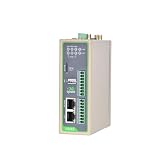
- Reliable North America LTE Cat 1: Specifically designed for North American carriers (Verizon, AT&T, T-Mobile). LTE Cat 1 provides a cost-effective and highly stable connection for IoT applications, featuring Band 2/4/5/12/13/25/26 for extensive coverage and carrier-grade reliability.
- Edge Computing & Python Programmable: Powered by a high-performance ARM Cortex-A8 processor. Supports Python secondary development, allowing you to perform data pre-processing, filtering, and local logic control at the edge, reducing cloud bandwidth costs and latency.
- Rich Industrial I/O & Interfaces: Equipped with 1x RS232 and 1x RS485 serial ports, plus 4x Digital Inputs (DI) and 4x Digital Outputs (DO). It offers a versatile solution to bridge the gap between legacy serial equipment and modern sensors for comprehensive data acquisition.
- Extensive Protocols & Cloud Ready: Supports industrial protocols including Modbus RTU/TCP, MQTT, OPC UA, and HTTP. Seamlessly integrates with major cloud platforms like AWS IoT Core and Azure IoT Hub, as well as InHand’s DeviceManager for centralized remote management.
- Industrial-Grade Durability & Security: Built with a rugged metal housing and designed for harsh environments with a wide operating temperature range (-20°C to 70°C). Features multi-level security with IPsec/OpenVPN and hardware watchdog for 24/7 unattended operation.
| Option | When it fits | Checks and limitations |
|---|---|---|
| Direct controller connectivity | A small number of supported controllers with a well-documented, read-only interface and a tightly controlled consumer | Confirm driver compatibility, controller loading, authentication, network segmentation, time quality, and behavior during a consumer outage |
| Industrial edge gateway | Mixed equipment, protocol translation, local filtering, buffering, or operation that must continue when the upstream link is unavailable | Verify every required PLC and field protocol, tag limits, licensing, CPU and storage capacity, environmental rating, patch process, certificate handling, and vendor support; a gateway is not a universal adapter |
| Existing historian or OT data platform | Plants that already collect trusted time-series data and can replicate a governed subset | Check timestamp fidelity, retention, context, API limits, replication security, and whether the historian contains the raw detail the model needs |
| Vendor integration stack | A supported equipment family with a maintained connector and a clear responsibility model | Validate actual protocol coverage, export formats, ownership of credentials, upgrade compatibility, data portability, and how the stack behaves if its service is unavailable |
Use an industrial edge gateway when it solves a documented problem—such as translating several legacy protocols or buffering data locally—not simply because the product category sounds industrial. Confirm interfaces, ports, environmental specifications, security properties, lifecycle, and support with the gateway and plant vendors.
Understand the protocol layers
Protocol names often refer to different layers of the architecture. NIST’s paper “Standard Connections for IIoT Empowered Smart Manufacturing” places PLC/DCS, edge gateways, OPC UA, MTConnect, Modbus, Profibus, MQTT, cloud computing, and AI services in one integration landscape. They are examples, not interchangeable choices.
| Layer or role | Examples | Questions to answer |
|---|---|---|
| Equipment and control communication | Modbus, Profibus, EtherNet/IP, and vendor-specific interfaces | Does the controller expose the required values? Is the connection read-only? Can polling affect scan time or network determinism? |
| Shop-floor information modeling and exchange | OPC UA and MTConnect | Are units, states, timestamps, quality, and asset relationships represented consistently? Which companion specifications or device profiles are supported? |
| Legacy Windows-based data access | OPC DA | Can it remain confined to an isolated OT segment? Is a secure translation point available before data crosses the boundary? |
| Messaging and service exchange | MQTT, HTTPS, and APIs | How are clients authenticated, certificates rotated, messages acknowledged, and outages buffered? What payload and topic model will preserve context? |
NIST identifies OPC UA and MTConnect as leading standards for harmonizing shop-floor exchange, but support still varies by device, firmware, and connector. The NCSC’s secure-connectivity guidance gives OPC UA over TLS, MQTT over TLS, and HTTPS as examples of standardized protocols for external exchange. A protocol’s name alone does not prove that its deployment is encrypted, authenticated, correctly configured, or suitable for a safety-critical network.
Build the connection in controlled steps
- Approve the use case and boundary. Name the assets, data classes, AI consumer, retention period, and whether any command path is in scope. Obtain sign-off from controls engineering, operations, OT security, IT/data, and safety owners.
- Complete the inventory. Record interfaces, protocols, tag meanings, sampling needs, quality indicators, clocks, network zones, and maintenance constraints. Mark unsupported, obsolete, or safety-related components.
- Select the collection point. Prefer an existing governed historian or a read-only interface when it meets the use case. Add an edge gateway when translation, local processing, protocol isolation, or outage buffering is required. Avoid installing a new collector on a safety controller or production host without the equipment owner’s approval.
- Map and test data semantics. Create a tag dictionary with asset identifiers, units, scales, state codes, quality flags, and timestamp rules. Test normal operation, startup, shutdown, maintenance mode, sensor failure, and communication loss. Preserve the original value and quality where possible so a model can distinguish zero from “not available.”
- Design the network path. Keep industrial protocols inside the appropriate OT segment. Place collectors in a zone that can reach the required sources without creating broad lateral access. Define firewall rules by source, destination, port, direction, and purpose; deny everything else.
- Implement the controlled exchange. Use a DMZ or comparable broker between OT and IT/cloud. Expose only the normalized dataset or service needed by the AI system, not a route into controller networks. Use mutual authentication or equivalent strong identity, encryption in transit, certificate rotation, and separate service accounts.
- Handle outages locally. Set bounded buffers, retry intervals, duplicate detection, and a policy for late data. Decide what the AI service should do when data is stale. The plant must remain safe and operable if the analytics link or cloud service is unavailable.
- Validate under production-like conditions. Measure controller load, network utilization, timestamp drift, message loss, storage growth, and recovery after a gateway or link restart. Test firewall changes and credential rotation with operations present. Do not begin with a command-capable integration.
- Operate it as an industrial system. Document owners, backups, configuration baselines, patch windows, vulnerability handling, certificates, restore procedures, and decommissioning. Monitor collector health and data quality as well as model performance.
Design the OT-to-IT security boundary
More connectivity can increase exposure through legacy technology, remote access, flat topologies, and missing security controls. NIST’s manufacturing practice guide, SP 1800-10, demonstrates capabilities such as application allowlisting, behavior-anomaly detection, file-integrity monitoring, user authentication and authorization, and controlled remote access. Its laboratory builds are examples, not endorsements or a mandatory product blueprint.
Controls designed for an office IT environment can affect OT timing, availability, or safety. NIST frames OT security around unique performance, reliability, and safety requirements in SP 800-82 Rev. 3. Have OT engineers evaluate endpoint agents, scanning, reboots, firewall inspection, and authentication changes before deployment.
Rank #3
- Multiple Internet access methods is offered: Global frequency LTE 4G/3G & Ethernet port & ADSL.
- Router fucntion is supported: Routing, VPN and firewall.
- Super Powerful Edge Computing Capabilities
- Support graphical programming (Node-RED) to quickly develop edge computing functions to meet unique functional requirements.
- Suitable for a variety of industrial IoT scenarios, supporting Modbus RTU/TCP protocol conversion and other popular PLC common protocols.
Use segmentation and a brokered exchange
The NCSC states in Principle 4 of its Secure connectivity principles for operational technology: “External connections for data exchange between OT and IT should be brokered through a DMZ and use secure, standardised protocols designed for interoperability (such as OPC UA over TLS, MQTT over TLS, HTTPS).” The same guidance recommends restricting industrial control protocols such as Modbus, OPC DA, and EtherNet/IP to isolated OT segments. One pattern it describes is replicating data from an OT historian to a DMZ historian through a secure unidirectional transfer mechanism, allowing IT to query the DMZ copy rather than access OT directly.
Quick wins for a faster PC:
Fix the driver behind crashes, sound loss and screen glitchesFind Drivers →Clear out junk files and repair common Windows errorsFree Scan →Scan for outdated or missing drivers - takes under a minuteDriver Scan →That pattern is guidance, not a universal requirement. A plant may use another controlled design if it achieves equivalent isolation, authentication, monitoring, and failure behavior. Document the reason for the chosen design and test that a failure in the AI side cannot stop or alter the process.
Apply least privilege and accountable access
- Give each collector and service its own identity; do not share controller or administrator credentials.
- Permit only the tags, topics, APIs, ports, and directions required for the use case.
- Separate engineering, operations, support, and data-science roles, with approvals for changes.
- Govern remote access with time limits, strong authentication, session logging, and an emergency revocation procedure.
- Record configuration, model, firmware, and certificate changes so an investigation can reconstruct what happened.
- Back up gateway configurations, tag maps, certificates, historian databases, and AI feature definitions; periodically test restoration.
Decide what belongs at the edge and what belongs in the cloud
Edge and cloud are complementary placement choices. Put processing near the equipment when latency, bandwidth, privacy, intermittent connectivity, or local autonomy matters. Send data upstream when centralized storage, fleet-wide training, cross-line comparison, or large-scale computation is more valuable.
| Function | Often suited to the edge | Often suited to a platform or cloud |
|---|---|---|
| Data reduction | Filtering, aggregation, downsampling, feature extraction, and protocol translation | Long-term retention and recomputation with different parameters |
| Operational response | Local alarms or recommendations where bounded latency is essential and controls review permits them | Non-real-time dashboards, fleet analysis, and planning |
| Connectivity resilience | Buffering during WAN or cloud outages; local health checks | Backfill, centralized quality monitoring, and cross-site comparisons |
| Model workload | Small inference models that must run with no upstream link | Training, large feature sets, model registry, and governance across plants |
Define the handoff contract: payload schema, units, timestamps, quality states, maximum delay, retention, and behavior when a value is missing. A cloud endpoint should receive a governed stream, not an uncontrolled mirror of the control network.
Check an edge gateway before buying or deploying it
Ask the supplier and plant team to demonstrate the exact integration, rather than accepting a generic protocol list.
What’s actually slowing this PC down?
Pick the symptom - the matching free tool is one click away.
Rank #4

- Cybersecurity benefits: Watch video for detailed understanding
- Remote monitoring of UPS system through Building Management System
- Customize and schedule actions such as shutdown protocols and load shedding
- Immediate notifications during power events, without onsite presence
- Combines features of SNMP agent, HTTP/web server, and Modbus card
- Compatibility: Can it read the installed PLC, DCS, robot, historian, serial converter, and firmware versions? Are required drivers included or licensed separately?
- Data fidelity: Does it preserve units, quality, event timestamps, sequence numbers, state transitions, and asset context?
- Isolation: Can interfaces be bound to separate network zones? Are read-only permissions, certificate-based authentication, encrypted links, and detailed logs available?
- Resilience: How much data can it buffer? What happens after a reboot, clock correction, certificate expiry, or prolonged upstream outage?
- Operations: What are CPU, memory, storage, temperature, vibration, power, and enclosure requirements? How are patches, backups, and rollbacks performed?
- Lifecycle: How long are the hardware, operating system, connectors, and security updates supported? Who responds when a connector fails during production?
- Safety and control: Is any write capability enabled by default? Can it be disabled and independently verified? Has the proposed connection been reviewed by the controls and safety owners?
Run a bounded pilot
Choose one non-safety-critical asset or line with a clear success criterion. A useful pilot acceptance checklist includes:
- Every selected tag has an owner, definition, unit, timestamp rule, and quality behavior.
- The collector remains read-only and has no route to issue controller commands.
- Firewall and DMZ rules are documented, reviewed, and tested from both allowed and denied paths.
- Normal, startup, shutdown, maintenance, sensor-fault, and network-loss cases produce expected records.
- Measured data loss, delay, duplicate rate, clock drift, and buffer recovery meet the use case’s thresholds.
- Operations can keep the line running when the gateway, historian, network link, or AI service is stopped.
- Backups restore successfully and a named team owns patching, certificates, monitoring, and incident response.
- The model team confirms that context and quality flags survive the journey from equipment to AI features.
Common failures and corrective actions
| Symptom | Likely cause | Correction |
|---|---|---|
| Values look plausible but the model performs poorly | Wrong units, scaling, state codes, timestamps, or asset mapping | Reconcile the tag dictionary with controls documentation; preserve quality and source timestamps; test against known events |
| Data disappears during a WAN outage | No local buffer or an unbounded retry design | Enable bounded edge or historian buffering, define backfill and duplicate rules, and test recovery |
| Controller or network performance changes | Excessive polling, unsuitable driver settings, or security tooling applied without OT review | Reduce polling, use event or historian reads where appropriate, and validate changes during an approved maintenance window |
| Security review rejects the connection | Industrial protocols exposed outside OT, shared credentials, broad firewall rules, or missing certificate lifecycle | Move exchange to a DMZ or broker, narrow flows, assign unique identities, and document rotation and revocation |
| Integration breaks after an upgrade | Unsupported firmware, connector version drift, or undocumented configuration | Maintain a compatibility matrix, stage upgrades, back up configurations, and define rollback ownership |
Which NIST guidance applies now?
NIST SP 800-82 Rev. 3 is the final OT security guide published in September 2023. A Rev. 4 initial public draft was dated September 21, 2026, with comments due November 30, 2026; it should be labeled a draft unless a later final publication is independently verified. See the Rev. 4 initial public draft page for its status.
NIST SP 1800-10 is a finalized manufacturing cybersecurity practice guide from 2022, but its example lab builds are not a mandatory architecture. Use the current final guidance, your plant’s risk assessment, equipment manuals, and applicable safety requirements together. The NCSC Principle 4 page is published January 14, 2026 and lists a review date of March 18, 2024; treat its recommendations as principles to adapt to the site’s documented risks.
People who must own the result
A reliable connection is a joint OT/IT project. Controls engineers understand scan times, interlocks, and safe states; OT security engineers design segmentation and access; IT and data teams operate identity, storage, and AI services; operations validates that collection does not disrupt production; equipment vendors clarify interfaces; and safety owners approve any design that could affect a hazardous function. Give each group a named decision and escalation path before the first cable or firewall rule is changed.
Recommended Free Tools
Quick Recap
Product prices and availability are accurate as of the date/time indicated and are subject to change. Any price and availability information displayed on Amazon at the time of purchase will apply.

