Do these 3 things before closing this tab:
1Fix the driver behind crashes, sound loss and screen glitches2Repair Windows errors before they cause bigger problems3Scan for outdated or missing drivers - takes under a minuteThe best way to connect a soundbar to a Vizio TV is HDMI ARC or eARC. Plug an HDMI cable into the soundbar’s TV/ARC/eARC socket and the other end into the TV port labeled ARC or eARC. Then turn on CEC in the TV settings so the TV remote can control soundbar volume. If either device lacks ARC, optical or Bluetooth may work, depending on the exact models.
What you need before you start
- A Vizio TV with an HDMI port marked ARC or eARC.
- A soundbar with an HDMI output marked for the TV (usually labeled TV, ARC or eARC).
- An HDMI cable. VIZIO’s quick setup guide for the SV210D-0806 soundbar says an HDMI cable is included, so you may not need to buy one.
- The manuals for both devices, because menu names differ between TV models.
Connect with HDMI ARC or eARC (recommended)
VIZIO’s 2026 quick setup guide for the SV210D-0806 says: “Connect the soundbar to the HDMI ARC or eARC port on your TV with the included HDMI cable.”
As an Amazon Associate I earn from qualifying purchases.
- Check the labels. Find the port marked ARC or eARC on the TV and the TV/ARC/eARC port on the soundbar. An ordinary HDMI input is not interchangeable with these. The TV’s ARC port works as an audio output, and a normal input will not send sound to the soundbar.
- Connect the cable. Plug one end into the TV’s ARC/eARC port and the other into the soundbar’s TV/ARC/eARC port. Push both connectors in fully.
- Power the soundbar. Plug it in and switch it on, following its setup guide.
- Enable CEC on the TV. VIZIO’s SV210D-0806 manual says: “For optimal audio performance, enable CEC settings on your TV and connect the included HDMI cable to your TV’s HDMI ARC or HDMI eARC port.” It adds that you can then use your existing TV remote to control the soundbar audio. The CEC menu name and location vary by model, so look it up in your TV’s manual rather than relying on a generic path.
- Test it. Play something on the TV and confirm the sound comes from the soundbar. Try the TV remote’s volume and mute buttons.
If you hear nothing
- Confirm the cable is in the ARC/eARC port on the TV, not a regular input.
- Confirm the soundbar end is in its TV/ARC/eARC port, not an HDMI input meant for other devices.
- Reseat both ends of the cable.
- Check that the TV’s audio output is set to the soundbar rather than the built-in speakers, and that CEC is on. Where these options sit depends on your model, so use your TV’s manual.
- Confirm the soundbar is on and set to the correct input.
There is no single VIZIO-wide menu path or troubleshooting sequence for these settings, so the manuals for your exact models are the final reference.
Other connection options
Ports vary by model. VIZIO’s V-Series 2.1 sound bar V214x-K6 lists an optical input and no HDMI ARC, while the V20x-J8 page describes HDMI ARC. The V20xt-K6 and V514x-K6 listings show optical and no HDMI ARC. Never assume every Vizio TV or soundbar has the same ports.
#1 Best Overall

- Flexible surround sound, Dolby Atmos and powerful sound all around
Optical (digital audio)
If ARC/eARC is not available, optical may work when both the TV and the soundbar have compatible optical ports. Check both manuals before buying an optical cable. VIZIO’s soundbar manual tells customers whose TV requires optical to contact VIZIO support. Optical normally carries audio only, and whether the TV remote can control the soundbar’s volume over it depends on the models, so don’t count on it.
Bluetooth
Bluetooth is a fallback only if both devices support sending TV audio to a speaker over Bluetooth. VIZIO Support has an article titled “Pairing a Bluetooth audio device to your VIZIO TV”, but compatibility depends on the TV model. Don’t treat it as universal or as equivalent to a wired connection.
Rank #2

- 【𝐈𝐦𝐩𝐚𝐜𝐭𝐟𝐮𝐥 𝐕𝐨𝐥𝐮𝐦𝐞 𝐁𝐨𝐨𝐬𝐭】: Elevate faint sounds to vibrant with automatic loudness boost. Experience immersive sound through 4 versatile placements—horizontal for distortion-free audio, vertical for room-filling sound, tabletop for vibrant clarity, or wall mount for 360° cinematic magic. Transforms your room into a personal theater.
- 【𝐄𝐩𝐢𝐜 𝐂𝐢𝐧𝐞𝐦𝐚 𝐀𝐮𝐝𝐢𝐨】: Powered by 4 high-performance drivers, 80W powerful sound output, it provide richer details, like soft whisper or subtle croon, whether deep thunder or sonorous roar, turn flat audioto vivid, adding weight to music, making the virtual game experience immersive.
- 【𝐓𝐚𝐢𝐥𝐨𝐫𝐞𝐝 𝐒𝐨𝐮𝐧𝐝】: Fine-tune your listening experience with 3 dynamic equalizer modes—movie, music, and news. Enjoy rich, cinematic audio, luxurious melodies, and crystal-clear dialogue, tailored to enhance every scene and soundtrack. Spreading the audio evenly throughout a room, ensures that everyone, regardless of seating position, experiences the full range of sound.
- 【𝐄𝐟𝐟𝐨𝐫𝐭𝐥𝐞𝐬𝐬 𝐔𝐬𝐞】: Enjoy seamless setup with cutting-edge Bluetooth 5.0 or reliable ARC, OPT, and AUX connections. In ARC mode, control your soundbar with ease using your TV remote, guided by our easy-to-follow instructions and video tutorials.
- 【𝐄𝐱𝐜𝐞𝐩𝐭𝐢𝐨𝐧𝐚𝐥 𝐒𝐮𝐩𝐩𝐨𝐫𝐭】: Your satisfaction is our top priority. Enjoy peace of mind with our 18-month warranty and 24/7 online tech support. Our 60-day hassle-free replacement policy, with top-tier assistance whenever you need it.
Which option to choose
| Option | Use it when | TV-remote control |
|---|---|---|
| HDMI ARC/eARC | The TV has an ARC/eARC port and the soundbar has a TV/ARC/eARC port | Yes, with CEC enabled, per VIZIO’s SV210D-0806 manual |
| Optical | Neither or only one device has ARC, but both have optical ports | Model-dependent; check the manuals |
| Bluetooth | Both devices support TV-to-speaker Bluetooth audio | Model-dependent |
Compare the ports on both devices first, then whether the method gives you the remote control you want, then the manuals’ model-specific instructions. No published comparison backs a universal ranking of audio quality across these connections.
Quick Recap
Rank #4

- Amp up your audio - Fire TV Soundbar enhances TV audio with dual speakers for fuller sound, clearer dialogue, and deeper bass—all in a compact design.
- Immersive sound - Enjoy a three-dimensional virtual surround sound experience with DTS Virtual:X and more detail with Dolby Audio.
- Easy setup - Just plug in the included HDMI cable to the HDMI eARC/ARC port on your TV to instantly enjoy audio that's always in sync.
- Compact design - With a length of 24“ and a height of just 2.5", Fire TV Soundbar fits most entertainment consoles and TV stands.
- Stream audio with Bluetooth - Connect your phone or tablet via Bluetooth to fill the room with your favorite music.
Rank #3
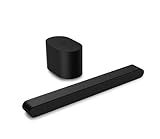
- Small but mighty The included compact wireless subwoofer ensures commanding bass for it’s room-friendly size, delivering frequences that reach down to 50Hz. Never miss a word. Not even a whisper. Hear every word with clarity thanks to the ClearDialog feature which optimizes the sound of voices on-screen. Simplified setup and control Unlock the highest-quality audio formats like Dolby Atmos and DTS:X with the simplicity of a single HDMI eARC connection. This one-cable connection also enables you to control the soundbar with your TV remote, reducing clutter and ensuring seamless device integration.
Product prices and availability are accurate as of the date/time indicated and are subject to change. Any price and availability information displayed on Amazon at the time of purchase will apply.

