Recommended Free Tools
You can configure NGINX RTMP to receive a publisher stream and relay it to YouTube Live, but a 2 GB VPS is not a guaranteed fit for every workload. Start with pass-through relay if the incoming video already meets YouTube’s settings; transcoding adds CPU and memory demands that the available documentation does not quantify for this server size.
How the relay works
Your encoder or other publisher sends an RTMP stream to the VPS. NGINX RTMP receives it in an application you configure, then pushes it onward to YouTube. The module documents live streaming and push/pull relay, and its example listener uses port 1935. The receiving URL’s application segment must match the name in the NGINX configuration. arut/nginx-rtmp-module documentation
As an Amazon Associate I earn from qualifying purchases.
For example, if the server listens at rtmp://your-vps.example/live, the app segment is live and must correspond to application live. Replace the example hostname with your server’s address; do not expose your YouTube stream key in a URL shared with others.
What’s actually slowing this PC down?
Pick the symptom - the matching free tool is one click away.
Set YouTube’s 720p encoder settings
YouTube’s current encoder guidance lists the following H.264 bitrate figures for both 720p30 and 720p60. They are platform recommendations, not a promise that a particular encoder or network will deliver a stable stream. YouTube Help: Choose live encoder settings, bitrates, and resolutions
#1 Best Overall

- 【AMD Ryzen 5 3501U Mini PC For Enhanced Daily Performance】Powered by AMD Ryzen 5 3501U processor with 4 cores and 8 threads, this mini pc provides responsive performance for office applications, home entertainment, online learning, media playback, and everyday computing.
- 【16GB Memory & 512GB Storage With Expansion Options】Built with 16GB DDR4 RAM and 512GB PCIe 3.0 NVMe SSD, this mini computer provides more space for applications, files, videos, and daily content. Upgrade memory up to 32GB, expand SSD storage up to 2TB, or add a 2.5-inch HDD.
- 【Flexible Small Desktop Computer For Home Applications】This small desktop computer is designed for home office, streaming, personal server setups, digital entertainment, and light gaming. The upgraded memory helps support smoother operation when using more applications.
- 【Triple Display Setup & Flexible Connectivity】Dual HDMI ports and a full-function USB-C port support up to three displays. This micro pc offers convenient connectivity with WiFi 6, Bluetooth 5.3, Gigabit Ethernet, and multiple USB ports.
- 【Compact Mini Desktop With Space-Saving Design】Measuring only 5.0 × 4.4 × 1.6 inches, this small pc saves valuable desk space. VESA mount support allows installation behind compatible monitors, making it suitable for home offices and compact workspaces.
| Output | H.264 video bitrate | Keyframes |
|---|---|---|
| 720p at 30 fps | 3 Mbps minimum; 8 Mbps recommended | Every 2 seconds recommended; no more than 4 seconds apart |
| 720p at 60 fps | 3 Mbps minimum; 8 Mbps recommended | Every 2 seconds recommended; no more than 4 seconds apart |
- Rate control: YouTube recommends constant bitrate (CBR).
- Audio: use AAC or MP3. YouTube lists 128 Kbps for stereo audio.
- Match the source: configure your encoder to publish the resolution and frame rate you intend to send. NGINX relay does not, by itself, make an incoming stream 720p.
Get YouTube’s RTMPS destination and key
- Open YouTube Live Control Room and create or select the live stream you intend to use.
- Reveal the stream settings and copy the RTMPS server URL and stream key shown there. Use the actual endpoint provided for your stream rather than copying a sample URL from an article.
- Keep the key private. Anyone with access to it may be able to send video to your live stream; regenerate it in YouTube if it is exposed.
YouTube recommends RTMPS, which carries RTMP over TLS. Its ingest documentation specifies the rtmps protocol, a valid YouTube ingest server and application path, and port 443. Confirm that your forwarding method supports the exact RTMPS URL YouTube provides. YouTube Help: Encrypt your stream using RTMPS · Google for Developers: Delivering Live YouTube Content via RTMPS
Install an NGINX RTMP module for your edition
Do not assume the NGINX package already installed on the VPS includes RTMP support. Installation depends on the operating system, package source, and NGINX edition. The arut project describes building its module alongside NGINX source. F5’s instructions for a dynamic RTMP module apply specifically to NGINX Plus; they include loading the module in the main context, checking the configuration with nginx -t, and reloading. F5 NGINX RTMP module information
Rank #2

- 【AMD Ryzen 4300U True 4-Core CPU: Outperforms N95 & i3-10110U】KAMRUI P2 Mini PC is equipped with true 4-core AMD Ryzen 4300U processor built on advanced 7nm Zen2 architecture,This means you get consistent, unthrottled performance for hours on end, whether you’re running multiple browser tabs, streaming 4K content, or managing virtual machines. Compare that to Intel N95 (4 efficiency cores that throttle under load) or Intel i3-10110U (only 2 cores total), and the difference is night and day: The KAMRUI P2 AMD Ryzen 4300U (28W) is 40% faster than the Intel i3-10110U and 25% faster than the Intel N95 in multi-core tasks, ensuring smooth, lag-free performance even during heavy workloads.
- 【Integrated AMD Radeon Graphics: 2.5X Stronger for Tri 4K】The KAMRUI P2 AMD 4300U Mini PC have unlocked the full potential of the built-in AMD Radeon Vega 5 graphics with 28W power delivery, making it 2.5 times stronger than the Intel UHD graphics found in the N95 and i3-10110U. This means you can enjoy Tri 4K@60Hz displays without a single stutter, perfect for productivity setups, home theaters, or even light photo/video editing and casual gaming. While the Intel N95/i3-10110U struggle to run a single 4K display without lag, The KAMRUI AMD 4300U Mini PC handles Tri 4K effortlessly, turning your workspace into a high-efficiency hub or your living room into a premium entertainment center.
- 【Large Storage Capacity, Easy Expansion】KAMRUI Pinova P2 mini computers is equipped with 16GB LPDDR4 for faster multitasking and smooth application switching. 512GB M.2 SSD ensures fast startup, fast file transfers and plenty of storage space,eliminating slow loading times and ensuring fast responsiveness. the two storage slots (1x M.2 2280 SATA/NVMe PCIe3.0 slot, 1x M.2 2280 SATA slot) can be combined to provide up to 4TB of total storage(Not included). This gives you enough space for all your projects, media and data.
- 【4K Triple Display】KAMRUI Pinova P2 4300U mini desktop computers is equipped with HDMI2.0 ×1 +DP1.4 ×1+USB3.2 Gen2 Type-C ×1 interfaces for faster transmission, Triple 4K@60Hz Display, KAMRUI P2 mini computer is ideal for visual home entertainment, home office, conference rooms, etc. USB3.2 Gen2 Type-A port ×2 with a transfer speed of up to 10 Gbps (21 times faster than USB 2.0) for efficient data transfer. Ideal for seamless multitasking between spreadsheets, browsers and presentations, or for an immersive entertainment experience.
- 【USB3.2 Gen2 Type-C 10Gbps, Versatile connectivity】KAMRUI P2 mini desktop pc fast and versatile connectivity! The USB3.2 Gen2 Type-C port offers a data transfer rate of 10Gbps and simultaneously supports DisplayPort 1.4 video output. The P2 AMD Ryzen 4300U Mini PC is complemented by Gigabit LAN, WiFi and Bluetooth, so nothing stands in the way of a productive working environment.
Before proceeding, verify that the module is installed and that its documented directives match the configuration you plan to use. Follow the installation instructions for your specific OS and package; there is no single set of commands that applies safely to all NGINX builds.
The Tool Desk
Outbyte PC Repair FREEClear out junk files and repair common Windows errorsFree Scan →Outbyte Driver Updater FREEFix the driver behind crashes, sound loss and screen glitchesFind Drivers →Configure an RTMP application and relay
Start with the application structure
This is an illustrative configuration pattern, not a validated drop-in file. Consult the documentation for your installed module and use the current YouTube RTMPS destination from Live Control Room. The app name below is live; your publisher must send to that same app.
Rank #3

- 12th INTEL ALDER LAKE N95 PROCESSOR - The G3S mini pc uses the 12th Intel N95 CPU 4 Core 4 Threads 6MB cache, burst speed up to 3.4GHz. Compared with (N100/N5105/N5100/N5095), the N95 offers an overall performance improvement of 36%. Ideal for routine tasks, office work and home entertainment,which is more convenient than traditional desktop pc
- 8GB RAM MEMORY & 256GB SSD STORAGE - GMKtec Nucbox G3S mini pc is prebuilt with 8GB DDR4 RAM, you will enjoy a speedier experience with Built-in 256GB M.2 2242 SSD Hard Drive. Our mini desktop pc boots up in seconds, work on multiple browser tabs, software applications and quickly transfers files
- RICH INTERFACE - Nucbox G3 Plus mini computer is equipped with USB 3.2, up to 10Gbps/S, HDMI(4K@60Hz)×2, 3.5mm Audio Jack. Supports WiFi 5, and Gigabit Ethernet RJ45 1000MbE network connectivity, Bluetooth 5.0. This Mini PC supports multiple device connection and can be used with servers, monitoring equipment, office equipment, displays, projectors, televisions, etc
- 4K DUAL SCREEN DISPLAY - Mini desktop computer is equipped with upgraded Intel Graphics(max 1000MHz), supports 4K video playback and AV1 decoding, connect the pc with a projector as a home theatre, enjoy a variety of entertainments. Two HDMI 2.0 ports allows you to multi-task efficiently on two 4K@60Hz displays
- WiFi5 & BT5.0 - Built-in Bluetooth 5.0 enables you to connect multiple wireless devices such as mice, keyboard, monitoring equipment, printer and monitor. High-speed wireless connection technology, reliable and efficient transmission speed, providing a faster internet experience for browsing and streaming. Small pc supports Wake On LAN, PXE Boot, RTC Wake and Auto Power On, ideal to use as a server
rtmp {
    server {
        listen 1935;
        chunk_size 4000;

        application live {
            live on;
            # Configure the relay using the syntax supported by your
            # installed module and the RTMPS URL from YouTube.
        }
    }
}
The module README documents an rtmp block containing a server and an application block, and describes push relay from an application. Its example URL format is rtmp://rtmp.example.com/app[/name], where app must match the configured application. arut/nginx-rtmp-module README
Choose a forwarding method that supports your endpoint
Add the relay using the directive or client configuration supported by your installed module. The project documents a push directive for relaying, but exact syntax and compatibility depend on the build and destination. Confirm that the chosen method accepts YouTube’s RTMPS endpoint and handles its required TLS connection and port 443. Do not substitute an ordinary RTMP destination if you intend to use RTMPS.
Rank #4

- 【Fanless Design for Uninterrupted Stability】Perfect for noise-sensitive environments and 24/7 operation. This mini PC delivers completely silent performance with an efficient cooling system that prevents overheating. It reliably runs office software and HD video without slowdowns, making it ideal for focused offices, home theaters, and demanding industrial IoT applications
- 【Ultra-Portable & Ready for Any Screen】Extremely compact and lightweight, this is a full Windows 10/Ubuntu computer that fits in your pocket. It's the ultimate plug-and-play solution for business presentations on a projector, digital signage in classrooms, or entertainment on your home TV. Achieve true "work from anywhere" flexibility with one device for all scenarios
- 【Stunning UHD 600 Graphics】Experience vibrant, fluid visuals with 4K @ 60Hz output. Powered by Intel UHD 600 Graphics, this mini PC is your perfect home entertainment center for streaming movies, attending online classes, or hosting video conferences. It turns any display into a sharp, high-definition visual experience
- 【Versatile Ports for Easy Expansion】Tackle multiple tasks with ease using our comprehensive selection of ports. Connect storage, keyboards, monitors, and more simultaneously with 2x USB 3.0 ports, a Gigabit LAN port, and a TF card reader. With convenient USB-C charging, it becomes the effortless control center for your office or home setup
- 【Pre-Installed & Ready to Go】Get started immediately with the genuine Windows 10 Pro operating system pre-installed. Paired with 4GB LPDDR4 RAM and 64GB eMMC storage, it's fully equipped for everyday office tasks and HD content right out of the box. This hassle-free setup is perfect for businesses, schools, and users who want a simple, ready-to-run computer
Check and apply the configuration
- Save the configuration in the file and context expected by your NGINX installation. The
rtmpblock must be at a valid top-level context, not nested inside an unrelated HTTP block. - Run
nginx -tusing the installed NGINX binary and configuration path. Continue only if the test reports a valid configuration. - Reload NGINX using the service method appropriate to your OS and package. If reload fails, inspect the NGINX error log and restore the previous working configuration before trying a revised one.
- Start your publisher with the VPS address, configured app name, and a stream name. For the example app, the destination follows the shape
rtmp://your-vps.example/live/streamname. Keep the YouTube key only in the protected relay configuration or secret store required by your chosen method. - Check YouTube Live Control Room for incoming video and stream health before sharing the live page.
Pass-through or transcode?
| Approach | What it does | When it fits | 2 GB VPS consideration |
|---|---|---|---|
| Pass-through relay | Forwards the incoming stream without changing its encoding. | The publisher already sends settings appropriate for YouTube, such as the required 720p H.264 profile and target audio. | Avoids the added encoding workload, but available sources do not establish a universal CPU or RAM requirement or guarantee stability on a particular plan. |
| Transcoding | Uses an encoder such as FFmpeg to convert the incoming stream before forwarding. | A format, resolution, frame rate, or bitrate conversion is actually needed. | Encoding adds CPU and memory demand. The module documentation mentions FFmpeg transcoding but does not quantify what a particular 720p encode needs on a 2 GB VPS. |
Prefer pass-through when it meets the requirement. If you must transcode, test with the intended input, output, and duration on the actual VPS; monitor CPU, memory, dropped frames, and YouTube’s stream health. Do not treat the 2 GB RAM figure alone as proof that an encode will be sustainable.
Free tools Windows power users keep installed
One-click scans. No signup required.
Test and troubleshoot the stream
YouTube shows no incoming stream
- Check the publisher destination: the app segment in its RTMP URL must match the NGINX
applicationname. Confirm the VPS address and that the publisher is sending to the configured path. - Check listener and network access: NGINX must be listening on the configured RTMP port, and the VPS firewall and provider network rules must permit the publisher’s connection. The module’s example uses port 1935.
- Check the relay destination: use the current server URL and key from Live Control Room, and verify that the forwarding method supports RTMPS, TLS, and port 443.
NGINX rejects the configuration
- Run
nginx -tand use the reported file and line to locate syntax or context errors. - Verify that the RTMP module is installed, loaded for the correct NGINX edition, and compatible with the directives in the configuration.
- Do not place an
rtmpblock inside an invalid context. Return to the last working configuration if the service will not reload.
The stream connects but is unstable or CPU-bound
- Confirm whether the path is transcoding. If conversion is unnecessary, test a pass-through setup to remove the encoding workload.
- Check the publisher’s bitrate against available upstream capacity. For YouTube 720p H.264, its guidance recommends 8 Mbps; allow additional network headroom for stable delivery.
- Inspect VPS CPU and memory while streaming and correlate any overload with dropped frames or interruptions. A 2 GB VPS label does not establish adequate compute capacity for a specific workload.
YouTube reports poor stream health
- Check that the encoder uses CBR and a two-second keyframe interval, with no interval longer than four seconds.
- Verify that the incoming video is actually at the intended resolution and frame rate; a relay cannot repair a mismatched source unless a separate transcoding step is configured.
- Check audio codec and bitrate against YouTube’s guidance, including 128 Kbps for stereo.
Or let it run in the cloud
If the goal is simply to keep uploaded videos live on a YouTube channel, StreamNeo avoids maintaining an NGINX VPS and a publisher computer at home: upload a recording or build a playlist, add your YouTube stream key once, and go live. It loops uploaded videos from the cloud; it does not stream from a camera and it supports YouTube only. Nothing has to stay on at home. Each slot streams the uploaded quality up to 4K 60fps at one flat price per slot, with automatic recovery if YouTube drops the stream. The first day is free with no card; the Monthly price is $9.99 per month. See StreamNeo, or start the free first day.
Quick Recap
Best Value
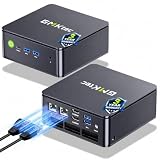
- MINI PC COMPUTER OFFICE BUSINESS PERSONAL - GMKtec Nucbox G11 PLUS Series is equipped with the Ryzen 5 3500U, a 64-bit quad-core mid-range performance x86 mobile microprocessor. This processor is based on AMD's Zen+ microarchitecture and is fabricated on a 12 nm process. The 3500U operates at a base frequency of 2.1 GHz with a TDP of 15 W and a Boost frequency of 3.7 GHz. This APU supports up to 32 GB of dual-channel DDR4-2400 memory and incorporates Radeon Vega 8 Graphics operating at up to 1.2 GHz. 20% Multi-core Performance increase over previous Ryzen 3 models such as 4300U. 35% performance increase over the Intel N-series N95/N97/N150.
- AMD RADEON GRAPHICS 1.2GHz - this powerful mini computer with 480% Faster Integrated Graphics: The built-in AMD Radeon Graphics GPU delivers a staggering 480% higher 3DMark Time Spy performance than the Intel N150's UHD graphics. Powered by dedicated shader cores clocked at 1.2GHz, it dramatically outperforms the N150 for intensive visual tasks and surpasses the 4300U's iGPU by 21% in raw computational throughput. With support for triple independent 4K displays, H.265/HEVC encoding, and modern APIs like DirectX 12 and Vulkan, this GPU turns the R2514 into a true multimedia powerhouse for professional edge computing, industrial HMI, or high-end digital signage station.
- DUAL CHANNEL 16GB RAM MEMORY - The R2514 platform supports dual-channel DDR4 memory (2×8GB; Total 16GB), effectively doubling the data pathway between RAM and the processor compared to a single 16GB stick used in N150 or 4300U systems. With dual-channel, the GPU experiences zero memory bottlenecks, resulting in significantly higher frame rates (up to 30% improvement in gaming scenarios), smoother 4K video playback, and faster application responsiveness—especially in professional workloads like CAD viewing, real-time data visualization, and multitasking across multiple displays.
- DUAL NIC 2.5GBE ETHERNET - The G11 mini PC with dual 2.5GbE ports, you can transform it into a high-speed, all-in-one networking hub. This setup enables it to function as a professional-grade firewall and router (using software like pfSense/OPNsense) for unbeatable network security and ad-blocking, a blazing-fast Network Attached Storage (NAS) server, and a compact server for a home lab running virtual machines and containers (with Proxmox). It can also be used to create a dedicated, isolated network for IoT devices and security cameras or as a compact VPN server for secure remote access.
- UNLEASH RAW PERFORMANCE MODE 35W - Dominate demanding tasks with the AMD Ryzen Embedded R2514 processor. When switched to Performance Mode in the BIOS (press "Esc" key repeatedly during boot, save then exit), this mini PC delivers superior multi-core processing power, significantly outperforming Intel N-series chips in CPU-intensive applications, multitasking, and creative workloads.
Product prices and availability are accurate as of the date/time indicated and are subject to change. Any price and availability information displayed on Amazon at the time of purchase will apply.

