Turn the iPhone off, unplug it, remove the case, and lift as much adhesive as possible with a clean finger or a plastic tool before using any solvent. For the phone’s exterior, Apple permits a 70% isopropyl-alcohol wipe. Put only a small amount on a lint-free cloth, wipe in one direction, and keep liquid away from ports, speakers, seams, buttons, and exposed electronics. Clean the detached case separately and let everything dry completely before reassembly.
Adhesive on a removed display frame, rear-glass panel, or other repair surface is a different job: iFixit procedures use over-90% isopropyl alcohol on a cloth in a controlled, opened-device setting. That concentration is not a reason to flood an assembled iPhone.
As an Amazon Associate I earn from qualifying purchases.
Identify which surface you are cleaning
“Sticky residue” can mean several different situations, and the safest method depends on whether the part is still attached to the phone.
Quick wins for a faster PC:
Repair Windows errors before they cause bigger problemsFix Now →Fix the driver behind crashes, sound loss and screen glitchesFind Drivers →Clear out junk files and repair common Windows errorsFree Scan →- Assembled iPhone exterior: residue on the glass screen, back, sides, or buttons. Treat the phone as a powered electronic device and use the smallest practical amount of cleaning liquid.
- Detached case: residue on a silicone, plastic, leather, or hybrid case that has already been removed from the phone. You can wipe the case more freely, but it still needs to stay away from the phone until fully dry.
- Repair surface: adhesive on a removed display perimeter, frame, or reused rear cover during a screen or battery repair. This is the only situation in the supplied procedures that calls for highly concentrated, over-90% isopropyl alcohol.
- Residue inside a port, speaker opening, seam, or button gap: do not push a wet cloth or tool into the opening. A model-specific repair procedure is safer than trying to flush the area from the outside.
If you are unsure which category applies, use the assembled-phone procedure. It is deliberately conservative and avoids introducing liquid into the device.
Materials and why each one matters
| Material | Use | Important limitation |
|---|---|---|
| 70% isopropyl-alcohol wipe | Apple-supported wiping of an iPhone’s exterior surfaces | Use a wipe, not a pour; keep liquid out of openings |
| Lint-free microfiber or lens cloth | Applying a small amount of alcohol and lifting the remaining film | It should be clean and free of grit that could drag across the glass |
| Clean fingertip | Rolling loose adhesive into a small ball before solvent is used | Do not use a fingernail to scrape aggressively |
| Blunt tweezers | Grabbing a loose edge of tape or a larger adhesive strand | Keep the tips blunt and parallel to the surface; do not stab at the glass |
| Plastic spudger or plastic pry tool | Separating stubborn residue on a case or detached repair part | Do not substitute a metal blade or screwdriver |
| Over-90% isopropyl alcohol | Cleaning residue from a removed frame, display perimeter, or reused back cover in a repair | Repair-only concentration in the cited iFixit procedures; not for soaking an assembled phone |
Have a second dry microfiber cloth available. It lets you remove any remaining film and verify that the surface is dry without spreading solvent back over the phone.
#1 Best Overall
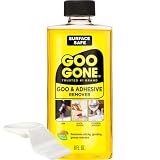
- #1 TRUSTED BRAND FOR REMOVING GOOEY MESSES: Try it on stickers, wax, markers, crayons, glue, tar, window decals, glitter, gum, labels and so much more
- SAFELY RESTORE YOUR SURFACES: The surface-safe formula removes the goo without harming your surface. Formulated with citrus cleaning agents and a pleasant citrus scent
- MULTIPLE USES AROUND THE HOUSE: Everything from wine glass label remover, scuff eraser, windowsill cleaner, adhesive remover, tar cleaner, crayon drawing eraser, to glue remover
- PERFECT FOR TEACHERS AND PARENTS: Use this to remove gum, tape, crayon, and sticker residue left behind by kids
- GREAT FOR COLLECTORS AND THRIFTERS: Safely remove price stickers from gifts, wine glasses, clothing, drinking glasses, vintage collectables and more!
Prepare the iPhone before touching the adhesive
- Shut the iPhone down completely. Do not clean a powered device when adhesive or liquid could reach an opening.
- Disconnect every cable and accessory. Remove charging, data, audio, and other connected cables.
- Remove the case. Cleaning the phone and case while they are still together can trap solvent and redistribute glue along the edges.
- Work on a clean, dry surface. A table with good lighting helps you see a thin glossy film that may be invisible at an angle.
- Inspect the residue. Decide whether it is a loose strip, a soft smear, or a thin cured film. Start with the least aggressive method for the condition you see.
Apple’s exterior-cleaning guidance is for wiping the outside of the phone. It does not authorize pouring alcohol over the screen, spraying the handset, or flooding a seam.
Remove adhesive from the assembled iPhone
1. Lift the bulk residue dry
Start without alcohol. Roll a loose smear with a clean fingertip, or catch an exposed edge with blunt tweezers. Pull slowly and keep the tool close to the surface instead of lifting sharply upward. Removing the thick layer first means less solvent is needed and reduces the chance of spreading a larger sticky patch.
Do these 3 things before closing this tab:
1Clear out junk files and repair common Windows errors2Scan for outdated or missing drivers - takes under a minute3Repair Windows errors before they cause bigger problemsFor a stubborn patch on an exterior surface, use the edge of a plastic spudger. Hold it nearly flat and make short, gentle passes. A plastic edge is intended to reduce scratch risk; a metal blade can scratch the display glass, the phone’s finish, or a case coating. Stop if the tool begins to flex, dig in, or catch on a seam.
2. Apply a small amount of 70% isopropyl alcohol
Use a 70% isopropyl-alcohol wipe, which Apple lists as acceptable for gently wiping exterior iPhone surfaces. If you are using a bottle, do not pour or drip it on the phone. Lightly dampen a corner of a lint-free microfiber or lens cloth instead. The cloth should feel slightly damp, never wet enough to leave a bead or run.
Apple Support says: “Using a 70-per cent isopropyl alcohol wipe, 75-per cent ethyl alcohol wipe or disinfectant wipes, you may gently wipe the exterior surfaces of your iPhone.”
Rank #2
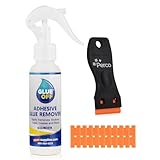
 Perco Glue Off Adhesive Remover - New Stronger Formula! - 3.3 oz with Scraper & Plastic Razor | Glue Remover Spray Effortlessly Erase Adhesive Hassles & Car Stickers - for Label Sticker Residue
- REMOVE STUBBORN ADHESIVE FAST: This 2-in-1 combo features a powerful glue remover and an easy-to-use scraper, working together to eliminate sticky residue quickly and effortlessly
- VERSATILE APPLICATION: Effectively removes labels, stickers, tape residue, car decals, and grease from various surfaces without leaving marks or causing damage
- GENTLE ON MOST SURFACES: Safe for most surfaces that prevent damage. This adhesive cleaner water-based formula and double-edged protectant blades scraper make the removal ultra safe
- ERGONOMIC & EASY-TO-USE SCRAPER: This adhesive remover set features a non-slip, curved grip scraper for safe and comfortable use at home, office, or school
- RELIABLE & CONVENIENT VALUE-PACKED SOLUTION: Designed for ease of use and efficiency, our products help you streamline tasks and improve productivity
Keep the damp section of cloth on the flat exterior surface. Do not deliberately carry it over a port, speaker grille, microphone opening, SIM tray gap, button edge, or display seam. If the residue is beside an opening, put less alcohol on the cloth and use a dry edge to control the boundary.
Free tools Windows power users keep installed
One-click scans. No signup required.
3. Wipe in one direction
Make slow, straight passes across the adhesive rather than scrubbing back and forth. One-direction strokes move the dissolved film toward a clean edge of the cloth instead of repeatedly redepositing it. iFixit gives the same instruction for repair cleaning: “For best results, swipe your cleaning cloth in one direction, not back and forth.” Rotate or refold the cloth as soon as it picks up adhesive so you do not drag the residue over an area that was already clean.
4. Repeat only as needed
Let the first pass work, then inspect under a light. If a tacky film remains, use another lightly dampened section of cloth and make a few more one-direction passes. Do not increase pressure to compensate for a dirty cloth. Mechanical lifting followed by small, controlled wipes is safer than saturating the surface.
5. Finish with a dry inspection
Use a clean, dry microfiber cloth to remove any remaining moisture. Hold the phone at several angles and look for rainbow-like smears, a glossy sticky patch, or fibers caught in the adhesive. Check around the perimeter without pushing the cloth into a gap. The phone should be completely dry before you reconnect a cable, power it on, or put the case back on.
Clean adhesive from the detached iPhone case
Separate the case completely
Never clean a case while it is mounted on the phone. Remove it, open any flap, and place it on a dry surface with the inside facing up first. This exposes adhesive that may have transferred from a sticker, tape, or phone mount.
Recommended Free Tools
Rank #3
- EFFECTIVE ON TOUGH MESSES – Removes silicone caulk, adhesives, sealants, tree sap, wet paint, glue, asphalt, ink, marker, soot, tar, wax, and grease/oil with ease.
- GREAT FOR AUTOMOTIVE SURFACES – Works best on metal, painted car surfaces, plastics, and finished wood.
- NOT FOR USE ON DELICATE OR POROUS SURFACES – Avoid use on rubber, leather, silk, fabric, faux stainless steel, unpainted drywall, unfinished wood, unsealed stone, matte or satin finishes, and other absorbent surfaces.
- SOAK FOR 5-10 MINUTES FOR BEST RESULTS – Apply generously to the affected area and allow to soak before wiping or scraping.
- LOW ODOR, EASY APPLICATION – Includes a precision nozzle for targeted use; ideal for ventilated indoor or outdoor use.
Lift loose glue before wiping
Use a clean finger to roll soft residue. For a thicker strand, use blunt tweezers. A plastic spudger can help on a broad, stubborn patch, especially in a corner. Work around cutouts and raised lips carefully; levering against a thin edge can deform the case even when the tool itself is plastic.
Wipe the inside and outside
Lightly dampen a microfiber cloth or cotton swab with isopropyl alcohol and wipe the case’s inside and outside, including corners. Use a fresh part of the cloth for each section. A cotton swab is useful for a narrow corner, but do not leave loose fibers in a port-shaped cutout or along a button cover.
Apple and iFixit do not establish that every case material reacts identically to alcohol. If the case has a special finish, printed artwork, coating, or soft-touch surface, keep the application minimal and stop if the finish becomes tacky, cloudy, or discolored. Do not continue rubbing in an attempt to reverse a visible finish change.
Dry before reinstalling
Leave the case off the iPhone until all alcohol has evaporated and no tackiness remains. Inspect the inner surface by touch and sight. Reinstalling too early can transfer softened adhesive back onto the phone and trap solvent against its exterior.
What’s actually slowing this PC down?
Pick the symptom - the matching free tool is one click away.
Rank #4

- Fast-Acting Adhesive Dissolution — Advanced formula penetrates and dissolves most types of sticky residues in just 2 minutes, easily lifting and removing labels, tape residue, grease, gum, decals and wax without hours of tedious scrubbing.
- Surface-Safe Non-Corrosive Formula — Gentle non-abrasive formulation works safely on glass, metal, plastic, wood, painted car surfaces and ceramic tiles, leaves no scratches or discoloration on most tested hard surfaces after cleaning is complete.
- Versatile for All Scenarios — Ideal for automotive maintenance, home routine cleaning, office renovation projects, removes inspection stickers, wall ads, product labels, adhesive-based graffiti and post-renovation floor adhesive residues.
- Ultra Convenient to Use — Ergonomic spray bottle fits in car glove boxes, tool bags or cleaning kits, no extra tools needed for light residue, use the included scraper for thick aged glue, shake, spray, wait and wipe for a spotless surface.
- 100% Satisfaction Guarantee — For any questions or concerns about your order or product usage, feel free to contact our customer service team for prompt, reliable assistance - your cleaning satisfaction is always our top priority.
When over-90% isopropyl alcohol is appropriate
During a display or rear-glass repair, adhesive may remain on a removed frame, display perimeter, or reused back cover. iFixit’s procedures for those controlled repair surfaces call for highly concentrated, over-90% isopropyl alcohol applied to a microfiber or lint-free cloth. The part is separated from the powered phone, so the technician can protect vulnerable components and control where the solvent goes.
That instruction has three boundaries:
- It applies to a detached repair surface, not to an assembled handset.
- It calls for alcohol on a cloth, not a pool of liquid poured over the part.
- It assumes a model-specific repair procedure that identifies which components must be covered, removed, or kept away from drips.
If your phone must be opened to reach the adhesive, stop using the exterior-cleaning method and follow a repair guide for the exact model. Power the device down, disconnect it as the guide directs, and do not pry into a powered or connected phone. iFixit advises covering or removing components that could be damaged by drips; that is a repair-planning requirement, not an invitation to improvise with solvent.
Places where you should not apply liquid
- Charging and accessory ports: Keep the damp cloth edge away from the opening. Do not pour alcohol into it or push a wet swab inside.
- Speakers and microphones: Wipe around the grille, not through it. A liquid-soaked grille can move residue deeper into the phone.
- Seams and button gaps: Use a nearly dry cloth and a narrow, controlled edge. Do not force a tool into a gap.
- Exposed electronics during a repair: Cover or remove vulnerable components as required by the model-specific procedure before applying repair-grade alcohol.
- Display coatings and finished plastic: Avoid aggressive scraping and prolonged rubbing. A plastic tool and minimal solvent reduce the chance of cosmetic damage.
Common mistakes and the safer correction
| Mistake | Why it creates trouble | Safer correction |
|---|---|---|
| Cleaning while the phone is on or plugged in | A drip can reach powered electronics | Shut down and disconnect first |
| Spraying or pouring alcohol on the handset | Liquid can run into ports, seams, speakers, and buttons | Put a small amount on a wipe or lint-free cloth |
| Starting with a metal blade | It can scratch glass, a finished frame, or case plastic | Roll the adhesive, then use a plastic tool if necessary |
| Scrubbing rapidly in both directions | It spreads the dissolved film and uses the same dirty area of cloth repeatedly | Use slow, one-direction strokes and refold the cloth |
| Using over-90% alcohol on an assembled phone | Repair-grade concentration is intended for controlled work on removed parts | Use the Apple-supported 70% exterior wipe method |
| Putting the case back immediately | Residual solvent or softened glue can transfer back to the phone | Wait until both surfaces are fully dry and non-tacky |
| Opening the phone without a model-specific guide | Adhesive and components differ by model, and prying can damage a connected device | Use the exact repair procedure or have the repair performed by a qualified technician |
Troubleshoot the result
The surface still feels sticky
First check whether the tack is adhesive or merely alcohol that has not evaporated. Give the surface time to dry, then touch it with a clean fingertip. If it is still tacky, lift more of the residue mechanically and make another controlled wipe with a fresh, lightly dampened cloth. Avoid adding more liquid before removing the remaining thick layer.
A cloudy or streaky film appears
Use a dry, clean microfiber cloth and make gentle one-direction passes. A cloudy appearance can be leftover film or moisture moved across the glass. If it does not clear after the surface is dry, stop increasing pressure; continued rubbing can spread residue or affect a finish.
The Tool Desk
Outbyte PC Repair FREEClear out junk files and repair common Windows errorsFree Scan →Outbyte Driver Updater FREEScan for outdated or missing drivers - takes under a minuteDriver Scan →Best Value

- Medical Adhesive Remover: Uni-Solve Adhesive Remover Wipes Soften Residue From The Appliances And Dressing Tape You Use Every Day. They Minimize Skin Trauma Caused By Adhesive Removal And Keep Your Care Routine Running As Smoothly As Possible.
- Non-Sensitizing And Non-Irritating Wipes: Aloe Soothes And Moisturizes Skin Without Greasiness. These Wipes Have A Pleasant Fragrance With No Harsh Odor, And They Don’T Contain Ozone-Depleting Chlorofluorocarbons (Cfcs
- Convenient Home-Care Supplies: Remove Acrylic-Based, Rubber-Based, And Hydrocolloid-Based Residues From Your Skin. Convenient Packaging Lets You Use Only What You Need So There’S Less Waste.
- How To Use: Hold The Wipe At The Edge Of The Tape Or Appliance And Squeeze It Gently So The Fluid Flows Between The Skin And The Adhesive. Slowly Pull Tape And Keep Liquid At The Line Of Adhesive. Cleanse Skin Thoroughly With Water And Pat Dry. Do Not Apply To Open Wounds Or Mucous Membranes.
Adhesive is right beside a port or seam
Reduce the amount of alcohol on the cloth and keep the damp area away from the opening. Use a dry corner to define the edge, and lift the residue with a plastic tool held nearly flat. If glue appears to have entered the opening, do not flush it from outside. A model-specific repair assessment is safer.
The case finish changes during cleaning
Stop immediately if the case becomes cloudy, discolored, or unusually soft or tacky. Wipe with a dry microfiber cloth, allow it to air-dry away from the phone, and do not keep applying alcohol. The supplied procedures support isopropyl alcohol for cleaning a detached case, but they do not establish compatibility for every coating or printed treatment.
Residue is on a display edge after a repair
Treat the display as a detached repair part only if it is actually disconnected and removed according to the exact model guide. Then follow the repair procedure’s over-90% isopropyl-alcohol instruction on a lint-free cloth, protecting components that could be damaged by drips. Do not use this approach through a gap in an assembled phone.
Final inspection before use
- The iPhone is powered off during cleaning and remains disconnected until the work is complete.
- No visible adhesive, wet sheen, or tacky film remains on the cleaned exterior.
- Ports, speakers, seams, buttons, and other openings were not flooded or packed with wet fibers.
- The detached case is clean on both sides and completely dry.
- Any repair-surface cleaning used the concentration and component-protection steps from the exact model guide.
- The case is reinstalled only after the phone and case are dry and the case no longer transfers residue by touch.
There is no published success-rate statistic in the Apple and iFixit procedural material for this task. The dependable outcome comes from controlling the sequence: separate the parts, remove bulk glue mechanically, use a small amount of the appropriate alcohol on a cloth, wipe in one direction, and allow complete drying.
Quick Recap
Product prices and availability are accurate as of the date/time indicated and are subject to change. Any price and availability information displayed on Amazon at the time of purchase will apply.

