Choose Proxmox home-server RAM by adding up the memory your guests need while they run together, then reserving capacity for Proxmox VE, storage, host services, and bursts. There is no official one-size-fits-all amount per VM or container. The right purchase also has to match your motherboard and CPU’s supported memory type and capacity.
How much RAM do I need for a Proxmox home server?
Start with concurrent workload, not a universal “RAM per VM” rule. Proxmox VE needs memory for the host itself, while VMs and containers need memory for their own operating systems and services. Storage can add another host-side demand: ZFS uses memory for its ARC cache.
As an Amazon Associate I earn from qualifying purchases.
Proxmox’s hardware requirements distinguish platform memory from additional memory for guests and call out extra memory needs for ZFS and Ceph. Treat the platform baseline as a minimum requirement, not as a comfortable all-purpose target. Proxmox does not publish a universal home-server RAM recommendation because the result depends on workload, concurrency, storage, passthrough, and hardware limits.
How to estimate memory for your VMs and containers
- List what runs at the same time. Record each VM and container you expect to run concurrently. Exclude powered-off guests from concurrent demand.
- Estimate real working needs. For each guest, note its assigned memory and estimate normal and peak use with the services you intend to run. Mark workloads that cannot tolerate memory pressure. Configured maximums alone do not show how much memory services actually use.
- Reserve memory for the host. Include Proxmox VE, host-side services, filesystem and storage activity, and short-lived peaks. A November 2023 Proxmox developer documentation patch gives 1 GB of RAM available to the host as a rule of thumb when allocating VM memory. That is a heuristic, not a guarantee that 1 GB is enough for every setup.
- Account for storage behavior. If you use ZFS, check the ARC configuration on your installed system and consider the storage pool size. Do not mechanically add every documented ceiling and rule of thumb as though all apply simultaneously.
- Add headroom, then check the platform limit. Leave room for bursts and ordinary host operation rather than planning to use every installed gigabyte for guest allocations. Confirm the final capacity is supported by your motherboard and CPU.
This is a workload estimate, not a fixed formula: concurrent guest demand plus host and storage needs must fit within installed memory, with enough room for peaks. If the estimate is close to the installed capacity, reduce expected concurrency, lower allocations only where workloads can tolerate it, or choose a larger supported kit.
#1 Best Overall

- Disclaimer: Maximum Speed requires overclocking/PC BIOS adjustments. Maximum speed and performance depend on system components, including motherboard and CPU
- Hand-sorted memory chips ensure high performance with generous overclocking headroom
- VENGEANCE LPX is optimized for wide compatibility with the latest Intel and AMD DDR4 motherboards
- A low-profile height of just 34mm ensures that VENGEANCE LPX even fits in most small-form-factor builds
- A solid aluminum heatspreader efficiently dissipates heat from each module so that they consistently run at high clock speeds
What ZFS changes about the RAM decision
ZFS ARC is a host-side memory cache, so a ZFS host cannot be sized as though all installed RAM were available to guests. The Proxmox VE Administration Guide says ARC uses 50% of host memory by default. For new installations starting with Proxmox VE 8.1, it describes a 10% of installed-memory limit capped at 16 GiB. Existing installations, upgrades, and local overrides may differ; check the actual configuration on the host rather than assuming either setting applies.
The same guide offers a ZFS ARC rule of thumb of at least 2 GiB base plus 1 GiB per TiB of storage. It also cautions that reducing ARC should be approached carefully because ARC is important for I/O performance. Use that guidance as context for sizing and configuration, not as a second amount to blindly add on top of every other ZFS figure. The guide’s broader advice is: “We strongly recommend to use enough memory, so that you normally do not run into low memory situations.”
Rank #2

- A-Tech RAM Memory compatible for select DDR4 Servers & Workstation systems only; (*WILL NOT WORK with Desktop Computers, Laptop Computers, or PCs of any kind*)
- 64GB RAM Kit (4 x 16GB Modules); DDR4 DIMM 288 Pin; Speeds up to 2400MHz PC4-19200 (PC4-2400T)
- ECC Registered RDIMM; 2Rx4 - Dual Rank x4; JEDEC DDR4 standard 1.2V
- Improves system performance, workload capacity, and reduces bottlenecks by increasing memory (RAM) resources
- Note: This memory is ECC Registered and cannot be mixed with different ECC types such as ECC Unbuffered, ECC Load Reduced, or Non-ECC Unbuffered; (Memory compatibility can vary among different system models and their installed components; please verify compatibility and follow memory channel guidelines to ensure maximum performance)
Should you use VM ballooning?
Ballooning lets Proxmox adjust VM memory allocation dynamically, but it is not a substitute for sufficient physical RAM. A guest must support and use the relevant balloon driver, and you should not assume it will release memory promptly whenever another workload needs it. Fixed allocation is more predictable; ballooning can improve flexibility when guest behavior and configuration support it.
Windows Errors? Fix Them Before They Spread
Repair common Windows errors and clear accumulated junk for a smoother, more stable PC - no reinstall needed.Free scan · no reinstallCrashes, No Sound, or Screen Glitches?
Random freezes, missing sound and display glitches usually trace back to one bad driver. Find and replace yours safely.Free scan · under a minuteThe November 2023 Proxmox developer documentation patch identifies a specific exception: with PCI(e) passthrough, ballooning cannot reclaim VM memory normally because QEMU must map the complete guest memory at startup. Treat this as a caveat for that configuration, not as a general sizing formula.
Rank #3

- OWC 128GB UPGRADE: Consists of 4pcs of 32GB DDR4 3200MHz PC4-25600 CL22 2RX8 ECC Unbuffered DIMM 1.2V 288-pin Memory Modules
- 100% COMPLIANT: With JEDEC Standard Specifications, ROHS Compliant, Warranty Safe Upgrade. Designed and Tested to Meet or Exceed all Manufacturer OEM Specs
- Compatible with Micron MTA18ADF4G72AZ-3G2B3 MTA18ASF4G72AZ-3G2B1 MTA18ASF4G72AZ-3G2F1Z MTA18ADF4G72AZ-3G2, Samsung M391A4G43BB1-CWE M391A4G43AB1-CWE, Hynix HMAA4GU7AJR8N-XN
- INDUSTRY LEADING: Consumer Friendly Advanced Replacement Program and Limited Lifetime Warranty, which Includes Free Tech Support by Other World Computing
- Works with Desktop, Workstation and Servers like: PowerEdge, Precision, StoreEasy, ProLiant, Apollo, ThinkServer, ThinkStation, ThinkSystem, System X and more
How to set memory limits for LXC containers
The pct manual documents container memory and swap settings through the cgroup memory controller. These settings can limit a container’s consumption, but they do not determine the service’s actual peak working set. Estimate what the applications inside each container need under expected use, then set limits that contain runaway use without making normal operation memory-starved.
Independent reader supportYour contribution helps us test, update, and keep practical guides available for everyone.Choose a compatible memory kit
Choose the physical RAM only after estimating capacity. Compatibility is specific to the host; no universal kit can be recommended without knowing its motherboard and CPU. Check the system or motherboard documentation for:
Rank #4

- A-Tech RAM Memory compatible for select DDR4 Servers & Workstation systems only; (*WILL NOT WORK with Desktop Computers, Laptop Computers, or PCs of any kind*)
- 128GB RAM Kit (8 x 16GB Modules); DDR4 DIMM 288 Pin; Speeds up to 2133MHz PC4-17000 (PC4-2133P)
- ECC Registered RDIMM; 2Rx4 - Dual Rank x4; JEDEC DDR4 standard 1.2V
- Improves system performance, workload capacity, and reduces bottlenecks by increasing memory (RAM) resources
- Note: This memory is ECC Registered and cannot be mixed with different ECC types such as ECC Unbuffered, ECC Load Reduced, or Non-ECC Unbuffered; (Memory compatibility can vary among different system models and their installed components; please verify compatibility and follow memory channel guidelines to ensure maximum performance)
- Supported DDR generation, such as DDR4 or DDR5.
- DIMM type, including UDIMM versus RDIMM.
- ECC support and the supported ECC mode.
- Number of memory slots and supported module combinations.
- Maximum total capacity supported by the board and CPU.
Match the purchase to those specifications, not to the Proxmox VE version. If the platform supports ECC and your requirements call for it, confirm the exact supported module type rather than assuming any ECC-marked kit will work.
Quick Recap
Best Value
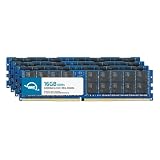
- ECC REGISTERED UPGRADE: This type of memory is used in Workstations and Servers. It will NOT be compatible with standard desktop computers. Also, it cannot be mixed with UNBUFFERED memory.
- OWC 64GB UPGRADE: Consists of 4pcs of 16GB DDR4 3200MHz PC4-25600 CL22 2RX4 ECC Registered RDIMM 1.2V 288-pin Memory Modules
- 100% COMPLIANT: With JEDEC Standard Specifications, ROHS Compliant, Warranty Safe Upgrade. Designed and Tested to Meet or Exceed all Manufacturer OEM Specs
- MAXIMIZE YOUR SERVER: With OWC's ECC Registered Server Memory, Our RAM upgrades will extend the life of your old infrastructure or save money when building a new one
- INDUSTRY LEADING: Consumer Friendly Advanced Replacement Program and Limited Lifetime Warranty, which Includes Free Tech Support by Other World Computing
Compare the choices that affect your estimate
| Decision | What to compare | Why it matters |
|---|---|---|
| Installed capacity | Concurrent guest demand against host and storage needs | Proxmox needs working memory beyond guest allocations. Proxmox hardware requirements. |
| Fixed VM memory or ballooning | Predictable allocations versus dynamic reclaim behavior | Ballooning does not assure memory will always be reclaimable; PCI(e) passthrough has a documented caveat. Proxmox developer mailing list patch. |
| ZFS ARC | Actual ARC cap and storage pool size | ARC uses host memory, and reducing it can affect I/O performance. Proxmox VE Administration Guide. |
| Container limits | Service peak demand versus configured memory and swap caps | Limits control use; the workload determines actual demand. pct manual. |
| RAM kit | DDR generation, module type, ECC, slot count, and maximum supported capacity | Compatibility is specific to the CPU and motherboard. Proxmox hardware requirements. |
Product prices and availability are accurate as of the date/time indicated and are subject to change. Any price and availability information displayed on Amazon at the time of purchase will apply.

