For an exposed installation, begin with a purpose-built outdoor access point whose ingress-protection rating and operating-temperature range match the site. An indoor access point inside an enclosure is a viable alternative only when the enclosure is designed for that exact model, preserves safe operation, and suits the local rain, dust, sun, humidity, condensation and temperature conditions. Neither design automatically delivers better range or throughput.
Start with the installation, not the hardware label
The key question is whether the access point will sit in an exposed environment or in a genuinely sheltered location. “Outdoor” and “weatherproofed indoor” describe different engineering approaches, but neither phrase is a universal performance class.
As an Amazon Associate I earn from qualifying purchases.
- Purpose-built outdoor AP: The manufacturer designs the housing, seals, mounting system and environmental limits as one product. You still must verify the exact model’s ingress-protection (IP) rating, temperature range, cable-entry method, power requirements and installation instructions.
- Indoor AP in a weatherproof enclosure: The enclosure becomes part of the system. Its rating, thermal behavior, mounting, cable seals and compatibility list matter as much as the AP’s own specifications. An enclosure does not automatically convert every indoor AP into an outdoor-rated device.
For a wall, pole, roof edge, courtyard or other location exposed to rain and blowing dust, a purpose-built outdoor AP is usually the simpler starting point. Consider an indoor AP in an enclosure when the enclosure maker explicitly supports the exact AP model and the complete assembly can be installed and serviced safely at the site.
The Tool Desk
Outbyte PC Repair FREERepair Windows errors before they cause bigger problemsFix Now →Outbyte Driver Updater FREEScan for outdated or missing drivers - takes under a minuteDriver Scan →Understand IP ratings and environmental limits
Ingress protection is model-specific
An IP code describes protection against intrusion by solids and water under defined test conditions. It is not a blanket promise for every product in a category. TP-Link lists the Omada EAP603-Outdoor as IP65. That rating belongs to that model and hardware version; it should not be transferred to another outdoor AP merely because the products look similar.
#1 Best Overall

- Superior Speeds with MU-MIMO: Equipped with the latest 802.11ac Wave 2 MU-MIMO technology, the EAP225-Outdoor easily delivers dual-band Wi-Fi speeds of up to 1200 Mbps to multiple devices at the same time. Wireless Functions include Reboot Schedule, Enable/Disable Wireless Radio, Multiple SSIDs (Up to 16 SSIDs, 8 for each band). Environment: Operating Temperature: -3070 (-22158 ), Storage Temperature: -4070 (-40158 ), Operating Humidity: 1090% RH non-condensing, Storage Humidity: 590% RH non-condensing
- Indoor/Outdoor Use: The durable, weatherproof enclosure protects the access point against harsh outdoor conditions and provides stable wireless coverage up to 200m+ range at 2.4GHz and 300m+ at 5GHz in outdoor settings. Discreet appearance can also fit with any indoor scenarios
- Integrated into Omada SDN: Omada's Software Defined Networking (SDN) platform integrates network devices including access points, switches and gateways with multiple control options offered - Omada Hardware controller, Omada Software Controller or Omada cloud-based controller. Standalone mode also applies
- Cloud Access: Remote Cloud access and Omada app brings centralized cloud management of the whole network at different sites-all controlled from a single interface anywhere, anytime
- SDN Compatibility: For SDN usage, make sure your devices/controllers are either equipped with or can be upgraded to SDN version. SDN controllers work only with SDN Access Points, Switches and Gateways. Non-SDN controllers work only with non-SDN APs
The first digit in IP65 indicates a dust-protection level, while the second describes resistance to water jets. The rating does not tell you how the unit handles condensation, salt air, ultraviolet exposure, ice, chemicals or a damaged cable gland. Read the installation guide for the approved orientation, covers, seals and cable routing.
Temperature ranges are equally important
The EAP603-Outdoor product page specifies an operating range of -30°C to 70°C. Those figures are ambient operating limits for that product, not a guarantee that every outdoor AP can tolerate the same conditions. Compare the published range with the coldest and hottest conditions at the mounting location, including sun-heated walls, roof spaces and enclosures that can become substantially warmer than surrounding air.
TP-Link’s EAP225-Outdoor also documents an IP65 rating and its own model-specific operating range. The fact that two products share an IP rating does not make their temperature, radio, power or mounting specifications interchangeable.
Free tools Windows power users keep installed
One-click scans. No signup required.
An enclosure has its own rating and limits
Zyxel’s ZZ0102F weatherproof enclosure is listed as IPX5, with an operating range of -20°C to 50°C. It also names the Zyxel access-point models it supports. These values describe that enclosure, not every indoor AP placed inside it. You must check the AP’s own temperature limits as well as the enclosure’s range, then consider heat buildup around the device.
Rank #2

- 【Ultra-Fast True Wi-Fi 6 Speeds】Designed with the latest Wi-Fi 6 technology featuring 1024-QAM, HE60 and Long OFDM Symbol, the EAP650-Outdoor boosts dual-band Wi-Fi speeds up to 2976 Mbps.
- 【Indoor/Outdoor Use】The durable, IP67 weatherproof enclosure with dedicated high gain antennas protects the access point against harsh outdoor conditions and provides the best outdoor wireless experiences. Discreet appearance can also fit with any indoor scenarios.
- 【Integrated into Omada SDN】Omada's Software Defined Networking (SDN) platform integrates network devices including access points, switches & gateways with multiple control options offered - Omada Hardware controller, Omada Software Controller or Omada cloud-based controller*(Contact TP-Link for Cloud-Based Controller Plan Details). Standalone mode also applies.
- 【Cloud Access & Omada Compatibility】Remote Cloud access and the Omada app enable centralized management of your entire network across multiple sites. Control everything from a single interface, anywhere and anytime. Please verify device compatibility with SDN firmware in the product documentation or manufacturer's technical specifications.
- 【Advanced Wireless Tech】Supports Mesh WiFi, Seamless Roaming*(Omada Mesh & Seamless Roaming require the use of Omada SDN controllers), Band Steering, Load Balancing, Airtime Fairness and Beamforming technologies.
IPX5 indicates that the enclosure has a stated water-jet protection level, while the “X” means the source does not specify a solid-particle protection rating in that code. Do not treat IPX5 as equivalent to IP65 for dust exposure. If blowing dust is part of the site conditions, require a documented solid-particle rating appropriate to the installation.
Compare the two architectures
| Decision axis | Purpose-built outdoor AP | Indoor AP in a weatherproof enclosure |
|---|---|---|
| Weather protection | Use the exact AP’s stated IP rating and approved installation. The EAP603-Outdoor example is IP65. | Use the enclosure’s rating and verify that it is designed for the exact AP model. The ZZ0102F example is IPX5. |
| Temperature | Match the AP’s published operating range to expected ambient and sun-exposed conditions. The EAP603-Outdoor example is specified from -30°C to 70°C. | Check both AP and enclosure limits. The ZZ0102F example is specified from -20°C to 50°C, and the enclosure’s internal temperature may differ from ambient. |
| Compatibility | Confirm the model’s network-management, PoE, mounting and cabling requirements. | Use only an enclosure compatibility list that names the exact AP model; confirm that the assembly still permits ventilation, sealing and service access. |
| Installation | Plan the supplied outdoor mount, cable sealing, PoE delivery, grounding requirements and access for service. | Plan enclosure mounting, cable glands, AP mounting inside the box, condensation control and access for maintenance. |
| Wi-Fi behavior | Evaluate the actual radios, antenna pattern, bands and placement; an outdoor label alone does not establish greater range. | Evaluate the AP’s radio and antenna documentation in the installed enclosure; enclosure materials and placement can affect propagation. |
Use this step-by-step selection process
- Map the exposure. Mark the AP position and record direct rain, wind-driven rain, dust, snow, salt spray, irrigation, humidity, condensation and hours of direct sun. A covered patio may still experience wind-driven rain and large temperature swings.
- Record the local temperature envelope. Use expected seasonal lows and highs for the actual mounting point, not only a city-average forecast. Add the effect of dark walls, roof cavities and solar heating. If an enclosure is proposed, account for heat trapped inside it.
- Set minimum environmental specifications. Choose an IP rating and operating range that meet the site. Keep the qualification attached to the model: the EAP603-Outdoor’s IP65 and -30°C to 70°C specification is an example, not a category-wide requirement.
- Shortlist exact models. For each AP, download the current datasheet and installation guide. Confirm revision or hardware-version details, supported bands, antenna characteristics, PoE standard, power budget, mounting orientation and cable-entry instructions.
- If considering an enclosure, verify compatibility by name. The enclosure documentation should list the exact AP model, not merely a product family or a device with similar dimensions. Zyxel’s ZZ0102F page lists supported Zyxel APs; that list cannot be generalized to other manufacturers.
- Check thermal and condensation behavior. Confirm that the combined AP-and-enclosure limits overlap. Look for approved ventilation, drainage, desiccant or pressure-equalization provisions. Never drill extra holes or defeat a gasket without manufacturer approval.
- Design power and cabling. Confirm that the AP’s PoE class or power supply is available at the mounting point, that the cable is rated for the route, and that glands, drip loops and strain relief preserve the seal. A weatherproof housing does not fix an unsealed cable entry.
- Plan mounting and service access. Ensure the bracket can carry the assembly, the antenna orientation is allowed, and technicians can open or replace the unit without leaving the installation exposed. Include a safe method for work at height where relevant.
- Validate wireless coverage at the intended location. Compare radio bands, channel width, transmit-power limits, antenna gain and pattern for the candidate models. Test from the places that need service; do not infer coverage from the outdoor label or IP code.
- Price the complete installation. Include the AP, enclosure if used, bracket, PoE injector or switch capacity, outdoor-rated cable, glands, surge or grounding hardware where required, labor and future service visits. The available product information does not establish a universal cost winner between the two architectures.
- Document the final configuration. Keep the model and hardware revision, environmental ratings, approved orientation, cable route, PoE source and maintenance schedule with the site records. This prevents a later replacement with an incompatible AP or enclosure.
When an outdoor AP is the better fit
Exposed walls, poles and rooflines
A purpose-built outdoor unit generally reduces compatibility work because the housing, mount and seals are designed together. It is the clearest option when the AP will receive direct weather or when the site has blowing dust and wide seasonal temperatures. Confirm the exact rating and installation method rather than relying on the word “outdoor.”
Sites with large temperature swings
If the location can fall below freezing or become very hot in direct sun, select a model whose published range covers those conditions with margin. The EAP603-Outdoor’s -30°C to 70°C specification illustrates the kind of model-level figure to compare. It does not prove that another outdoor AP, or an indoor AP in a box, can operate there.
What’s actually slowing this PC down?
Pick the symptom - the matching free tool is one click away.
Installations that need straightforward replacement
A standard outdoor model can be easier to swap because its replacement path does not depend on a specific enclosure cutout or compatibility list. Even so, retain the original mounting and cable documentation; a different outdoor AP may use different brackets, PoE requirements or sealing procedures.
Rank #3
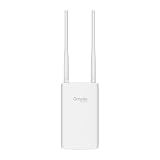
- Blazing-Fast Wi-Fi 6 Speeds: Experience seamless streaming, gaming, and browsing with dual-band speeds up to 1.8 Gbps (574 Mbps on 2.4 GHz + 1201 Mbps on 5 GHz)
- Unlock the power of Omada Cloud Management: Gain advanced features like intelligent network monitoring, remote configuration, AI-driven optimizations, and Zero-Touch Provisioning (ZTP). Manage your entire network with ease, efficiency, and endless possibilities. Also with free Omada Essential version available
- Universal Compatible with the Device Upfront: Seamlessly boost your WiFi coverage with the built-in extender function, designed to work with any device and deliver strong, reliable signal exactly where you need it
- Indoor and Outdoor Use: Built to last, our IP65 weatherproof design, wide operating temperature range (-40F to 158F), and 6kV lightning protection safeguard the access point from heat, cold, dust, rain, and storms, ensuring reliable performance in any outdoor environment
- Long Range WiFi Coverage: Dual-band omnidirectional design delivers strong, seamless signal for whole area coverage
When an indoor AP in an enclosure can make sense
A supported, serviceable combination exists
An enclosure approach is reasonable when its manufacturer names the exact indoor AP, supplies a secure mounting method and documents environmental limits. The enclosure must leave the AP’s connectors, reset access and status indicators usable as intended, or provide an approved service procedure.
The physical site favors a protected box
A sheltered utility area, covered structure or existing equipment cabinet may make an enclosure practical, provided the assembly is still exposed only within its documented limits. “Sheltered” does not mean immune to humidity, condensation or heat. Check the local conditions rather than assuming a roof is sufficient.
You need a particular indoor platform
If the required network-management features or radio design are available only in an indoor model, a compatible enclosure can preserve that choice. Treat the AP and enclosure as one engineered system. The enclosure’s IPX5 and -20°C to 50°C figures for the ZZ0102F, for example, must be evaluated alongside the indoor AP’s own limits and the site’s dust exposure.
Wi-Fi coverage and throughput: avoid unsupported assumptions
Weather protection and wireless performance are separate questions. The cited product information does not provide a controlled, head-to-head test of an outdoor AP against an indoor AP inside an enclosure, so it cannot establish an inherent range, reliability or throughput winner.
Rank #4

- Up to 300Mbps Wi-Fi with 2x2 MIMO technology ; Rate limit on per SSID to restrict the bandwidth of each client
- Built for outdoor Wi-Fi applications ; WPA/WPA2-enterprise, 802.1X with RADIUS secure authentication and rogue access point detection ensure the security of WLAN
- High transmission power and high gain antennas provide a long-range coverage area
- Passive PoE Power over Ethernet support and simple mounting design allow for flexible deployment and convenient installation
- Free Auranet Controller Software lets administrators easily manage hundreds of EAPs
Coverage depends on the candidate’s radio chains, supported bands, channel width, transmit-power rules, antenna gain and pattern, mounting height, wall and foliage losses, neighboring networks and client devices. An enclosure can also change the physical position and orientation of the antennas. Compare the exact radio and antenna documentation, then test at the intended mounting point with representative clients.
Use the same test method for each candidate: identical AP height, channel plan, client locations, wired backhaul and measurement times. Record signal level, usable throughput and roaming behavior separately. A stronger signal at one point does not guarantee better service throughout the property.
Independent reader supportYour contribution helps us test, update, and keep practical guides available for everyone.Installation details that decide reliability
Cable entry and water paths
Follow the manufacturer’s gland size and sealing instructions. Route cable so water drips away from the entry rather than toward it, and provide strain relief. Do not leave an unused port cap loose or substitute household tape for a rated gland.
Quick wins for a faster PC:
Scan for outdated or missing drivers - takes under a minuteDriver Scan →Clear out junk files and repair common Windows errorsFree Scan →Fix the driver behind crashes, sound loss and screen glitchesFind Drivers →PoE and power delivery
Verify the AP’s PoE standard, class and maximum draw against the switch or injector. Long outdoor cable runs add voltage-drop and surge considerations. An enclosure does not change the AP’s electrical requirements; it only changes the environmental housing.
Best Value

- Wi-Fi 7 Dual-Band: Faster speeds, less congestion
- IPX6 Weatherproof: Built for harsh outdoor conditions
- 12.5 dBi Directional Antenna: Covers up to 5,000 ft²
- 2.5 GbE PoE+ Port: Power and data over one cable
- 250+ Client Capacity: Ideal for dense deployments
Mounting and grounding
Use the approved bracket and orientation. Confirm that the wall or pole can carry the combined weight and wind load. Follow local electrical and grounding rules, and use any manufacturer-specified bonding or surge protection. The Aruba deployment guidance reviewed for indoor APs outdoors recommends a region-compliant NEMA-rated enclosure and consulting the AP datasheet; that guidance is older, so verify current product documents and local requirements before deployment.
Condensation and maintenance
Rain protection alone does not prevent condensation when a sealed box cools overnight. Follow the enclosure maker’s provisions for drainage, pressure equalization or moisture control. Schedule inspections for cracked seals, blocked drains, corrosion, insects and cable damage. Recheck the seal after opening the enclosure for service.
Common mistakes and how to correct them
- Assuming any box makes an indoor AP outdoor-rated: Replace the box with a model-specific, documented enclosure or choose a purpose-built outdoor AP.
- Copying one product’s IP code to another: Read the exact model and hardware revision. The EAP603-Outdoor and EAP225-Outdoor examples show why similar products still require separate checks.
- Ignoring the enclosure’s temperature ceiling: Compare both limits and account for solar heating. A box rated to 50°C may be unsuitable where internal temperatures exceed that value.
- Confusing water and dust protection: IPX5 does not state a solid-particle rating. If dust is expected, require documentation that addresses it.
- Sealing the box but not the cable: Use approved glands, drip loops and strain relief; inspect them after installation.
- Choosing by “range” claims: Match antennas, bands and placement, then test at the site. No general range advantage is established for either architecture.
- Comparing equipment prices only: Add brackets, enclosure, PoE capacity, cable, labor, access equipment and maintenance before deciding.
- Using an old compatibility list: Confirm the current enclosure and AP documentation, including hardware revisions and discontinued models.
Decision checklist
- Is the mounting point exposed to direct or wind-driven weather?
- What are the expected minimum and maximum temperatures at that point, including solar heating?
- What IP rating and solid-particle protection does the exact AP or enclosure document?
- Does the enclosure explicitly list the exact AP model and hardware revision?
- Do the AP and enclosure temperature ranges overlap with site conditions?
- Are cable glands, drip loops, PoE delivery, mounting and grounding specified?
- Can technicians service the assembly without compromising its seal?
- Do the actual radios and antenna patterns meet the coverage requirement?
- Have you priced the complete installed system and future maintenance?
Choose the purpose-built outdoor AP when exposure, temperature or service simplicity makes a single documented system the safer path. Choose an indoor AP in an enclosure only when the enclosure is explicitly compatible, environmentally adequate and practical to install and maintain. In both cases, the exact model documentation and a site-specific wireless test matter more than the product category name.
Quick Recap
Product prices and availability are accurate as of the date/time indicated and are subject to change. Any price and availability information displayed on Amazon at the time of purchase will apply.

