The Tool Desk
Outbyte Driver Updater FREEScan for outdated or missing drivers - takes under a minuteDriver Scan →Outbyte PC Repair FREEClear out junk files and repair common Windows errorsFree Scan →The phone most likely to last all day is not automatically the one with the highest mAh number. Choose in this order: verified runtime under a workload similar to yours, efficiency and display behavior, battery capacity as supporting context, charging convenience, and expected battery aging. A 5,000 mAh phone can outlast or underperform another 5,000 mAh phone because software, screen settings, cellular conditions and your apps determine how quickly that energy is used.
The buying rule in one minute
Use this sequence when comparing phones:
- Find a disclosed runtime test. Prefer an independent test that states brightness, network connection, software version, screen-on workload and whether the result is continuous playback, web browsing or mixed use.
- Match the workload to your day. A video-streaming result is useful for a commuter who watches video, but it does not predict the same endurance for navigation, gaming, hotspot use or weak-signal travel.
- Record battery capacity. Compare typical and minimum mAh figures when manufacturers publish both, but do not convert mAh directly into hours.
- Check charging separately. Compare wired and wireless support, maximum input power, charger requirements and any time-to-charge claim.
- Consider ownership life. Lithium-ion capacity declines with chemical age, so a phone that lasts a long day when new may provide less runtime after years of charge cycles and heat exposure.
This method avoids the most common mistake: treating capacity, runtime and charging speed as if they were the same specification.
As an Amazon Associate I earn from qualifying purchases.
What battery capacity actually tells you
mAh is stored charge, not a runtime promise
Milliampere-hours (mAh) describe the amount of electrical charge a battery can hold under its rated conditions. They do not state how many hours the phone will run. The phone’s display, processor workload, modem, software, signal strength and background activity determine how quickly that charge is consumed. The evidence does not establish a reliable formula that turns a phone’s mAh figure into universal hours of use.
Capacity is still useful for spotting unusually small or large batteries within a similar product class. Treat it as a clue that must be checked against runtime evidence, not as the result you are buying.
#1 Best Overall

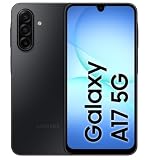
- YOUR CONTENT, SUPER SMOOTH: The ultra-clear 6.7" FHD+ Super AMOLED display of Galaxy A17 5G helps bring your content to life, whether you're scrolling through recipes or video chatting with loved ones.¹
- LIVE FAST. CHARGE FASTER: Focus more on the moment and less on your battery percentage with Galaxy A17 5G. Super Fast Charging powers up your battery so you can get back to life sooner.²
- MEMORIES MADE PICTURE PERFECT: Capture every angle in stunning clarity, from wide family photos to close-ups of friends, with the triple-lens camera on Galaxy A17 5G.
- NEED MORE STORAGE? WE HAVE YOU COVERED: With an improved 2TB of expandable storage, Galaxy A17 5G makes it easy to keep cherished photos, videos and important files readily accessible whenever you need them.³
- BUILT TO LAST: With an improved IP54 rating, Galaxy A17 5G is even more durable than before.⁴ It’s built to resist splashes and dust and comes with a stronger yet slimmer Gorilla Glass Victus front and Glass Fiber Reinforced Polymer back.
Typical and minimum capacity can differ
Some specifications publish both a typical capacity and a minimum rated capacity. The typical figure is an average design value; the minimum figure represents the lower capacity the battery is specified to meet. When both appear, record both rather than comparing a typical figure on one phone with a minimum figure on another.
Current examples show why capacity and charging are separate
Samsung’s US support page for its 2026 A-series models lists the following specifications. They are specifications, not evidence that one model lasts longer than another:
| Model group | Listed battery capacity | Maximum wired charging | Wireless charging or PowerShare |
|---|---|---|---|
| Galaxy A17 and A27 | 5,000 mAh | Up to 25W | Not supported, according to Samsung |
| Galaxy A37 and A57 | 5,000 mAh | Up to 45W | Not supported, according to Samsung |
Source: Samsung’s 2026 A-series specifications. Every model in this example has the same listed capacity, while the charging limit differs. That difference changes how quickly you can refill the phone, not how much energy the battery stores.
How to read runtime claims without being misled
Identify the workload
“Battery life” can mean a continuous loop, a mixed-use estimate or the time until a particular percentage remains. These results are not interchangeable. Look for:
- Activities included: calls, cellular data, standby, browser use, audio and video.
- Screen brightness and refresh-rate settings.
- Wi-Fi, 4G or 5G conditions and the carrier or network used.
- Whether the phone was new, fully updated and reset before testing.
- Temperature, battery-saver settings and background apps.
- Whether the number comes from a laboratory, a reviewer or the manufacturer.
If two tests use different workloads, report them as different measurements instead of declaring a winner from the larger number.
Understand Google’s Pixel methodology
Google says its Pixel estimates represent an “average Pixel phone user” profile that combines talk, data, standby, Chrome browsing, audio playback and YouTube video streaming. For Pixel 11 and Pixel 11 Pro estimates, Google says testing took place on a major US carrier network in California in mid-2026, in a laboratory, using pre-production hardware and software with specified settings. Google also warns that actual battery life can be lower. Read the full explanation in Google’s battery-test methodology.
The conditions matter: a mixed estimate based on a US network and pre-production software is useful context, but it is not a standardized cross-brand ranking. A reviewer using retail phones, a different network and a fixed browsing loop is measuring something else.
What’s actually slowing this PC down?
Pick the symptom - the matching free tool is one click away.
Rank #2

- YOUR CONTENT, SUPER SMOOTH: The ultra-clear 6.7" FHD+ Super AMOLED display of Galaxy A17 5G helps bring your content to life, whether you're scrolling through recipes or video chatting with loved ones.¹
- LIVE FAST. CHARGE FASTER: Focus more on the moment and less on your battery percentage with Galaxy A17 5G. Super Fast Charging powers up your battery so you can get back to life sooner.²
- MEMORIES MADE PICTURE PERFECT: Capture every angle in stunning clarity, from wide family photos to close-ups of friends, with the triple-lens camera on Galaxy A17 5G.
- NEED MORE STORAGE? WE HAVE YOU COVERED: With an improved 2TB of expandable storage, Galaxy A17 5G makes it easy to keep cherished photos, videos and important files readily accessible whenever you need them.³
- BUILT TO LAST: With an improved IP54 rating, Galaxy A17 5G is even more durable than before.⁴ It’s built to resist splashes and dust and comes with a stronger yet slimmer Gorilla Glass Victus front and Glass Fiber Reinforced Polymer back.
Manufacturer claims are not independent rankings
Google’s Pixel specification page gives one example: the listed Pixel 11 has a typical 4,850 mAh capacity, a minimum 4,707 mAh capacity and an advertised 30-plus hours of battery life. Google says it can reach up to 55% in about 30 minutes with a 30W USB-C PPS charger or higher, sold separately. These are Google’s claims, not an independent head-to-head result; see the Pixel specifications for the stated figures and footnotes.
Use such claims to understand the maker’s target and charging setup. For a purchase decision, place them beside tests whose conditions you can compare with your own use.
Efficiency depends on your actual workload
Two phones with similar capacities can produce different daily results because the energy demand is different. Rather than assuming a particular chipset or display technology is always more efficient, examine the tasks and settings that consume your charge.
High-drain activities
Google identifies prolonged navigation, video playback, graphics-heavy games, hotspot use, GPS, streaming, calls while moving, camera use and extended app sessions as activities that can increase drain. Weak or changing cellular reception can also make the phone work harder to maintain a connection. If your day includes these tasks, prioritize a phone with strong tested endurance under a comparable workload instead of relying on a standby claim.
Crashes, No Sound, or Screen Glitches?
Random freezes, missing sound and display glitches usually trace back to one bad driver. Find and replace yours safely.Free scan · under a minutePC Slower Than It Used to Be?
A free scan shows the junk files, broken settings and background clutter dragging Windows down - then fixes them in one click.Free scan · Windows 10 & 11Display behavior
Screen-on time is often a major part of daily consumption. A bright display, long timeout and high refresh setting can use more energy than a dimmer, shorter-session setup. Compare tests at a disclosed brightness and consider whether the review used adaptive settings. A result measured with the screen mostly off cannot answer the needs of someone who reads or navigates for hours.
Background activity and connectivity
Push notifications, location access, cloud synchronization and frequently refreshing social or messaging apps can keep the phone active between sessions. Hotspot use and continuous GPS are especially important if you work from a phone or travel. Check battery statistics after a normal day to see whether one app, radio connection or service is responsible for unusual drain before blaming the battery capacity.
Charging is a separate buying axis
Wattage describes refill rate, not endurance
A charger rated at more watts can deliver power faster only when the phone, cable and adapter support the same charging standard. It does not increase the battery’s capacity or guarantee more hours per charge. A phone with a lower charging limit may still last longer if it uses less energy during your workload.
Rank #3
- Charger NOT Included, 6.7" FHD+ Super AMOLED display, 90Hz refresh rate, 1080 x 2340 resolution, slim 7.5mm body, Gorilla Glass Victus front protection
- 128GB storage, 4GB RAM, microSD support up to 2TB, Exynos 1330 octa-core processor, 5000mAh battery, USB-C, Bluetooth 5.3, NFC, and side fingerprint sensor
- Rear Camera: 50MP wide with OIS + 5MP ultrawide + 2MP macro, LED flash, HDR, panorama; Front Camera: 13MP; FHD 1080p video recording
- 5G Bands: n2/n5/n25/n30/n41/n66/n71/n77/n78; 4G LTE Bands: 1/2/3/4/5/7/12/13/14/20/25/26/28/29/30/38/39/40/41/48/66/71; eSIM + Nano-SIM
- US Model – Global Connectivity – Compatible with Most GSM Carriers like T-Mobile, AT&T, MetroPCS, etc. Will Also work with CDMA Carriers Such as Verizon, Straight Talk. Please contact seller if you are unsure about carrier compatibility, as some MVNOs will not allow Carrier Unlocked devices. 5G bands are Specific to Americas, 4G LTE will work Globally.
Check the complete charging setup
- Wired limit: Record the phone’s maximum supported input, not just the adapter’s headline wattage.
- Wireless support: Confirm whether wireless charging is included and whether a pad is required.
- Adapter and cable: Determine whether the required charger is in the box or sold separately, and whether the cable supports the advertised standard.
- Time claim: Note the starting battery percentage, endpoint, charger model and test mode.
- Conditions: Charging can slow when the phone is hot, in use or near full.
Google’s Pixel methodology says its charging tests used Google’s 45W USB-C charger and Extreme Charging Mode. Google notes that actual charging can be slower and varies with usage, battery age and ambient temperature. Treat a “55% in about 30 minutes” statement as a qualified charging test, not a promise that every charger or situation will match it.
When slower charging may be adequate
If you normally charge overnight, maximum wattage may matter less than charger availability, cable convenience and battery-health controls. If you often have only a short break before leaving, a documented time-to-charge result can be more useful than a small capacity difference.
Plan for battery aging, not just day one
Apple distinguishes battery life—the time a device runs before it needs a recharge—from battery lifespan—the time before the battery needs replacement. Its explanation of lithium-ion batteries says capacity decreases as the battery chemically ages. Chemical age reflects charge cycles and care as well as elapsed time, so two phones of the same calendar age can have different remaining capacity. See Apple’s explanation of iPhone battery and performance.
Heat is particularly important. Google says heat can increase drain and damage the battery, while Apple advises avoiding high temperatures. Do not leave a charging phone in direct sun, under bedding or in a hot car. If a case traps heat during gaming or navigation, remove it temporarily or reduce the workload.
Do not confuse endurance per charge with years until replacement. A high-capacity phone can still need a battery service after substantial chemical aging. Before buying, check whether the manufacturer publishes battery-service options and the cost or process for your region; these details vary by model and country.
Do these 3 things before closing this tab:
1Fix the driver behind crashes, sound loss and screen glitches2Clear out junk files and repair common Windows errors3Scan for outdated or missing drivers - takes under a minuteA practical phone-comparison worksheet
Use one row per candidate and fill in the evidence before deciding:
| Question | What to record | Why it matters |
|---|---|---|
| What runtime was measured? | Hours or percentage, workload, brightness, network, software and test source | Prevents unlike tests from being treated as one ranking |
| What capacity is specified? | Typical and minimum mAh, if available | Provides energy context without claiming a runtime conversion |
| What do I do most? | Video, navigation, gaming, calls, hotspot, camera, browsing or mostly standby | Connects the test to your real drain pattern |
| How do I recharge? | Wired and wireless support, maximum watts, charger and cable requirements | Shows whether short top-ups are practical |
| What happens over ownership? | Battery-health features, heat exposure, service information and replacement path | Separates new-phone endurance from long-term value |
Step-by-step buying process
- Write down your heaviest daily tasks. Include commuting with navigation, long calls in weak-signal areas, video, games, hotspot use and camera sessions. Do not describe your use only as “normal”; name the activities.
- Collect at least two runtime measurements per phone. Prefer one mixed-use estimate and one test resembling your heaviest task. Save the test conditions with each number.
- Reject unsupported certainty. If a listing gives only mAh and no workload or test conditions, mark runtime as unverified rather than treating the capacity as proof.
- Compare capacity within the same class. Note typical and minimum values, but keep them subordinate to measured endurance.
- Check charging accessories. Confirm the phone’s standard, maximum power and whether the adapter is included. Verify local plug and regional model differences.
- Estimate your top-up pattern. If you can charge overnight, prioritize endurance and long-term health. If you frequently have 15 to 30 minutes, weigh a documented fast-charge result more heavily.
- Review heat and service information. A phone used for navigation or gaming in hot conditions needs a realistic plan for cooling and eventual battery service.
- Recheck local availability. Manufacturer pages can list regional configurations that differ in capacity, charging, network bands or included accessories. Confirm the exact model sold where you live.
Settings that can extend a charge
Google’s Android guidance recommends practical changes rather than a single magic setting. On phones that provide them:
Rank #4
- Shorten the screen timeout.
- Use lower or adaptive brightness.
- Review battery usage and restrict apps with unusually high background consumption.
- Enable Adaptive Battery when available.
- Use Battery Saver when you need additional time; it can limit background activity and delay some features or apps.
- Reduce unnecessary location, hotspot and high-refresh use during long days.
Google’s guide, Get the most life from your Android device’s battery, also notes that the exact experience depends on the device. Settings can improve a phone’s endurance, but they do not turn a poor hardware fit into a good one for demanding tasks.
Independent reader supportYour contribution helps us test, update, and keep practical guides available for everyone.Common mistakes and how to correct them
“The largest mAh number must be best.”
Correction: Compare disclosed runtime under your workload first. Capacity is only one input and has no universal hours-per-mAh conversion.
Free tools Windows power users keep installed
One-click scans. No signup required.
“More watts means longer battery life.”
Correction: Watts affect refill speed. Evaluate endurance and charging time as separate columns.
“A manufacturer’s 30-hour claim is a universal result.”
Correction: Read the footnotes, workload, network, software status and charger conditions. Manufacturer estimates and independent tests answer different questions.
“Standby time predicts navigation or gaming.”
Correction: Match the test to the activity that consumes your day. GPS, graphics, video, hotspot use and weak reception can change the result substantially.
“Battery Saver fixes abnormal drain.”
Correction: Use battery statistics to identify a runaway app, poor signal or location service. Saver modes can delay notifications and background work; they are a temporary trade-off, not a diagnosis.
Recommended Free Tools
“A new phone will keep its launch-day runtime forever.”
Correction: Plan for chemical aging, heat and charge cycles. Compare the maker’s service information before committing to several years of use.
Best Value

- YOUR CONTENT, SUPER SMOOTH: The ultra-clear 6.7" FHD+ Super AMOLED display of Galaxy A17 5G helps bring your content to life, whether you're scrolling through recipes or video chatting with loved ones.¹
- LIVE FAST. CHARGE FASTER: Focus more on the moment and less on your battery percentage with Galaxy A17 5G. Super Fast Charging powers up your battery so you can get back to life sooner.²
- MEMORIES MADE PICTURE PERFECT: Capture every angle in stunning clarity, from wide family photos to close-ups of friends, with the triple-lens camera on Galaxy A17 5G.
- NEED MORE STORAGE? WE HAVE YOU COVERED: With an improved 2TB of expandable storage, Galaxy A17 5G makes it easy to keep cherished photos, videos and important files readily accessible whenever you need them.³
- BUILT TO LAST: With an improved IP54 rating, Galaxy A17 5G is even more durable than before.⁴ It’s built to resist splashes and dust and comes with a stronger yet slimmer Gorilla Glass Victus front and Glass Fiber Reinforced Polymer back.
Choosing for different kinds of users
Mostly messaging, browsing and calls
Prioritize a strong mixed-use test, comfortable charging and software settings that limit background activity. A very high-capacity battery may be less useful than a phone with consistent standby behavior and a convenient charger.
Frequent navigation and commuting
Look for tests involving cellular data and screen-on navigation, then account for weak-signal routes, GPS and heat. Fast charging can be valuable for a short stop, but carry a compatible adapter or power source rather than assuming any USB-C charger reaches the phone’s maximum rate.
Video-heavy use
Use continuous or mixed video results with disclosed brightness and network conditions. Streaming over mobile data, especially in changing coverage, is a different test from locally stored playback.
Gaming and hotspot use
Seek sustained-load testing and pay attention to heat. A phone that lasts through light browsing may drain quickly during graphics-heavy games or while sharing its connection. Leave thermal limits and charging behavior in the comparison rather than looking only at mAh.
Long ownership and limited access to charging
Give extra weight to independent endurance evidence, battery-service options and thermal care. Capacity at purchase matters, but preserving that capacity and having a replacement path matter over several years.
Bottom line
Choose the phone whose tested workload most closely matches your day, then use capacity to check the plausibility of the result and charging specifications to plan top-ups. Read every runtime and charging figure with its conditions attached. That approach is more reliable than declaring a winner from mAh, wattage or a single manufacturer estimate.
Quick Recap
Product prices and availability are accurate as of the date/time indicated and are subject to change. Any price and availability information displayed on Amazon at the time of purchase will apply.
Quick wins for a faster PC:
Repair Windows errors before they cause bigger problemsFix Now →Scan for outdated or missing drivers - takes under a minuteDriver Scan →
