Do these 3 things before closing this tab:
1Repair Windows errors before they cause bigger problems2Scan for outdated or missing drivers - takes under a minute3Clear out junk files and repair common Windows errorsThe right 5G tablet is the one whose exact cellular model works on your carrier and in the places you use it, runs your essential apps comfortably, and remains practical to carry with its keyboard, charger, and protection. Treat 5G as a combination of tablet SKU, supported bands, carrier approval, coverage, SIM or eSIM support, and a paid data plan—not as a guarantee of service.
For study and office work, compare screen readability, multitasking, keyboard and stylus support, storage, ports, software support, and battery behavior on cellular. For travel, add destination coverage, roaming or local-plan rules, data-only limitations, charging options, and total carry weight. The examples below illustrate how to check those points; they are not a same-market ranking, and current prices and availability depend on your country.
As an Amazon Associate I earn from qualifying purchases.
What a 5G tablet actually includes
A tablet advertised as “5G” contains a cellular modem, but usable connectivity depends on several separate pieces:
- Exact model and region: one product family can have different radio hardware and band support in different countries.
- Carrier compatibility: your operator must approve that model for its network, including any required software configuration.
- Coverage: a supported band does not help where the carrier has no 5G or LTE coverage.
- Subscriber service: the tablet needs a data plan, usually purchased separately from the hardware.
- SIM method: the device may use a physical SIM, eSIM, or both; carrier support for eSIM varies.
Manufacturers list bands by model number, not merely by a retail name. Record the full SKU from the specification page or box and compare it with your carrier’s compatibility database before paying. A 5G logo alone cannot establish that the tablet will connect at home, at school, or overseas.
#1 Best Overall

- POWER FOR ALL YOU DO: Galaxy Tab A11+ 5G gives your business the optimal performance they need for all their day-to-day activities. Power through tasks and improve productivity — the upgraded chipset³ keeps everything responsive. Exclusively an unlocked version.
- CHARGES UP FAST. LASTS FOR HOURS: Galaxy Tab A11+ 5G keeps your business going with a long-lasting battery that’s perfect to complete all business tasks. When you finally need a boost, fast charging gets you back to 100% quickly.⁵
- BLAZING-FAST 5G SPEED¹ WHILE ON THE GO: Stay connected with blazing fast 5G speed.¹ Galaxy Tab A11+ 5G helps you stay in touch with your colleagues and customers while on the go, all without missing a beat.
- STORE MORE. DO MORE: With up to 8GB of memory and 256GB⁶ of storage, Galaxy Tab A11+ 5G gives you the space and speed to multitask seamlessly and handle large files.
- A SCREEN EVERYONE CAN ENJOY: A bright, engaging 11" screen² with a refresh rate up to 90Hz delivers natural, fluid motion, enhancing video conferencing into a smooth and productive experience.
Define your work, study, and travel workload first
Write down the tasks you will perform without Wi-Fi. A student reading PDFs and taking notes has different priorities from a field engineer completing forms or a consultant editing large presentations.
Study and note-taking
- PDFs with two-page layouts benefit from a sharp, adequately large display and a comfortable zoom level.
- Handwritten notes require an active stylus that is explicitly supported by that model; passive capacitive pens do not provide the same precision.
- Split-screen reading and note-taking need an operating system and apps that can keep both windows usable. Confirm the specific apps you rely on; this guide does not provide cross-platform benchmark results.
- Long sessions make weight, glare control, font scaling, and a stable stand more important than a headline network speed.
Office and field work
- Check whether your document, spreadsheet, authentication, remote-desktop, and collaboration applications are available for the tablet’s operating system and edition.
- Physical keyboard support matters for sustained writing. A keyboard case can add bulk and weight, and the connector and shortcut behavior are model-specific.
- USB-C is useful for charging and peripherals, but confirm whether the port supports the display output, storage, or accessory mode you need.
- Storage should cover offline files, downloaded media, and app data. If the tablet accepts expandable storage, verify the supported card type and whether apps can be moved.
Travel and mobile study
- Measure the complete kit: tablet, keyboard, pen, case, charger, cable, and power bank.
- Plan for periods without service by downloading documents, maps, media, and authentication backups before leaving reliable Wi-Fi.
- Check whether the cellular version is data-only. A data-only tablet cannot replace a phone for voice or SMS functions that require a phone number.
Verify 5G network fit before comparing screens or processors
1. Identify the exact cellular SKU
Do not compare only names such as “11-inch 5G tablet.” Find the regional model number, storage configuration, and cellular designation. Manufacturer specification pages often show different supported NR and LTE bands for each variant. Save a screenshot or PDF of that page because retailers sometimes combine information from several regions.
2. Match bands and carrier approval
Ask the carrier whether the exact model is certified for its 5G and LTE network, including required voice-over-LTE or data provisioning. A tablet may support a frequency technically yet fail the carrier’s approval or configuration test. Check both your primary carrier and any travel eSIM or local operator you might use.
Recommended Free Tools
3. Check coverage at every destination
Look at coverage maps for your home, campus, workplace, transport route, and destinations. In areas without 5G, a compatible tablet should generally fall back to LTE, but the available bands and carrier policy still matter. No specification sheet can promise a particular speed or indoor signal.
4. Confirm SIM and eSIM rules
Determine whether the tablet has a physical SIM slot, eSIM, or both. Apple’s iPad Air 11-inch (M4) Wi-Fi + Cellular, for example, uses eSIM and is not compatible with physical SIM cards; Apple also notes that not every carrier supports eSIM. The same carrier may support eSIM on a phone but not on a tablet, so ask specifically about tablet activation.
Rank #2
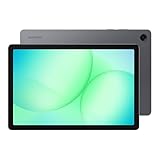
- POWER FOR ALL YOU DO: Galaxy Tab A11+ 5G gives your business the optimal performance they need for all their day-to-day activities. Power through tasks and improve productivity — the upgraded chipset³ keeps everything responsive. Exclusively compatible with the Verizon Network only.
- CHARGES UP FAST. LASTS FOR HOURS: Galaxy Tab A11+ 5G keeps your business going with a long-lasting battery that’s perfect to complete all business tasks. When you finally need a boost, fast charging gets you back to 100% quickly.⁵
- BLAZING-FAST 5G SPEED¹ WHILE ON THE GO: Stay connected with blazing fast 5G speed.¹ Galaxy Tab A11+ 5G helps you stay in touch with your colleagues and customers while on the go, all without missing a beat.
- STORE MORE. DO MORE: With up to 8GB of memory and 256GB⁶ of storage, Galaxy Tab A11+ 5G gives you the space and speed to multitask seamlessly and handle large files.
- A SCREEN EVERYONE CAN ENJOY: A bright, engaging 11" screen² with a refresh rate up to 90Hz delivers natural, fluid motion, enhancing video conferencing into a smooth and productive experience.
5. Price the service separately
Cellular hardware does not include connectivity. Add the recurring tablet data plan, activation, taxes, roaming charges, and any local-plan purchase to your budget. For travel, verify eligibility rules for visitors, data-only terms, hotspot restrictions, validity periods, and whether an unlocked device is required. Apple identifies its cellular iPad as data-only and directs buyers to carriers for availability and compatibility.
Choose the screen and input setup for real tasks
Screen size and readability
A compact screen is easier to carry, while a larger panel reduces scrolling in PDFs and gives split-screen apps more room. Compare physical dimensions, not just diagonal size, because aspect ratio changes the usable page shape. Check brightness behavior, anti-reflective treatment, text scaling, and whether the display remains readable in the lighting where you study or work. No controlled cross-brand display measurements are published, so avoid treating a marketing brightness claim as a guarantee.
Free tools Windows power users keep installed
One-click scans. No signup required.
Keyboard options
Try the keyboard layout before committing to long typing sessions. Check key travel, trackpad presence, hinge or kickstand stability, backlighting, language layout, and whether the case protects the tablet when closed. Confirm that the keyboard is sold in your region and whether it is included or optional. Lenovo describes a keyboard pack for the Tab P11 5G as an optional productivity accessory; that does not establish compatibility with another Tab generation or a different regional model.
Stylus and handwriting
Verify the exact pen standard, pressure and tilt support, charging method, storage location, and included accessories. A pen listed for one generation may not work with a later model even when the brand name is similar. If handwritten notes are central, test palm rejection and the note app you intend to use rather than assuming every active stylus behaves alike.
Ports, storage, and expansion
List the peripherals you carry: headphones, flash storage, external display, camera, card reader, or wired network adapter. Check the tablet’s port specification and whether an adapter is needed. Confirm internal storage after the operating system occupies space, and check the maximum supported removable-storage capacity if you plan to keep textbooks or video offline.
Rank #3

- 【2026 LATEST ANDROID 16 TABLET OCTA-CORE PROCESSOR】FEONAL 11 inch Android tablet, powered by the newest Android 16 operating system (with GMS certification) for 2026. It features a high-speed MTK8786 Octa-Core Processor and the latest UI interface, delivering a smoother, faster, and more efficient user experience, along with enhanced privacy and data control. Apps can be easily managed across multiple screens, offering a professional-grade experience whether you’re working or playing. It has everything you need for all your tasks and entertainment.
- 【LARGE STORAGE AT YOUR FINGERTIPS】The Android 16 tablet features 20GB of RAM (8GB physical + 12GB virtual) and 128GB of internal storage, with support for up to 1TB of expandable storage (TF card not included). The FEONAL tablet allows you to store a wide range of apps, eBooks, movies, photos, videos, games, and more, catering to all your daily needs. You can keep all your favorite content without the worry of running out of space.
- 【OUTSTANDING SCREEN, DISPLAYING THOUSANDS OF COLORS】This 11 inch tablet features a high-quality Incell display with a resolution of 1280x800 HD, complemented by dual stereo speakers for an exceptional audiovisual experience. The Android tablet supports wireless projection, allowing you to cast your screen to a larger display for entertainment or work. It also offers three convenient modes: Reading Mode, Eye Protection Mode, and Dark Mode. These settings make it easier to use the tablet for extended periods without causing eye strain, providing a more comfortable viewing experience.
- 【LARGE CAPACITY BATTERY: SAY GOODBYE TO BATTERY ANXIETY】The 11" tablet is equipped with a powerful 7000mAh battery, offering an impressive standby time of up to 480 hours. Take it anywhere without the worry of running out of power. Thanks to the convenient Type-C USB charging port and fast charging capability (5V/2A), you can quickly recharge on the go. Enjoy extended hours of reading, gaming, and watching your favorite content without interruption.
- 【DUAL 4G LTE, WIFI 2.4G/5G + BLUETOOTH 5.0】This 4G cellular tablet comes with a Dual SIM card slot (SIM card not included) and supports 4G LTE functionality, allowing you to seamlessly work and connect online. With VoLTE support, you can make calls and use data at the same time. Stay connected and entertained with fast AC dual-band Wi-Fi (2.4GHz/5GHz) and efficient Bluetooth 5.0 wireless connectivity. The 11-inch tablet with cellular and Wi-Fi capabilities offers greater convenience than a traditional Wi-Fi-only tablet.
Battery claims need test-condition context
Vendor battery numbers are not a promise of all-day 5G use. Cellular radios, bright screens, video calls, navigation, background synchronization, weak-signal searching, and high-performance apps can change consumption substantially.
Apple documents testing on preproduction devices using Wi-Fi or cellular networks, including web browsing and video playback. Treat that as a description of a controlled procedure, not a cross-brand comparison. Lenovo’s product information and PSREF material caution that actual battery performance varies with configuration, use, software, wireless functions, settings, and brightness.
Questions to ask about endurance
- Was the published test performed on Wi-Fi, cellular, or both?
- Which display brightness, video resolution, and app workload were used?
- Does the number apply to the exact storage and regional modem variant?
- How quickly does the tablet recharge, and is the required charger included?
- Can you replace or service the battery, and what happens to warranty coverage?
For travel, carry a charger that meets the tablet’s input requirements and a power bank only if its output is compatible. Verify what is included in the box; the available evidence does not establish one universal charger recommendation.
Decide whether rugged construction is worth the trade-offs
Rugged tablets can make sense for construction sites, warehouses, utilities, healthcare rounds, or other environments where drops, gloves, moisture, or serviceability matter. They are often thicker and heavier than conventional study tablets, and their protective features can increase cost and reduce accessory choice.
Samsung’s Galaxy Tab Active5 US business specification sheet is an example of this category and describes a removable battery alongside business-oriented capabilities and cellular bands. It is not evidence that a rugged tablet is the best choice for a classroom or frequent flyer. Compare the expected environment, protection requirements, case availability, repair options, and carry weight before paying for rugged features.
The Tool Desk
Outbyte Driver Updater FREEFix the driver behind crashes, sound loss and screen glitchesFind Drivers →Outbyte PC Repair FREERepair Windows errors before they cause bigger problemsFix Now →Rank #4

- ENJOY 5G CONNECTIVITY: Galaxy Tab S10 FE 5G is ready for powerful 5G¹ data so you can enjoy your Tab almost anywhere you go. Exclusively compatible with the US Cellular Network only
- UNWIND WITH A BIG SCREEN: Kick back and relax with big, bright screens.² See every detail of your favorite shows, and get closer to the action on your favorite games with 90hz refresh rate. Plus, dual speakers make everything sound amazing
- CIRCLE ANYTHING. SEARCH EVERYTHING: With Galaxy Tab S10 FE Series, you can simply circle anything on your screen to easily get search results on the spot using Circle to Search with Google.³
- HANDWRITING ASSIST MAKES YOUR UNTIDY NOTES NEAT: Tidy up your handwritten notes with Handwriting Assist.⁴ It easily straightens, aligns and adjusts the spacing of your words to create neater notes
- DOES THE MATH FOR YOU: Make the grades using Math Solver.⁵ Simply use your S Pen to write out an equation on your screen. Math Solver can clean up your equations by turning them into text, just like that
Current official examples and what they teach
These products span different generations and regions. Use them to understand the checks, not as a controlled winner-takes-all comparison.
| Example | What the official material establishes | What you still must verify |
|---|---|---|
| Apple iPad Air 11-inch (M4) Wi-Fi + Cellular | 5G sub-6 GHz cellular hardware, model-specific NR bands, eSIM, data-only cellular use, and a separately sold plan. Apple describes battery testing that includes web browsing and video playback on Wi-Fi or cellular networks. | Your regional model number, carrier eSIM support, destination coverage, current price, warranty, software-support terms, keyboard and pen compatibility, and plan cost. |
| Lenovo Tab P11 5G | Sub-6 GHz 5G and optional keyboard and Precision Pen 2 productivity accessories. Lenovo states that service requires 5G network service and a separately purchased plan; its PSREF material warns that actual battery performance varies. | Whether this older-generation product is still sold locally, the exact regional SKU and bands, carrier approval, accessory fit, updates, battery condition on used stock, and current pricing. |
| Samsung Galaxy Tab Active5 | A rugged business-oriented design, cellular-band information in the US specification sheet, and a removable battery. | Local model and carrier availability, ingress and drop requirements, total weight, keyboard and pen options, warranty, software-support period, and whether rugged features justify the size and cost. |
A step-by-step buying process
- Write a task list. Include your required apps, PDF and document sizes, note-taking method, video-call needs, offline content, peripherals, and the longest session away from an outlet.
- Set a complete-kit weight limit. Weigh or estimate the tablet, keyboard, pen, case, charger, cable, and power bank together. A light tablet can become heavy once accessories are added.
- Shortlist only cellular models. Record each full SKU, storage size, operating system, supported 5G/LTE bands, SIM method, and whether the modem is sub-6 GHz or another configuration.
- Check your primary carrier. Ask for written confirmation that the exact model can be activated for tablet data service. Confirm whether an existing phone plan can share data or whether a separate line is required.
- Check every travel market. Review local operator compatibility, eSIM eligibility, roaming rates, data-only restrictions, and unlock requirements for each destination.
- Confirm app and accessory fit. Install or verify your essential apps, test document formats, and check the exact keyboard, stylus, case, charger, and storage accessories for that model number.
- Calculate total ownership cost. Add the cellular premium, recurring data plan, keyboard, pen, case, charger, storage, taxes, activation, and expected roaming or local-plan fees. Current local prices are not established here, so use retailer and carrier quotes from your country.
- Buy from a returnable source and test immediately. Activate the SIM or eSIM, test 5G and LTE in your normal locations, make a long video call, open your largest PDFs, type on the keyboard, write with the pen, and confirm that accessories and warranty match the advertised SKU.
Common failure modes and fixes
The tablet shows LTE or no service
Recheck activation, APN or carrier provisioning, supported bands, and coverage. Test outdoors and in another known coverage area. If the carrier does not certify the exact model, changing settings may not solve the problem; request a supported SKU or use a compatible plan.
eSIM activation fails
Confirm that the tablet variant actually includes eSIM, that the carrier supports eSIM for tablets, and that the device is unlocked where required. Ask the carrier for a tablet-specific QR code or activation procedure rather than reusing a phone profile.
Battery drains quickly on cellular
Weak signals can make the modem search continuously. Compare battery use in a strong-signal area, reduce unnecessary background synchronization, lower brightness, download files before travel, and carry compatible charging equipment. Do not infer a hardware defect from a published maximum that used different test conditions.
Quick wins for a faster PC:
Repair Windows errors before they cause bigger problemsFix Now →Fix the driver behind crashes, sound loss and screen glitchesFind Drivers →Clear out junk files and repair common Windows errorsFree Scan →The keyboard or pen does not work
Check the exact generation, connector or pairing method, firmware, and regional accessory listing. A similarly named case or pen may fit physically but lack the required electrical or software support.
Best Value

- POWER FOR ALL YOU DO: Galaxy Tab A11+ 5G gives your business the optimal performance they need for all their day-to-day activities. Power through tasks and improve productivity — the upgraded chipset³ keeps everything responsive. Exclusively compatible with the US Cellular Network only.
- CHARGES UP FAST. LASTS FOR HOURS: Galaxy Tab A11+ 5G keeps your business going with a long-lasting battery that’s perfect to complete all business tasks. When you finally need a boost, fast charging gets you back to 100% quickly.⁵
- BLAZING-FAST 5G SPEED¹ WHILE ON THE GO: Stay connected with blazing fast 5G speed.¹ Galaxy Tab A11+ 5G helps you stay in touch with your colleagues and customers while on the go, all without missing a beat.
- STORE MORE. DO MORE: With up to 8GB of memory and 256GB⁶ of storage, Galaxy Tab A11+ 5G gives you the space and speed to multitask seamlessly and handle large files.
- A SCREEN EVERYONE CAN ENJOY: A bright, engaging 11" screen² with a refresh rate up to 90Hz delivers natural, fluid motion, enhancing video conferencing into a smooth and productive experience.
Study materials do not fit
Check available storage after setup, move large media to removable storage when supported, and keep a cloud or computer backup. Download only the files needed for the next trip to avoid filling the device with duplicate content.
Which type of buyer should choose what?
Budget-focused Android student
Prioritize a currently supported model with confirmed carrier bands, enough storage for PDFs, a compatible stylus, and an affordable keyboard option. An older 5G tablet can be attractive only if its exact SKU activates on your carrier, receives the software support you need, and has accessories and batteries still available. A low purchase price does not offset an unusable modem or expensive data plan.
Mobile professional
Prioritize app compatibility, reliable multitasking, keyboard ergonomics, authentication accessories, warranty coverage, and a carrier plan that works at every work site. Consider rugged construction only when the environment creates a real drop, moisture, glove, or serviceability requirement.
What’s actually slowing this PC down?
Pick the symptom - the matching free tool is one click away.
Frequent traveler
Prioritize unlocked status where applicable, destination eSIM or SIM support, data-only-plan eligibility, roaming terms, complete-kit weight, offline capability, and charging flexibility. Confirm each destination before departure; a tablet that works at home may lack the bands or plan support used abroad.
Final pre-purchase checklist
- Exact regional model number recorded
- 5G and LTE bands matched to the primary carrier
- Carrier certification and activation method confirmed
- Destination coverage, roaming, and local-plan rules checked
- Physical SIM, eSIM, or dual-SIM behavior understood
- Essential work and study apps verified
- Screen, keyboard, stylus, ports, and storage suit the workload
- Tablet-plus-accessory weight fits your travel limit
- Battery evidence reviewed with its test conditions
- Cellular plan, accessories, charger, protection, and taxes included in the budget
- Return policy, warranty, update support, and local availability confirmed
Use this checklist to compare complete setups rather than isolated specifications. The best 5G tablet is the one that activates on your networks, supports your actual files and input method, and remains affordable and manageable after service and accessories are added.
Quick Recap
Product prices and availability are accurate as of the date/time indicated and are subject to change. Any price and availability information displayed on Amazon at the time of purchase will apply.

