What’s actually slowing this PC down?
Pick the symptom - the matching free tool is one click away.
Do not judge compatibility from “Snapdragon” and a series number alone. Check the phone’s exact model and Android version, then compare them with the game or app’s current requirements. For 3D games, verify the handset’s Adreno GPU and graphics API support, and find testing for that exact phone and title when possible. A chipset label can identify a platform family, but it cannot promise a launch, a particular graphics preset, a frame rate, or stable performance after a long session.
The short method: identify, verify, test
Use this order whenever you are evaluating a phone you already own or are considering buying:
| # | Preview | Product | Price | |
|---|---|---|---|---|
| 1 |
|
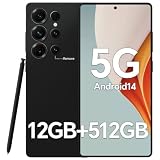
IZ25 Unlocked Cell Phone with Built-in Pen, Snapdragon 888 Android Smartphone, 12GB+512GB, 5000mAh,... | $89.99 | Buy on Amazon |
As an Amazon Associate I earn from qualifying purchases.
- Identify the device precisely. Record the manufacturer’s full model name or model number, Android version, RAM, display resolution and current security or system-update status.
- Read the app’s current requirements. Check the Google Play listing, the developer’s support page and any in-app compatibility notes for minimum Android, supported devices, required GPU features and graphics API requirements.
- Check the graphics hardware. Snapdragon is Qualcomm’s processor platform; Adreno is the integrated GPU family that renders the interface, games and other graphics applications. Verify the exact Adreno model and API support for the handset or platform.
- Use game-specific evidence. Look for tests of the exact phone running the exact game. Record whether it launches, which visual options are available, how stable the frame rate is and what happens during longer sessions.
This process separates compatibility from performance. A phone can meet a minimum requirement and still need reduced quality settings, or it can support an API while lacking the sustained performance or hardware features a demanding game needs.
Why the exact phone matters more than the Snapdragon family name
A name such as “Snapdragon 8” or “Snapdragon 7” describes a broad platform tier, not one identical implementation. Different generations have different CPU cores, Adreno GPUs, memory controllers, modem arrangements and graphics features. Phone makers can also pair the platform with different amounts of memory, storage, cooling hardware, display resolutions and software versions.
#1 Best Overall
- Snapdragon 888 + 12GB RAM – Powered by the flagship Qualcomm Snapdragon 888 processor and 12GB of ultra-fast RAM, this IZ25 unlocked phone easily handles intensive gaming, 4K video editing, and multitasking with smooth, uninterrupted performance. No lag, no waiting – delivering pure, responsive performance exactly when you need it most.
- 512GB Storage + Expandable – With a massive 512GB of built-in storage, you can easily store tens of thousands of photos, hours of 4K videos, and all your favorite apps without compromise. Running low? Expand easily via external memory card, so you never have to delete what matters.
- 48MP + 108MP Dual-Camera System – Leveraging a 48MP main sensor and an industry‑leading 108MP secondary sensor, capture every detail with stunning clarity. From everyday moments to creative masterpieces, enjoy true‑to‑life colors, exceptional dynamic range, and sharpness that rivals professional cameras.
- 5000mAh Battery + 6.8" Immersive Display – Equipped with a high‑capacity 5000mAh battery, this IZ25 smartphone keeps you going from morning to night – whether streaming, gaming, or working – without constantly hunting for a charger. The 6.8‑inch FHD+ display offers a wide viewing angle, vivid colors, and deep contrast, turning every movie and game into a truly immersive visual experience.
- Android 14 + 5G Dual‑SIM – Experience the latest Android 14 with enhanced privacy controls and smarter AI‑driven features. Plus, full 5G support and dual‑SIM dual‑standby capability ensure you stay connected at blazing‑fast speeds, whether for work, travel, or staying in touch with loved ones around the world.
Start in Settings and open About phone, Device information or the manufacturer’s equivalent page. Write down the complete model name and model number, not just the marketing family. If the handset was sold in several regions, record the region or carrier variant as well. The same retail name can cover models with different memory, radios or software.
On the same device-information screen, note the Android version and security-update date. If a game requires a newer Android release, a compatible Snapdragon platform does not bypass that requirement. Check Settings > System > Software update (the wording varies) before treating an update as available; an update promised for one region or carrier is not proof that every variant has it.
For a phone you have not bought, use the manufacturer’s specification page for the exact model number and confirm the software version supplied in your market. Retail pages often shorten model names or combine several variants, so resolve the model number before comparing specifications.
Read the game or app’s requirements first
Open the current Google Play listing while signed in on the device, and read the About this app section, “Requires,” “Compatibility” or similar labels. Also check the developer’s own support documentation. You are looking for four separate constraints:
- Minimum Android version: the oldest supported operating-system release.
- Supported devices or chipsets: an explicit model list, processor family, GPU list or exclusion notice.
- Graphics requirements: required Vulkan or OpenGL ES level, texture or memory expectations, and stated quality presets.
- Account, region or distribution limits: a title can be unavailable because of age, country, licensing or device certification even when the hardware is capable.
Requirements and supported-device lists can change as the developer updates a game. Use the current listing and support page rather than an old “best Snapdragon” chart. A listing that allows installation proves only that the store’s checks passed; it does not establish a target frame rate or high graphics settings.
For productivity, creative or specialist apps, look beyond the processor. Check the developer’s requirements for Android version, RAM, storage space, camera or sensor features, external-display support and any required instruction set or hardware acceleration. A social or office app may run on modest graphics hardware while a video editor, augmented-reality app or 3D design tool can depend on GPU features and memory bandwidth.
Understand Snapdragon, Adreno and graphics APIs
Snapdragon is the platform; Adreno does the graphics work
Qualcomm describes Adreno as the GPU integrated into Snapdragon processors and says it handles mobile user interfaces, games and advanced graphics applications. Qualcomm’s overview uses promotional language—“The Qualcomm® Adreno™ GPU takes mobile UI, games, and advanced graphics applications to the next level, providing users with stunning visuals and smooth performance while optimizing power consumption”—so treat it as a vendor description of the platform’s role, not a measured guarantee for every handset. See Qualcomm’s Adreno overview.
Do these 3 things before closing this tab:
1Repair Windows errors before they cause bigger problems2Scan for outdated or missing drivers - takes under a minute3Clear out junk files and repair common Windows errorsThe exact Adreno generation is what affects shader features, driver support and rendering capability. Do not copy an Adreno or API specification from one Snapdragon generation to another. Even when two phones use the same platform, firmware, cooling, power limits and screen resolution can change the practical result.
Vulkan and OpenGL ES are interfaces, not speed ratings
Games communicate with the GPU through graphics APIs. Android Developers identifies Vulkan as Android’s preferred modern interface to the GPU and explains the wider compatibility context, including ANGLE’s role in standardizing OpenGL implementations: Android’s Vulkan graphics overview.
Look for the API requirement stated by the developer, then verify that the phone’s specification and software expose that API. Qualcomm’s Snapdragon 8 Gen 3 product brief, for example, lists Vulkan 1.3 and OpenGL ES 3.2 for that particular platform. Those figures belong to that platform brief; they must not be transferred automatically to another Snapdragon generation or assumed to be implemented identically by every handset.
Why Vulkan support does not prove a game will run well
Android Developers states that Vulkan 1.1 support is required for new 64-bit Android devices beginning with Android 10. The same guidance warns that some older Vulkan-capable devices still lack the rendering performance or hardware support required by a particular game. Read the relevant guidance in Android’s native and proprietary engine documentation.
That distinction is essential:
- API compatibility means the software interface is present and the app can attempt to use it.
- Feature compatibility means the GPU and driver expose the specific texture, shader, memory or rendering features the title requests.
- Performance headroom means the phone can deliver the needed workload at its target resolution and frame rate without overheating or reducing clocks.
A minimum Vulkan or OpenGL ES version is therefore a baseline. It does not promise 60 frames per second, a particular resolution, ray-tracing effects, fast loading or stable performance after an hour of play. Drivers also matter: an API can be present while a game has a device-specific driver issue.
How to verify a phone you already own
Step 1: create a device record
- Open Settings > About phone (or the equivalent page).
- Copy the exact model name and model number.
- Record the Android version, security-update date and available system updates.
- Record RAM, storage capacity and display resolution from the specification page or device information.
- Find the Snapdragon platform and Adreno GPU in the manufacturer’s specifications or an official platform brief. If the manufacturer does not publish the GPU, do not infer it from the broad Snapdragon family name.
Keep this record with the region or carrier variant. It prevents a common error: researching a similarly named phone that uses a different processor or memory configuration.
Step 2: check the title’s current listing
- Open the game or app in Google Play on the target phone.
- Read the Android requirement and any device-compatibility message.
- Follow the developer’s support link and search for a maintained requirements or supported-device page.
- Write down the required API, GPU class, RAM, storage and any stated graphics preset.
- Note whether the listing allows installation, shows “not compatible,” or is unavailable for a non-hardware reason such as region or account restrictions.
Step 3: verify graphics support
Compare the developer’s requirement with the exact platform specification. If the requirement names Vulkan, confirm the Vulkan level exposed by the handset’s software; if it names OpenGL ES, check that level instead. A platform brief is useful evidence, but the phone maker’s firmware determines what is actually exposed on that model. Do not count an API as verified merely because a different Snapdragon phone advertises it.
Step 4: install and observe the real result
When the listing permits installation, test on the current production build of the app. Record whether it launches, completes its first download, offers the expected graphics options, maintains a stable frame rate and remains playable after a longer session. Also note crashes, visual corruption, severe heat, rapid battery drain or sudden quality reductions. These observations answer questions that a chipset table cannot.
Quick wins for a faster PC:
Clear out junk files and repair common Windows errorsFree Scan →Scan for outdated or missing drivers - takes under a minuteDriver Scan →How to evaluate performance without inventing a frame-rate promise
Use a repeatable scenario rather than a single opening minute. Choose the same map, race, level or workload each time, and keep the phone on the same Android build. Test at the intended display resolution and record the game’s available quality and frame-rate settings. Observe busy scenes, loading transitions, multiplayer matches and other moments that stress the GPU.
For sustained play, test long enough to expose heat-related throttling, then record whether frame pacing changes. A short benchmark can show peak output while missing the lower performance that arrives after the phone warms. Do not convert a vendor’s “smooth performance” wording or a chipset tier into an FPS number unless a credible test measured that exact phone and game.
When comparing two phones, seek results for the same title, version and settings. A test of one handset with Snapdragon does not establish how another handset with the same family name behaves. Give more weight to launch success, available settings and sustained frame-time consistency than to an isolated peak score.
Use this comparison sheet when choosing between phones
Fill in every row for each exact model before deciding. “Not stated” is more useful than a guessed value.
The Tool Desk
Outbyte PC Repair FREERepair Windows errors before they cause bigger problemsFix Now →Outbyte Driver Updater FREEFix the driver behind crashes, sound loss and screen glitchesFind Drivers →| Item | Phone A | Phone B | Why it matters |
|---|---|---|---|
| Exact model and regional variant | Record from the manufacturer | Record from the manufacturer | Prevents mixing specifications from different versions |
| Snapdragon platform and generation | Official specification | Official specification | Identifies the platform family, but not the complete performance result |
| Adreno GPU | Exact model, or not stated | Exact model, or not stated | Graphics rendering capability depends on the GPU |
| Android version and update status | Current version and update date | Current version and update date | Determines software compatibility and driver changes |
| Graphics API | Vulkan/OpenGL ES level stated for this model | Vulkan/OpenGL ES level stated for this model | Must meet the app’s required interface and level |
| RAM and storage | Exact configuration | Exact configuration | Affects multitasking, asset loading and available space |
| Display resolution and refresh rate | Manufacturer specification | Manufacturer specification | Higher rendering workloads can reduce headroom |
| Exact-game test | Launch, settings and sustained result | Launch, settings and sustained result | Closest evidence of the experience you will get |
Only make a purchase decision after separating facts from unknowns. If one phone has no published API or exact-game evidence, mark that gap rather than assuming the stronger Snapdragon label resolves it.
Independent reader supportYour contribution helps us test, update, and keep practical guides available for everyone.Decision rules for different kinds of apps
Lightweight and 2D apps
For messaging, reading, banking and many 2D utilities, the app’s Android requirement, certification status, RAM and storage are usually more immediately useful than the Snapdragon tier. Still confirm the exact Android version and any special sensor, camera or security requirement listed by the developer.
3D games
Prioritize the exact Adreno GPU, required Vulkan or OpenGL ES level, memory, display resolution and sustained tests of the title. A phone that launches a game may still need a lower preset or resolution. Treat the developer’s minimum as the floor, not the recommended experience.
Creative, augmented-reality and engineering apps
Check the app’s named GPU features, camera or sensor support, RAM and storage in addition to Android. These workloads can fail because of a missing hardware feature even when a conventional game runs.
Cloud-streamed games
The local GPU may be less important than the app’s Android support, decoder capabilities, display and network conditions. Confirm the provider’s requirements and test the connection you will actually use; a Snapdragon label alone says nothing about latency or Wi-Fi quality.
What to do when the result is “not compatible”
- Check the Android version first. Install an official update if the model supports one, then recheck the listing.
- Confirm the model variant. A regional or carrier model may differ from the phone you researched.
- Check certification and distribution. Region, account age, parental controls and device certification can block installation independently of chipset capability.
- Read the developer’s support channel. Look for a temporary device exclusion, known driver issue or stated workaround.
- Do not sideload an unknown build merely to bypass the store. An altered package can create security, account and stability problems, and bypassing a compatibility check does not add missing GPU features.
If the app installs but crashes or renders incorrectly, update the app and the phone’s official software, remove overlays or recording layers, and test the developer’s recommended graphics API or quality mode. If the problem persists only on one model, report the exact model number, Android build and GPU behavior to the developer; those details are more actionable than “Snapdragon phone.”
Common mistakes that produce bad buying advice
- Using a family chart as a guarantee: broad Snapdragon tiers conceal generation and handset differences.
- Confusing CPU and GPU: a strong CPU does not replace the Adreno features a graphics workload needs.
- Treating Vulkan as a performance certificate: Android’s own guidance separates API presence from sufficient rendering performance and hardware support.
- Copying specifications across generations: a Vulkan or OpenGL ES figure in one platform brief applies to that platform, not every Snapdragon device.
- Relying on a single synthetic score: a score does not show launch compatibility, graphics settings or thermal behavior in your game.
- Ignoring updates: game requirements and driver behavior can change, so recheck the current listing and software build.
- Assuming more RAM fixes a missing feature: memory cannot add an unsupported API, GPU function or sensor.
A practical yes, uncertain or no decision
Classify the phone only after completing the checks:
- Yes for the stated use: the exact model meets the app’s Android and hardware requirements, the required API is exposed, and testing of the title shows acceptable settings and sustained behavior.
- Uncertain: installation is allowed but the exact GPU/API information or game-specific testing is missing. Treat this as a purchase risk, especially for a demanding 3D title.
- No for the stated use: the model fails the minimum Android or hardware requirement, the required API or feature is absent, or testing shows crashes or unacceptable sustained performance.
This classification is deliberately narrower than saying a phone is “good for gaming.” It answers the useful question: whether this exact handset is suitable for the particular games and apps you intend to use.
Recommended Free Tools
Frequently asked questions
Is a newer Snapdragon number always better for my game?
No. Generation, Adreno GPU, software, cooling, memory and display workload all matter. Compare the exact handset and title instead of assuming the larger or newer label guarantees a better result.
Can I check compatibility without installing the game?
Often. Use the current store listing, the developer’s requirements and the phone’s exact model and API specifications. Installation and a sustained test remain the strongest confirmation when the title is important.
What does “Vulkan supported” tell me?
It indicates that the graphics interface is exposed, but it does not prove the GPU has every feature or enough sustained performance for a particular game. Use the developer’s minimum requirements and device-specific testing as additional evidence.
Should I compare benchmark scores when two phones use Snapdragon?
Only as supporting evidence. For your decision, prioritize the same game, settings, Android version and a longer-session result on each exact model.
Free tools Windows power users keep installed
One-click scans. No signup required.

