Crashes, No Sound, or Screen Glitches?
Random freezes, missing sound and display glitches usually trace back to one bad driver. Find and replace yours safely.Free scan · under a minutePC Slower Than It Used to Be?
A free scan shows the junk files, broken settings and background clutter dragging Windows down - then fixes them in one click.Free scan · Windows 10 & 11Use Felix Mobile’s official coverage checker to enter an address, suburb, or postcode and see predicted 4G and 5G coverage. Felix reports each result as Good, Moderate, Basic, or No Coverage. Select your device type when the checker offers that option, then treat the result as an outdoor, ground-level estimate rather than a promise of indoor reception, speed, or connection quality.
Check Felix coverage at an address
The address checker is the right starting point whether you are considering Felix for a home, workplace, move, trip, or second location. It is free to use and does not require you to buy a plan or own a 5G phone before checking a location.
As an Amazon Associate I earn from qualifying purchases.
- Open Felix Mobile’s network coverage page.
- Find the coverage search field near the top of the page.
- Enter the street address, suburb, or postcode you want to investigate. A complete street address gives you the most location-specific check available in the tool, while a suburb or postcode is useful for an initial scan.
- Submit the search and wait for the map and result panel to load.
- Read both the 4G and 5G results. Each one uses Felix’s labels: Good, Moderate, Basic, or No Coverage.
- If the page asks for your device type, choose the phone or device you actually plan to use. Felix says this can make the prediction more accurate.
Repeat the search for every address that matters. A result for a suburb does not establish reception in every street, and a result for a home does not automatically describe a different workplace or travel destination.
What the four coverage labels mean
Felix publishes four result categories in the checker. They are useful for comparing locations, but they are not a guaranteed signal measurement inside a building.
#1 Best Overall

- 【Ready for 5G】- The booster is designed for the largest cell carriers - Verizon and AT&T, boosts 4G LTE and 5G signal for all cellular devices operating on band 12, band 13 and band 17. Note: The booster only supports 5G band that largely deployed in current bands 12, 17 and 13 by Dynamic Spectrum Sharing by carriers. If you need a 5G cell booster, please ensure that you have a 5G phone and your carrier has deployed 5G in the 4G band of 12,13 and 17 before purchase.
- 【Advanced Features & Smart Device】- The booster uses AGC(Automatic Gain Control) function, which can intelligently detect the existing signal strength, and adjust itself for best performance, then reflect its working condition through LED indicator. Buy it once, and boost for life.
- 【Better Data & VoLTE】- Enhances 4G LTE data speed signals and volte, enjoy faster uploads and downloads to stream videos smoothly in your house, office, cottage, cabin, camper, basement etc., get rid of expensive monthly internet fees. Supports multiple users simultaneously.
- 【Powerful Antennas & Large Coverage】-This booster comes with high gain directional antenna, allow you to point it to the nearest signal tower more accurate and get more signals, expanding the indoor coverage up to 4,500sq ft. DIY Installation.
- 【Reliable Service Guarantee】- FCC Certified, 30-day return, 3-month replacement, Up to 3-year manufacturer repair, lifetime professional technical Support.
| Label | What it tells you | What it does not guarantee |
|---|---|---|
| Good | The map predicts the strongest of Felix’s displayed coverage categories for the selected network and location. | A particular indoor room, handset, speed, or uninterrupted service. |
| Moderate | The checker predicts usable coverage, but with less margin than the Good category. | That every part of a building, yard, road, or nearby address will perform the same way. |
| Basic | The map predicts limited or weaker coverage at the searched location. | Reliable service in all conditions, especially indoors or during congestion. |
| No Coverage | The checker predicts no Felix coverage for that network at the searched location. | That an entire suburb has no service, or that a temporary outage is the reason for the result. |
Use the category as a planning signal, not as a speed rating. Felix does not present these labels as measured megabits per second, and the map cannot know the exact room, wall materials, window position, or moment-to-moment network load at your property.
How to read 4G and 5G separately
4G result
4G is the fallback network to examine when 5G is absent or your device cannot use 5G. A 4G result can therefore matter even if your main goal is a 5G connection. If the checker shows 4G coverage and your device and account are compatible, Felix says the device may use 4G when 5G is unavailable.
5G result
A 5G label means the map predicts 5G coverage at the searched location; it does not mean every phone will connect to 5G there. Felix lists three conditions for using the service: an active Felix subscription, a compatible 5G device, and coverage at your location. All three must be true.
Quick wins for a faster PC:
Repair Windows errors before they cause bigger problemsFix Now →Scan for outdated or missing drivers - takes under a minuteDriver Scan →Useful combinations
| Checker outcome | Practical interpretation |
|---|---|
| 5G Good or Moderate; 4G also available | A compatible, correctly configured 5G device on an active subscription has the best chance of using 5G outdoors; 4G provides the fallback Felix describes. |
| 5G Basic; 4G available | 5G may be less consistent at the location. Compare the result with where you will actually use the phone and keep 4G expectations in mind. |
| 5G No Coverage; 4G available | The map predicts no 5G, but Felix’s 4G network may still be available if your subscription and device support it. |
| Both 4G and 5G No Coverage | The checker predicts no service for either network at that address. Check the exact location again for typing errors and consult the status page if the result conflicts with an existing connection. |
Felix says 5G is included with its plans when the active-subscription, compatible-device, and coverage conditions are met; it does not list a separate 5G fee on the cited plan information. The coverage search itself does not require a 5G handset.
Why the map can differ from reception inside your home
Felix describes the coverage map as predicted coverage outdoors at ground level. That modeling choice explains why a positive address result can still produce a weak signal in a particular room. Indoor attenuation depends on the building and on where you are inside it. Thick concrete, metal structures, coated glass, basements, internal rooms, and lower floors can all separate your handset from the outdoor radio conditions represented by the map. The map does not promise that a signal reaches every room.
Device compatibility and configuration also affect the result you experience. Two phones at the same address can behave differently if one lacks the relevant 5G bands, has 5G disabled, is not provisioned correctly, or is running a different network configuration. Congestion, local conditions, and your precise position can change the experience even while the map category stays the same.
- Use the map to decide whether an address merits further checking, not to promise a particular speed.
- For a home, check the places where you will actually call or use data, such as a desk, bedroom, or garden, after activation.
- For a workplace or apartment, do not assume the street-level prediction represents an interior office or basement.
- If you are comparing properties, run the same 4G and 5G checks for each complete address rather than comparing broad suburb names.
What you need for Felix 5G
Felix’s explanation of 5G identifies three prerequisites:
- An active Felix subscription. A map result alone does not activate service.
- A compatible 5G device. The phone or other device must support Felix’s 5G service and be configured to use it.
- Coverage at your location. The checker must predict coverage where you are using the device.
If one condition is missing, the phone may remain on 4G or fail to connect to the mobile network. Buying or activating a plan cannot create 5G where the map predicts no 5G, and a 5G-capable handset cannot connect without an active compatible service. Felix says that when 5G is unavailable but 4G coverage and device compatibility are present, the device may use 4G instead. See Felix’s 5G explanation for its stated conditions and fallback behavior.
How to choose the right location format
Full street address
Use a full address when deciding about a specific home, office, hotel, or venue. It gives the checker the narrowest location to evaluate and avoids confusing two places with similar names.
Suburb
A suburb search is convenient when you are surveying several neighborhoods or have not selected a property. Treat it as a broad indication; conditions can vary from one side of a suburb to another.
Postcode
A postcode is useful for an initial regional search or when an address is not yet available. It is the least specific of the three inputs, so repeat the check with the eventual street address before relying on the result.
Check spelling, unit numbers, and locality names when a result looks unexpected. If the checker offers multiple matches, select the one corresponding to the actual Australian address rather than accepting the first similar entry.
A repeatable way to compare locations
When coverage is part of a housing or workplace decision, use the same process for every candidate location. Start with the complete address where possible, then record the 4G category, the 5G category, and the device selected in the checker. Keeping those three details together prevents a broad suburb result from being compared with a precise address result or a different handset profile.
Rank #2

- 📶 𝐁𝐨𝐨𝐬𝐭 𝐒𝐢𝐠𝐧𝐚𝐥 - HiBoost cell phone signal booster for 2000 Sq.ft. Enjoy lag-free cell phone signal, faster internet connections for streaming, faster to download and upload. High power outside antenna, receive longer distance signal. (It requires at least one bar of signal for the cell phone booster to enhance the signal.)
- 📶 𝐖𝐨𝐫𝐤𝐬 𝐎𝐧 𝐀𝐥𝐥 𝐔.𝐒. 𝐂𝐚𝐫𝐫𝐢𝐞𝐫𝐬 - HiBoost cell phone booster for home works on all cellular service providers - Verizon, AT&T, Sprint, T-Mobile, Straight Talk, and U. S. Cellular. Supports bands of 700-750MHz (band 12, 13, 17), 800-850MHz (band 5), 1900MHz (band 2/25) and 1700~2100MHz (band 4).
- 📶 𝟓𝐆 𝐂𝐨𝐦𝐩𝐚𝐭𝐢𝐛𝐥𝐞 - HiBoost cell booster for home compatible with the latest 5G and 4G LTE technology, supports multiple devices simultaneously. The lte cell booster aid to eliminate weak signal areas, continuously provide you with a reliable cellular connection so that no more dropped calls when you at home
- 📶 𝐔.𝐒. 𝐋𝐨𝐜𝐚𝐥 𝐂𝐮𝐬𝐭𝐨𝐦𝐞𝐫 𝐒𝐮𝐩𝐩𝐨𝐫𝐭 - You can easily get help from installation to use. 30-Day Money Back, 3-Year Warranty - within 3 years of receipt of delievery, for any quality issue, simply reach us and we'll solve it. HiBoost cellular service booster meet all FCC guidelines, there is no need to ask the cellular provider for their consent, no monthly subscription fees required
- 📶 𝐋𝐂𝐃 𝐚𝐧𝐝 𝐀𝐏𝐏 𝐌𝐨𝐧𝐢𝐭𝐨𝐫 𝐇𝐞𝐥𝐩 𝐄𝐚𝐬𝐲 𝐈𝐧𝐬𝐭𝐚𝐥𝐥𝐚𝐭𝐢𝐨𝐧 - The color LCD screen on the cellular boosters clearly shows the real-time signal strength, you can cooperate with a partner to locate the best installation point of the outside antenna accurately, or you can achieve the same purpose through the HiBoost Signal Supervisor APP on your own, then place the booster with whip antenna on any desktop you want to get the ideal signal boost
Next, identify which network matters most for your use. If reliable basic service is the priority, give the 4G result equal weight because it is Felix’s stated fallback when 5G is unavailable. If 5G is essential, confirm that the device you intend to use is compatible and that the 5G result is not No Coverage. A Good result at one address is not proof that a nearby address will receive the same category, so run separate searches rather than inferring a boundary from a neighboring property.
For a move, check the home and the workplace separately. For travel, check each regular destination instead of relying on the postcode for an entire region. This creates a consistent comparison without treating the map as a live indoor test.
Recommended Free Tools
What 5G inclusion means for cost and equipment
Felix’s published plan information says 5G is included when you have an active Felix subscription, a compatible 5G device, and coverage at your location. Felix does not identify an additional 5G access fee in that information. The coverage checker is separate from purchasing: anyone can enter an address, suburb, or postcode to inspect the predicted result.
The conditional part matters when budgeting. You may need a compatible phone only if your current device cannot use Felix 5G; the checker itself does not require you to buy one. Conversely, owning a 5G phone does not overcome a No Coverage result or an inactive subscription. If 5G is unavailable but 4G is predicted and the device and subscription support it, Felix says the phone may fall back to 4G.
What Felix’s national coverage figure means
Felix said that in early 2025 it expanded into more regional areas, added more mobile network sites in regional areas, and that its national coverage had doubled to 1,200,000 square kilometres. This is a Felix company statement, not an independently verified measurement in the cited material. It is useful context for the scale of the claimed expansion, but it cannot answer whether your particular house has 4G or 5G. For that decision, use the address-specific checker.
The figure also should not be read as a guarantee that every square kilometre has the same service level. A national area total does not describe indoor penetration, the category at a particular address, device compatibility, or temporary outages.
The Tool Desk
Outbyte Driver Updater FREEScan for outdated or missing drivers - takes under a minuteDriver Scan →Outbyte PC Repair FREEClear out junk files and repair common Windows errorsFree Scan →If your current service does not match the prediction
Separate a coverage prediction from a live network incident. Felix provides a dedicated network status checker for reported outages, upgrades, and maintenance.
- Confirm that you searched the correct address and reviewed both network layers.
- Check whether the phone is compatible with Felix 5G and whether 5G is enabled in its network settings.
- Verify that the Felix subscription is active and that the SIM or eSIM is correctly installed.
- Move to an outdoor or less obstructed position briefly. This does not change the map prediction, but it helps distinguish indoor attenuation from a wider service issue.
- Open Felix’s network status checker and look for a reported outage, upgrade, or maintenance event affecting the area.
- Compare the status information with the timing of the problem. A temporary incident can explain why an address with a positive prediction is currently offline.
Do not interpret a status-page incident as proof that the coverage map is wrong. The map is a longer-term prediction; the status page reports current or planned network events. Conversely, a clear status page does not guarantee that an indoor dead spot is a network outage.
Independent reader supportYour contribution helps us test, update, and keep practical guides available for everyone.Common mistakes when checking Felix 5G
Assuming “Good” means a guaranteed speed
The labels rank predicted coverage, not a promised download rate, latency, or signal reading inside your property. Avoid using a label as a substitute for a performance test.
Checking only 5G
A 5G-only decision can overlook useful 4G fallback. Always record both results, especially if the 5G category is Basic or No Coverage.
Ignoring the device selector
Felix says entering the device type can improve prediction accuracy. Select the handset you will actually use instead of a generic or different model.
Treating a suburb result as a property guarantee
A suburb or postcode is accepted input, but it covers a wider area than a street address. Recheck the exact property before signing up or moving.
Confusing an outage with a coverage boundary
A service interruption can occur in an area the map predicts as covered. Use the status checker before concluding that the location has no service.
Rank #3
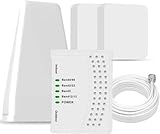
- 5G COMPATIBILITY:Cell phone signal booster is a newly designed signal boosters with intelligent functions, It can enhance indoor signal, such as voice, data in home and office etc, so as to reduce the problem of call interruption, poor signal, can help improve voice quality, faster internet speed and wider coverage, it can cover up to 7000sq.ft coverage, with 70dB Gain, Support all US and Canadian carriers U.S. Cellular, etc. Cover 3G, 4G LTE, and 5G compatible.
- 5G Compatible:Cell phone booster support 5G and deliver amazing speeds; Only 5G that carriers have deployed in large numbers in existing 4G brands through DSS (Dynamic Spectrum Sharing), the FCC has not yet allowed the new mmWave 600MHz cellular enhancers, so if you must use 5G, Make sure your area has 5G services in the existing 4G band before you purchase.
- Advanced Features: Cell signal booster comes with advanced features like Automatic Gain Control, Self-oscillation Elimination to detect the level of an incoming signal and adjusts itself for the best performance. With Good Looking and high quality LED screen, Wireless connects multiple devices, Automatic gain control, this booster has strong anti-interference and low noise characteristic function.
- FCC & IC Certified: :Cell booster complies with all FCC and IC guidelines and meet the requirements of application standards,does not interrupt or compromise any carrier's signal to and from the cell tower.
- If you have any installation or other problems with your item, please contact with us anytime.
Expecting the map to model every room
The map models outdoor, ground-level conditions. Building materials, floor level, and the handset’s position can make indoor reception weaker or stronger than the displayed category suggests.
Planning checks for homes, offices and travel
Different use cases call for different checks. A home buyer should search the exact property and consider the rooms where calls and data will be used. If the property is an apartment, the outdoor ground-level model is especially important because an upper-floor room, basement, lift lobby, or heavily constructed interior may not behave like the map.
For a workplace, run a separate search even if it is close to home. A short distance can place the two locations in different predicted categories, and the building itself can change indoor reception. If you regularly commute or travel, check the destinations that matter rather than assuming a single postcode represents every stop.
Record the date of your check if you are comparing properties over time. A later check may show a different prediction as Felix expands its network, while a temporary outage belongs on the status checker rather than being treated as a permanent change to the map.
A practical decision checklist
- Enter the exact address whenever you have it.
- Save or note the 4G category and the 5G category separately.
- Record whether the selected device is the one you own or intend to use.
- For a new property, repeat the check at other important locations such as work or a regular commute destination.
- If 5G matters, confirm all three Felix conditions: active subscription, compatible device, and coverage.
- If the prediction conflicts with present-day service, check outages, upgrades, and maintenance on Felix’s status page.
- Keep the outdoor, ground-level qualification in mind when judging an indoor room.
Questions the checker cannot answer by itself
The map cannot establish a guaranteed indoor signal, a guaranteed speed, or the exact behavior of every handset. It also cannot tell you whether a temporary fault is affecting service at the moment you search; that is the role of the network status checker. Nor does a 5G prediction prove that your current phone supports Felix 5G. Those questions require the device, account, and live-status checks described above.
What’s actually slowing this PC down?
Pick the symptom - the matching free tool is one click away.
Official Felix links
- Felix Mobile network coverage checker — enter an address, suburb, or postcode and view 4G and 5G categories.
- Felix Mobile: What is 5G? — stated 5G requirements and 4G fallback.
- Felix Mobile 5G plans — 5G inclusion and the device and coverage conditions.
- Felix Mobile network status checker — reported outages, upgrades, and maintenance.
Frequently Asked Questions
Can I check Felix coverage without a Felix SIM or 5G phone?
Yes. The coverage page accepts an address, suburb, or postcode, and the search itself does not require an active subscription or a 5G handset. A compatible device and active subscription are required only to use Felix 5G.
Does a 5G result mean my phone will always show 5G?
No. The result is a location prediction. Felix also requires an active subscription and a compatible, correctly configured 5G device, and indoor conditions or temporary network events can affect the connection.
What should I do if Felix shows coverage but my phone has no service?
Recheck the exact address and device, verify the subscription and SIM or eSIM, then consult Felix’s network status checker for an outage, upgrade, or maintenance event.
Is Felix 5G an extra-cost add-on?
Felix says 5G is included with its plans when you have an active subscription, a compatible 5G device, and coverage at your location. The coverage search itself is available without buying a plan or phone.
Free tools Windows power users keep installed
One-click scans. No signup required.
Should I check 4G if I only want 5G?
Yes. Felix says a compatible device may use 4G when 5G is unavailable, so the 4G result shows whether a fallback is predicted at the address.
Which is better for checking a new home: suburb or full address?
Use the suburb for an initial scan, then repeat the search with the complete street address before relying on the result. A suburb or postcode covers a broader area and does not describe every property.
Why can an outdoor result be good while one room has weak reception?
Felix’s map models predicted coverage outdoors at ground level. Building construction and your position inside the building can alter the signal, so the map does not guarantee reception in every room.
What is the difference between the coverage map and the status checker?
The coverage map is a location prediction. Felix’s separate status checker reports current outages, upgrades, and maintenance, which can explain a temporary mismatch between the prediction and your present service.
Do these 3 things before closing this tab:
1Clear out junk files and repair common Windows errors2Scan for outdated or missing drivers - takes under a minute3Repair Windows errors before they cause bigger problemsThe Bottom Line
Bottom line: Enter your exact address on Felix’s official checker, review 4G and 5G separately, and select your actual device when offered. Treat Good, Moderate, Basic, and No Coverage as outdoor predictions, then confirm an active subscription, compatible 5G device, indoor conditions, and any outage information before making a decision.
Quick Recap
Product prices and availability are accurate as of the date/time indicated and are subject to change. Any price and availability information displayed on Amazon at the time of purchase will apply.

