On a OnePlus phone, check two different screens: Settings > Battery may show Battery health or Maximum capacity, while Battery usage shows which apps and system processes are consuming power now. The first is an estimate of battery aging; the second is a record of current consumption. A health percentage is not available on every OnePlus model or every OxygenOS version.
If the phone is losing charge unusually quickly, start with the usage list, then review recently installed or updated apps, brightness, software updates and the built-in battery controls. Persistent problems should go through OnePlus support for your region and model rather than an unverified battery-calibration routine.
As an Amazon Associate I earn from qualifying purchases.
Battery health and battery drain answer different questions
Battery health describes how much energy the battery can hold compared with when it was new. Drain describes how quickly the phone is spending that energy during a particular period. A phone can have good remaining capacity but lose charge quickly because an app, display setting or system process is active. Conversely, a phone can show ordinary usage while its aged battery provides less runtime between charges.
| Screen or setting | What it tells you | How to use the result |
|---|---|---|
| Battery health or Maximum capacity | An estimate of present capacity relative to the battery when new, when the model and software expose the feature. | Use it to judge long-term capacity loss, not to identify the app using power right now. |
| Battery usage, Phone battery usage or a similar usage view | Apps and system processes that consumed power over the selected reporting window, sometimes with foreground and background time. | Use it to find a current drain pattern and decide what to change first. |
| Optimized charging, sleep standby optimization and app battery optimization | Controls that change charging or background behavior. | They can reduce avoidable consumption or charging-related aging, but they are not a battery-health measurement. |
Think of capacity as the size of the tank and usage as the rate at which fuel is being consumed. Looking at only one screen can send you in the wrong direction. A large app entry does not prove the battery is worn, and a lower capacity estimate does not identify a badly behaved app.
#1 Best Overall

- COMPATIBILITY: This battery only fits for OnePlus 6, A6000, A6003. Please carefully confirm your phone model before purchase.
- Battery model: BLP657, For OnePlus 6 Battery support up to 800+ charging cycles, built with high quality battery cell.
- Included Toolkit: The OnePlus 6 battery comes with all the tools you need for repairing, helps you to complete the repair process effortlessly.
- Step-by-step Instruction: we provide a vivid instruction manual to show you how to disassemble your device and replace the battery by yourself, you'll find it would be an easy task for you with this guide manual.
- Friendly Support: You can reach out to us whenever you have any questions or need any help, our specialists will be glad to assit you anytime.
How to check battery health on a OnePlus
- Open Settings.
- Tap Battery.
- Look for Battery health or Maximum capacity. The wording and location can differ by model and OxygenOS version.
- If the item is missing, use the Settings search field and search for battery health. If no result appears, check the user manual for your exact model and software version. Do not assume that another OnePlus model’s menu is present on yours.
What Maximum capacity means
The OnePlus Open manual defines the value this way: “Maximum capacity: an estimate of your device’s current battery capacity compared to when it was new. A lower percentage means less usage time between charges.” It is a device estimate, not a laboratory measurement or a guarantee of a particular number of hours.
A lower reading indicates that the battery can hold less energy than it could when new, so shorter time between charges is expected. The screen does not identify which app is using power today. For that question, move to the usage view.
What to do when no percentage is shown
Some OnePlus phones and software builds do not expose a capacity percentage in Settings. An absent menu is not proof that the battery is healthy or defective; it means that this model/build does not present the documented control in that location. Use the usage screen for immediate drain diagnosis and the model-specific manual for any supported health feature. You do not need to buy a battery-health app to begin.
Free tools Windows power users keep installed
One-click scans. No signup required.
A feature documented for the OnePlus Open should not be treated as a promise that a Nord, numbered OnePlus model or older OxygenOS build has the same page. Updates can also rename or relocate entries. Record the exact model and software version when you look up instructions, because a generic screenshot may not match your phone.
How to see battery usage on OnePlus
- Open Settings > Battery.
- Tap Battery usage, Phone battery usage or the similarly named entry.
- Review the chart and the period it covers. Depending on the phone, it may show use since the last full charge or a daily view.
- Scroll through the app and process list. Open an entry when the phone offers more detail, such as foreground time, background time or activity while the screen was off.
- Compare the list with the moment the drain began. A recently installed or updated app that appears near the top is a stronger lead than an app that was not active during the affected period.
Menu names, chart ranges and the amount of detail vary between OnePlus devices and OxygenOS releases. Record the period you inspected before changing settings; otherwise a new chart may hide the original pattern.
How to identify the app draining your battery
Look for an app whose share of consumption is unusually high for the way you used the phone, or one showing substantial background activity when you were not using it. Check whether the timing matches the symptom: a navigation or video app can legitimately use a lot while open, whereas repeated background use during standby deserves investigation.
Do not judge an app from one short session alone. Check the usage window in which the problem occurred, then make one change and observe the next comparable period. Changing several settings at once makes it difficult to tell which action helped.
Recommended Free Tools
How to read foreground and background figures
Foreground time means the app was actively displayed or being used. High foreground use may simply reflect your normal activity, such as streaming, navigation or a long call. Background use means the app was working while it was not on screen. A high background figure during an idle period is a more useful lead, especially if it began after an app update.
The phone may not show both figures for every process. System entries can be legitimate, and a percentage is relative to the selected window rather than a universal pass/fail limit. Compare like with like: an overnight chart is more useful for diagnosing standby loss than a chart covering a day of gaming.
Why a OnePlus battery may be draining quickly
A recently installed or updated app
OnePlus troubleshooting guidance recommends checking apps added or updated around the time the drain started. Compare those dates with the usage list. If one app is responsible for unusual foreground or background activity, update it again if an update is available, review its battery setting, or temporarily remove it to test whether the pattern changes. Keep the test controlled and avoid uninstalling essential system components.
Rank #2
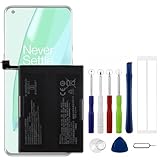
- Compatible Model No.:OnePlus 9 Pro 5G 1+9 Pro 5G LE2127 LE2123 LE2121 LE2125 LE2120,Capacity:2250mAh,Voltage:7.74V. Make sure your device is suitable for this replacement battery before ordering.
- Our battery is 100%, tested premium quality 100%, specially used Class A battery cells with UL,CE and RoHS certification. Each battery has a battery that has been tested under strict quality control standards and offers you a charge of up to 526+ cycles with fast and efficient charging.
- The battery comes with high quality repair tools and 3M adhesive tapes, no installation guide, a professional technician is recommended if you do not know how to replace it yourself.
- If as the product you received is broken, crashed or dented, please do not install it in your phone, contact us first and we will help you solve the problem immediately.
- Installation videos could be found on the internet like YouTube.
When testing, note the app name, the time of day and whether the phone was idle or in use. If the drain returns when the app is reinstalled or its background access is restored, that pattern gives support a clearer lead than a single high percentage.
PC Slower Than It Used to Be?
A free scan shows the junk files, broken settings and background clutter dragging Windows down - then fixes them in one click.Free scan · Windows 10 & 11Crashes, No Sound, or Screen Glitches?
Random freezes, missing sound and display glitches usually trace back to one bad driver. Find and replace yours safely.Free scan · under a minuteDisplay brightness and screen-on time
High brightness increases consumption, especially during long sessions. Reduce brightness or enable automatic brightness and then compare a similar usage period. This is a diagnostic change as well as a possible long-term setting; restore your preferred level if it does not affect the drain.
Also compare screen-on time in the usage details when available. A day with substantially more screen use can account for a higher total even when no app is malfunctioning. Do not label normal heavy use as a hardware failure without checking the chart.
Software or process stuck in the background
Install available system updates and restart the phone. OnePlus lists both steps for abnormal drain and heating. A restart can clear a temporary process, while an update can address a known software issue. Check the usage chart again after the phone has returned to normal use rather than judging immediately during the restart and update.
High-performance behavior
Some models provide a high-performance mode. It can increase power consumption by favoring performance over efficiency. If it is enabled, turn it off for a comparison period unless you specifically need it for a demanding task. The exact label and location are model-dependent.
Heat and charging conditions
Abnormal heat can accompany excessive use or charging trouble. Note whether the phone gets hot while idle, only during demanding foreground use, or while connected to a charger. That distinction helps separate an app or process issue from a charging setup that needs inspection.
Built-in OnePlus controls that can change drain
Open Settings > Battery and review the controls available on your phone. Labels and availability differ, so use the on-screen description for the exact behavior.
App battery optimization
App optimization limits or manages background behavior for selected apps. It can reduce idle consumption, but aggressive limits may delay notifications, background synchronization or other app functions. Apply it to an app that the usage list identifies as a drain source, then verify that the tasks you need still work.
Sleep standby optimization
Sleep standby optimization reduces overnight consumption and may reduce or defer some notifications while the phone is idle. It is useful when the largest loss occurs during sleep, but it changes standby behavior rather than repairing a worn battery. Compare an overnight period with the option enabled and disabled if you need to determine its effect.
The Tool Desk
Outbyte PC Repair FREEClear out junk files and repair common Windows errorsFree Scan →Outbyte Driver Updater FREEFix the driver behind crashes, sound loss and screen glitchesFind Drivers →Optimized charging
Optimized charging adapts the charging pattern to your usage habits to help reduce long-term battery aging. It does not make an already aged battery regain capacity and it does not explain which app is draining the phone. Leave it enabled if its charging schedule suits you; disable it only when you need immediate full charging and understand the trade-off.
Rank #3

- Compatible Model No.:One-Plus 9 1+9 LE2113 LE2117 LE2115,Capacity:mAh,Voltage:3.8V. Make sure your device is suitable for this replacement battery before ordering.
- Our battery is 100%, tested premium quality 100%, specially used Class A battery cells with UL,CE and RoHS certification. Each battery has a battery that has been tested under strict quality control standards and offers you a charge of up to 526+ cycles with fast and efficient charging.
- The battery comes with high quality repair tools and 3M adhesive tapes, no installation guide, a professional technician is recommended if you do not know how to replace it yourself.
- If as the product you received is broken, crashed or dented, please do not install it in your phone, contact us first and we will help you solve the problem immediately.
- Installation videos could be found on the internet like YouTube.
Convenience trade-offs
Battery controls are not all interchangeable. App optimization targets background work, sleep standby targets idle periods, and optimized charging targets charging behavior over time. Test the control that matches the symptom instead of enabling every restriction. A setting that saves power by delaying synchronization may be unsuitable for messaging, work or safety-critical notifications.
Use a simple, controlled troubleshooting sequence
- Capture the baseline. Note when the rapid drain began, the charge level, the usage period and the leading apps or processes.
- Check for a recent app change. Compare recently installed or updated apps with the usage list.
- Adjust one easy variable. Reduce brightness or enable automatic brightness, then observe a comparable period.
- Update and restart. Install available software updates and restart the phone.
- Review battery controls. Test app optimization for the suspected app, sleep standby optimization for overnight loss, and high-performance mode if it is enabled.
- Recheck the chart. Look for a changed app ranking or reduced background activity before making another change.
This order preserves evidence and avoids treating every battery complaint as a capacity failure. If the drain disappears after one step, the usage chart can show whether the suspected app or process also dropped.
Keep notes for at least one comparable period rather than relying on a momentary percentage. For example, compare two similar overnight periods or two workdays with similar screen use. A single reading immediately after an update, restart or charge may not represent ordinary behavior.
Do these 3 things before closing this tab:
1Repair Windows errors before they cause bigger problems2Fix the driver behind crashes, sound loss and screen glitches3Clear out junk files and repair common Windows errorsWhen charging itself is the problem
If the phone charges inconsistently, stops charging or reports behavior that does not match the usage chart, OnePlus support recommends using original accessories for stable charging. Compatibility still depends on the exact phone, cable and charging setup; a compatible charger is not a battery-health tester. Check the connection and compare the phone’s reported charging behavior with another known-good, compatible setup before concluding that the battery is worn.
Charging accessories cannot provide the Maximum capacity estimate unless the phone itself supports that screen, and they cannot identify a background app. Keep charging diagnosis separate from drain diagnosis.
Do not buy an accessory solely to obtain a health percentage. First check what the phone exposes in Settings. If you do replace a charger or cable for an instability test, match the exact phone’s supported charging standard and use a known-good, compatible combination. Support can advise on regional accessory compatibility.
Independent reader supportYour contribution helps us test, update, and keep practical guides available for everyone.When to contact OnePlus support
Contact OnePlus through the support route for your country when abnormal drain continues after the app, brightness, update, restart and battery-control checks, or when the phone’s behavior suggests a hardware inspection is needed. Regional support pages describe repair and device-inspection services, but availability, eligible models and service terms vary by location.
Before contacting support, have the exact model, software version, approximate start date, charging setup and a screenshot or written record of the Battery usage list available. Explain whether the loss occurs during active use, overnight standby or charging. These details help support distinguish current consumption from a capacity concern.
Do not assume that support will approve a replacement, cover the work under warranty or offer the same service in every country. Ask what inspection and repair options apply to your region and device. Follow the regional support page for current service-center or mail-in instructions rather than sending the phone to an unverified provider.
Factory reset is a later step, not a first fix
OnePlus troubleshooting guidance lists a factory reset only after other checks and says to back up data first. A reset erases personal data and settings, so use it only when support guidance or a persistent software diagnosis justifies it. It should not be the opening response to a single high-usage entry or a missing health menu.
Rank #4

- This battery is Compatible with OnePlus Nord N20 5G GN2200, please carefully check your phone model before purchase.
- When you replace your old battery, please carefully and gently disconnect your old battery's cable then connect your new battery to the mainboard. If you phone cannot be powered on with the new battery, you may need to install it again and be sure to check if the cable has been properly connected.
- If you have any questions or got any issues with our product, please feel free to contact us, we will reply to you within 24 hrs. We highly appreciate your kind patience.
- All the batteries have been tested before shipping out, No installation instruction.
- Need professional installation technology,We won't responsible for any damage due to improper operation.
Skip forced-discharge and calibration claims
There is no need to repeatedly run the battery to empty, install an unverified calibration tool or follow a community claim that promises to restore lost capacity. Those actions do not replace the phone’s own usage and capacity screens and can make troubleshooting harder. Use the documented Settings checks, controlled changes and regional support route instead.
What’s actually slowing this PC down?
Pick the symptom - the matching free tool is one click away.
Reading common patterns
| What you observe | Most useful next check | What not to conclude immediately |
|---|---|---|
| A single app dominates the usage list during the affected period. | Inspect its foreground/background detail and compare with a period after one controlled change. | That the battery’s maximum capacity is necessarily low. |
| Large loss occurs while the phone is idle overnight. | Check background activity and test sleep standby optimization. | That every overnight loss is battery aging. |
| The phone has no Battery health or Maximum capacity entry. | Search Settings and consult the exact model manual. | That the phone cannot have any battery problem. |
| The phone charges erratically and drain reports look inconsistent. | Check the cable, charger and phone compatibility, then use regional support if it persists. | That a charging accessory can measure battery health. |
| Drain remains abnormal after software and usage checks. | Request a regional OnePlus inspection or repair assessment. | That a factory reset or forced full discharge is automatically required. |
| The capacity estimate is lower but usage is ordinary. | Plan for shorter runtime and ask support about inspection if the change is severe or sudden. | That an app is necessarily at fault. |
A practical checklist
- Open Settings > Battery.
- Check for Battery health or Maximum capacity; if absent, search Settings and consult the model manual.
- Open Battery usage or Phone battery usage.
- Confirm the reporting window and inspect app, process, foreground and background details that are available.
- Compare the list with recently installed or updated apps.
- Try one change at a time: brightness, software update, restart or an appropriate battery optimization control.
- Check whether high-performance mode is enabled.
- For charging instability, test original, compatible accessories.
- Escalate persistent symptoms through regional OnePlus support; back up before any factory reset.
The key decision is whether the evidence points to capacity or consumption. A supported Maximum capacity screen addresses the first. The Battery usage chart addresses the second. Using both prevents an app problem from being mistaken for a worn battery and prevents an aged battery from being blamed on an app that is behaving normally.
Frequently Asked Questions
How do I check battery health on my OnePlus?
Open Settings > Battery and look for Battery health or Maximum capacity. If neither appears, search Settings for “battery health” and check the manual for your exact model and OxygenOS version. The feature is not present on every OnePlus phone.
What does Maximum capacity mean?
It is an estimate of the phone’s current battery capacity compared with when it was new. A lower percentage means less usage time between charges. It does not show which app is consuming power now and is not a guarantee of a specific number of hours.
How do I see battery usage on OnePlus?
Go to Settings > Battery, then open Battery usage, Phone battery usage or a similarly named entry. Review the chart period and open app or process entries for foreground and background details when available.
Quick wins for a faster PC:
Clear out junk files and repair common Windows errorsFree Scan →Fix the driver behind crashes, sound loss and screen glitchesFind Drivers →Repair Windows errors before they cause bigger problemsFix Now →Which app is draining my battery?
In the usage list, look for an app with unusually high consumption or background activity during the affected period. Compare that entry with when the drain began and with your actual use. Test one change at a time so you can tell whether the pattern improves.
Why is my OnePlus battery draining so fast overnight?
Check the overnight usage list for background activity and test sleep standby optimization if your model provides it. Also compare recently installed or updated apps. The setting may reduce idle consumption and defer some notifications, but overnight drain is not automatically proof of battery aging.
Is a missing battery-health percentage a sign of a bad battery?
No. Some models and software builds do not expose Battery health or Maximum capacity in Settings. Search Settings and consult the exact model manual, then use Battery usage to investigate current drain.
Should I buy a battery-health app or charger?
No purchase is required to begin. The built-in Settings screens are the first check. A charger or cable can help test charging instability only when it is original or compatible with the exact phone; it cannot measure battery health or identify a draining app.
Should I factory-reset my OnePlus for battery drain?
Not as a first step. OnePlus troubleshooting places a reset after other checks and says to back up data first. Try the usage review, app check, brightness adjustment, software update, restart and relevant battery controls before considering a reset with support guidance.
The Bottom Line
Use Battery health or Maximum capacity, when your model offers it, to understand aging; use Battery usage to find current drain. Check apps, brightness, updates and battery controls one at a time, avoid forced-discharge claims, and contact regional OnePlus support for persistent or charging-related problems.
Quick Recap
Product prices and availability are accurate as of the date/time indicated and are subject to change. Any price and availability information displayed on Amazon at the time of purchase will apply.

