Free tools Windows power users keep installed
One-click scans. No signup required.
Yes. One compliant USB-C Power Delivery (USB-PD) charger can charge an iPhone, iPad, MacBook and Apple Watch. Choose its wattage for the exact MacBook model, then use the correct cable for each device. A single-port charger means moving one cable between devices; charging several at the same time requires a multi-port USB-C PD charger with enough per-port and combined output.
What “one charger” actually means
The devices do not all connect to a charger in the same way. The charger supplies power, while each device and cable complete a separate charging system. “One charger” can therefore describe two different arrangements:
As an Amazon Associate I earn from qualifying purchases.
- Sequential charging: one USB-C port is shared by moving the appropriate cable from one device to another.
- Simultaneous charging: a multi-port USB-C PD charger powers two or more devices at once, subject to the output available on each port and the charger’s total limit.
The MacBook determines the minimum useful wattage. An iPhone, iPad or Apple Watch will draw only what it can negotiate, so a higher-wattage, standards-compliant USB-PD adapter is safe for those lower-power devices. The important exceptions are an underpowered adapter that cannot keep up with a MacBook under load, and a multi-port unit whose output is divided when additional ports are occupied.
Crashes, No Sound, or Screen Glitches?
Random freezes, missing sound and display glitches usually trace back to one bad driver. Find and replace yours safely.Free scan · under a minutePC Slower Than It Used to Be?
A free scan shows the junk files, broken settings and background clutter dragging Windows down - then fixes them in one click.Free scan · Windows 10 & 11Choose the charger by your MacBook’s minimum wattage
Apple’s rule is to use at least the minimum wattage specified for the particular MacBook model. The exact requirement varies by model, screen size, processor generation and charging method. Do not select a charger solely because it says “for iPhone” or because 70W is a popular search term.
#1 Best Overall

- The 70W USB-C Power Adapter offers fast, efficient charging at home, in the office or on the go.
- It’s compatible with numerous USB-C devices and charging cables.
- Apple recommends pairing it with a 14-inch MacBook Pro or a 13-inch or 15-inch MacBook Air using a USB-C to MagSafe 3 Cable or USB-C Charge Cable.
- Use it with MacBook Air (2022 and later) to take advantage of fast charging, for up to a 50 percent charge in around 30 minutes.*
- Charging cable sold separately.
| Apple-published wattage example | Where Apple lists it | How to use the figure |
|---|---|---|
| 20W | Several iPad models and MacBook Neo | Suitable only when the exact device’s specification calls for 20W; it is not a general MacBook recommendation. |
| 30W, 35W, 67W or 70W | Various MacBook Air models | Check the exact Air configuration before choosing among these values. |
| 61W, 67W or 96W | 13-inch and 14-inch MacBook Pro examples | Use the model-specific minimum; Pro models can require substantially more than an Air. |
| 140W | 16-inch MacBook Pro models introduced in 2021 or later | Choose a charger capable of the required 140W USB-PD profile when that is the listed requirement. |
These are examples from Apple’s adapter guidance, not a complete model-to-wattage catalog. Identify the exact MacBook model and year, then use Apple’s stated minimum for that configuration. A charger rated below that figure may still show a charging icon, but the battery can gain charge slowly or continue to drain while the Mac is performing demanding work.
Why a higher wattage is normally safe
USB-PD chargers and devices negotiate a power level. A 70W or 140W adapter does not force that entire output into an iPhone or Watch; the connected device requests an appropriate amount. This is why one higher-wattage adapter can serve several Apple products, provided the adapter is compliant and the cable is suitable.
Higher capacity can also reduce compromises when a MacBook is connected. It leaves more headroom for the computer’s normal operation instead of using nearly all available power merely to maintain the battery. It does not, however, make every MacBook charge at the same speed: the MacBook’s own charging circuitry and the selected cable remain limiting factors.
What the USB-PD requirement does
USB-C describes the connector shape; USB Power Delivery describes the negotiated charging protocol. For a USB-C-charging MacBook, Apple says a USB-C power adapter or display that supports USB-PD can charge the laptop. Look for explicit USB-PD support in the charger’s specifications rather than relying on a USB-C port alone.
Rank #2
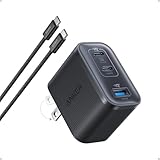
- Power Your MacBook at True 70W Speed: Each USB-C port delivers 70W max of power—enough to charge a 14-inch MacBook Pro (2024) from 0 to 50% in 35 minutes. Compared to a standard 65W charger, it offers faster performance and better compatibility with the latest M4 models.
- Mini Size and Travel-Friendly: At just 2.09 × 1.68 × 1.24 inches, the charger is 41% smaller than a standard 70W USB-C charger—making it effortlessly portable. Slip it into a pocket, handbag, or travel pouch without taking up valuable space, so you can stay powered up wherever you go.
- Fast Charging That Stays Cool: With TÜV Rheinland certification and ActiveShield 4.0 thermal monitoring, surface temperatures measure up to 50°F (10°C) lower than international safety benchmarks for charging devices.
- Elegance in Every Charge: A textured shell, glossy finish, and premium metal frame create a clean, modern look that blends seamlessly with your workspace or travel setup.
- What You Get: Anker Nano Charger (70W, 3 Ports), 4.9 ft USB-C to USB-C Cable, welcome guide, 18-month warranty, and our friendly customer service.
An adapter can advertise a large wattage yet provide less power when several ports are used. Read both the per-port ratings and the combined-output rule. For example, a “100W” multi-port unit might reserve its highest output for one port and reduce that port when another device is connected. The label’s headline number is not proof that every port can deliver it simultaneously.
Use the cable that matches each device
The charger can be shared, but the cable cannot always be. Use this checklist before connecting anything:
| Device or charging method | Cable or connector | Connection note |
|---|---|---|
| MacBook with MagSafe 3 | USB-C to MagSafe 3 Cable | USB-C end goes to the adapter; the MagSafe end attaches magnetically to the MacBook. |
| MacBook charging through USB-C | USB-C charge cable | Both ends must be compatible with the MacBook’s USB-C charging port and the adapter. |
| USB-C iPad or iPhone | USB-C cable appropriate to that device and its charging specification | Confirm that the cable’s connectors match the device and charger. |
| Apple Watch | Apple Watch Magnetic Fast Charger to USB-C Cable | The magnetic charging puck attaches to the Watch; its USB-C plug goes into the adapter. |
| Older iPhone or iPad with Lightning | USB-C to Lightning cable | The USB-C plug connects to the adapter and the Lightning plug to the device. |
A cable that physically fits is not automatically the best cable for every purpose. Replace frayed, bent, hot or intermittently disconnecting cables. For a MacBook, use a cable intended for charging and rated for the power the setup needs; otherwise the cable can become the bottleneck even when the adapter has sufficient wattage.
What’s actually slowing this PC down?
Pick the symptom - the matching free tool is one click away.
Charging one device at a time with a single-port adapter
A single-port adapter is the simplest and often the smallest option. It can serve the entire Apple-device set, but only one device is connected at a time.
Rank #3
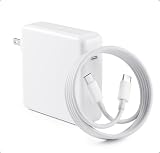
- High-efficiency Fast Charger: The 70W USB C macbook pro charger can automatically identify equipment and provide the fastest and most effective output current,charging efficiency of up to 96%Whether at home, in the office or on the road, this 70w USB C charger allows you to charge quickly and efficiently without compromising its service life and performance.
- Wide Compatibility: Our charger Compatible with USB C port macbook pro & macbook air 16 15 14 13 inch, M1 M2 M3 M4 MacBook, ipad pro & smartphone and all USB C device, laptops and smartphones. Works with USB C 29W, 30W, 61W, 67W, 70W PD model. Automatic identification and conversion of charging power
- Multiple Security Protection: Mac book laptop charger adopts the most advanced technology and is made of the highest quality materials. Smart chip is installed inside, include multiple smart features safeguarding against over-current, over-voltage, overload, temperature protection, short-circuit protection, and auto recovery, fast charging speed and long service life.
- Portable to Various Occasion:PD 3.0 charging technology,the performance is higher than other replacement macbook charger.Compared to others, we have added an additional storage bag for easy organization and to avoid confusion.In addition to daily use at home, chargers are also widely used during travel, school, and business trips.
- After-Sales Guaranty:We offer a 12 month warranty.And we have always been committed to provide products of superior quality at unbeatable prices, if you have any questions about the items, please feel free to contact our customer service team, we will reply you within 24 hours.
- Confirm the MacBook requirement. Record the exact MacBook model and its Apple-listed minimum wattage.
- Select a USB-PD adapter at or above that wattage. A higher compliant rating is acceptable; a lower rating may be inadequate under load.
- Gather the four cable types you actually need. Keep the MagSafe 3, USB-C, USB-C-to-Lightning and Apple Watch magnetic cables together if your devices use all of them.
- Connect the cable to the adapter first or to the device first. Either order is normally fine; make sure the plugs are fully seated and the connector is not under tension.
- Move the cable when changing devices. Disconnect the first device before attaching the next one so you do not mistake a disconnected cable for a charging fault.
Apple identifies an 18W USB-C adapter as fast-charging iPhone 8 or later. A newer higher-wattage PD adapter can also charge those phones, because the phone negotiates its own draw. The 18W figure is a documented fast-charging threshold, not a requirement for every iPhone charging situation.
Charging all four devices at the same time
For simultaneous charging, choose a multi-port USB-C PD adapter. Start with the MacBook’s minimum wattage, then examine how the manufacturer allocates power when two, three or four ports are occupied.
| Check before buying | Why it matters | What to record |
|---|---|---|
| USB-PD support | The MacBook needs USB-PD when charging over USB-C. | Supported PD profiles and maximum output. |
| Highest single-port output | The MacBook may need most of the adapter’s capacity by itself. | Maximum wattage on the port reserved for the MacBook. |
| Combined output | Power can be shared when other devices are connected. | Total wattage with two, three and four ports in use. |
| Port type and count | Every connected cable needs a compatible port. | Number of USB-C ports and whether any port is USB-A only. |
| Included cables | A charger may include no cable or only one type. | Whether MagSafe, USB-C and USB-C-to-Lightning cables must be purchased separately. |
| Size and weight | Higher-output multi-port units are generally less compact than a single-port adapter. | Dimensions and weight if portability matters. |
| Safety certification | Compliance is more important than the logo on the case. | Applicable national and regional safety compliance stated by the manufacturer. |
| Price | Output allocation and safety features affect cost. | The current price for the region and date you are buying; no universal price is established by Apple’s compatibility guidance. |
A practical port assignment
- Reserve the highest-capacity USB-C port for the MacBook.
- Connect the iPad to a second USB-C port.
- Use another port for the iPhone, choosing USB-C or USB-C-to-Lightning as appropriate.
- Connect the Apple Watch magnetic USB-C cable to the remaining port.
- Check the adapter’s live allocation or specification table. If the MacBook’s port drops below its required minimum, move the Watch or phone to another adapter or charge it after the MacBook.
Some multi-port chargers dynamically reassign power. A MacBook may therefore charge rapidly when it is the only load and more slowly after an iPad and phone are added. That behavior is expected if the adapter is enforcing its combined-output limit; it is not evidence that the MacBook or cable is defective.
Using a 70W adapter with this device set
Apple’s current 70W USB-C Power Adapter product information, accessed October 15, 2026, recommends that adapter with a 14-inch MacBook Pro and 13-inch or 15-inch MacBook Air configurations, and lists compatibility with iPhone, iPad and Apple Watch. That makes 70W a useful search term for a mixed-device setup when the exact MacBook model’s minimum is 70W or lower.
Rank #4

- Super Fast Charging: fast charge for M2 MacBook Air to 50% in only 30 mins, full charge for MacBook Pro 13 inch in only 1h 48mins, strong power support the high-speed processing capacity of M1, M2, M3 M4 chip
- Original Quality Helps to Keep MacBook Battery Health: built-in original dynamic software and hardware systems to keep Maximum Battery Capacity to 98%, intelligently learning your daily charging routine to reduce battery aging, friendly to computer battery and provide 2 times longer battery lifespan
- Universal Compatibility: optimized charging and intelligently output support 70W, 67W, 65W, 61W, 45W, 30W, 20W and provide higher charging performance at the mean time, widely compatible with MacBook Pro 16 15 14 13 inch 2024, 2023, 2022, 2021 2020 2019 2018 2017 2016, M1 M2 M3 M4 MacBook Air 2025, 2024, 2023, 2022, 2021, Surface(Use USB C charging port), Dell, Lenovo, HP, M4 M2 M1 iPad Pro 13 12.9 11 inch, iPad 10, M4 M2 M1 iPad Air 5 4, iPad Mini 6 A17 Pro, iphone 16, iPhone 15, etc
- USB-IF Certified 6.6 feet / 2m USB C to USB C Cord: USB-IF Certified ID of our cable: 800-1471, protect the charging port of your expensive device from damage, made of top-rated thicker copper wire and coated with premium soft-touch TPE, tested with over 20000+ times bend to provide 4 times longer lifespan; twice length cable than default cable which is only 1m, let you can charge and have fun anywhere, support 480Mbps data syncing between your phone and laptop
- Soft LED Indicator and Foldable Plug: cool-green LED emits a soft, gentle glow so you can see your device has power; with a foldable plug protect screen from scratches, make it more portable for travel
It is not a universal optimum. A MacBook requiring 96W or 140W should be paired with an adapter meeting that higher requirement, while a MacBook that needs only 30W may not benefit from carrying a larger brick unless you value extra headroom or future compatibility. On a single-port 70W adapter, the devices must still be charged sequentially.
When a 140W adapter is appropriate
Apple’s current Mac adapter guidance lists 140W for 16-inch MacBook Pro models introduced in 2021 or later. If your exact 16-inch model has that requirement, select a USB-PD charger capable of the necessary 140W profile and use a cable rated for the connection. The same adapter can charge an iPhone, iPad or Apple Watch safely because those devices negotiate lower power, but its physical size may be unnecessary for a lower-wattage MacBook Air.
Independent reader supportYour contribution helps us test, update, and keep practical guides available for everyone.Can a MacBook charger charge an iPad or Apple Watch?
Yes, when the charger is a compliant USB power adapter and the cable is correct. Apple explicitly notes that a higher-wattage USB-C Mac adapter can be used with an iPad for faster charging. Apple also documents that an Apple Watch Magnetic Fast Charger to USB-C Cable can connect directly to an iPad to charge the Watch; when using the shared wall charger, connect that Watch cable to the charger’s USB-C port instead.
The adapter’s wattage rating is a ceiling, not a command. The iPad or Watch requests the power it supports. Do not confuse this with plugging a cable into an unsuitable data-only port, a damaged connector or a low-quality adapter that lacks USB-PD negotiation.
Best Value

- Power Your MacBook at True 70W Speed: Each USB-C port delivers 70W max of power—enough to charge a 14-inch MacBook Pro (2024) from 0 to 50% in 35 minutes. Compared to a standard 65W charger, it offers faster performance and better compatibility with the latest M4 models.
- Mini Size and Travel-Friendly: At just 2.09 × 1.68 × 1.24 inches, the charger is 41% smaller than a standard 70W USB-C charger—making it effortlessly portable. Slip it into a pocket, handbag, or travel pouch without taking up valuable space, so you can stay powered up wherever you go.
- Fast Charging That Stays Cool: With TÜV Rheinland certification and ActiveShield 4.0 thermal monitoring, surface temperatures measure up to 50°F (10°C) lower than international safety benchmarks for charging devices.
- Elegance in Every Charge: A textured shell, glossy finish, and premium metal frame create a clean, modern look that blends seamlessly with your workspace or travel setup.
- What You Get: Anker Nano Charger (70W, 3 Ports), 4.9 ft USB-C to USB-C Cable, welcome guide, 18-month warranty, and our friendly customer service.
Troubleshooting slow, stopped or intermittent charging
The MacBook says “Not Charging” or loses battery while plugged in
- Compare the adapter’s available wattage with the MacBook model’s minimum.
- If several ports are occupied, read the combined-output table; the MacBook’s allocation may have fallen.
- Try the MacBook alone on the adapter’s highest-output port.
- Inspect the USB-C or MagSafe cable for damage and reseat both ends.
- If the MacBook charges alone but not with other devices, the issue is allocation rather than basic compatibility.
The iPhone or iPad charges slowly
- Check whether the adapter supports USB-PD and whether the cable matches the device’s port.
- An older Lightning device needs a USB-C-to-Lightning cable, not a USB-C-to-USB-C cable.
- Remove other loads from a multi-port adapter temporarily to see whether power sharing is responsible.
- Remember that Apple’s 18W fast-charging statement applies to iPhone 8 or later; a phone can still charge at a lower rate in other conditions.
The Apple Watch does not start charging
- Use the Apple Watch Magnetic Fast Charger to USB-C Cable and ensure the puck is centered on the back of the Watch.
- Try a different USB-C port if the multi-port adapter has port-specific limits.
- Check the cable and adapter for visible damage or unusual heat.
The adapter becomes very warm
Power conversion produces heat, especially at high output. Keep the adapter ventilated and do not cover it with bedding or clothing. Unplug it if there is a burning smell, cracked housing, exposed conductors, arcing or persistent abnormal heat, and replace damaged cables or adapters.
Safety and compliance requirements
Apple allows iPhone, iPad and Apple Watch to use Apple power adapters, a Mac USB-C power adapter or compliant third-party adapters. Apple says third-party adapters should meet applicable country regulations and international and regional safety standards, and warns that adapters failing those standards could pose a risk of death or injury.
- Buy from a manufacturer that states the relevant safety compliance and USB-PD specifications.
- Use undamaged cables with intact insulation and connectors.
- Keep liquid, metal objects and debris away from charging ports.
- Do not use a charger with a cracked enclosure, loose prongs or a cable that repeatedly disconnects.
- Allow ventilation around high-output adapters and avoid using them where heat cannot escape.
Safety certification matters more than a familiar brand name. A high wattage printed on an unverified adapter is not a substitute for standards compliance, correct PD behavior and a properly rated cable.
Quick wins for a faster PC:
Fix the driver behind crashes, sound loss and screen glitchesFind Drivers →Clear out junk files and repair common Windows errorsFree Scan →Scan for outdated or missing drivers - takes under a minuteDriver Scan →A decision guide for common setups
| Your situation | Best arrangement | Reason |
|---|---|---|
| One device is charged at a time and travel size matters | Single-port USB-C PD adapter meeting the MacBook minimum | Smallest arrangement; move the cable between devices. |
| MacBook Air plus iPhone, iPad and Watch at a desk | Multi-port USB-C PD adapter with adequate MacBook allocation and enough total output | All devices can remain connected, provided power sharing is sufficient. |
| 14-inch MacBook Pro configuration listed for 70W | 70W-or-higher USB-PD adapter, with multi-port allocation checked if charging simultaneously | Matches Apple’s 70W example while leaving a path to charge smaller devices. |
| 16-inch MacBook Pro introduced in 2021 or later and listed for 140W | 140W USB-PD-capable adapter and suitable cable | Lower-output chargers may not keep up during intensive use. |
| Older Lightning iPhone or iPad included | USB-C PD adapter plus USB-C-to-Lightning cable | The connector transition is handled by the cable, not the charger. |
Setup checklist before you leave home
- Write down the exact MacBook model and its Apple-listed minimum wattage.
- Confirm the adapter supports USB-PD and meets or exceeds that minimum.
- For multi-port use, verify both per-port and combined-output limits with every intended device connected.
- Pack the correct MagSafe 3, USB-C, USB-C-to-Lightning and Apple Watch magnetic cables for your devices.
- Inspect cables, plugs and the adapter for damage.
- Test the MacBook alone, then add the iPad, iPhone and Watch to confirm that the MacBook still receives its required allocation.
The reliable formula is straightforward: select USB-PD wattage for the MacBook, let each smaller device negotiate its own draw, use the matching cable, and treat simultaneous charging as an output-allocation problem rather than a headline-wattage problem.
Quick Recap
Product prices and availability are accurate as of the date/time indicated and are subject to change. Any price and availability information displayed on Amazon at the time of purchase will apply.

