An offline-first freelancer app has one job: you can start a timer, log hours and produce an invoice with no connection, and nothing you recorded is lost. Sync, online payment and email are add-ons that sit on top of that core. They are not part of it. This guide lays out the design decisions in the order you’ll face them: storage, data model, timer, invoices, network boundaries, backup and testing. It uses current open-source and commercial apps as reference points. It describes patterns, not one private build, so none of the products below should be read as a description of any single app’s internals.
What “offline-first” should mean
Offline-first means the core workflow works with no network once the app is installed or loaded, and that local persistence is the primary path, not a cache of a server. It does not automatically include cross-device sync, card payments or email delivery. TaskTime Pro states this boundary plainly: its core works offline after the PWA is loaded or installed, and provider sync is optional (project README). Note the qualifier “after loaded or installed”: a web app still needs one online visit to fetch itself.
As an Amazon Associate I earn from qualifying purchases.
Step 1: Pick a local storage engine
The platform decides the engine. Current examples fall into two camps.
Free tools Windows power users keep installed
One-click scans. No signup required.
Desktop and mobile: SQLite
Upcount is a desktop app built with Tauri, SQLite, React and Ant Design; its README says business data stays local and includes backup and restore (Upcount). timedart uses Flutter with drift on SQLite and keeps data in the platform’s app-support directory (timedart). SQLite gives you relational integrity, which suits invoicing data where lines must point at real entries.
#1 Best Overall
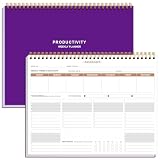
- BOOST YOUR PRODUCTIVITY - This undated weekly productivity planner notepad focus on the important work and get organized. Weekly to do list notepad allowing you to categorize and prioritize your tasks effectively. Whether you're a small business owner, project manager, freelancer, academicians or master multitasker, the weekly to do list pad will be your new favorite daily office productivity tool.
- UNDATED WEEKLY PLANNER - This weekly planner start any time with 54 weeks, Weekly planner notebook has plenty of space to write your goal plan, work plan, student plan or personal schedule, keep track of priorities, and write notes on the back. This versatile planner allows you to stay organized in 2026, 2027, or even as far ahead as 2028!
- FEATURES - Weekly Theme and Highlights for at-a-glance planning Top 3 Priorities for the week 6 Focus Areas to segment and list tasks for goals, projects, or clients Daily Tracker for healthy habit-tracking and routine-tracking.
- HIGH QUALITY - This weekly desk planner size of 8.5" x 11", it offers ample space for writing and planning your tasks, just the perfectly size to fit in your backpack. Is used to high quality 100gsm pure white paper, elastic band and a back pocket for extra space.
- FUNDTIONAL DESIGN - This weekly deskpad planner will completely change how you structure your work: by segmenting your tasks by area and tracking the most important details, you'll feel less scattered and more organized.We believe in helping you be fulfilled with your life and productive at the same time by using a weekly to do list notepad.
Browser and PWA: IndexedDB
TaskTime Pro describes Yjs with IndexedDB, a choice that leaves room for conflict-free merging if sync is added later (TaskTime Pro). TimeDoco describes an offline PWA on IndexedDB (TimeDoco). The trade-off: browsers can evict site storage under pressure, so a PWA makes export more important, not less.
None of these is universally best. Choose by where your users already work, and by whether you ever expect multi-device use.
Rank #2

- Easily Stay On Track & Make The Most of Your Time: ZICOTOs’ daily planner makes it easier than ever for you to stay organized, reduce stress & enjoy more free time! Arrange your schedule, priorities, to do’s and jot down plans & ideas on the daily notes section
- Smartly Plan Ahead & Boost Your Productivity: Absolutely clever & efficient! With the planner notebook you can break down your daily tasks into half-hourly focus blocks and map out priorities & follow-up duties to keep your day on track and enhance productivity
- Plenty Of Space For Efficient Planning: Stay focused & manage your time wisely! The 9.3x6.3” (inner pages) work planner & organizer notebook offers ample space for 80 days of life-changing planning with each day being spread across 2 pages - set yourself up for purposeful days
- Now Is The Best Time To Start: The daily planner is undated so you can start to add structure to your schedule and cultivate new planning habits right away! Beat procrastination, boost happiness & make each day count with the hourly planner
- Adds Beauty To Daily Planning: A gorgeous champagne pink cover, chic gold foil letters, a golden ring wire and a clean, easy-to-use layout - enjoy the gorgeous and modern minimalist design of the undated daily planner!
Step 2: Model the work chain
The useful chain for a freelancer is client → project → task → time entry → invoice, which is how timedart structures its data (timedart). A few design rules follow from that chain. These are recommendations, not claims about any product:
What’s actually slowing this PC down?
Pick the symptom - the matching free tool is one click away.
- Store rate and billable status on or alongside the entry or project, so an invoice line can trace back to the work.
- Mark entries as invoiced when an invoice is finalized, which prevents billing the same hour twice.
- Copy the rate and description onto the invoice line at finalization. Later rate changes then won’t rewrite history.
- Use stable unique IDs (such as UUIDs) rather than auto-increment integers if sync might ever arrive. Merging two devices’ integer IDs is painful.
Step 3: Make the timer survive anything
A timer should not count seconds in a running process. Laptops sleep, browsers kill tabs and phones suspend apps. The robust approach is to store the start timestamp and compute elapsed time as now minus start whenever you render. TimeDoco says it bases duration on absolute timestamps so the timer stays accurate through closing and restarting (TimeDoco). timedart describes one-key timer start (timedart).
Rank #3

- EASY TO MANAGE - Use this income & expense log book to record your income and expenses each day.Keep your budget in balance, and develop good bookkeeping habits to meet your financial goals
- ACCOUNTING FOR THE WHOLE YEAR - This income and expense tracker is undated and is used to lasts a whole year.The keeping log has 1 page Year Overview, 53 weekly spreads, 2 pages annual summary, 10 notes pages, to track weekly and yearly income & expenses
- HIGH QUALITY - The accounting bookkeeping tracking ledger log book is used to high quality 100gsm pure white paper, teal elastic band and a back pocket for extra space. Make sure you have enough space for all financial activitie
- UNIQUE DESIGN & A5 SIZE - Income and expense log book is spiral bound design, size of 5.8" x 8.3". Just the perfectly size to fit in your backpack, purse or laptop case. Without taking up your space and always helping you keep track of your small business
- THE PERFECT GIFT - Income & expense notebook as gift for woman & man. Use it to track your week-to-week progress, make efficient adjustments whenever needed
Edge cases worth deciding up front:
- Forgotten timers: offer to trim or split an entry that ran for an implausible length.
- Clock changes: store UTC timestamps and keep a display time zone separate, so travel or daylight saving doesn’t corrupt durations.
- Persist on start: write the running-timer record to disk immediately, not on stop. A crash then loses nothing.
- Manual edits: let users add and correct entries, since people forget to start timers.
Step 4: Turn selected work into an invoice
timedart’s flow is a good template: pick a project and date range, preview itemized entries and the total, then export a branded PDF (timedart). Generating that PDF is a local operation, so it needs no network.
Drafts versus final invoices
TaskTime Pro documents drafts that can be completed later, and its drafts do not reserve a final invoice number (TaskTime Pro). Assigning a number only at finalization avoids gaps and duplicates when people abandon drafts. If you later add multi-device sync, numbering needs a deliberate rule, because two offline devices can finalize at once.
Rank #4

- TURN YOUR IDEAS INTO REALITY: Unleash your creativity with this unique planning notebook, consisting of 224 pages divided into 112 Project Planner sheets. Each sheet is designed to step-by-step completion and management of your project.
- EMPOWER YOUR MANAGEMENT: This professional project organizer keeps all project-related information in one place. Stay on top of multiple projects with the convenient project tracker notebook feature, ensuring no detail is missed.
- ARCHIVE YOUR PROJECT GOALS: Stay focused on your projects with dedicated sections for objectives, tasks with deadline, essential supplies and tools notes, space for ideas and sketches illustration, and notes. Experience a simple yet powerful tool to ensure completion and accomplish more with ease.
- EFFICIENT BONUS STATIONARIES: You will receive either set of a ball pen and two cute sticky notes or a set of remind stick pads (randomly). The versatile design can be used for projects at home, work, school, or business to organize, manage a team, and to delegate tasks. This planner is a simple way to make sure you finish what you start and accomplish more.
- HANDLE SINGLE PROJECT IN HAND: Designed with tearable sheets allow you taking any single sheet for more convenient. 7x10 inch sheets are printed on 70 lb premium paper. With advanced printing technology and leather cover, our planner exudes a premium feel and long lasting.
What to lock at finalization
- Invoice number and date
- Line descriptions, quantities and rates
- Client billing details as they were that day
- Tax settings, if you support them
Locking these makes the PDF reproducible and keeps it consistent with what you sent.
Quick wins for a faster PC:
Clear out junk files and repair common Windows errorsFree Scan →Fix the driver behind crashes, sound loss and screen glitchesFind Drivers →Repair Windows errors before they cause bigger problemsFix Now →Step 5: Decide what truly needs the internet
| Action | Needs a connection? | Note |
|---|---|---|
| Start/stop timer, edit entries | No | Core local workflow |
| Create draft, finalize invoice, export PDF | No | Local rendering; timedart exports PDFs from local data |
| First load of a PWA | Yes, once | Offline afterward, per TaskTime Pro |
| Provider sync (Drive, Dropbox) | Yes | Optional in TaskTime Pro |
| Emailing an invoice, hosted payment page, reminders, reconciliation | Yes | Online service workflows |
Stripe documents hosted invoice links, PDF access and API automation for delivery and reconciliation (Stripe Invoicing). It also publishes claims that 87% of its invoices are paid within 24 hours and that customers pay three times faster on average with Apple Pay or Google Pay. Those are Stripe’s own figures from a regional page, with no methodology or year shown, so treat them as marketing, not an industry benchmark.
Best Value

- 【Value Pack】You will receive 2 pieces of time tracker notebook,50 sheets for each notebook,100 pages in total,measures about 9 x 6.1inch/23 x 15.5cm.Time tracking notebook is a necessary addition to any attorney’s office,small business or freelance assignment.Enough size and quantity to meet your daily needs,which will bring much convenience to your work.
- 【Practical Design】For business or personal use,time tracker log is shown across a 2-page spread,on the left side,you have days and each hour,where you can write quick details about who you worked for. On the right side of the page you can keep more detailed track of the specific tasks you worked on and what client it was for,as well as the specific amount of time you spent on each task.Understand exactly where your time goes and start making the most of every minute with this task planner pad.
- 【Easy to Use】The timesheet log book is designed with a spiral to make it easier to turn pages,do not worry about the crease,and if you tear out a single page,the rest of the paper won't fall apart.Break free from clunky blocks of time in your work planner,a simple and easy way track your billable hours.
- 【Effectively Track Time】Take charge of your time and start organizing your life with these to do list notepad.Essential for those who need to track time, this time tracker log helps you keep an accurate account of your time,achieve maximum office productivity.These notebook offer deeper insight into your time management,know what's next on your agenda at a glance,and add some strategic structure to your day.either way,this notebook will be a help to you.
- 【Quality Material】Our time management logbook are made of quality paper,reliable and sturdy,not easy to break.With nice printing,the words and colors are not easy to fade,can be applied for a long time and provide you with a smooth writing experience.
A sensible design queues online actions: if the user taps “send” offline, mark the invoice as pending delivery and send when the connection returns. Billr takes a different route, advertising offline operation plus automatic sync and Stripe/PayPal connections (Billr). That suits users who want a connected account, at the cost of more moving parts.
Step 6: Give local data a recovery story
Local-first is not backup. If the only copy lives on one laptop or one browser profile, a dead disk or cleared site data ends the business record. The reference apps cover a range:
- TimeDoco advertises JSON export and restore (TimeDoco).
- Chronetic describes manual CSV/JSON export and optional Google Drive backup and sync that the user must switch on (Chronetic).
- TaskTime Pro offers optional Google Drive or Dropbox sync (TaskTime Pro).
- Upcount includes backup and restore for its local database (Upcount).
Whatever you choose, tell users plainly what stays on the device, what is uploaded, and what restoring requires. Test the restore path as seriously as the backup path. An export you’ve never re-imported is unproven. Prompting a periodic export, especially for browser storage, is cheap insurance.
Recommended Free Tools
How the reference apps compare
| App | Platform | Local storage | Backup / sync | Invoices |
|---|---|---|---|---|
| Upcount | Cross-platform desktop | SQLite | Backup and restore | Invoicing and time tracking |
| timedart | Desktop, Android, browser demo (listed as beta) | SQLite via drift | Not stated | Itemized branded PDF |
| TaskTime Pro | Browser/PWA | Yjs + IndexedDB | Optional Drive/Dropbox sync | Drafts and PDFs |
| TimeDoco | PWA | IndexedDB | JSON export/restore | Not stated |
| Chronetic | iOS/macOS | Local database | Optional, user-activated backup/sync; CSV/JSON export | Not stated |
| Billr | Not stated | Not stated | Automatic sync | Stripe/PayPal payment connections |
These come from each project’s own pages and describe what the vendors claim, not independently tested behavior.
Quick Recap
Step 7: Test offline behavior deliberately
- Install or load the app, then disable the network (airplane mode, or browser DevTools offline). Run the full path from client creation through PDF export.
- Start a timer, force-quit the app or kill the tab, relaunch, and confirm elapsed time is correct.
- Put the machine to sleep with a timer running, wake it later, and check the duration.
- Finalize an invoice, change the project rate, and confirm the old invoice is unchanged.
- Abandon a draft and confirm the next finalized invoice number has no gap.
- Export, wipe app data, restore, and compare totals.
- Trigger an online action offline and confirm it queues or fails with a clear message, not silently.
Product prices and availability are accurate as of the date/time indicated and are subject to change. Any price and availability information displayed on Amazon at the time of purchase will apply.

