Do these 3 things before closing this tab:
1Scan for outdated or missing drivers - takes under a minute2Repair Windows errors before they cause bigger problems3Fix the driver behind crashes, sound loss and screen glitchesTo broadcast prerecorded videos in a repeating sequence, build the playlist in OBS Studio—not in YouTube’s watch-page playlist controls. Add the files to an OBS VLC Video source in the order you want, enable Loop Playlist, leave Shuffle Playlist off, then send OBS to YouTube Live using the stream URL and key from Live Control Room.
What “YouTube Live playlist” means
A YouTube playlist on a watch page is for viewers: they can turn on Loop during playback. It does not make prerecorded files into a live broadcast. To transmit a sequence as one live stream, an encoder such as OBS must play the files and send its output to YouTube. YouTube’s encoder workflow uses a stream URL and stream key from Live Control Room: YouTube’s live encoder setup guide.
As an Amazon Associate I earn from qualifying purchases.
This article uses OBS’s VLC Video source to play local video files in order. The source’s playlist controls determine the sequence; YouTube receives the resulting live program.
Prepare OBS and your video files
Install VLC so OBS can offer the source
OBS requires VLC to be installed for the VLC Video source to appear. Install VLC on the computer running OBS, then open or restart OBS if it was already running. See OBS’s media sources documentation.
#1 Best Overall

- 【SIMPLE, POWERFUL, COMPACT】- Easily play videos, photos, and music files from USB drives, hard drives, and SD cards. Simple and intuitive to use with no complicated settings. Takes up very little space - it’s smaller than a deck of playing cards!
- 【4K/UHD VIDEO PLAYBACK】- Stunning HDMI video quality up to 2160p/60Hz with support for the latest video formats such as H.265/HEVC. Feeds digital surround sound to home theater receivers for a cinema-like movie experience. Includes analog AV output for connecting to an older TV or for sending audio to a stereo system.
- 【READS USB DRIVES AND SD CARDS】- Reads USB flash drives and hard drives up to 8TB and SD cards up to 1TB. Supports FAT32, exFAT, and NTFS file systems. Automatic playback, continuous looping and repeat, and the ability to resume video playback from the last stop point.
- 【TRIGGER SENSOR INPUT】- Ability to loop one video continuously and play a different video when triggered by an optional push-button or motion sensor. Build an interactive digital signage display, art gallery or museum on-demand video player, or a Halloween special effect in just a few steps. Push-button and motion sensors sold separately.
- 【MEDIA FORMAT SUPPORT】 - Video: MP4, MKV, AVI, TS/TP, MOV, VOB, and M2TS files using H.265/HEVC, H.264/AVC, VC1, or MPEG2/4 codecs, up to 4096x2304p@30fps, 10-bit color, and 200mbps. Photos: JPG, JPEG, BMP, GIF (non-animated), PNG. Music: MP3, WMA, OGG, FLAC, APE, AAC
Check the source files before going live
- Put the videos you intend to stream somewhere the OBS computer can access throughout the broadcast.
- Decide the exact sequence in advance. The playlist will follow the file-list order when shuffle is disabled.
- Test representative video and audio, including the longest or most demanding material. Confirm the files play and that the audio levels are appropriate before connecting to an audience.
Build an ordered, repeating playlist in OBS
- In OBS, choose the scene that will carry the broadcast.
- In the Sources panel, select + and add VLC Video. If it is missing, check that VLC is installed.
- In the source properties, add the video files to the playlist. Arrange them in the order you want viewers to see them.
- Turn on Loop Playlist so playback starts again from the beginning after the final file.
- Leave Shuffle Playlist off. If shuffle is enabled, playback will not preserve the intended file-list order.
- Preview the scene and verify that the first file, transitions between files, final file, and restart behave as intended. Listen as well as watch.
The loop applies to the VLC Video source’s file list. It is distinct from YouTube’s viewer-facing playlist loop control, which only repeats playback for someone watching a YouTube playlist.
Connect OBS to YouTube Live and start the event
- Open YouTube Live Control Room and create or select the live event you intend to use. Find the event’s stream URL and stream key there; handle the key as a secret because anyone who has it may be able to send video to your stream.
- In OBS, open Settings > Stream, select YouTube or the appropriate YouTube service option, and enter the stream URL and key as required by the selected connection method. Use the values shown for the event in Live Control Room.
- Start streaming in OBS. Wait for the incoming video to appear in YouTube Live Control Room’s preview.
- Check the preview and stream health, then click Go live in Live Control Room to make the event live to viewers. YouTube’s setup and monitoring guidance is in its encoder help and live encoder settings guidance.
Starting OBS sends the encoder output; it is not the same as pressing Go live in YouTube. Follow the event status in Live Control Room and confirm that the broadcast is reaching viewers as intended.
Rank #2

- 【CPU and Image Processing Engine】 zidoo Z9X 8K equipped with Amlogic S928X-K ARM Cortex-A76+Cortex-A55 (Quad-core) high-performance processor., 6G DDR4 +64G eMMC. New VPU video processing engine support almost all Dolby Vision formats with direct metadata output, DV VS10 image processing engine, output low latency high-quality DV (LLDV), get good image quality
- 【 ZIUI 】Support global 4K GUl display, base on Android 11, Support OTA Update and Multi-language. APP, movies, music in Android world are waitting for you. Exclusive Zidoo Controller APP for iOS and Android mobile phones, iPad landscape mode and Android tablet landscape mode.
- 【Meet Blu-ray And Hi-Fi Need】8K HDR Media Player. 8K@60Hz,12Bit, support AV1/VP9/H.265/AVS3/AVS2, BD/UHD BDMV/ISO, MKV, TS etc, HDR(HDR10/HLG/HDR10+/Dolby Vision), Atmos, trueHD audio pass-through output. AUDIO lossless playback. Master-level DSD: SACD ISO, DFF, DSF. Lossless CD: WAV, APE, FLAC. up to DSD512/PCM 192KHZ sampling rate, HDMI and SPDIF output, fully meet your audio Hi-Fi need. No 3D output
- 【Sufficient Expansion Ability】Smooth Media Player. Z9X 8K has SATA3.0x1, USB3.0X3, USB2.0X2 both support hard drive up to 24TB, Bluetooth 5.2, Gigabit network transmission, 2.4G+5G dual-band WiFi 6, NFS, SMB v1/v2/v3, UPnP, Web DAV, and built-in SMB service, stream easily from PC and NAS, Phone.
- 【ZIDOO Service Support】ZIDOO is a team that has been serving the home audio-visual industry for a long time. Any problem with zidoo device use, please feel free to email the seller. A home theater Forum on our official website. We attach great importance to your suggestions and opinions. Welcome to ZIDOO
Set up 4K at 60fps without guessing the bitrate
Set OBS’s output resolution and frame rate for the intended 4K/60 broadcast, and use an encoder configuration and network connection capable of sustaining the selected output. For YouTube, 4K/2160p at 60fps is covered by its encoder guidance, but the bitrate recommendations shown in official localized versions are not consistent: the retrieved English guidance lists H.264 at 35 Mbps recommended and AV1/H.265 at 10–40 Mbps, while another localized rendering lists H.264 at 14 Mbps minimum and 50 Mbps recommended and AV1/H.265 at 10 Mbps minimum and 35 Mbps recommended. These are YouTube recommendations, not independent test results, and should not be treated as one universal bitrate setting.
What’s actually slowing this PC down?
Pick the symptom - the matching free tool is one click away.
Before each broadcast, check the current guidance shown for your channel, chosen ingest codec, and encoder in YouTube’s encoder settings documentation or Live Control Room. Match OBS to that guidance and your available upload capacity. Test a representative section with motion and audio, then monitor stream health during the live event. Do not assume a bitrate that works on one connection or codec will work on another.
Rank #3
![SoundBeast 4K HD Video Capture Box - Capture or Live Stream Video (with Audio) from HDMI [Content-Protected Sources Not Supported], AV, VHS, VCR, DVD, Camcorders, Hi8, MiniDV - 5' LCD & Speaker](https://m.media-amazon.com/images/I/415+khTCOAL._SL160_.jpg)
- Capture HD Video At Up To True 4K 30 FPS or 1080P 60 FPS (With Audio) From Up To 4K60 HDMI Video Sources - Or Live Stream Via USB Using PC & OBS (Windows only; Mac/XSplit Not Supported)
- IMPORTANT: Does NOT display, record, or live stream HDMI video sources that are copyrighted or content-protected. The device will show a black screen from these video sources.
- Capture SD Video At Up To 480P (with Audio) From AV, RCA, VHS, VCR, DVD, Camcorders, Hi8, MiniDV - Or Live Stream Via USB Using PC & OBS (Windows only; Mac/XSplit Not Supported)
- No Computer Required - See Your Video On The Large 5" Preview LCD w/ Built-In Speaker - Records Videos In MP4 Format On SD Card, USB Flash Drive, or USB Hard Drive (Not Included)
- Includes Remote Control, Charger, HDMI Cable, AV Adapter, USB Cable, and 2-Year Warranty & Tech Support From SoundBeast, a USA-Based Small Business
YouTube’s retrieved English guidance says low-latency optimization is unavailable for 4K/2160p; those streams use normal latency. If minimizing delay is essential, account for that limitation before choosing 4K/60.
Do not confuse playlist looping with other YouTube features
- Watch-page playlist loop: repeats playback for a viewer; it does not create or transmit the creator’s live program. See YouTube’s playlist playback help.
- HLS Media Playlist: in YouTube’s HLS ingestion documentation, this is a manifest describing how stream segments are reassembled in order. It is not an OBS list of prerecorded program videos. See YouTube’s HLS ingestion guide.
- Live Redirect: hands viewers off after a stream ends to a Premiere or another live stream. It does not loop the current OBS playlist within the same broadcast. See YouTube’s Live Redirect help.
What keeps the live broadcast running
The playlist loops only while OBS continues sending video. A watch-page loop, HLS manifest, or Live Redirect does not keep the encoder running if the computer or encoder stops sending. If you use the local OBS method, the computer and its connection must remain available for the broadcast.
Rank #4

- The NEUMI ATOM 4K is the easy and affordable way to add video, photo, and music playback to any TV, new or old, at up to 4K Ultra-HD quality. Just attach a USB drive or SD card with your media files, select a file, and play! It is simple and intuitive to use with no complicated settings or controls. Turn on its automatic playback and resume capability and you won’t even need to pick up the remote.
- HDMI 4K/60fps Ultra-HD Quality - The ATOM 4K offers stunning video quality through its HDMI output that supports up to 2160p/60Hz resolution, with support for the latest video formats such as H.265/HEVC. It can feed digital surround sound to your home theater receiver for a cinema-like listening experience. Additionally, the ATOM 4K provides analog AV output for connecting to an older TV, or for sending audio to a stereo system.
- Reads USB Drives and SD Cards - Simply copy your videos, photos, or music files onto a USB drive or an SD card, insert it into the ATOM 4K, and you are ready to play those files using an easy-to-navigate menu. Got a lot of media files? No problem! The ATOM 4K can read USB drives up to 4TB or Micro SD cards up to 512GB. Popular file systems are supported, including FAT32, exFAT and NTFS.
- Fully Automatic Playback - Turn on its automatic playback feature and the ATOM 4K will find and play media files on its own without any user input. It will also remember where you stopped watching on a video and resume playing from the stop point. Combined with the ability to loop and repeat videos continuously, the ATOM 4K is a perfect player for simple digital signage.
- Media Format Support - Video: MP4, MKV, AVI, TS/TP, MOV, VOB, and M2TS files using H.265/HEVC, H.264/AVC, VC1 or MPEG2/4 codecs, up to 4096x2304p@60fps resolution, 10-bit color, and 250mbps. Photos: JPG, JPEG, BMP, GIF (non-animated), PNG. Music: MP3, WMA, OGG, FLAC, APE, AAC
Or let it run in the cloud
For a YouTube stream made from uploaded videos, StreamNeo is a cloud option: upload a recording or build a playlist, add your YouTube stream key once, and go live. It loops the uploaded videos without requiring your computer or home connection to stay on. It supports the uploaded quality up to 4K 60fps at one flat price per slot, with no re-encode or quality tiers, and automatically recovers if YouTube drops the stream. The first day is free with no card. Monthly billing is $9.99 per month. StreamNeo streams to YouTube and plays uploaded videos; it is not a camera-live service. Learn more at StreamNeo, or start the free first day.
Outdated Drivers Are Slowing You Down
One free scan finds every outdated or missing driver and matches the right update for your exact hardware.Free scan · exact hardware matchWindows Errors? Fix Them Before They Spread
Repair common Windows errors and clear accumulated junk for a smoother, more stable PC - no reinstall needed.Free scan · no reinstallTroubleshooting the ordered loop
VLC Video is not available in the Sources menu
OBS has not detected VLC. Install VLC on the same computer as OBS, then restart OBS and check the Sources menu again.
Best Value
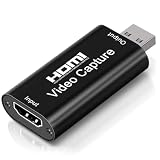
- 4K Upgraded Version High Speed & Full HD: The Audio Capture Card is up to 4K@60HZ High Definition Input, Output max resolution 19201080@60Hz. Record videos directly to the hard disk without time delay. Video Capture is suitable for devices with HDMI signal output, such as PS4 and Switch etc. USB capture card supports 1080P 60fps High Quality Recording and live streaming also. Tips: Please connect with 4k HDMI Cable that can be achieved 3840x2160@60Hz Input (Unencrypted HDMI interface)
- Real-time Preview & Screen Sharing: The Audio Video Capture Card can capture both video & audio simultaneously and transmit audio and video signals to computers and smart phones for preview and storage. The capture card provides a fast and economical way to share content in conference rooms and online meetings via software OBS. 4K Capture widely used for high definition acquisition, teaching recording, imaging, meeting, and facebook portal tv recorder
- Plug and Play & Easy to Use: As a portable plug and play streaming capture card, it does not need to install any driver and supply external power. You can connect the DSLR, camcorder, or action Cam link to your PC or Mac for recording easily. High definition reproduction of video delicate colors, vivid picture. The capture Adapter is compact and portable, suitable for outdoor and indoor live broadcasting
- Low Latency Technology: The 4k Capture Card enables real-time streaming with low latency technology, allowing smooth gameplay and live streaming experiences. The device ensures stable capture with smooth video and audio transmission without delay during your gaming or streaming sessions
- Wide Compatibility: The Video Capture adopted an advanced chip with wide compatibility. It supports most acquisition software, such as VLC, OBS, Amcap etc; supports streaming or recording high-definition pictures of game consoles, meetings or other videos/audios to your computer through third-party capture software; Or live broadcast via the internet easily. Compatible with Windows, Android and MacOS. USB 2.0 high-speed transmission port makes it easier for you to have real-time streaming
Files play in the wrong order or unexpectedly shuffle
Review the VLC Video source’s file list and arrange it in the intended order. Confirm Shuffle Playlist is off; Loop Playlist should be on if the sequence must restart after the final file.
The YouTube event shows no preview
Confirm OBS is streaming to the URL and key shown for the selected Live Control Room event. Check that OBS has started its encoder output, then allow the preview to appear before selecting Go live.
The 4K/60 stream reports poor health or drops frames
Check the current YouTube guidance for the selected ingest codec, then verify the OBS resolution, frame rate, encoder settings, and available upload capacity. Test representative motion before the event and monitor Live Control Room’s stream-health indicators while live.
The broadcast stops when the playlist ends
Confirm Loop Playlist is enabled on the VLC Video source. Also check that OBS itself is still sending the stream; the YouTube viewer loop does not restart or maintain the encoder output.
Copyright and channel-policy checks
Before streaming prerecorded material, make sure you have the rights or permissions needed for the videos and audio, including any music, clips, or other third-party content. A looping broadcast does not change those rights requirements. Review YouTube’s current rules for live content and monetization before relying on a playlist format: YouTube Live encoder guidance. Do not assume that making a playlist live makes reused material original or automatically eligible for monetization.
Quick Recap
Product prices and availability are accurate as of the date/time indicated and are subject to change. Any price and availability information displayed on Amazon at the time of purchase will apply.

