The Tool Desk
Outbyte PC Repair FREEClear out junk files and repair common Windows errorsFree Scan →Outbyte Driver Updater FREEScan for outdated or missing drivers - takes under a minuteDriver Scan →The amount you pledge is only the starting point. A realistic Kickstarter budget separates the reward price from any add-ons, shipping, tax and import charges, because each may be selected or collected at a different time. Use this framework: estimated total = reward + chosen add-ons + shipping + applicable tax or import charges. Treat any unconfirmed line as an estimate and replace it with the address-specific amount shown by the creator or pledge manager.
There is no universal Kickstarter all-in price. Your final amount depends on the campaign, reward tier, delivery country, package weight, fulfillment plan and the way the creator handles taxes and post-campaign orders.

As an Amazon Associate I earn from qualifying purchases.
Start with four separate budget lines
Write the costs in separate lines rather than treating the pledge button as a complete checkout. This makes it obvious which amount is known, which is optional and which may change later.
What’s actually slowing this PC down?
Pick the symptom - the matching free tool is one click away.
| Budget line | What to record | When it may be charged |
|---|---|---|
| Reward | The pledge tier or reward amount you select. | Usually when you submit the pledge, although a campaign can use a later confirmation process. |
| Add-ons | Only the extras, upgrades or additional units you actually intend to choose. | During the campaign or later in Kickstarter’s Pledge Manager, depending on the project. |
| Shipping | The estimate for your delivery country and, when available, the amount calculated for your address and package. | During the campaign, at pledge-manager checkout or closer to fulfillment. |
| Tax and import charges | Amounts stated for your location, plus any import charges the creator says are your responsibility. | At pledge-manager checkout, through another collection method, or from a carrier or customs authority. |
Keep a note beside each line saying confirmed, estimated or to be calculated. Do not enter zero merely because a price is not shown yet. If the campaign leaves a variable unresolved, keep a clearly labelled cushion in your own budget rather than presenting an invented “typical” surcharge.
#1 Best Overall
Read the campaign page for the charges that are easy to miss
Before choosing a tier, find the sections headed shipping, taxes, add-ons, pledge manager, delivery countries and estimated delivery. A low reward price can be misleading if the tier is heavy, ships internationally or requires a later add-on purchase to obtain the version you want.
- Confirm the delivery country. Shipping tables may list different rates by country or region. A rate for the creator’s home country does not establish your rate.
- Check whether the reward is a single item or a bundle. More units can change the parcel weight and therefore the shipping calculation.
- Look for a stated collection schedule. The creator may collect shipping during the campaign or say that a pledge manager will request it after funding.
- Read the add-on rules. The project should say whether extras can be selected later and whether each extra changes shipping.
- Find the tax and duty language. “Tax included,” “tax calculated later,” and “duties paid by backer” describe different obligations.
- Save the wording and date. Campaign settings can change for future backers, so keeping a copy of the terms shown when you pledge helps you compare later requests.
Kickstarter describes shipping estimates as variable and recommends that creators set rates nearer fulfillment when actual costs are clearer. A campaign page can therefore show a provisional figure even when the creator is acting in good faith.
How Kickstarter shipping is collected
Shipping collected with the initial pledge
Some campaigns display a country-specific shipping amount as you select a reward. If that amount is part of the initial checkout, record it separately from the reward in your worksheet. Separating the lines matters if you later add another item or if the creator explains that the displayed amount was an estimate.
Shipping collected after the campaign
Other creators wait until the campaign ends and use Kickstarter’s Pledge Manager. The creator can then request a delivery address and calculate a rate when package dimensions, destination data and fulfillment arrangements are better known. A later request is not automatically an extra fee imposed by Kickstarter; it is the campaign collecting a cost that was not finalized at the original pledge.
Flat-rate and weight-based calculations
Kickstarter’s Pledge Manager supports both flat-rate and weight-based shipping. A flat rate applies the amount configured for a destination or shipping zone. A weight-based setup can change when you add products, choose a larger bundle or select an upgrade. Ask the creator how the project treats combined items if the campaign page does not make that clear.
Why an estimate can change
International carrier prices, package dimensions, fuel surcharges, destination rules and the final mix of rewards can all affect the amount. The creator may also refine country-specific rates closer to fulfillment. Treat an early number as provisional unless the project explicitly says it is fixed.
Rank #2

- Elden Ring board game campaign featuring tactical combat, exploration, treasure hunting, and cinematic boss encounters for 1–4 players
- 20+ hour replayable campaign that can be played as a standalone adventure or combined with other Elden Ring: The Board Game content
- Card-driven, diceless combat system rewards strategic positioning, timing, resource management, and tactical decision-making
- New playable Tarnished classes including the Confessor and Prisoner, adding fresh character options and strategic play styles
- Detailed tabletop miniatures include 22 figures and a massive Godrick the Grafted miniature on a 120mm base, with components varying by selected edition
Changes to shipping settings after launch
Kickstarter’s March 12, 2026 release note says creators can edit certain Pledge Manager shipping settings and rewards or add-ons after launch. Those pricing changes apply to future backers. People who have already completed the Pledge Manager are not charged more because of a later edit. This distinction explains why a project page or a later offer can show a different amount while a completed checkout remains governed by the amount you accepted.
Add-ons and upgrades require their own estimate
An add-on is an optional extra purchased in addition to the reward tier. An upgrade can change the specification or quantity of the reward. Kickstarter’s Pledge Manager supports post-campaign add-ons and upgrades, so the amount you pay on pledge day may not be the amount needed to receive every item you later select.
Check whether the extra changes shipping
Campaigns differ. An add-on might fit in the same parcel, trigger a higher weight band or require a separate shipment. The project’s own terms control. Before selecting an extra, look for a per-item shipping note, a combined-shipping rule or a statement that shipping will be recalculated in the Pledge Manager.
Keep optional spending separate
Budget only for add-ons you genuinely expect to choose. Do not include every possible extra in your headline pledge estimate. A useful worksheet has one row for each selected add-on, its listed price and a note about whether shipping is included, recalculated or still unknown.
Watch for a second decision point
A later email inviting you to complete a Pledge Manager is another checkout decision, not proof that the original pledge was incomplete. Review the reward, extras, shipping and tax lines again before submitting. If you no longer want an optional item, remove it before paying rather than assuming it can be cancelled later.
Taxes, VAT and import charges are location-dependent
Tax treatment depends on your destination, the creator’s setup and the collection method. Kickstarter’s August 13, 2025 tax guidance describes three broad approaches: Kickstarter’s built-in Pledge Manager, a third-party pledge manager and a basic survey. The built-in manager can handle applicable taxes for listed markets. With a third-party service, the creator remains responsible for tax compliance and remittance. A basic survey can collect information but cannot charge tax, shipping or offer add-ons.
Rank #3

- This box includes all the exclusive content unlocked during the original Street Masters Kickstarter campaign
- Add powerful new fighters ruthless enemy factions and immersive story content to your Street Masters collection for expanded variety and replayability
- Each component is designed to seamlessly integrate with the core game and expansions offering new challenges upgraded cards and unique miniatures that elevate the overall experience
- The stretch goal content introduces additional modular options like new decks tokens and gameplay mechanics providing greater tactical depth and customization for players
- A perfect addition for collectors or returning players looking to complete their Street Masters lineup and access all the extras originally available only to campaign backers
Kickstarter’s 2025 explanation says its campaign flow does not charge tax at pledge time and describes tax collection after the campaign. An April 2026 update says creators can choose their own VAT workflow, while Kickstarter continues to collect and remit applicable U.S. and Canadian taxes where required. These statements describe platform capabilities and current guidance, not a guarantee that every project uses the same setup.
“Pledges aren’t purchases.”
Kickstarter, official tax guide
The wording is Kickstarter’s explanation of why a pledge can be treated differently from an ordinary retail transaction during the campaign. It does not mean that your eventual reward is free of tax or import obligations. If the creator says tax will be calculated later, leave that line as an estimate. If the project says duties or customs charges are paid by the backer, reserve money for a possible carrier or customs bill in addition to the amount collected by the campaign.
VAT workflow can vary by creator
Kickstarter’s April 13, 2026 release note says, “Creators now have more control over how VAT is handled in the Pledge Manager.” A creator may therefore use Kickstarter’s settings or its own system. Read the project’s current VAT statement for your destination instead of assuming that a neighboring country follows the same rule.
Do not confuse tax with shipping
Shipping pays for transport and fulfillment. Tax is a separate obligation unless the project explicitly states that a displayed price includes it. Import duty, brokerage or other border charges can also be separate. A shipping estimate that looks complete does not establish that all taxes or duties have been prepaid.
Kickstarter’s platform fees are not a backer surcharge
For projects using the U.S. fee schedule, Kickstarter lists a 5% platform fee and U.S. payment processing of 3% plus $0.30 per pledge, with a micropledge exception. These amounts are deducted from the funding total when a project succeeds. They are creator-side funding deductions, not percentages that you should automatically add to your personal pledge estimate.
The U.S. schedule is specific to that fee page. Other country fee pages can differ, and the creator’s deductions do not tell you what shipping, tax or customs will cost at your destination. Include only the reward, selected extras and destination-specific charges in your backer worksheet.
Rank #4
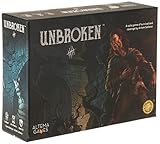
- #1 Backed Solo Operative Card Game of All-Time on Kickstarter!
- Dark Fantasy
A practical budgeting workflow
- Choose the exact reward. Write down the tier name, quantity, version and pledge amount. If a tier has choices, note the choice that affects size, weight or shipping.
- Enter your delivery country. Use the country you expect to receive the package in, not the country associated with your payment card if they differ.
- Record the shipping statement. Copy the displayed estimate and mark whether it is collected now, collected later, flat-rate or weight-based.
- List intended add-ons. Add each optional item on its own row. Note any rule about combined shipping, separate parcels or later recalculation.
- Record the tax instruction. Write the amount if the project shows one; otherwise record that tax or VAT will be calculated later and identify who the project says will collect it.
- Account for import exposure. If the campaign says duties, brokerage or customs are your responsibility, keep that obligation outside the pledge total as an unresolved cost. Do not replace it with a made-up percentage.
- Calculate the estimate. Add reward, chosen add-ons, shipping and known tax or import charges. Keep provisional lines visibly separate from confirmed ones.
- Set a personal limit. Decide the maximum total you can afford before submitting the pledge, including unresolved lines. If the estimate could exceed that limit, choose a different tier or skip the add-on.
- Recheck at Pledge Manager checkout. Compare the reward, address, extras, shipping method, tax and total with your worksheet before confirming payment.
- Save the final receipt. Keep the confirmation and the final address-specific breakdown. It is the best record of what you accepted if the campaign later changes settings for new backers.
How the collection tool affects your bill
The creator’s post-campaign tool determines what you can select and who handles certain calculations. Kickstarter identifies its own Pledge Manager, third-party services such as BackerKit and PledgeBox, and a basic survey as different approaches. This is a comparison of workflow, not a recommendation of a provider.
Quick wins for a faster PC:
Scan for outdated or missing drivers - takes under a minuteDriver Scan →Repair Windows errors before they cause bigger problemsFix Now →Fix the driver behind crashes, sound loss and screen glitchesFind Drivers →| Collection approach | Shipping and add-ons | Tax responsibility described by Kickstarter | What a backer should verify |
|---|---|---|---|
| Kickstarter Pledge Manager | Can collect shipping later, use flat-rate or weight-based rules, and offer add-ons or upgrades. | Handles applicable taxes for listed markets within its supported setup. | Whether the campaign has finalized rates, when payment is requested and which destinations are supported. |
| Third-party pledge manager | Capabilities and timing depend on the service and the creator’s configuration. | The creator remains responsible for compliance and remittance. | Who will charge tax, whether shipping is recalculated and how address changes affect the total. |
| Basic survey | Collects information but cannot charge shipping or offer add-ons. | Cannot charge tax through the survey. | How and when the creator will separately collect any shipping, tax or optional-item amount. |
A project can also use more than one communication step, such as a survey followed by a separate payment request. Do not assume that completing a form means every charge has been settled.
What to do when the total is still uncertain
Use a range, not false precision
If shipping or tax is not final, write a lower and upper planning amount only when the campaign supplies enough information to define those bounds. Otherwise label the line unresolved and set your own spending limit. Calling an unknown charge “free” is not a safe estimate.
Ask a focused project question
Send the creator a concise question that includes your destination and selected tier: ask when shipping will be collected, whether your intended add-on changes the parcel, and whether tax or duties are collected by the project or left to you. A reply about one country or tier does not automatically apply to another.
Update the worksheet at each milestone
- At pledge: record the reward and any amount visibly collected.
- After funding: record the pledge-manager invitation and any revised shipping or tax explanation.
- At address entry: check the country, postal code and any weight-based change.
- Before payment: verify every line in the final checkout.
- At delivery: keep the receipt and note any carrier or customs charge separately from the campaign payment.
Common budgeting mistakes and fixes
Adding Kickstarter’s 5% and processing rate to your pledge
Why it fails: those U.S. figures are deductions from successful project proceeds. Fix: leave them out of your backer total unless the project explicitly presents a separate charge to you.
Assuming the campaign-page shipping estimate is final
Why it fails: creators may set rates closer to fulfillment and may use flat-rate or weight-based calculations later. Fix: mark the figure provisional and check the address-specific Pledge Manager amount.
Best Value

- Exclusive Kickstarter Content: Includes new Wildlife Scoring Cards for your Cascadia game.
- New Scoring Opportunities: Adds fresh ways to score points and plan your habitats.
- Enhances Replayability: Expands strategies and keeps each game feeling new.
- Seamless Integration: Easy to add to your existing Cascadia setup.
- Perfect for Nature Lovers: Explore new combinations of wildlife and landscapes for extra fun.
Assuming an add-on ships free
Why it fails: the project may recalculate weight or charge a separate shipment. Fix: read the add-on shipping rule and include the extra only after you know how it is handled.
Treating “no tax at pledge” as “no tax”
Why it fails: tax may be collected after the campaign, handled by the creator’s own VAT system or left to a different collection method. Fix: record the stated workflow and reserve money until the final calculation.
Ignoring import or brokerage exposure
Why it fails: shipping and border charges are different lines. Fix: follow the campaign’s destination-specific responsibility statement and keep a separate unresolved amount when required.
Do these 3 things before closing this tab:
1Scan for outdated or missing drivers - takes under a minute2Repair Windows errors before they cause bigger problems3Fix the driver behind crashes, sound loss and screen glitchesBelieving a later price edit changes a completed checkout
Why it fails: Kickstarter’s March 12, 2026 note says certain edits apply to future backers, while people who completed the Pledge Manager are not charged more because of those edits. Fix: compare your saved confirmation with the terms that applied when you completed checkout.
The decision rule
Pledge only when the reward plus your selected extras fits your limit after accounting for the campaign’s stated shipping, tax and import workflow. If one of those lines remains genuinely unresolved, treat it as a future liability rather than silently folding it into the reward price. The final, address-specific Pledge Manager breakdown is the point at which an estimate becomes a payable total.
Quick Recap
Product prices and availability are accurate as of the date/time indicated and are subject to change. Any price and availability information displayed on Amazon at the time of purchase will apply.

