Do these 3 things before closing this tab:
1Repair Windows errors before they cause bigger problems2Scan for outdated or missing drivers - takes under a minute3Clear out junk files and repair common Windows errorsAutomate the repeatable work around an AI governance review—gathering evidence, assigning owners, tracking deadlines and recording changes—but keep people responsible for interpreting that evidence and making consequential decisions. A workflow can make reviews more consistent and traceable; it should not silently approve exceptions, accept residual risk or decide how to handle an incident or appeal.
Use a framework as a guide, not an approval machine
NIST’s AI Risk Management Framework (AI RMF) 1.0 is a voluntary resource for incorporating trustworthiness considerations across AI design, development, use and evaluation. Its four functions—GOVERN, MAP, MEASURE and MANAGE—offer a useful structure for organizing review work. NIST says the framework is being revised; it does not by itself establish legal compliance in every jurisdiction or prescribe one universal review interval.


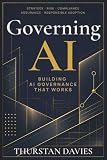
As an Amazon Associate I earn from qualifying purchases.
Governance is not a one-time gate at launch. NIST describes GOVERN as cross-cutting and treats governance as a continual requirement throughout the system lifecycle and organizational hierarchy. The framework’s actions are not a checklist that must be completed in a fixed sequence. Use them to shape an ongoing process, then check applicable laws and sector-specific obligations for your deployment.
Quick wins for a faster PC:
Repair Windows errors before they cause bigger problemsFix Now →Scan for outdated or missing drivers - takes under a minuteDriver Scan →Build a review workflow that keeps decisions with people
The following is an implementation pattern based on NIST guidance, not a NIST-prescribed automation blueprint. Automate administration where information is repeatable and traceable; make the human decision points explicit.
#1 Best Overall
-
Keep an inventory tied to each system and version
Maintain a record for each AI system with its intended use, owner, affected users, lifecycle status, relevant policies and applicable organizational risk tolerance. Link each review to the specific system and version it concerns, so reviewers can identify what has changed since the previous review. These fields are practical implementation choices, not a prescribed NIST data schema.
-
Collect and route evidence, preserving its origin
Where reliable records exist, a workflow can prefill review forms, collect available evidence, assign tasks by role, send reminders and flag missing or stale material. Record the source and timestamp of each item. That way, a reviewer can trace what they are evaluating rather than treating an automatically assembled packet as self-validating. NIST emphasizes documentation and defined roles; it does not endorse a particular product or promise that these steps can be automated in every environment.
-
Use risk to set review effort, not to replace judgment
Base triage on the organization’s documented risk tolerance and the system’s context. A workflow may help route cases or identify which evidence is missing, but its score should not silently redefine that tolerance or approve an exception. NIST says the level of risk-management activity should reflect organizational risk tolerance.
Special offer. See more information about Outbyte and uninstall instructions. Please review EULA and Privacy policy. -
Make accountable decisions explicit
Specify who reviews evidence, who may approve a decision, who can accept residual risk and who handles exceptions, incidents, appeals and overrides. Require the responsible person to record a rationale and any conditions attached to the decision. NIST’s Playbook recommends defining roles and procedures for human oversight, and describes incident response and appeal or override processes as ways to enable human adjudication of system outcomes.
-
Monitor changes and reopen reviews when needed
Set a periodic review cadence and define local triggers for an earlier review—for example, a material change in the model, data, use or performance, or new evidence from an incident. NIST recommends ongoing monitoring and periodic review, but does not establish one frequency or a complete universal trigger list. Choose both according to risk and context.
Choose review timing and approval roles deliberately
Event-triggered and periodic reviews solve different problems. A robust process can use both: scheduled reviews provide a baseline, while material changes or incidents prompt earlier attention.
| Design choice | Strength | Trade-off to manage |
|---|---|---|
| Event-triggered review | Can respond sooner to a meaningful change or incident. | Depends on reliable change and incident reporting; events that are not detected or routed may be missed. |
| Fixed periodic review | Creates a recurring checkpoint even when no trigger is raised. | May leave a gap between reviews; NIST does not prescribe a universal interval. |
| Centralized human approval | Concentrates decision authority and can make accountability easier to identify. | Can increase review workload or slow responses if every case waits for the same approver. |
| Delegated approval within defined roles | Can place decisions with people closest to the system and its context. | Requires clear authority boundaries, escalation paths and consistent records to keep decisions accountable. |
NIST supports periodic review, monitoring and defined responsibilities; it does not rank these design choices. Decide locally how to balance coverage, response time, workload, auditability and escalation, and ensure that higher-risk or exceptional cases reach an appropriately authorized person.
Give generative AI cases room for closer scrutiny
For generative AI, consider more human review and management attention when opportunities, risks, outputs or longer-term performance are less understood. NIST’s Generative AI Profile identifies additional human review, tracking, documentation and management oversight as considerations in those circumstances. Record how the system is used and what review was conducted; do not assume a single generic review level suits every use context.
Make the audit trail useful to reviewers
Documentation should help a person understand the decision, not merely prove that a workflow ran. NIST states: “Documentation can enhance transparency, improve human review processes, and bolster accountability in AI system teams.” A practical review record can connect the system version and context to the evidence considered, the people involved, the rationale, any conditions or exceptions, and the next review point. Preserve links to original evidence where possible so later reviewers can distinguish source material from summaries or automated flags.
NIST’s AI RMF overview describes the framework’s purpose and current revision status; the AI RMF 1.0 provides the framework’s governance and documentation guidance. The AI RMF Playbook offers implementation suggestions, and the Generative AI Profile addresses additional considerations for generative AI.
Quick Recap
Product prices and availability are accurate as of the date/time indicated and are subject to change. Any price and availability information displayed on Amazon at the time of purchase will apply.
The Tool Desk
Outbyte Driver Updater FREEScan for outdated or missing drivers - takes under a minuteDriver Scan →Outbyte PC Repair FREEClear out junk files and repair common Windows errorsFree Scan →
