The Tool Desk
Outbyte PC Repair FREERepair Windows errors before they cause bigger problemsFix Now →Outbyte Driver Updater FREEFix the driver behind crashes, sound loss and screen glitchesFind Drivers →To make a wildlife archive easier to explore, start by deciding what each record represents and which metadata fields are reliable. Then build text search and a small set of filters around those fields, connect media with stable identifiers, and make results accessible while protecting sensitive locations and respecting reuse rights.
1. Inventory the records and metadata you have
Before designing a search box or filter panel, decide what a result represents. It might be an occurrence record—the evidence of an organism at a place and time—or a sampling event, such as a survey visit that may document several occurrences.
As an Amazon Associate I earn from qualifying purchases.
These are different record shapes. GBIF defines an Event as “an action that occurs at some location during some time.” For survey collections, event-level data can preserve the protocol, survey scope, sampling effort, and completeness that help readers interpret records. Flattening those details into individual species records can hide important context. See GBIF’s guide to publishing biological survey and monitoring data.
Make an inventory of the fields present in the archive and check how consistently they are populated. Darwin Core provides a shared vocabulary for biodiversity data; GBIF’s Darwin Core Archive format maps data columns to those terms and packages them with dataset documentation. A consistent vocabulary makes records easier to exchange and reuse. See GBIF’s Darwin Core overview and Darwin Core Archive guidance.
#1 Best Overall

- 64MP Photos & 1296P HD Videos: Equipped with a high-quality optical lens and advanced image sensor, the E5S captures ultra-sharp 64MP photos and smooth 1296P HD videos.
- Low-Power, Eco-Friendly Wildlife Viewing: Simply retrieve the SD card to see what your camera has captured—each visit could bring a new surprise. Non-Cellular and Non-WiFi operation ensures minimal power use, fewer battery changes, and zero disturbances.
- Rugged & Weather-Resistant: Built to withstand harsh outdoor conditions with an IP66 waterproof rating. Features a 1/4"-20 mounting thread for secure placement on trees, posts, or fences. Ideal for use as a durable trail camera.
- Fast 0.1s Trigger Speed with 3 PIR Sensors: Never miss fast-moving deer wildlife. Three PIR sensors enable a lightning-fast 0.1s trigger speed motion activation, perfect for hunting purposes.
- Extended Power Options & Efficient Design: Powered by 8×AA batteries (not included). For continuous outdoor use, the E5S supports the GardePro SP350 Solar Panel (sold separately), ensuring reliable power even in remote areas.
- Identify the record type: occurrence, survey event, dataset, or a combination.
- Check whether taxon names, dates, locations, record types, and license information are present and consistent.
- Decide how each record relates to its parent event, dataset, and media.
- Assign stable, unique identifiers so links and saved searches remain dependable as the archive changes.
2. Choose search and filters that match the data
Use free-text search for words and phrases—such as species names or descriptive text—and structured filters for known fields. A filter is only useful when records contain dependable values for it; a sparsely populated or inconsistently recorded field can make results misleading.
If your metadata supports them, these are practical candidate filters. They are design choices, not a prescribed GBIF interface:
Rank #2

- 𝐍𝐎𝐓𝐄: 𝐢𝐭 𝐢𝐬 𝐍𝐎𝐓 𝐜𝐨𝐦𝐩𝐚𝐭𝐢𝐛𝐥𝐞 𝐰𝐢𝐭𝐡 𝐡𝐨𝐦𝐞 𝐖𝐢𝐅𝐢, 𝐝𝐨𝐞𝐬 𝐍𝐎𝐓 𝐬𝐮𝐩𝐩𝐨𝐫𝐭 𝐜𝐞𝐥𝐥𝐮𝐥𝐚𝐫/𝟒𝐆/𝟓𝐆 𝐧𝐞𝐭𝐰𝐨𝐫𝐤𝐬, and 𝐝𝐨𝐞𝐬 𝐍𝐎𝐓 capable of real-time motion alerts or push notifications. The camera creates its own short-range Wi-Fi hotspot (𝐍𝐨𝐧-𝐂𝐞𝐥𝐥𝐮𝐥𝐚𝐫) for setup, and downloading files only. Wi-Fi range is up to 33–50 ft in open areas. The camera records automatically even when your phone is not connected. No subscription or monthly fees
- Upgraded Split Solar Panel Design: This trail camera features a Allows flexible placement design. Its angle can be manually adjusted to efficiently face the sun, regardless of seasonal changes or terrain. This greatly improves charging efficiency and minimizes sunlight blockage, making it suitable for all kinds of outdoor environments (32GB SD card included (pre-installed). No extra charge)
- Non-Stop Solar Power: Equipped with a high-capacity 6000mAh rechargeable power, this trail camera supports three charging modes: solar charging, Type-C charging, and rechargeable power. It allows for long-term continuous use. No more wasting money or climbing. It is the truly energy saving, and long-lasting solution for 24/7 backyard, farm, and deep-woods surveillance
- Easy & Smart App Control : This wifi trail camera pairs instantly via WiFi + Bluetooth with the user friendly “TrailCamGO” app, with a maximum connection range of 55FT (recommended within 10FT). Photos and videos can be send directly to your phone without removing the SD card. (As the wireless trail camera creates its own hotspot to connect with the phone, it does not support home Wi-Fi networks.)
- 4K & 64MP Ultra-Clear Imaging: With a high-resolution sensor and excellent low-light performance, this solar trail camera minimizes image and video blur or noise, enabling quick wildlife recognition and capturing every detail clearly.Ideal for birdwatching, spotting wildlife, and keeping an eye on your garden/home
- Taxon: scientific or common name, or a taxonomic group.
- Location: a place, region, or other approved geographic unit.
- Date: observation or survey date, with clear instructions for entering a range.
- Record type: basis of record or whether a result is an occurrence or survey event.
- Media: whether photographs or other media are available, and their type if recorded.
- Reuse terms: license or other rights information, when it is recorded.
GBIF occurrence downloads document attributes such as taxonomic names, coordinates, event dates, basis of record, license, and multimedia data. Treat those as possible facets only if your own archive stores equivalent fields with adequate coverage. See GBIF occurrence download guidance.
When practical, keep selected filters in the page URL. That lets readers bookmark or share a result set. This is an implementation choice, not a Darwin Core or GBIF requirement.
Rank #3
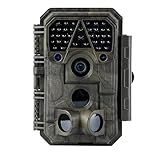
- Crystal-Clear 64MP Photos & 1296p HD Video – Stunning detail day or night, thanks to advanced image tech and a high-performance f/1.6 aperture lens.
- Lightning-Fast 0.1s Trigger Speed – Never miss a moment! Side sensors detect motion instantly, even for fast-moving wildlife, deer.
- Bright 100ft No-Glow Night Vision – Invisible 940nm LEDs and enhanced light capture deliver sharp nighttime footage without spooking animals.
- Smaller Files, Faster Playback – H.264 tech compresses videos (MP4/MOV) for quick downloads and seamless viewing on any device.
- 2.4" Color Display + User-Friendly Controls – Review footage on the spot with an intuitive menu and easy-access buttons.
3. Decide how media relates to records
A media link can be simple or richly described. Darwin Core’s associatedMedia field can hold one or more URLs, which is a lightweight way to connect files to a record. A media extension can carry additional structured details such as creator, description, and license.
For camera-trap images treated as evidence linked to observations, GBIF recommends an Occurrence core with an Audubon Media Description extension. Plan for both one record with multiple media files and one media file associated with multiple observations; preserve unique occurrence-and-media identifier combinations where relevant. See GBIF’s Darwin Core information and its camera-trap data guidance.
Rank #4

- 【Ultra-clear Photos and Videos】36MP Still Images & 2.7K Videos. Thanks to premium optical lens and an advanced image sensor, and built-in 22Pcs 850nm low glow LEDs, this trail camera provides crystal clear images and amazing smooth 2.7K videos with sound in the daytime, low light or nighttime, combined with noise reduction speaker and 2.0” HD TFT Color Screen, which takes you into the world of wildlife.(This camera does not include an SD card.)
- 【Super Night Vision & Low Glow Infrared LEDs】The trail camera is equipped with powerful low glow infrared LEDs, features upgraded 850nm infrared technology, makes this game camera more stealth, which can show the night behavior of animals without disturbing them, encompasses adaptive illumination technology to avoid overexposure or over-dimmed, which can provide clear night images and videos in total darkness, delivers brilliant night vision up to 75ft.
- 【Fast 0.1s Trigger Time &130°Wide Angle】Once movements are detected, the lightning-fast trigger speed of less than 0.1s with 1 to 3 shots choice guarantees fast and accurate capture of each detected motion exposed to the field, never miss any animals that wander by this camera. 130° detection range to give you an expansive field view, indispensable for hunting, wildlife observation, farm monitoring, home backyard, plant growth observation, property security and surveillance.
- 【Easier Setup Than Ever】This hunting camera features a built-in 2.0-inch color screen and TV remote-style control buttons. No Wi-Fi or app is needed; the intuitive and easy-to-use interface allows for quick setup and instant playback, making it suitable for users of all ages. The included mounting strap and stand allow you to stabilize the camera in various scenes and at any angle. A comprehensive user guide helps you quickly get started using this hunting camera.
- 【IP66 Waterproof】KJK201 is designed to withstand extreme environments, thanks to the tightly integrated design of the camera body and high-quality rubber ring, ensuring that works normally from -22 °F to 158 °F, excellent quality can be used in deserts, rainforests, etc. The efficient PIR design works to reduce false triggers, boasting an impressive 17,000-image battery life! The smaller size makes them easier to conceal from theft/vandalism, and also much easier to carry out into the field.
| Approach | What it supports | Best fit |
|---|---|---|
associatedMedia URLs |
One or more links to media; limited structured description | A simple archive that needs to connect records to files |
| Media extension | Structured details such as creator, description, and license | Collections that need richer media metadata or camera-trap relationships |
4. Build an accessible search and filter interface
Make the search function easy to find. Search helps visitors locate content without first understanding the archive’s navigation structure. Give every control a durable, visible label; a placeholder alone is not a substitute. Group related controls with <fieldset> and <legend>, and provide instructions where a format or optional field might be unclear. The W3C Web Accessibility Initiative states: “A label and a form control should be associated with each other either implicitly or explicitly.” See WAI’s tutorial on labeling controls and its forms guidance.
Crashes, No Sound, or Screen Glitches?
Random freezes, missing sound and display glitches usually trace back to one bad driver. Find and replace yours safely.Free scan · under a minutePC Slower Than It Used to Be?
A free scan shows the junk files, broken settings and background clutter dragging Windows down - then fixes them in one click.Free scan · Windows 10 & 11If filters update results without reloading the page, tell users when the result set changes and expose status updates to assistive technology. Keep keyboard focus predictable, and make clear-filter or reset actions easy to locate. WAI’s guidance on status messages explains how interface updates can be communicated without moving focus.
Best Value

- HARVEST MORE BUCKS THIS SEASON - EDGE 3 delivers real-time deer activity, movement patterns, and location intelligence—so you know when and where mature bucks are moving instead of hunting on hope.
- AI BUCK DETECTION + INSTANT ALERTS - Moultrie AI identifies bucks and immediately delivers high-resolution photos or HD video—reducing false alerts and helping you act fast when it matters most.
- NATIONWIDE 4-CARRIER AUTO-CONNECT - Automatically connects to the strongest of four major U.S. networks. No SIM cards. No manual setup. Reliable photo and video delivery—even in remote hunting properties.
- 40MP PHOTOS + 1080p HD VIDEO - Capture crisp, detailed images and lifelike HD video. Low-glow infrared flash keeps nighttime shots clear without spooking deer.
- 0.5-SECOND TRIGGER + 100FT RANGE - Fast trigger speed and long detection range ensure moving deer are captured cleanly—no blur, no missed opportunities.
5. Protect sensitive locations and explain reuse rights
Decide what location precision may be made public before indexing coordinates for search. Depending on the species, collection, and jurisdiction, the archive may need to hide precise locations, generalize them, or restrict access. GBIF’s camera-trap guidance identifies sensitive information as a data-management consideration, but it does not set one coordinate policy for every collection. See GBIF camera-trap guidance.
Show license and attribution details near records or media, and explain which terms apply to each item. A record being visible does not mean its image or data can be reused without restrictions: permissions depend on the contributing dataset and asset. GBIF documents license information in occurrence downloads at its occurrence download guidance.
6. Test filters with real reader tasks
Test the interface using questions visitors are likely to ask—for example, finding a species in a particular region during a date range, or locating survey records that include camera-trap images. Check that results make sense, filter labels are understandable, and users can tell when a filter is active or when no records match.
GBIF reported that more than 4,000 Event datasets were discoverable through its network as of 2025. That figure describes GBIF’s network, not the expected scale or performance of any individual archive. The standards and accessibility guidance above do not prescribe a search engine, a universal facet ranking, or performance targets; choose technology based on your record volume, existing stack, and testing with your own users. See GBIF’s survey and monitoring data guide.
Quick Recap
Product prices and availability are accurate as of the date/time indicated and are subject to change. Any price and availability information displayed on Amazon at the time of purchase will apply.

