Do these 3 things before closing this tab:
1Repair Windows errors before they cause bigger problems2Scan for outdated or missing drivers - takes under a minute3Clear out junk files and repair common Windows errorsTo accept UPI safely, open a merchant account with a payment provider, link the business bank account, display the provider-issued merchant QR, and verify every payment in the provider’s app or confirmation device before handing over goods or completing a service. Reconciliation then happens in two stages: match individual customer transactions to the provider’s records, and match provider settlement entries—often batches of transactions—to credits in the bank statement.
A personal QR may collect money, but it usually does not provide the merchant reporting, settlement references, staff controls, and exportable records that a business needs. The exact onboarding documents, fees, settlement schedule, and device terms depend on the provider and the merchant account, so check the current terms before signing up.
As an Amazon Associate I earn from qualifying purchases.
What you need before accepting UPI
A small business counter needs four basic elements:
Quick wins for a faster PC:
Clear out junk files and repair common Windows errorsFree Scan →Scan for outdated or missing drivers - takes under a minuteDriver Scan →- A merchant account with a provider that supports UPI acceptance.
- A business bank account linked for settlements.
- A provider-issued QR associated with that merchant account.
- A process for confirming payments and recording settlements.
Do not assume that every business is automatically eligible, that every QR is free, or that no documents are required. Provider onboarding can include account activation, identity or business documentation, bank verification, and KYC checks. Requirements vary by provider, business type, account configuration, and current policy. Review the provider’s merchant onboarding and KYC instructions before preparing signage or taking live payments.
#1 Best Overall

- 【Professional image】The clear acrylic and black matte base look sleek and professional, making a lasting impression. Make your potential customers scan your QR code without hesitation and help you win business opportunities!
- 【Foldable Design】Unlike typical acrylic signs, this folds so that packing it away isn’t about finding a niche space to avoid cracks, chipping, and fractures. Easily adjust to the right angle for optimal display, and make your flyers stand out!
- 【Magnetic QR Code Stand】The magnetic feature makes changing out QR codes, flyers, or promotional paper super quick. Saves time and allows you to better focus on your business during events!
- 【Environmentally friendly material】The QR code stand is crafted from eco-friendly acrylic, it offers a transparent and clear view. The double-sided design is great for maximizing visibility!
- 【Wide Use】Ideal for personal studios, exhibitions, trade shows, reception areas, retail stores, restaurants, booths, meeting rooms, hotels, and hair salons, the ability to flexibly display business advertising information is an ideal tool for effective brand promotion.
Use the merchant account when the business needs organized records. A personal QR can make the money appear in an individual account and leave the business without consistent transaction IDs, settlement reports, refund controls, or a clean audit trail.
How can my small business accept UPI payments?
- Choose a merchant provider. Compare the onboarding path, supported customer payment methods, reporting, settlement timing, support, exports, and total charges. Product pages are provider descriptions, not independent comparisons; confirm the current plan and eligibility for the specific business.
- Complete merchant onboarding and link the bank account. Follow the provider’s current application, verification, and bank-account instructions. Use an account that the business can access for bookkeeping and settlement review.
- Obtain the provider-linked merchant QR. The provider may let you generate and download a QR in its business app, print it yourself, order a sticker, or obtain a standee. For example, Paytm describes generating and downloading an All-in-One QR through its Business app, printing it, or ordering a delivered QR sticker. PhonePe describes QR stickers and standees as merchant options. These are provider-specific features, not universal promises.
- Test the QR before opening. Scan it with a test payment from a separate account and check that the merchant name, destination, and credited account are the intended ones. Confirm that the payment appears in the business app or dashboard and that the amount is correct.
- Place the QR where customers can scan it. Keep it upright, well lit, and protected from glare. Do not cover the code with price labels or laminate it in a way that makes scanning difficult. A stand or sticker only displays the code; it does not process a payment unless the code is the one issued for the live merchant account.
- Train every counter employee. Staff should know the merchant name shown after scanning, where the success status appears, how to find a transaction, and when to escalate an uncertain payment instead of releasing the order.
Verify every payment before releasing goods or services
The customer’s screenshot is not a reliable accounting record. Screenshots can show a pending, failed, reversed, old, or unrelated transfer, and they do not prove that the merchant account received the money.
Use the merchant app or dashboard
After a customer pays, open the provider’s merchant app or dashboard and verify a successful transaction for the expected amount. Record or associate the transaction ID with the order, invoice, table number, or service job when the system provides that field. Paytm’s merchant dashboard and app documentation describes viewing payments and managing the merchant account; comparable screens and labels differ by provider.
Use a confirmation device when the counter is busy
A soundbox can announce incoming payments so staff do not have to watch a phone continuously. PhonePe describes its SmartSpeaker as providing instant payment confirmations, and Paytm’s support materials reference a Soundbox offering. Treat an audible announcement as an operational aid, not as the complete accounting check: review the transaction record and later settlement as well.
Rank #2

- Classic Size: 4 x 6 inch. Dimensions: 4 x 6”(102mm X 153mm) , QR Code Signs.
- Premium Acrylic: transparent and super strong.The clear display stand vendor booth display items allows your signs to shine, grabbing customers' attention.
- Metal Stand: Easy to load in paper signs and stay sturdy. These versatile acrylic paper holder can be used in a variety of settings, making them ideal for any small business supplies.
- Slanted Back Support: To ensure that your pamphlet can maintain a certain Angle of tilt and not tip forward.
- Stable Base Extended: Allows your book to be more stable on the table.
Apply a simple release rule
- No successful status in the merchant system: hold the order or service.
- Amount differs from the bill: stop and resolve the difference before delivery.
- Status is pending, reversed, or unclear: ask the customer to wait while staff check the provider record; do not rely on a screenshot.
- Payment appears under a different merchant account or QR: escalate to the account owner and retain the reference shown.
How do I reconcile UPI payments with my bank account?
Reconciliation is easier when you keep two separate views. The transaction view answers, “Which customer payments were received?” The settlement view answers, “Which provider transfer reached the bank?” One bank credit may represent many customer payments, so a transaction list cannot always be matched one-for-one with bank statement lines.
Close the transaction ledger
- Select the same date range in the provider app, dashboard, or downloadable report as the sales period being closed.
- Export or review each transaction and record the transaction date, amount, status, and available order, invoice, or reference number.
- Exclude failed, cancelled, refunded, or reversed items from the received-sales total, while retaining them in an exception log.
- Check that the successful transactions in the provider report agree with the bills or point-of-sale records for that period.
Close the settlement ledger
- Open the provider’s settlement section separately from the customer transaction list.
- For each settlement, record the settlement date or time, amount, and provider reference number or UTR.
- Find the corresponding credit in the linked bank statement. Paytm states that each settlement has a UTR visible in its app or dashboard and instructs merchants to match that UTR with the credit in the linked bank account.
- Compare the settlement amount and date or time with the bank entry. Paytm’s settlement view describes fields such as amount, date, time, reference number, and UTR; the same reference may also appear in the bank statement.
- Mark the settlement as matched only when the reference and amount support the connection. Keep the provider transaction IDs behind the settlement so a batch can be traced back to its individual payments.
Maintain a reconciliation sheet with columns such as transaction ID, order or invoice reference, transaction amount, status, settlement ID or UTR, settlement amount, bank-credit date, bank statement reference, and exception status. The exact column names are up to the business; the purpose is to preserve a trace from sale to provider record to bank credit.
Investigate exceptions instead of forcing a match
- Unmatched bank credit: search the provider settlement report by amount, date range, and UTR before posting it as a sale.
- Expected settlement missing: check the provider’s stated settlement schedule, account status, bank holidays, and any hold or review notice; then open a support case with the transaction and settlement references.
- Amount difference: look for refunds, chargebacks, adjustments, taxes, fees, or other deductions described in the merchant agreement.
- Refund or chargeback: link the adjustment to the original transaction and retain the provider’s status and case reference.
- Duplicate entry: compare transaction ID, UTR, amount, and timestamp before deleting anything from the ledger.
Keep the provider exports, settlement reports, bank statements, and support-case references according to the business’s bookkeeping and tax-record practices. The provider material does not establish one universal legal retention period, so do not substitute an invented number.
The Tool Desk
Outbyte Driver Updater FREEFix the driver behind crashes, sound loss and screen glitchesFind Drivers →Outbyte PC Repair FREEClear out junk files and repair common Windows errorsFree Scan →Understand settlement timing and aggregation
Do not assume that every successful customer payment creates an immediate, separate bank credit. Providers commonly aggregate multiple transactions into a settlement, while some products offer transaction-wise settlement. Your reconciliation method must follow the model enabled for the merchant account.
Rank #3

- Multi-Platform NFC & QR Code Display Stand: Engage your visitors with this transparent acrylic display stand featuring review tap card, Instagram QR code stand, and Facebook follow us sign. Each platform has an independent NFC tag and QR code, letting guests review us or follow us individually. Works seamlessly with all smartphones
- Easy Setup & Platform Activation: Quickly set up each platform by scanning its individual QR code, then enter the activation code to link it to the corresponding platform. Each platform operates independently, allowing visitors to instantly interact with your review stand, Instagram QR code stand, or Facebook follow us sign
- Analytics Dashboard & Engagement Tracking — No App, No Subscription Fees: Access visitor statistics and engagement data through your dashboard. See how often customers access your Google review $ social media page and gain greater visibility into customer interactions. Simply activate once and manage everything from your dashboard
- Premium Clear Acrylic Stand: Made from crystal-clear acrylic, this 110×210 mm display stand neatly organizes your Google Reviews, Instagram andFacebook links in one professional display. Customers can instantly connect through either NFC tap or QR code scan, making it easier to review or follow your social media—all from a single stand while keeping your counter clean and organized
- Suitable for All Business Environments: Perfect for small businesses, cafés, salons, retail stores, or events, this stand works as a professional review us and follow us on social media sign. Its modern, transparent design fits seamlessly in any commercial setting, enhancing visibility and engagement
Aggregated settlements
With aggregation, the provider groups eligible payments and sends one or more transfers to the linked bank account. The bank statement may therefore show a credit that is larger than any single customer payment. Use the settlement UTR or reference to connect that credit to the provider’s batch, then connect the batch to its component transaction IDs.
Transaction-wise settlement
Paytm describes a transaction-wise option in which payments are settled one by one. Its downloadable transaction report includes a UTR and settlement timestamp or date for each item. The same page states that settlement typically occurs within 90–100 seconds for that described product and notes limitations involving refund or chargeback deductions. Those are product-specific statements, not an industry-wide settlement guarantee. Confirm present eligibility, timing, deductions, and refund treatment before relying on them for cash-flow planning.
Choose the right counter setup
| Setup | What it does | Best fit | Questions to verify |
|---|---|---|---|
| Merchant QR and business app | Displays a QR and lets staff view payment records. | A small shop or service counter handling UPI primarily. | Onboarding, supported payment modes, transaction search, exports, settlement cadence, and fees. |
| QR standee or sticker | Provides a stable physical display for the provider-issued QR. | Counters where customers scan from a fixed position. | Whether the provider supplies or charges for the display, print quality, replacement process, and account linkage. |
| Soundbox | Announces payment confirmations aloud. | Busy counters where staff cannot watch a phone continuously. | Provider compatibility, activation, rental or service charges, connectivity, battery, and what happens when the device is offline. |
| POS device | Can combine UPI, card, and sometimes wallet acceptance with receipts and reporting. | Businesses that take cards as well as UPI and want one operational view. | Accepted modes, printer and paper costs, connectivity, battery, settlement terms, support, and total device cost. |
PhonePe describes a POS device with UPI, debit-card, credit-card, and wallet acceptance, plus UPI/POS reconciliation in its Business App. Its listed hardware features include a touchscreen, thermal printer, connectivity options, battery, and dynamic QR. The page directs merchants to contact the provider to order it, so availability and current pricing must be confirmed rather than assumed.
Set up a reliable physical QR display
A “UPI QR code stand” is a useful accessory category for a counter, but the stand itself has no payment function. Print or mount only the QR issued for the business’s live merchant account. Check the merchant name by scanning from several phones before putting the display into service.
Rank #4

- ✅ ALL-IN-ONE SCAN TO PAY QR CODE SIGN:Accept payments effortlessly with our custom QR code stand! Perfect for Venmo, Cash App, PayPal, Zelle, or any payment app you use. Just add your QR codes, set it up, and let customers scan and pay in seconds—no more fumbling with cash or card readers at your small business, vendor booth, salon, or shop.
- ✅ HIGH-QUALITY ACRYLIC & STURDY WOODEN STAND:Made with premium, clear acrylic (thick and durable, no easy scratches) and a solid wooden base, this QR payment sign stays stable on your countertop, table, or checkout desk. The smooth, glossy finish keeps your QR codes clear and scannable, even with daily use at busy markets or shops.
- ✅ FULLY CUSTOMIZABLE TO YOUR NEEDS:Upload your own QR codes, choose your background design, and add custom text to make your payment sign unique. Whether you need 1, 2, 3 or 4 QR codes for payments, social media, or Wi-Fi, we’ll print it exactly how you want—great for branding your small business or side hustle.
- ✅ PERFECT FOR EVERY BUSINESS & EVENT:Ideal for small businesses, pop-up shops, craft fairs, farmers markets, food trucks, salons, boutiques, and even yard sales. Whether you’re a vendor, freelancer, or local shop owner, this QR code stand makes contactless payments easy for you and your customers.
- ✅ EASY TO USE & LONG-LASTING:Setting up your custom QR code sign is simple: just remove the protective film, place it in the wooden stand, and start accepting payments. The high-quality print won’t fade, so your QR codes stay scannable for years. If you have any questions about customization or your order, our support team is here to help!
- Place the code at eye level or on the payment side of the counter.
- Keep enough space around the code for camera focus.
- Use a backup printed copy if the first display is damaged, but retire old codes after an account or provider change.
- Prevent staff from swapping in a personal QR “temporarily.” Temporary workarounds create reconciliation and ownership problems.
If you choose a soundbox, confirm that the model is supported by the selected provider and whether the quoted purchase includes activation, connectivity, service, or a recurring charge. A branded POS terminal is a provider device and service purchase, not a generic accessory; compare the current offer with the business’s expected transaction volume and operating needs.
Independent reader supportYour contribution helps us test, update, and keep practical guides available for everyone.Build a daily and monthly control routine
At each shift or day end
- Count successful provider transactions and compare them with sales or invoice records.
- Review pending, failed, refunded, reversed, and disputed statuses.
- Export or save the provider transaction report for the period.
- Record any support ticket, transaction ID, and promised follow-up.
When a settlement is expected
- Download or review the settlement report.
- Match every settlement UTR or reference to a bank credit.
- Trace batch settlements back to their component transactions.
- Investigate missing, duplicated, delayed, or partially adjusted entries.
At month end
- Confirm that all bank credits are classified as sales, refunds, fees, transfers, or another appropriate category.
- Retain reports in a consistent folder or accounting system with the statement period.
- Review access to the merchant app and remove former staff from authorized devices.
- Check that the displayed QR still points to the intended merchant account.
Common mistakes and how to correct them
Using a personal QR for business sales
Move acceptance to a merchant account and replace every display. Until the change is complete, keep a separate log of payments and disclose the arrangement to whoever handles the business books; do not mix personal and business receipts without a traceable record.
Releasing an order after seeing a screenshot
Search the merchant app by amount, time, or transaction reference and wait for a successful status. If the provider record does not confirm receipt, treat the payment as unresolved.
Free tools Windows power users keep installed
One-click scans. No signup required.
Matching customer payments directly to bank lines
First identify the provider settlement and UTR, then map the settlement to its transactions. A one-to-one assumption will create false missing-payment alerts when the provider batches receipts.
Best Value
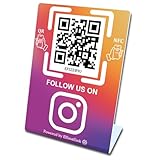
- 【Elegant Design】The sign adopts a standing design, which is easy to move and place. The size reaches 3.9*5.5 inches, which is very eye-catching. The material is high-end plastic material, which highlights the high-end of your brand. The design of large NFC coil and QR code allows users to enter your shop page more smoothly to follow you.
- 【Win More Followers】More followers means higher SEO and more sales while attracting new customers. Our eye-catching stands are perfect for local businesses, shops, restaurants, offices or any type of business that is looking to improve their online presence.
- 【No Monthly Fees】Our products are purchased once and used forever. No subscription or monthly payments are required. Products can be tapped and scanned by customers an unlimited number of times.
- 【No App, Easy Setup】You don't need to download any App, you can easily set up the sign on our website, and it can be set up in a few minutes. And our backend provides the service of changing the settings at any time.
- 【Data Statistics】You can view the data of a single stand or multiple stands through your backend. If you have multiple stores, you can also view the data of a single store or multiple stores. This makes it easier for you to analyze data and formulate business strategies.
Treating “instant” or “zero fee” as universal
Such wording may describe a particular product, plan, payment mode, or promotion. Read the current merchant terms for transaction charges, device rental, service fees, settlement exceptions, and refund or chargeback deductions.
What to compare before choosing a provider
Use the following checklist with the actual offer presented during onboarding:
- Eligibility, merchant documentation, KYC, and bank-account requirements.
- UPI methods and any additional modes such as cards or wallets.
- How staff receive notifications and search transactions.
- Whether exports include transaction IDs, UTRs, timestamps, refunds, and settlement dates.
- Settlement cadence, holds, holidays, limits, and exception handling.
- API, accounting, POS, or ERP integration and export formats.
- Customer and merchant support channels and escalation references.
- QR printing or replacement charges, soundbox costs, POS purchase or rental, service fees, and transaction charges.
Provider pages are useful for understanding available features, but they are marketing and support materials for their own products. Confirm the exact current terms, fees, device availability, settlement behavior, and account eligibility for the business before accepting live payments.
What’s actually slowing this PC down?
Pick the symptom - the matching free tool is one click away.
Quick Recap
Product prices and availability are accurate as of the date/time indicated and are subject to change. Any price and availability information displayed on Amazon at the time of purchase will apply.

