Recommended Free Tools
Matter is the application and security layer; Wi-Fi and Thread are two different ways a Matter device reaches an IP network. An ESP32-C6 can run a Matter example over either Wi-Fi or Thread, but Espressif documents those as separate configurations rather than one example using both transports at once. A Thread Border Router is a separate network function: it joins the Thread mesh to a backbone network such as Wi-Fi or Ethernet so a controller on the backbone can communicate with Thread devices.
What each part does
It helps to separate three terms that are often treated as interchangeable:
As an Amazon Associate I earn from qualifying purchases.
- Matter defines application behavior, commissioning, device models, encryption and IP-based communication.
- Wi-Fi or Thread provides the device’s local network attachment.
- A Thread Border Router forwards connectivity between a Thread mesh and an IP backbone, normally Wi-Fi or Ethernet.
Matter does not replace Wi-Fi or Thread. It runs above the IP layer, so a Matter controller and endpoint exchange Matter messages after ordinary IP reachability has been established. A Wi-Fi Matter plug joins the home’s Wi-Fi network directly. A Thread Matter sensor joins the Thread mesh; the border router makes that mesh reachable from the home’s backbone network.
Espressif’s Developing with the SDK – ESP32-C6 – ESP-Matter Programming Guide states: “ESP32-C6 supports both the Wi-Fi and IEEE 802.15.4 radio, so you can run Wi-Fi or Thread matter example on it.” The important word is “or.” The documented examples select one radio/network role at a time.
#1 Best Overall
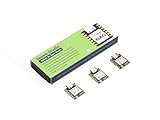
- Enhanced Connectivity: Combines 2.4GHz Wi-Fi 6 (802.11ax), Bluetooth 5(LE), and IEEE 802.15.4 radio connectivity, allowing you to apply the Thread and Zigbee protocols.
- Matter Native: Supports building Matter-compliant smart home projects thanks to its enhanced connectivity, achieving interoperability
- Security Encrypted on Chip: Powered by ESP32-C6, it brings enhanced encrypted-on-chip security to your smart home projects via secure boot, encryption, and Trusted Execution Environment (TEE)
- Outstanding RF performance: Has an on-board antenna with up to 80m BLE/Wi-Fi range, while reserving an interface for external UFL antenna
- Leveraging Power Consumption: Comes with 4 working modes, with the lowest being 15 μA in deep sleep mode, while also supporting lithium battery charge management.
How Wi-Fi and Thread differ for a Matter device
| Question | Wi-Fi Matter device | Thread Matter device |
|---|---|---|
| Radio and network | Wi-Fi station mode; joins the household Wi-Fi access point. | IEEE 802.15.4 radio; joins a Thread mesh. |
| Typical design target | Higher-bandwidth or continuously powered products such as displays, cameras, speakers and mains-powered appliances. | Low-power mesh products such as sensors, buttons and locks, especially when battery operation matters. |
| Additional infrastructure | Wi-Fi access point and a Matter controller that can reach the device. | Thread Border Router plus a Matter controller that can reach both the Thread and backbone sides. |
| ESP32-C6 example setting | CONFIG_OPENTHREAD_ENABLED=n, CONFIG_ENABLE_WIFI_STATION=y, CONFIG_USE_MINIMAL_MDNS=y. |
CONFIG_OPENTHREAD_ENABLED=y, CONFIG_ENABLE_WIFI_STATION=n, CONFIG_USE_MINIMAL_MDNS=n. |
These are architectural trade-offs, not a published speed, range or battery-life benchmark. Espressif describes Wi-Fi as suitable for higher-bandwidth, constantly powered devices and Thread as low-power mesh networking for battery-operated devices. Your enclosure, radio environment, traffic pattern and power budget still determine the practical result.
What a Thread Border Router actually does
A border router is not simply another Thread end device and it is not the same thing as a Matter controller. Its job is to connect the Thread network to a backbone IP network. The backbone can be Wi-Fi or Ethernet. Thread nodes retain their mesh addresses and routing, while the border router provides the path to devices and services on the backbone.
In a typical home, the path looks like this:
- A Matter sensor sends an application message over Thread.
- The Thread mesh delivers the packet to the border router.
- The border router forwards it between the Thread network and the Wi-Fi or Ethernet backbone.
- The Matter controller, reachable on that backbone, processes the Matter message and can send a response back through the same path.
Espressif’s introduction describes the architecture this way: “By efficiently combining ESP32-H and our Wi-Fi SoCs, a Thread Border Router can be built to connect the Thread network with the Wi-Fi network.” In the Wi-Fi-based Border Router design documented by Espressif, a Wi-Fi host SoC works with an ESP32-H-series radio co-processor (RCP). The RCP supplies access to the IEEE 802.15.4 physical and MAC layers, while the host handles the higher-level border-router functions.
Free tools Windows power users keep installed
One-click scans. No signup required.
Espressif also documents an ESP32-C6 OpenThread border-router example. That demonstrates an implementation option, not a promise that every ESP32-C6 development board is a turnkey border router. Board interfaces, firmware image, host networking and the selected SDK example all matter.
Can one ESP32-C6 use Wi-Fi and Thread?
The chip contains both a Wi-Fi radio and an IEEE 802.15.4 radio, so it is capable of projects involving both technologies. However, the ESP-Matter examples described by Espressif are mutually configured:
Rank #2

- ESP32-C6-DevKitC-1 development board using the universal module ESP32-C6--1 with 16 MB SPIflash
- ESP32-C6 development board has complete Wi-F, low-power Bluetooth and other functions
- ESP32-C6--1 uses an onboard PCB antenna, and the module has a built-in ESP32-C6 chip, which has good functionality
- The ESP32 USB Type-C interface of the ESP32-C6 chip supports USB 2.0 full-speed mode and can also be used as the power supply interface of the development board. It can burn firmware to the chip, communicate with the chip through the USB protocol, and can also be used for debugging
- ESP32-C6-DevKit most of the pins of the module on the board have been led out to pin headers on both sides. Developers can easily connect various peripheral devices through jumpers according to actual needs. The development board can also be plugged into a breadboard for use
- The Thread configuration enables OpenThread and disables Wi-Fi station mode.
- The Wi-Fi configuration disables OpenThread and enables Wi-Fi station mode.
Therefore, do not treat the ordinary Wi-Fi Matter example and ordinary Thread Matter example as concurrent dual-transport firmware. If a project needs one product to perform multiple network roles, use an implementation specifically designed and documented for that role, such as a border-router example, and verify its resource, interface and SDK requirements.
Hardware planning: what your experiment needs
| Goal | Minimum architecture | Important checks |
|---|---|---|
| Wi-Fi Matter end device | ESP32-C6 development board running the ESP-Matter Wi-Fi example, a Wi-Fi access point and a compatible Matter controller. | Confirm the board’s flash, USB or serial interface, power arrangement and pin mapping match the example. |
| Thread Matter end device | ESP32-C6 development board running the ESP-Matter Thread example, a Thread Border Router and a compatible Matter controller. | Confirm 802.15.4 support, antenna or RF design, firmware target and commissioning method. |
| Thread Border Router lab | Documented border-router implementation, a Thread radio/RCP where required, and a Wi-Fi or Ethernet backbone. | Do not substitute an unconfigured Matter end-device board for the border-router firmware or host functions. |
| Mixed smart home | Wi-Fi Matter products, Thread Matter products, at least one functioning border router and a controller able to reach both networks. | Check that the controller and backbone routing allow discovery and operation across the border router. |
There is no single retail board specification established for every ESP32-C6 development board. Select a board only after checking the interfaces and support required by the exact example and SDK release you intend to build.
Configure an ESP32-C6 Matter example
Espressif’s ESP-Matter documentation presents the radio choice through configuration symbols. The following process keeps the transport decision explicit.
Build a Thread Matter end device
- Start with the ESP-Matter ESP32-C6 Thread example and the SDK version supported by that example.
- Set
CONFIG_OPENTHREAD_ENABLED=yto enable OpenThread. - Set
CONFIG_ENABLE_WIFI_STATION=nso the device does not use Wi-Fi station mode in this configuration. - Set
CONFIG_USE_MINIMAL_MDNS=n, as specified for the documented Thread configuration. - Build, flash and monitor the firmware using the normal ESP-Matter workflow for your selected board.
- Commission the device through a Matter controller while a functioning Thread Border Router is present. The controller must be able to reach the Thread side through that border router.
The exact menu labels and defaults can change between SDK releases. Treat the symbols above as the documented configuration values and verify them in the release-specific ESP-Matter guide before compiling.
Build a Wi-Fi Matter end device
- Choose the ESP-Matter ESP32-C6 Wi-Fi example rather than the Thread example.
- Set
CONFIG_OPENTHREAD_ENABLED=n. - Set
CONFIG_ENABLE_WIFI_STATION=yso the device joins the access point as a Wi-Fi station. - Set
CONFIG_USE_MINIMAL_MDNS=y, matching Espressif’s documented Wi-Fi configuration. - Build and flash the board, then provide the network credentials through the example’s documented commissioning flow.
- Commission it with a Matter controller that is reachable on the same IP network or through correctly configured home routing.
A Wi-Fi end device does not need a Thread Border Router merely because it uses Matter. The border router is required for the Thread branch of the deployment.
Rank #3

- Equipped with a high-performance 32-bit RISC-V processor with clock speed up to 160 MHz, and a low-power 32-bit RISC-V processor with clock speed up to 20MHz
- Supports 2.4GHz Wi-Fi 6 (802.11 b/g/n) and Bluetooth 5 (LE), with onboard antenna
- Built in 320KB ROM, 512KB of HP SRAM, 16KB LP SRAM and 4MB Flash memory. Onboard 1.47inch LCD display, 172×320 resolution, 262K color
- Adapting multiple IO interfaces, integrates full-speed USB port. Onboard TF card slot for external TF card storage of pictures or files
- Supports accurate control such as flexible clock and multiple power modes to realize low power consumption in different scenarios. Built-in RGB LED with clear acrylic sandwich panel for cool lighting effect
Where the border router fits in commissioning and daily control
Commissioning establishes the Matter fabric and security credentials; it does not turn Wi-Fi into Thread or remove the need for Thread infrastructure. For a Wi-Fi device, the access point supplies the network attachment. For a Thread device, the device first needs Thread network access, and the controller needs a reachable path through the border router.
After commissioning, the controller may be on Wi-Fi while the endpoint is on Thread. That is normal when the border router is operating correctly. The controller does not have to be a Thread radio itself, but it must be able to communicate with the IP interfaces and services exposed through the border-router path. A controller or hub that cannot reach both sides may discover only part of the installation.
Independent reader supportYour contribution helps us test, update, and keep practical guides available for everyone.Common design mistakes and fixes
Assuming dual-radio means dual-transport firmware
Symptom: You expect the stock Wi-Fi example to join Thread at the same time. Fix: Use the separate Thread configuration, or adopt a specifically documented multi-role or border-router implementation. Do not merely set both feature flags and assume the result is supported.
Omitting the border router
Symptom: The Thread device powers up but the controller cannot discover or control it. Fix: Add and verify a Thread Border Router, then check that the controller and border-router backbone are reachable on the same intended IP network.
Using the wrong radio configuration
Symptom: A build contains OpenThread when you intended Wi-Fi, or Wi-Fi station mode when you intended Thread. Fix: Inspect the three documented symbols before building: OpenThread, Wi-Fi station mode and minimal mDNS. The Thread and Wi-Fi sets are opposites for the first two symbols and differ for the mDNS setting.
Rank #4

- ESP32-C6-DevKitC-1 development board using the universal module ESP32-C6--1 with 4 MB SPIflash
- ESP32-C6 development board has complete Wi-F, low-power Bluetooth and other functions
- ESP32-C6--1 uses an onboard PCB antenna, and the module has a built-in ESP32-C6 chip, which has good functionality
- The ESP32 USB Type-C interface of the ESP32-C6 chip supports USB 2.0 full-speed mode and can also be used as the power supply interface of the development board. It can burn firmware to the chip, communicate with the chip through the USB protocol, and can also be used for debugging
- ESP32-C6-DevKit most of the pins of the module on the board have been led out to pin headers on both sides. Developers can easily connect various peripheral devices through jumpers according to actual needs. The development board can also be plugged into a breadboard for use
Treating any C6 board as interchangeable
Symptom: Firmware builds but the board cannot be flashed, powered or connected as the example expects. Fix: Check the selected board’s USB or serial connection, flash capacity, power supply, antenna/RF layout and exposed pins against the example’s board requirements.
Following a moving “latest” guide without checking the SDK
Symptom: Menu names, defaults or build behavior differ from the instructions you are reading. Fix: Pin the ESP-Matter and ESP-IDF versions used by the project. Espressif’s latest ESP-Matter and ESP Thread Border Router pages can change; the OpenThread API example and RF-coexistence guidance are explicitly associated with ESP-IDF release-v5.5.
A practical decision checklist
- Choose Wi-Fi when the product is continuously powered or needs more bandwidth than a small sensor normally requires.
- Choose Thread when low power and mesh connectivity are central design goals.
- Before selecting Thread, confirm that the home or lab has a compatible Thread Border Router.
- Confirm that the intended Matter controller can reach both Wi-Fi-connected and Thread-connected devices.
- Select the exact ESP-Matter example first, then set the matching radio configuration; do not mix the Wi-Fi and Thread symbol sets.
- Verify the development board’s interfaces and SDK support rather than assuming all ESP32-C6 boards behave identically.
- Plan the border router as infrastructure, not as an ordinary Matter endpoint.
What this means for an ESP32-C6 smart home
An ESP32-C6 gives a maker a useful choice of Matter network attachment: Wi-Fi for a directly connected, generally powered endpoint, or Thread for a low-power mesh endpoint. The choice is made in firmware and network architecture, not by Matter itself. A Thread Border Router then supplies the missing bridge between the Thread mesh and the home’s Wi-Fi or Ethernet backbone. Once those roles are kept separate, the design is straightforward: select the transport, build the corresponding example, provide the required infrastructure and verify that the controller has an IP path to the resulting device.
Frequently Asked Questions
Do I need a Thread Border Router for a Wi-Fi Matter device?
No. A Wi-Fi Matter endpoint joins the Wi-Fi network directly. A Thread Border Router is needed when the endpoint uses Thread.
What’s actually slowing this PC down?
Pick the symptom - the matching free tool is one click away.
Can an ESP32-C6 run the documented Wi-Fi and Thread Matter examples simultaneously?
No. Espressif documents them as distinct configurations: Thread enables OpenThread and disables Wi-Fi station mode, while Wi-Fi does the reverse.
Is an ESP32-C6 development board automatically a Thread Border Router?
No. Espressif documents a C6 border-router example, but board hardware, firmware, host networking and SDK details must match that implementation.
What does the ESP32-H RCP do in Espressif’s Wi-Fi Border Router design?
The ESP32-H-series radio co-processor provides access to the IEEE 802.15.4 physical and MAC layers while a Wi-Fi host SoC performs the host-side border-router functions.
Quick Recap
Product prices and availability are accurate as of the date/time indicated and are subject to change. Any price and availability information displayed on Amazon at the time of purchase will apply.

