Recommended Free Tools
Safaricom and Pesapal announced two new M-PESA checkout options in Kenya on 1 October 2026: customers can scan a QR code displayed on a compatible Pesapal point-of-sale (POS) terminal, or tap an NFC-enabled phone against one. The merchant continues to receive payment through its existing M-PESA Till Number. Pesapal founder Agosta Liko said the initial rollout covers 30,000 terminals; that is a reported rollout scale, not a count of customers using the new features.
How M-PESA Tap-to-Pay and Scan-to-Pay work
Both options use a Pesapal terminal at the merchant’s checkout. They are terminal-mediated M-PESA payments—not phone-to-phone NFC wallet transfers. The customer checks the payment details and authorizes the transaction.
As an Amazon Associate I earn from qualifying purchases.
| Payment path | What the customer needs | How it starts | What to verify |
|---|---|---|---|
| Dynamic Scan-to-Pay | A phone that can scan the terminal’s QR code and a participating Pesapal POS | Scan the QR code shown on the POS; merchant details and amount are filled in automatically, according to Safaricom’s launch report. | Check the displayed merchant and amount, then complete the payment. |
| Tap-to-Pay | An NFC-enabled smartphone and a compatible Pesapal POS | Tap the phone on the terminal, then review the transaction. | Confirm the details and authorize. TechCabal’s account says authorization can be in My OneApp using an M-PESA PIN or biometrics. |
Safaricom’s launch account describes the QR and NFC flows but does not give a complete device, operating-system, or app-version compatibility list. A phone’s support for NFC alone therefore does not establish that it will work with this service.
Free tools Windows power users keep installed
One-click scans. No signup required.
Do you need a new M-PESA Till Number?
No new Till Number is described as necessary. TechCabal’s report says the merchant’s existing M-PESA Till Number remains the receiving account; Pesapal provides the terminal and Safaricom handles the M-PESA transaction. The reports do not publish a full fee schedule or detailed merchant setup instructions.
#1 Best Overall

- PAYMENT TERMINAL: The Verifone P400 is a compact, customer-facing payment terminal engineered for efficient checkout experiences. Powered by a 600 MHz Arm Cortex-A9 processor and Linux-based V/OS, it combines reliable performance, intuitive operation, and durable construction for modern retail and service environments.
- MULTIPLE PAYMENT OPTIONS: Accept a wide range of payment methods with support for triple-track magnetic stripe cards, EMV chip cards, and NFC/contactless transactions. Compatible with major contactless payment schemes and ISO standards, the P400 delivers flexible payment acceptance for diverse customer preferences.
- VIVID TOUCHSCREEN DISPLAY: Equipped with a 3.5-inch HVGA color capacitive touchscreen featuring Corning Gorilla Glass technology, the P400 offers a responsive and user-friendly interface. The bright display enhances customer interaction, making payment verification, PIN entry, and transaction processing quick and convenient.
- SECURE TRANSACTIONS: Designed with PCI PTS 5.x approval and EMVCo-certified technologies, the Verifone P400 helps safeguard sensitive payment information. Advanced security architecture, secure card authentication, and support for encrypted payment processing provide enhanced protection during every transaction.
- VERSATILE CONNECTIVITY: Integrate seamlessly with existing POS infrastructures using Ethernet, USB, and RS232 connectivity options. The P400 also supports optional Wi-Fi or Bluetooth configurations, enabling flexible deployment across retail counters, hospitality environments, and service-based businesses while maintaining dependable performance.
Where the rollout is available—and what the numbers mean
The announcement concerns Kenya. TechCabal, in reporting republished by Veltrix, attributed the figure of 30,000 terminals in the initial rollout to Pesapal founder Agosta Liko. The report says the terminals are concentrated in restaurants, hotels, and selected supermarkets, and that the feature is available to merchants with compatible terminals. The figure is an attributed company statement, not independently audited inventory, and does not mean every Pesapal merchant or checkout has the feature.
Safaricom separately said Scan-to-Pay was already available at more than 60,000 merchant outlets and set a target of 500,000 outlets within the following year. Those figures concern Scan-to-Pay’s stated reach and target; they are not Tap-to-Pay adoption numbers or evidence that the target was achieved.
Rank #2

- Important Order Information - The purchase of this listing requires a new merchant account to be set up with SwyftPAY. Please contact us prior to purchasing if you have any questions.
- Accept payments – fast, contactless, and in style
- Security baked right in Every payment you accept is end-end encrypted, and your data is kept safe according to the most stringent industry standards. Poynt is fully PCI DSS and PCI PTS certified.
- Accessories galore Poynt smart terminals play nice with all your favorite accessories including wired and wireless printers, cash drawers, and barcode scanners, so you can focus on selling.
- Accept payments in minutes.
What the launch does not establish
- Phone compatibility: The launch reports do not list supported models, operating systems, or minimum app versions. Check with the merchant or Safaricom if your phone’s compatibility is uncertain.
- Measured performance: Pesapal was reported to have spent six months testing the service, but the account gives no methodology, sample size, or independent results. The reports do not establish transaction volumes, measured speed gains, or error-rate reductions.
- Performance claims: Pesapal’s founder described the transactions as “faster” and “error-free.” Those are company claims, not independently measured findings in the launch coverage.
AI Pay is a separate My OneApp feature
The same announcement also described AI Pay, which can scan printed or handwritten receipts and identify Till or PayBill details and an amount when those details are readable and available. It is an app feature, not a function of the Pesapal POS, and is separate from the terminal’s QR and NFC checkout paths.
Do these 3 things before closing this tab:
1Repair Windows errors before they cause bigger problems2Scan for outdated or missing drivers - takes under a minute3Clear out junk files and repair common Windows errorsQuick Recap
Rank #4
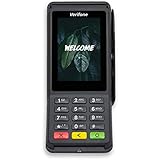
- Accepts all payment types: NFC/CTLS, mobile wallets, EMV and magstripe
- Supports a variety of third-party apps through Verifone’s Merchant Marketplace
- Optional features, such as dual-band WiFi and Bluetooth 4.2 BLE
- Supports Verifone’s estate management solution for remote device management, value-added services, updates and diagnostics
Rank #3

- Accepts all payment types: NFC/CTLS, mobile wallets, EMV and magstripe
- Supports a variety of third-party apps through Verifone’s Merchant Marketplace
- Optional features, such as dual-band WiFi and Bluetooth 4.2 BLE
- Supports Verifone’s estate management solution for remote device management, value-added services, updates and diagnostics
Sources
- The Star Kenya: “Safaricom, Pesapal unveil faster M-PESA scan and tap payments” (1 October 2026), covering the launch flows, Safaricom’s Scan-to-Pay figures, AI Pay, and company statements.
- TechCabal: “Safaricom taps Pesapal’s 30,000 POS terminals to take M-PESA contactless” (1 October 2026), accessed through a Veltrix republication; reporting on the terminal figure, participating merchant types, Till Number, and authorization.
Product prices and availability are accurate as of the date/time indicated and are subject to change. Any price and availability information displayed on Amazon at the time of purchase will apply.

