Quick wins for a faster PC:
Scan for outdated or missing drivers - takes under a minuteDriver Scan →Repair Windows errors before they cause bigger problemsFix Now →Short answer: One person runs a Jackbox game on a supported computer or console and displays that game screen. Everyone else joins by opening jackbox.tv in a browser, entering the room code shown on the host screen, and using a phone, tablet or computer as a controller. Guests do not need the game, a mobile app, or a Jackbox account. Player limits, Audience Mode and special features vary by title.
The basic Jackbox arrangement
Jackbox is built around a host-and-controller model rather than a traditional multiplayer app. The host buys and installs a Party Pack or another Jackbox product on one device that can run it. That device generates the lobby, questions, drawings, prompts and results, so its screen must be visible to everyone playing.
| # | Preview | Product | Price | |
|---|---|---|---|---|
| 1 |
|
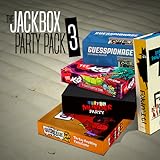
The Jackbox Party Pack 3 | $24.99 | Buy on Amazon |
| 2 |
![The Jackbox Party Pack 3 - Nintendo Switch [Digital Code]](https://m.media-amazon.com/images/I/517DTNm6uRL._SL160_.jpg)
|
The Jackbox Party Pack 3 - Nintendo Switch [Digital Code] | $24.99 | Buy on Amazon |
| 3 |

|
The Jackbox Party Pack 7 | $29.99 | Buy on Amazon |
| 4 |
![The Jackbox Party Pack 3 [Online Game Code]](https://m.media-amazon.com/images/I/51eCiHxYYqL._SL160_.jpg)
|
The Jackbox Party Pack 3 [Online Game Code] | $24.99 | Buy on Amazon |
| 5 |

|
The Jackbox Party Pack 7 - PlayStation 4 | $19.95 | Buy on Amazon |
As an Amazon Associate I earn from qualifying purchases.
Each participant uses a separate internet-capable device as a controller. In the normal setup, that means opening a browser, going to jackbox.tv, entering the four-letter room code displayed by the host, and choosing a name. Answers and choices are sent through the browser to the host’s running game. The phone is not running the game itself; it is an input device.
Jackbox’s official how-to page summarizes the arrangement as “Use phones as controllers.” It also states: “Only one person in your group needs to own a Jackbox product in order to host the game.” That one-copy rule is the key to understanding the cost and setup.
#1 Best Overall
- For 1-8 players, plus a participating Audience of up to 10,000!
- Your phones or tablets are your controllers!
- 5 fun party games included:
- Quiplash 2 (3-8 players)
- Trivia Murder Party (1-8 players)
How to start and join a game
What the host does
- Buy and install the chosen Jackbox game or Party Pack on a supported device.
- Connect that device to a television, monitor, laptop display or shared stream so the group can read the game screen.
- Launch the game and select a title from the pack.
- Wait for the lobby to display a room code and the current player limit.
- Tell invited players the code privately, then start when the intended participants have joined.
What each player does
- Open a current browser on a phone, tablet or computer.
- Type
jackbox.tvinto the address bar. - Enter the room code shown on the host’s game screen.
- Choose a display name and submit it.
- Keep the browser page open during the round; the controls shown there change with the game.
No special game controller is required for this browser-controller flow. A television can make the shared screen easier to see, but the official setup does not require a particular display model or a second console for every player.
Do you need the Jackbox app or an account?
No. Jackbox’s support guidance says players do not install a mobile controller app and do not need to create an account for the standard jackbox.tv flow. The browser page is the controller.
The host does need the purchased game installed on the device that runs it. Guests do not need to download the Party Pack, open a copy of it, or buy their own copy. Jackbox describes its games as one-time purchases rather than subscriptions; its support material notes an exception for Amazon Luna subscribers, whose access follows that service’s subscription arrangement.
Recommended Free Tools
That distinction matters when inviting a group: budget for the host’s game purchase, not a separate license for every person. It also means a player can join from a borrowed phone or a computer without installing game software, provided the device has a supported browser and an internet connection.
How many people can play?
There is no single player limit for all Jackbox games. The minimum and maximum apply to the individual title, and Audience Mode is a separate capability. Check the exact game’s support information before planning a large event.
| Game | Regular players | Audience support |
|---|---|---|
| Drawful 2 | 3–8 | Yes |
| Fibbage | 2–8 | No |
| The Jackbox Survey Scramble | 2–10 | Yes |
| Lie Swatter | 1–100 | Listed range in the 2025 support table |
The figures above come from Jackbox Games Support’s player-count table dated October 14, 2025. They are publisher-listed capacities, not results from an independent capacity test. A title that accepts ten regular players is not automatically a title that accepts ten people in its audience, and an audience-enabled title may still have a much smaller regular-player limit.
A Jackbox press-kit statement says current-generation titles can support up to 10,000 audience members. Treat that as a broad platform-level capacity statement rather than a promise that every title, mode or network can accommodate that number. For an actual event, use the per-game table and the settings shown in the title you intend to run.
What Audience Mode means
Audience Mode lets people participate after the regular player slots are filled, but it does not turn every spectator into a normal player. The audience’s actions depend on the title and the selected mode.
Rank #3
- 1) The say-anything threequel Quiplash 3 (3-8 players). It's a head-to-head battle of the wits as you give hilarious responses to quirky prompts while everyone else votes for their favorite!
- 2) The collaborative chaos game The Devils and the Details (3-8 players). You're a family of devils working together to survive in suburbia. Can you handle the daily torture of human life?
- 3) The drawing fighting game Champ’d Up (3-8 players). Create absurd characters that will battle over unusual titles. Can you take down the heavy favorite?
- 4) The on-the-spot public-speaking game Talking Points (3-8 players). Give a speech responding to picture slides you’ve never seen before or be the Assistant and approve pictures as fast as you can. Just keep talking whether it makes sense or not.
- 5) The pop culture guessing game Blather Round (2-6 players). Describe your secret prompt with a very limited vocabulary and hope that someone can figure it out in time. It’s a “GOOD” “FUN TIME” “EXPERIENCE.”
Common audience actions
- Voting on player answers or creations.
- Adding votes that affect the final totals.
- Influencing results or rankings between rounds.
- Interacting with prompts or side activities while the main players continue.
- Playing as a collective team in modes designed for group participation.
For example, in Poll Mine streamer mode, the audience can vote and guess as one group against streamer players. That is different from giving every viewer an independent player slot. Some games expose an audience toggle in their lobby or settings; others do not support an audience at all, as the Fibbage example in the support table shows.
How to plan for an audience
- Look up the exact title’s player-and-audience entry before advertising the event.
- Start the game and confirm whether the lobby offers audience participation or a streamer mode.
- Tell spectators that they should join through
jackbox.tvwith the same room code, but explain what their votes can affect. - Use moderation or privacy settings when the room will be shown publicly, especially if strangers could see the code.
Do not describe a game as “for unlimited players” without qualifying the claim. Audience capacity, audience behavior and regular-player slots are three different things.
Can you play Jackbox remotely?
Yes. Remote players still join through a browser, while the host shares the game screen and room code over the internet. Jackbox identifies two common approaches: the host can share the game through a video-conferencing service such as Zoom, or use Steam Remote Play Together when the host’s platform supports it.
Crashes, No Sound, or Screen Glitches?
Random freezes, missing sound and display glitches usually trace back to one bad driver. Find and replace yours safely.Free scan · under a minutePC Slower Than It Used to Be?
A free scan shows the junk files, broken settings and background clutter dragging Windows down - then fixes them in one click.Free scan · Windows 10 & 11Video-call screen sharing
- The host launches the game locally.
- The host starts a call in a video-conferencing service and shares the game window or screen with the invited group.
- The host keeps the game audio and code visible in the shared view.
- Each remote participant opens
jackbox.tvon a separate device and enters the displayed code. - The host starts the round after checking that the intended players are in the lobby.
Using a separate phone or browser window for the controller is usually clearer than trying to click the shared game window. The call carries the visual game board; the participant’s own device carries their private answers and controls.
Rank #4
- The threequel to the party game phenomenon features the deadly quiz show Trivia Murder Party, the say-anything sequel Quiplash 2, the surprising survey game Guesspionage, the t-shirt slugfest Tee K.O., and the sneaky trickster game Fakin’ It.
Steam Remote Play Together
When the host’s Steam installation and the selected title support Steam Remote Play Together, the host can invite remote participants through Steam’s session-sharing feature. Players still use jackbox.tv as their controller unless the particular setup presents another supported input path. Check the title and platform settings before relying on this method.
Protecting a remote room
Send the room code only to the people you intend to invite. If the host is streaming publicly, hide the code until the lobby is ready and conceal it again if uninvited viewers could join. Jackbox says some titles offer password-protected rooms, but that protection is not universal. Confirm the option in the individual game’s settings rather than assuming every Party Pack has it.
Some titles also offer extended timers, which can make remote play more comfortable when video and audio introduce delays. Timer extensions vary by game, so look for the setting in the title’s options before starting.
The Tool Desk
Outbyte Driver Updater FREEScan for outdated or missing drivers - takes under a minuteDriver Scan →Outbyte PC Repair FREERepair Windows errors before they cause bigger problemsFix Now →Browser and device requirements
The supported-browser list was updated on October 20, 2025. These are minimum versions listed by Jackbox; browser support can change, so check the current support page when diagnosing a joining problem.
Best Value
- The say-anything threequel Quiplash 3 (3-8 players). It's a head-to-head battle of the wits as you give hilarious responses to quirky prompts while everyone else votes for their favorite!
- The collaborative chaos game The Devils and the Details (3-8 players). You're a family of devils working together to survive in suburbia. Can you handle the daily torture of human life?
- he drawing fighting game Champ'd Up (3-8 players). Create absurd characters that will battle over unusual titles. Can you take down the heavy favorite?
- he on-the-spot public-speaking game Talking Points (3-8 players). Give a speech responding to picture slides you've never seen before or be the Assistant and approve pictures as fast as you can. Just keep talking whether it makes sense or not.
- The pop culture guessing game Blather Round (2-6 players). Describe your secret prompt with a very limited vocabulary and hope that someone can figure it out in time. It's a “GOOD” “FUN TIME” “EXPERIENCE.”
| Device type | Minimum browser listed |
|---|---|
| Desktop Microsoft Edge | 79 or later |
| Desktop Firefox | 75 or later |
| Desktop Chrome | 79 or later |
| Desktop Safari | 13.1 or later |
| Desktop Opera | 66 or later |
| iPhone or iPad Safari | 13.4 or later |
| Android Browser | 101 or later |
| Android Chrome | 101 or later |
Most players only need a browser, an internet connection and a device that can display the controls. The host device has the heavier job because it runs the game and sends the shared video or display output.
Party Pack 11 exceptions
Party Pack 11 has title-specific requirements. Hear Say needs microphone access, so the browser and operating system must be allowed to use the device’s microphone. Cookie Haus requires GPU hardware acceleration. If either title behaves incorrectly, check those permissions and hardware-acceleration settings rather than treating the problem as a generic room-code error.
Independent reader supportYour contribution helps us test, update, and keep practical guides available for everyone.Troubleshooting common joining problems
The code is rejected
- Check that every character was copied from the current host screen; a new lobby creates a new code.
- Confirm that the player is on
jackbox.tv, not in a search result or an old browser tab. - Ask the host whether the round has already started or the room was closed.
- If the code was exposed on a public stream, restart the lobby and share the replacement privately.
The player joins but cannot submit
- Keep the controller tab open and avoid switching to a page that suspends it.
- Check the device’s connection and reload only if the game screen indicates that the player has disconnected.
- For Hear Say, grant microphone permission when the browser asks and verify that the correct input device is selected.
The shared screen is delayed or unreadable
- Share the game window rather than an unrelated desktop area.
- Increase the size of the host display or use a larger shared window.
- For remote groups, enable an extended timer if that title provides one.
- Keep the room code out of the public portion of a stream while troubleshooting so new spectators do not flood the lobby.
A title does not accept spectators
Check the game’s own player-and-audience listing. Audience support is title-specific; a missing audience option is often a design limitation rather than a browser fault.
How to choose a Jackbox title for your group
Use the following order when comparing games:
- Count regular players. Match the title’s minimum and maximum to the people who will actively answer.
- Decide whether spectators matter. If more people will watch than play, choose a title whose support entry explicitly allows an audience.
- Check the audience’s role. Voting, influencing totals and collective-team play produce very different experiences.
- Plan for remote timing. Look for extended timers if participants will join over a video call.
- Check special requirements. Hear Say needs microphone access, while Cookie Haus needs GPU hardware acceleration.
- Choose a privacy approach. For a public stream, favor a workflow that lets the host hide the code and, where available, enable a password.
This process prevents the most common planning mistake: choosing a title solely because its name is familiar, then discovering that its regular-player cap or audience behavior does not fit the event.
What each person actually needs
Host checklist
- A purchased and installed Jackbox game or Party Pack.
- A device capable of running that title.
- A display or screen-sharing method visible to the group.
- A stable internet connection for the lobby and remote participants.
- Optional microphone permission or GPU acceleration when a specific title requires it.
Player checklist
- An internet-capable phone, tablet or computer.
- A supported browser.
- The current room code.
- No separate Jackbox purchase, mobile app or account for the standard controller flow.
Audience checklist
- A supported browser and the host’s current room code.
- Confirmation that the selected title permits an audience.
- An understanding of whether audience input is voting, result influence or collective play.
The practical takeaway
Jackbox works because the host’s device does the game processing while every participant’s browser supplies private input. Buy and run one copy, display its screen, and have players join at jackbox.tv. Before inviting a large or remote group, verify the exact title’s player cap, audience support, timer options, privacy controls and any browser or hardware requirements listed for that game.
Quick Recap
Product prices and availability are accurate as of the date/time indicated and are subject to change. Any price and availability information displayed on Amazon at the time of purchase will apply.

