Windows Errors? Fix Them Before They Spread
Repair common Windows errors and clear accumulated junk for a smoother, more stable PC - no reinstall needed.Free scan · no reinstallOutdated Drivers Are Slowing You Down
One free scan finds every outdated or missing driver and matches the right update for your exact hardware.Free scan · exact hardware matchBusinesses use video to attract attention, explain what they offer, build trust, support buying decisions, and help customers after a purchase. The right format depends on the audience and the job to be done—not on a universal rule that every business needs viral clips or expensive production.
In Wyzowl’s 2026 survey, 91% of businesses said they use video as a marketing tool. That finding reflects 266 unique respondents surveyed in late 2025; it is not a census or proof that video alone causes growth. Wyzowl’s 2026 report also captures marketers’ experiences and consumer preferences, which are useful planning inputs rather than guarantees for an individual business.
As an Amazon Associate I earn from qualifying purchases.
Where video fits in the customer journey
Start with a customer need, then choose a video that helps address it. A short introduction may earn attention; a product demonstration may answer a practical question; a customer story may offer proof; and an onboarding video may reduce confusion after a sale.
| Business goal | Useful video formats | What to measure |
|---|---|---|
| Reach people who do not yet know the business | Short social videos, brand introductions, video ads | Relevant reach, qualified views, brand-search or site-visit changes |
| Explain an offer or process | Explainers, product demonstrations, screen recordings | Completion, engagement, comprehension signals, next-step clicks |
| Build trust and provide proof | Customer testimonials, case-study videos | Qualified inquiries, assisted conversions, sales feedback |
| Help a prospect decide | Sales videos, detailed demonstrations, FAQs | Qualified leads, demo requests, conversion rate |
| Support existing customers | Onboarding, how-to, troubleshooting videos | Repeat support questions, completion, retention where appropriate |
| Train employees | Training and employee-onboarding videos | Completion, assessment results, time to proficiency |
Make each video responsible for one main question or decision. A single piece can serve more than one purpose, but a clear primary objective makes the script, distribution choice, and success measure easier to align.
#1 Best Overall

- 1080p HD security camera for your home or business with motion-activated LED floodlights, 105dB security siren, Two-Way Talk, and customizable motion zones.
- Get motion-activated notifications on your phone, tablet or PC and check in at home anytime with Live View all in the Ring app.
- Customize motion zones in the Ring app to fine-tune which areas you want to focus on.
- Eliminate blind spots or dark areas at home or your business with built-in Color Night Vision and two LED floodlights.
- Easily hardwire to the outside of your home and connect to wifi for around-the-clock power and peace of mind.
Which video formats businesses use
Wyzowl’s 2026 respondents reported creating several kinds of video. The percentages below describe surveyed video marketers, not the share of every business that produces each format.
| Format | Share of surveyed video marketers who had created it | Best suited to |
|---|---|---|
| Social-media videos | 69% | Discovery, conversation, and short-form updates |
| Explainer videos | 68% | Making a product, service, or process easier to understand |
| Testimonials | 57% | Showing a customer’s experience as proof |
| Presentations | 48% | Teaching, presenting an idea, or sharing expertise |
| Video ads | 48% | Promoting an offer to a defined audience |
| Product demos | 39% | Showing how a product works and addressing buying questions |
Social clips and ads: introduce an idea
Use a concise opening that makes the audience and point clear, then show or explain one useful thing. A clip can earn attention without being the entire sales argument; provide a relevant next step, such as a product page or longer demonstration.
Explainers and demonstrations: reduce uncertainty
Explain one concept at a time. A screen recording can show a digital workflow, while a live-action demonstration can make a physical product or service process concrete. Show the steps or benefit accurately rather than relying on broad claims.
Quick wins for a faster PC:
Clear out junk files and repair common Windows errorsFree Scan →Scan for outdated or missing drivers - takes under a minuteDriver Scan →Rank #2

- Stay Connected Anywhere: This wired Wi-Fi Camera access 24/7 live streams via LaView app on mobile or web browser; supports up to 9 simultaneous live feeds; stay in touch with your home at all times
- 1080P HD & Night Vision: Capture clear 2.1MP live views; equipped with advanced IR night vision for up to 33 ft coverage; compatible with 2.4GHz WiFI network(5GHz not supported); ensures quality monitoring even in darkness
- Motion Detection & Clear Two-way audio: Instant motion detection with smart alerts; this indoor home security camera supports clear two-way audio with noise cancellation; stay informed and communicate with family anytime
- Fit for most scenes & Sharing: The camera can be installed anywhere such as the living room & kitchen & office; space-efficient design; share access with up to 20 people; monitor multiple cameras from a single account
- 30 days free-trial US Cloud Storage & Micro-SD Storage: 30-day US cloud storage trial; The cloud storage bases on the AWS server in the US to encrypt your data and avoid the risk of losing video clips; microSD slot up to 128GB; store recordings securely
Testimonials: use customer proof responsibly
Get permission to use the customer’s words and image, present their experience in context, and do not imply that one person’s result is typical unless you can substantiate that claim. A testimonial is evidence of that customer’s experience, not a guarantee of the same outcome for everyone.
Sales and support videos: help at the moment of need
A sales video can address a specific objection and direct an interested viewer to a useful next step. A support video should answer the question customers actually ask, with clear steps and an indication of what to do if those steps do not work.
How to choose a channel
Choose distribution based on where the intended audience is likely to find and use the content, the format that channel supports, and the result you can measure. In Wyzowl’s survey, businesses most commonly uploaded video to YouTube, but usage is not proof that one platform is best for every company.
Rank #3

- Capture it all with Retinal 2K video — See every detail of your home or business in full view — powered by Retinal 2K. (Video quality may vary based on internet bandwidth and device temperature.)
- Zoom in 4x — Catch details at a distance with up to 4x Enhanced Zoom.
- True color, even in low light — With Low-Light Sight, just a little ambient light gives you true color video. In total darkness, your camera switches to crisp black-and-white to keep details sharp.
- Get real-time alerts, not interruptions — Receive real-time alerts on your phone when motion is detected.
- Connect to who’s there — See and respond to activity with Live View & Two-Way Talk.
| Channel or format | Respondents reporting use | Respondents calling it effective |
|---|---|---|
| YouTube | 82% | 69% |
| 70% | 50% | |
| 69% | 56% | |
| 66% | 55% | |
| Webinars | 56% | 42% |
| TikTok | 40% | Not stated in Wyzowl’s reported effectiveness figures |
These are the surveyed marketers’ reports, not universal platform rankings. A business selling to other businesses might test LinkedIn or a webinar for a specialist audience; a visually oriented consumer product might test Instagram; searchable demonstrations or evergreen explainers may suit YouTube. Use the channel your customers actually use, then compare results for your own audience.
Do these 3 things before closing this tab:
1Fix the driver behind crashes, sound loss and screen glitches2Clear out junk files and repair common Windows errors3Scan for outdated or missing drivers - takes under a minuteHow long should a business video be?
Wyzowl reports that 71% of surveyed marketers believe videos between 30 seconds and two minutes are most effective, while 63% of surveyed consumers prefer a short video when learning about a product or service. Treat these as preferences, not a hard length limit. A detailed demonstration, webinar, or training lesson may need more time if each section earns that time by answering a real question.
Put the key point early, remove material that does not support the goal, and judge length by whether the intended audience watches far enough to understand or act. A short video with no useful information is not automatically better than a longer, clear explanation.
Rank #4

- Experience crisp clarity with Retinal 2K video — See all the crucial details across your home or business with wide-angle Retinal 2K. (Video quality may vary based on internet bandwidth and device temperature.)
- Zoom in up to 6x — Bring details into sharp focus with up to 6x Enhanced Zoom.
- Light up large outdoor areas — Automatically illuminate your property and deter intruders with ultra-bright, motion-activated light.
- Sound the siren with a tap — Activate the built-in siren from the Ring app to send unwanted visitors running.
- Install it yourself or with a pro — Follow the instructions in the app for an easy DIY install or get a hand from an installation expert.
How to plan and make a business video
- Choose one audience and one outcome. Identify who needs the video and what they should know, feel, or do afterward. Select one primary measure before production.
- Pick the format and channel together. Match the subject to a format—such as an explainer, demo, testimonial, or social clip—and the channel where the audience can find it.
- Write for the viewer’s question. Open with the issue the video addresses, show or explain the answer, and include a clear next step when appropriate. Keep claims accurate and supportable.
- Choose an appropriate production approach. Decide whether staff can make it, whether a specialist is needed, or whether a hybrid approach makes sense. Do not assume expensive equipment is a prerequisite; prioritize intelligible sound, clear visuals, and a useful message.
- Review accuracy, permissions, and accessibility. Confirm product details, obtain consent for customer footage and quotes, and make spoken content understandable with captions or a transcript where practical.
- Publish with a relevant next step. Connect the video to a useful product page, contact route, sign-up, or support resource rather than leaving viewers unsure what to do next.
- Evaluate and improve. Compare the chosen outcome with a baseline or a reasonable comparison where feasible. Use what viewers do and the questions they still ask to revise the next video.
Should a business produce video in-house or hire help?
Wyzowl reports that 59% of surveyed businesses create videos themselves, 10% use external vendors exclusively, and 32% use a mix. The report does not establish which approach costs less or performs better. Choose based on your team’s skills and time, the complexity and volume of work, brand requirements, and whether a project needs specialist filming, animation, or editing.
- In-house: Can suit frequent updates and straightforward explainers when staff have time and the needed skills.
- External production: Consider it when a project is technically demanding, high stakes, or beyond available internal capacity.
- Hybrid: Keep routine updates or product explainers internal and bring in specialists for work that benefits from specific expertise.
Wyzowl also reports that 51% of surveyed video marketers mostly created live-action video, 23% animated video, and 19% screen-recorded video. These figures describe respondents’ production choices; they are not a recommendation that one format will work better for your business. The same report says 63% of surveyed video marketers had used AI video tools to help create or edit marketing videos. Assess any tool against your workflow and review its output for accuracy, rights, and brand fit.
The Tool Desk
Outbyte PC Repair FREERepair Windows errors before they cause bigger problemsFix Now →Outbyte Driver Updater FREEFix the driver behind crashes, sound loss and screen glitchesFind Drivers →How to measure video marketing results
Views and engagement show activity, but they do not by themselves establish business impact. Choose a measure that matches the video’s purpose and, where practical, track the path from exposure to the action that matters.
Best Value
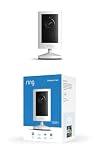
- Experience crisp clarity with Retinal 2K video — See all the crucial details across your home or business with wide-angle Retinal 2K. (Video quality may vary based on internet bandwidth and device temperature.)
- Zoom in up to 6x — Bring details into sharp focus with up to 6x Enhanced Zoom.
- Get 2K clarity in any light — See true color with Night Vision, even in low light, and automatically switch to crisp black and white in near darkness.
- Sound the siren with a tap — Activate the built-in siren from the Ring app to send unwanted visitors running.
- Put protection anywhere — Secure any space with easy mounting and a weather-resistant build.
| Video job | Primary measures to consider | Useful context |
|---|---|---|
| Discovery | Relevant reach, qualified views, brand awareness | Check whether the intended audience—not just a large audience—saw it. |
| Education | Completion, engagement, follow-up questions, next-step clicks | Look for signs that viewers understood the information. |
| Acquisition | Qualified leads, clicks, demo requests, sales | Use a defined attribution window and compare with a baseline when feasible. |
| Customer support | Repeat queries, successful task completion, retention where appropriate | Check whether the video resolves the issue without creating confusion. |
In Wyzowl’s survey, respondents most often said they measured video ROI through views (67%) and engagement (63%); 52% used leads or clicks, 40% customer engagement and retention, 36% brand awareness or public relations, and 32% bottom-line sales. Those are reported measurement choices, not proof that every respondent used rigorous attribution. Define what success means before publishing and distinguish leading indicators, such as views, from outcomes closer to revenue or customer value.
What the survey can—and cannot—tell a business
Wyzowl reports that 82% of surveyed marketers say video marketing has given them good return on investment. Surveyed video marketers also said video helped increase brand awareness (93%), web traffic (82%), leads (85%), sales (83%), and website dwell time (82%); 57% said it helped reduce support queries. These are respondents’ assessments, not controlled estimates showing that video alone caused those outcomes.
Consumer responses are encouraging but should also be interpreted as survey preferences: 96% of people surveyed said they had watched an explainer to learn about a product or service, 85% said they had been convinced to buy after watching a video, 84% wanted to see more brand videos, and 89% said video quality affects brand trust. Preferences do not guarantee an individual purchase, and higher production budgets alone do not establish trust or sales.
What’s actually slowing this PC down?
Pick the symptom - the matching free tool is one click away.
Finally, 92% of surveyed marketers said they planned to spend around the same or more on video marketing in 2026. That is stated intention, not realized spending. The survey covered 266 unique respondents in late 2025, so results may not represent every industry, geography, business size, or customer group.
Keep a YouTube video stream running continuously
Some businesses use a continuous YouTube stream for an always-available playlist, such as a loop of product information or other prerecorded material. This is a specific distribution choice, not a substitute for planning videos around customer needs; use only content you have the rights to stream and follow YouTube’s applicable copyright and reused-content rules.
Or let it run in the cloud
StreamNeo is a cloud service for keeping a YouTube channel live from uploaded videos: upload a recording or build a playlist, add your YouTube stream key, and go live. Your computer and home connection do not need to stay on. Each slot streams uploaded content as made, up to 4K 60fps at one flat price per slot; it can automatically recover if YouTube drops the stream. The first day is free with no card. Monthly pricing is $9.99 per month.
Quick Recap
Start your free StreamNeo day.
Product prices and availability are accurate as of the date/time indicated and are subject to change. Any price and availability information displayed on Amazon at the time of purchase will apply.

