Video marketing can generate leads when it answers a real prospect question and gives viewers a relevant next step. Start with one audience and one buyer need, make a video for that need, send viewers to a matching page or offer, and track qualified leads and sales—not just views.
How video marketing turns attention into leads
A video is not a lead-generation strategy by itself. It can help a prospect understand a problem, compare options, or trust an offer; the lead is more likely to follow when the video connects clearly to a useful next action. That might be booking a consultation, requesting a demo, downloading a guide, or signing up for a webinar.
As an Amazon Associate I earn from qualifying purchases.
Keep the promise consistent from start to finish: the video sets an expectation, the call to action (CTA) makes the next step clear, and the destination delivers what the CTA promised. A product walkthrough that ends at a generic homepage makes the viewer do extra work; one that leads to a relevant demo request is easier to act on.
The Tool Desk
Outbyte Driver Updater FREEScan for outdated or missing drivers - takes under a minuteDriver Scan →Outbyte PC Repair FREEClear out junk files and repair common Windows errorsFree Scan →Wyzowl’s 2026 survey, based on 266 unique respondents surveyed in late 2025, found that 85% of video marketers said video had helped generate leads and 83% said it had directly increased sales. Those are self-reported findings, not proof that video caused the outcomes or a forecast for any one business.
#1 Best Overall

- 1080p HD security camera for your home or business with motion-activated LED floodlights, 105dB security siren, Two-Way Talk, and customizable motion zones.
- Get motion-activated notifications on your phone, tablet or PC and check in at home anytime with Live View all in the Ring app.
- Customize motion zones in the Ring app to fine-tune which areas you want to focus on.
- Eliminate blind spots or dark areas at home or your business with built-in Color Night Vision and two LED floodlights.
- Easily hardwire to the outside of your home and connect to wifi for around-the-clock power and peace of mind.
Start with the buyer question, not the camera
Choose a question prospects actually ask, a decision they need to make, or an obstacle that keeps them from taking the next step. A useful first video can be a direct answer, a focused product demonstration, an explanation of a common concern, or a comparison that helps a buyer evaluate alternatives. Support claims about performance, savings, or results with evidence, and be precise about who or what they apply to.
Before recording, write down:
- Audience: Which prospective customer should find this useful?
- Need: What question or uncertainty will the video address?
- Takeaway: What should the viewer understand by the end?
- Next step: What relevant action can the viewer take now?
- Success measure: Which qualified lead or business outcome would show that the video helped?
This keeps production focused. A video that tries to introduce the company, explain every feature, answer every objection, and make several offers can leave viewers unsure what to do.
Choose a format that fits the buying stage
There is no universally best video format. Match the format to the complexity of the question and the viewer’s likely familiarity with your offer.
What’s actually slowing this PC down?
Pick the symptom - the matching free tool is one click away.
| Format | Useful when | Possible next step |
|---|---|---|
| Short explainer | A prospect needs a quick introduction to a problem, concept, or offer. | Visit a focused information page or download a related guide. |
| Product demonstration | The prospect needs to see how a product or service works in a relevant situation. | Request a demo, start a trial, or ask a specific question. |
| Customer story | A buyer needs context for how a customer addressed a similar need. | Read a related case study or talk with your team. |
| Webinar or live session | The subject needs more depth, a walkthrough, or audience questions. | Register, attend, or request follow-up on the topic. |
| Short clip from a longer video | You want to introduce one useful idea and direct interested viewers to a fuller explanation. | Watch the complete video or visit its matching resource page. |
HubSpot’s 2026 State of Marketing reporting named short-form video among the top ROI-driving content formats for 49% of marketers, long-form for 29%, and live-streaming video for 25%. These are marketers’ reported views, not a ranking of what will work best for every company.
Rank #2

- Stay Connected Anywhere: This wired Wi-Fi Camera access 24/7 live streams via LaView app on mobile or web browser; supports up to 9 simultaneous live feeds; stay in touch with your home at all times
- 1080P HD & Night Vision: Capture clear 2.1MP live views; equipped with advanced IR night vision for up to 33 ft coverage; compatible with 2.4GHz WiFI network(5GHz not supported); ensures quality monitoring even in darkness
- Motion Detection & Clear Two-way audio: Instant motion detection with smart alerts; this indoor home security camera supports clear two-way audio with noise cancellation; stay informed and communicate with family anytime
- Fit for most scenes & Sharing: The camera can be installed anywhere such as the living room & kitchen & office; space-efficient design; share access with up to 20 people; monitor multiple cameras from a single account
- 30 days free-trial US Cloud Storage & Micro-SD Storage: 30-day US cloud storage trial; The cloud storage bases on the AWS server in the US to encrypt your data and avoid the risk of losing video clips; microSD slot up to 128GB; store recordings securely
Plan a concise video with one clear CTA
Use the runtime needed to answer the question without delaying the point. Wyzowl’s 2026 survey found that 71% of surveyed marketers believed videos between 30 seconds and two minutes were most effective. HubSpot’s 2026 roundup, reporting Wyzowl findings, says 51% of people named 30–60 seconds as optimal and 91% preferred videos under two minutes. The figures reflect different questions and populations; treat them as a reason to test concise versions, not as a universal ideal length.
- Open with the viewer’s concern. State the problem or question in plain language rather than beginning with a long company introduction.
- Give the useful answer. Explain the point, demonstrate the relevant task, or show the evidence the viewer needs.
- Make the offer understandable. Clarify who it is for and what it does; avoid unsupported guarantees or vague superlatives.
- Give one primary next step. Say exactly what to do and what will happen after clicking, booking, or submitting a form.
- Check the viewing experience. Use clear audio, readable on-screen text, and captions where appropriate. A microphone may help with recording clarity, but buying equipment does not itself produce leads.
If the video contains an offer, ensure its terms and any material limitations are clear on the destination page too.
Put the CTA where viewers can act on it
Give the viewer a low-friction route from the video to the promised next step. Use a destination built for that particular video rather than asking every viewer to find the right page themselves. Keep forms limited to information needed for the next step, and tell people what happens after they submit.
Recommended Free Tools
- On a website or blog: Embed the video near the explanation or offer it supports, then place the CTA and relevant form or booking option nearby.
- In a social video ad: Use the available button or link to lead to a matching landing page. Check the destination on mobile as well as desktop.
- In a video description: Put the relevant landing-page link where viewers can find it, and explain what they will get there.
- In marketing email: Link to the video or a page containing it, with a CTA related to the message. Do not assume every email client will display embedded video in the same way.
- After a webinar: Send attendees to the resource or follow-up that matches the session, and distinguish attendance or follow-up interest from a qualified lead.
A 2023 HubSpot and PlayPlay playbook reported that surveyed marketers used social-video-ad landing-page links (53%), video on a blog or website (48%), video in marketing email (42%), and links in video descriptions (49%) for lead generation. These are reported practices from that playbook, not current adoption rates or guaranteed conversion methods.
Rank #3

- Capture it all with Retinal 2K video — See every detail of your home or business in full view — powered by Retinal 2K. (Video quality may vary based on internet bandwidth and device temperature.)
- Zoom in 4x — Catch details at a distance with up to 4x Enhanced Zoom.
- True color, even in low light — With Low-Light Sight, just a little ambient light gives you true color video. In total darkness, your camera switches to crisp black-and-white to keep details sharp.
- Get real-time alerts, not interruptions — Receive real-time alerts on your phone when motion is detected.
- Connect to who’s there — See and respond to activity with Live View & Two-Way Talk.
Distribute video where the intended audience is
Choose channels based on the people you need to reach and the way they use each channel. Wyzowl’s 2026 survey reported that 82% of businesses uploaded video to YouTube; respondents also identified LinkedIn, Instagram, Facebook, and webinars among commonly used channels. In the same survey, marketers rated YouTube effective for 69%, Instagram for 56%, Facebook for 55%, LinkedIn for 50%, and webinars for 42%. These are respondents’ assessments, not proof of likely performance for your audience.
Adapt the opening, aspect ratio, captions, and CTA to each placement. A clip made for a vertical social feed may need a different framing and opening from a website demonstration. When you repurpose a webinar or long demonstration, preserve enough context for each shorter clip to make sense on its own, and give it a destination that fits its subject.
Video can also be one part of a broader campaign: a webpage can provide the details a short clip omits, an email can put the video in front of an interested audience, and a webinar can answer more complex questions. Use each placement to advance the same prospect journey rather than repeating the same message without a next step.
Use continuous YouTube video only when it fits the goal
A continuous stream can make sense when a business has useful pre-recorded material that viewers can join at different times, such as an ongoing educational playlist or a recurring programme. It is not a substitute for a relevant offer, a CTA, or lead tracking. Confirm that you have the rights to every video and audio element, and make the description and destination useful to the audience.
Rank #4

- Experience crisp clarity with Retinal 2K video — See all the crucial details across your home or business with wide-angle Retinal 2K. (Video quality may vary based on internet bandwidth and device temperature.)
- Zoom in up to 6x — Bring details into sharp focus with up to 6x Enhanced Zoom.
- Light up large outdoor areas — Automatically illuminate your property and deter intruders with ultra-bright, motion-activated light.
- Sound the siren with a tap — Activate the built-in siren from the Ring app to send unwanted visitors running.
- Install it yourself or with a pro — Follow the instructions in the app for an easy DIY install or get a hand from an installation expert.
If you want to keep uploaded videos looping on a YouTube channel without leaving a computer running, StreamNeo is a cloud option. Upload the recording or build a playlist, add your YouTube stream key, and go live; it loops uploaded video rather than broadcasting a camera. It streams to YouTube only.
Or let it run in the cloud
Upload your video or playlist, add the YouTube stream key, and go live. Your computer and home connection do not have to stay on; uploads stream as made, up to 4K 60fps, at one flat price per slot; and StreamNeo automatically recovers if YouTube drops the stream. The first day is free with no card. Monthly: $9.99 per month. Start your free day with StreamNeo.
Independent reader supportYour contribution helps us test, update, and keep practical guides available for everyone.Measure leads and business outcomes, not just views
Views and engagement help diagnose whether a video is being seen and watched. They do not establish that it generated a qualified lead or a sale. Where your privacy-compliant analytics setup allows, measure the path from exposure to a business outcome:
- Reach: Impressions or views from the campaign.
- Interest: Meaningful engagement, such as watch activity or a click to the relevant destination.
- Response: Landing-page visits, form submissions, booked calls, or webinar registrations.
- Lead quality: Whether the resulting contacts match the audience and intent your business can serve.
- Commercial outcome: Opportunities, customers, revenue, conversion rate, and acquisition cost where you can attribute them responsibly.
Wyzowl’s 2026 survey reported that 52% of video marketers quantified ROI through leads or clicks. HubSpot’s 2026 statistics list lead quality or marketing-qualified leads, lead-to-customer conversion, ROI, customer acquisition cost, and lead volume among marketers’ leading measures. Select measures that correspond to your sales process; a high view count is not a replacement for them.
Best Value
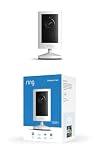
- Experience crisp clarity with Retinal 2K video — See all the crucial details across your home or business with wide-angle Retinal 2K. (Video quality may vary based on internet bandwidth and device temperature.)
- Zoom in up to 6x — Bring details into sharp focus with up to 6x Enhanced Zoom.
- Get 2K clarity in any light — See true color with Night Vision, even in low light, and automatically switch to crisp black and white in near darkness.
- Sound the siren with a tap — Activate the built-in siren from the Ring app to send unwanted visitors running.
- Put protection anywhere — Secure any space with easy mounting and a weather-resistant build.
Use campaign links or other attribution methods supported by your analytics setup to distinguish traffic and leads associated with each video. Interpret attribution cautiously: a video may assist a decision without being the only touchpoint, and available tracking may not capture every influence. Compare like with like, such as campaigns with similar audiences, offers, and time windows.
Improve results with focused tests
Once a campaign has enough relevant traffic to make comparisons useful, test one material change at a time. Depending on the problem you see, that might be the opening, duration, placement, CTA wording, or landing-page friction. Decide in advance which outcome matters—for example, qualified leads per landing-page visit—so a change that increases clicks but reduces lead quality does not look like an improvement.
- If few viewers reach the CTA, review whether the opening addresses the right question and whether the video stays focused.
- If viewers watch but rarely click, check that the CTA is visible, specific, and relevant to the content.
- If visitors click but do not submit, check that the destination matches the promise and that the next step is clear and proportionate.
- If submissions are frequent but leads are poorly matched, revisit the targeting, offer, and qualification criteria rather than optimizing for form volume alone.
Common mistakes that weaken lead generation
- Optimizing for views alone: Reach can help explain exposure, but it does not show lead quality, conversion, or revenue.
- Using an unrelated CTA: A next step that does not follow naturally from the video adds friction and can erode trust.
- Asking for too much too soon: Request only what is needed for the action offered, and be clear about follow-up.
- Repurposing without context: A short clip should still make sense to someone who has not seen the original video.
- Treating survey percentages as a forecast: Published self-reported results describe respondents, not a guaranteed outcome for an individual business.
- Ignoring rights and permissions: Use video, music, images, and customer material only when you have the necessary rights and permission.
Plan the next video as a measurable campaign
Choose one audience question, one video format, one primary distribution route, and one relevant CTA. Connect the video to a destination that fulfills its promise, then review qualified leads and downstream outcomes alongside viewing and click data. Improve the part of the journey where evidence shows friction, rather than assuming that more views—or a different video length—will solve every problem.
Do these 3 things before closing this tab:
1Clear out junk files and repair common Windows errors2Fix the driver behind crashes, sound loss and screen glitches3Repair Windows errors before they cause bigger problemsQuick Recap
Product prices and availability are accurate as of the date/time indicated and are subject to change. Any price and availability information displayed on Amazon at the time of purchase will apply.

