Replacing a GTX 1080 Ti is not a matter of choosing the newest model number and sliding it into the same slot. The right replacement must fit your case, work with your power supply and cabling, suit your games or applications, and make financial sense at the prices available where you live. NVIDIA’s GeForce RTX 5070 is a current-generation candidate, but neither its name nor a vendor comparison makes it a universal answer for every GTX 1080 Ti system.
The safest approach is to treat the old card as a system baseline, then verify the replacement card model by model. That avoids the most common upgrade failures: a card that is too long or thick, a power supply that lacks the required connectors, a performance comparison made under different settings, or an expensive purchase that does not improve the workload you actually run.
As an Amazon Associate I earn from qualifying purchases.
Why a GTX 1080 Ti replacement is unusually difficult
The GTX 1080 Ti is old by current product-cycle standards, yet it remains a substantial reference point for an upgrade. Many owners built the rest of the computer around it: a case with a particular amount of clearance, a power supply chosen for its connectors, and a monitor or application workload that does not map neatly to a modern vendor chart. Replacing only the graphics card can therefore expose limits elsewhere in the system.
Outdated Drivers Are Slowing You Down
One free scan finds every outdated or missing driver and matches the right update for your exact hardware.Free scan · exact hardware matchWindows Errors? Fix Them Before They Spread
Repair common Windows errors and clear accumulated junk for a smoother, more stable PC - no reinstall needed.Free scan · no reinstallThe slot specification does not tell you whether a card will fit
NVIDIA’s GeForce GTX 1080 Ti User Guide states: “The GeForce GTX 1080 Ti graphics card is a PCI Express 3.0 ×16 graphics card.” The guide also specifies a dual-width x16 graphics slot. Those details describe the 1080 Ti installation, not every modern replacement. A newer card may occupy more than two slots, extend farther into the case, or use a different arrangement of power sockets. Measure the available space and read the exact replacement model’s manual before ordering.
#1 Best Overall

- Item Package Dimension- 12.9133858136L x 6.9291338512W x 3.7401574765H inches
- Item Package Quantity - 1
- Product Type - Video Card
- Accessories may not be original but will be compatible and fully functional. Product may come in generic box.
The old power requirement is a baseline, not an upgrade rule
The same NVIDIA guide specifies a minimum 600 W power supply for the GTX 1080 Ti, with one 6-pin and one 8-pin PCIe supplementary power connector. That is the documented requirement for the old card. It is not a recommendation that every replacement can use the same supply or plugs. Modern boards can have different wattage guidance and connector requirements, so the selected card’s own documentation takes precedence.
“Faster” depends on the workload and test conditions
A vendor performance chart can be useful for identifying the scenario being measured, but it is not a universal ranking. NVIDIA’s current GeForce RTX 50 Series page presents comparisons with stated resolutions, settings and features. If a chart uses upscaling, ray tracing or frame generation, those conditions must remain attached to the result. A chart produced at one resolution with optional features enabled cannot be converted into a guaranteed improvement in every game, application or native-rendering workload.
Establish your system baseline before looking at cards
Write down the facts that determine compatibility. This takes less time than returning a card that cannot be installed or powered.
Record the physical limits
- Measure the maximum graphics-card length from the rear expansion brackets to the first obstruction, such as a front radiator, drive cage or fan.
- Count the usable expansion slots. A replacement that is wider than the dual-width 1080 Ti may block adjacent slots or interfere with a lower-mounted card.
- Note whether the case has side-panel, radiator or front-fan clearance that reduces the nominal manufacturer dimension.
- Check whether the power sockets on a prospective card face the side, top or end; the direction affects cable bend room.
Identify the power supply precisely
- Record the PSU model, rated continuous wattage and age.
- List the available PCIe power leads rather than assuming that a spare CPU or peripheral lead is interchangeable.
- Check the replacement manufacturer’s recommended PSU and connector instructions for the exact board, not merely the GPU family.
- Inspect cables and plugs for heat damage, looseness or forced bends before reusing them.
Describe what the card must do
Separate your workload into categories: the games you actually play, the monitor resolution and refresh target, professional or creative applications, and any software that depends on a particular graphics API or feature. A card that is excellent for a ray-traced game at a stated resolution may not be the best value for a workload dominated by native rendering, memory-heavy scenes or applications that rarely use the newer feature set.
What the GTX 1080 Ti documentation tells you
The official guide gives a reliable installation baseline: PCI Express 3.0 x16, a dual-width x16 slot, a 600 W minimum PSU, and one 6-pin plus one 8-pin supplementary PCIe connector. Keep those facts handy when inspecting an existing build, but do not treat them as a specification sheet for a replacement.
Rank #2

- Real Base Clock: 1556 MHz/Real Boost Clock: 1670 MHz; Memory Detail: 11264MB GDDR5X. Redesigned cooling with L-shaped contact fins to improve contact surface area for better heat dissipation
- EVGA iCX Cooling - Delivering industry-leading cooling performance to your Graphics Card. Vulkan API
- Requirements-Minimum of a 600 Watt power supply. An available 6-pin PCI-E power connector and an available 8 pin PCI-E power connector.Total Power Draw- 250 Watts
- New vented heatsink fin design and pin fins for optimized airflow. An available 6-pin PCI-E power connector and an available 8 pin PCI-E power connector. Windows 10 32/64bit ,Windows 8 32/64bit, Windows 7 32/64bit
- DX12 OSD Support with EVGA Precision XOC. Stream extreme GeForce GTX PC gaming experiences to portable device like NVIDIA SHIELD with super-smooth, low-latency performance
| Item | Documented GTX 1080 Ti detail | What to verify for a replacement |
|---|---|---|
| Graphics interface | PCI Express 3.0 x16 | The exact replacement card’s interface and your motherboard slot arrangement |
| Slot width | Dual-width x16 slot | Card thickness, occupied slots and clearance for neighboring hardware |
| Minimum PSU | 600 W for the GTX 1080 Ti | Replacement model’s recommended wattage, PSU quality and system load |
| Supplementary power | One 6-pin plus one 8-pin PCIe connector | Connector type, quantity and cable-routing requirements for the chosen card |
The table’s last column is deliberately a checklist rather than a prediction. A newer card may require less power, similar power or a different connector arrangement; only its own documentation settles that question.
How to assess a current candidate such as the RTX 5070
NVIDIA lists the RTX 5070 in the GeForce RTX 50 Series. That makes it a reasonable current-generation model to investigate when replacing a 1080 Ti, but the product-family label does not establish that it is the ideal match for your computer.
Start with the specific board, not just “RTX 5070”
Different manufacturers’ versions of one GPU family can have different dimensions, coolers, factory settings and connector placements. Before comparing prices, open the page or manual for the exact board and capture its length, thickness, power recommendation and connector details. Compare those values with the measurements and PSU information you recorded.
Read NVIDIA’s comparisons with their conditions attached
NVIDIA’s RTX 50 Series page shows vendor-stated comparisons with older GeForce products. Treat each graph as a scenario, not a promise. Write down the resolution, quality preset, ray-tracing state, upscaling mode and frame-generation state shown in the test. If your own game is run at a different resolution or with those features disabled, the chart does not provide a like-for-like forecast.
Separate feature gains from native performance
Modern features can change the experience without translating directly into a fixed native-rendering multiplier. A feature-assisted result may be valuable to one player and irrelevant to another who prefers native output, uses a title without support, or works in an application whose performance is governed by a different bottleneck. Evaluate the features you will actually enable, then compare ordinary rendering and application behavior under matching settings.
Rank #3
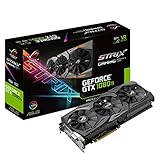
- This Certified Refurbished product is tested and certified to look and work like new. The refurbishing process includes functionality testing, basic cleaning, inspection, and repackaging. The product ships with all relevant accessories, a minimum 90-day warranty, and may arrive in a generic box. Only select sellers who maintain a high performance bar may offer Certified Refurbished products on Amazon.com
- 1632 MHz Boost Clock (OC Mode) featuring 11GB GDDR5X 352-bit memory, 3584 CUDA cores, and 11GB Frame Buffer
- ASUS Aura Sync RGB lighting with additional 4-pin RGB header provides a nearly endless spectrum of colors with the ability to synchronize effects across an ever-expanding ecosystem of ASUS Aura Sync enabled products
- MaxContact plus Auto-Extreme manufacturing technology delivers 2X more GPU to heatsink contact for increased cooling efficiency and premium quality aerospace-grade Super Alloy Power II components
- Patented wing-blade 0dB fans with FanConnect II maximizes cooling performance using three axial fans to deliver 105% more air pressure and dual 4-pin headers for referencing chassis fans to GPU temperatures
A step-by-step replacement process
- Back up important data and record your current configuration. Save game settings, application profiles and any custom fan or power settings. Note the current driver version so you can recover if a new installation behaves unexpectedly.
- Measure the case. Use the manufacturer’s card dimensions as the upper bound, then subtract space occupied by front fans, radiators, drive cages and cable bends. Check the number of expansion slots the cooler will cover.
- Verify the PSU. Read the label and model documentation, confirm continuous wattage, and match every required connector. Do not substitute a CPU EPS connector for a PCIe plug or rely on loose adapters without following the card maker’s instructions.
- Check the motherboard and display connections. Confirm that the intended slot is available and that your monitor cables or adapters can connect to the replacement’s outputs. Leave room for any bracket or cable strain relief.
- Compare workloads under equal settings. Use your own games or applications at the resolution and quality level you intend to keep. When consulting a vendor chart, preserve its stated settings and optional features instead of converting it into an unqualified speed claim.
- Confirm current local pricing and stock. Prices, inventory and regional availability were not established by the available manufacturer pages. Check live listings in your region immediately before purchase and include the cost of a PSU, adapter or case change if one is required.
- Prepare the software change. Download the current driver for the replacement from the GPU manufacturer, then follow the installer’s clean-install or reset option when appropriate. Keep the old card available until the new installation is stable.
- Install with the computer powered down. Disconnect power, remove the old card, seat the replacement fully in the primary slot, secure its bracket, connect every required power lead and ensure no cable presses against a fan.
- Test in stages. Boot to the operating system, confirm the card is detected, install the driver, and run a short workload before a long gaming or rendering session. Watch temperatures, fan behavior, display stability and any power-related shutdowns.
Compare candidates with a decision matrix
Use a matrix so one attractive specification does not hide a system mismatch. Fill in the exact values for each board you are considering.
| Decision factor | Question to answer | Why it matters |
|---|---|---|
| Fit | Does the card fit the measured length, thickness and cable-bend space? | A card that cannot clear the case or adjacent slots is unusable regardless of performance. |
| Power | Does the existing PSU meet the model-specific wattage and connector guidance? | Insufficient capacity or incorrect cabling can cause instability or prevent installation. |
| Workload | Does it improve the games and applications you actually run at your chosen settings? | Feature-focused charts may not represent your workload. |
| Memory and features | Are the card’s memory capacity and supported features appropriate for your projects and display? | Useful capacity and features depend on software, resolution and settings, not age alone. |
| Cost | What is the current local purchase price after any PSU, adapter or case changes? | A nominally attractive card can lose its value when system upgrades are required. |
| Evidence quality | Is the comparison an independent, like-for-like test or a vendor scenario? | Vendor results are informative only under their stated conditions. |
Power and cabling pitfalls
Do not reuse the 1080 Ti requirement blindly
The 600 W figure and 6-pin-plus-8-pin arrangement belong to the GTX 1080 Ti guide. They are useful when checking the old installation, but they neither guarantee that a modern card will run on that PSU nor tell you which leads a modern card needs. Read the replacement manual and PSU guidance together.
A wattage number is not the whole PSU check
Two supplies with the same printed wattage can differ in age, connector inventory and condition. A replacement assessment should include the model’s continuous rating, available dedicated PCIe leads, cable reach and physical condition. If the card maker specifies an adapter, follow its routing and connection instructions exactly and avoid sharp bends at the plug.
Software, support and platform uncertainty
NVIDIA’s support index includes documentation categories for both GTX 10 Series and RTX 50 Series products. That confirms that manufacturer documentation exists for both families, but it does not establish a precise driver-support end date or guarantee that every legacy feature works in every game. Check the driver notes and the requirements of your specific applications when compatibility is important.
An RTX 40 Series support article discusses PSU recommendations and power adapters for that generation. Those RTX 40-specific details should not be copied onto an RTX 50 card. Use the exact RTX 50 model’s instructions instead.
The Tool Desk
Outbyte PC Repair FREERepair Windows errors before they cause bigger problemsFix Now →Outbyte Driver Updater FREEFix the driver behind crashes, sound loss and screen glitchesFind Drivers →Rank #4
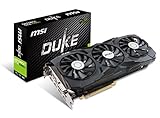
- Chipset: NVIDIA GeForce GTX 1080 Ti. Rugged Anti Bending strip connected with heatsink makes the card extremely rigid
- Video Memory: 11GB GDDR5X, Card dimension: 320 x 141 x 42 mm
- Memory Clock: 11016 MHz (OC mode); Interface: PCI Express x16 3.0
- DisplayPort x 2 / HDMI x 2/ DL-DVI-D. Please Note: kindly refer the user guide before use
- A tailor-made PCB provides stability at high performance
Common failure modes and fixes
The card will not fit
Recheck the manufacturer’s length and thickness measurements against the case with front hardware installed. Removing a drive cage or changing fan placement may help, but do not force the card or leave the side panel pressing on its cooler.
The system powers off during a game
Verify every required connector, confirm that the PSU meets the replacement model’s guidance, and inspect plugs for partial insertion or heat damage. Test at stock settings before investigating software tuning.
The display is blank after installation
Make sure the monitor cable is connected to the new card, not a motherboard output that may be disabled, and reseat the card with the system unplugged. If the old card still works, use it to download the correct driver and check for a firmware or display-adapter issue.
Performance does not match a chart
Compare the chart’s resolution, quality preset, ray-tracing state, upscaling mode and frame-generation state with your own settings. A difference in any of those conditions means the numbers are not directly comparable. Also check whether the limitation is the CPU, game engine, memory or storage rather than the GPU.
Free tools Windows power users keep installed
One-click scans. No signup required.
When keeping the GTX 1080 Ti can be rational
If your games meet their frame-rate target, your applications fit within the card’s memory and features, and the system is stable, an upgrade is not automatically necessary. The case and PSU checks still matter when replacing the card, and current local prices may make a platform-wide upgrade more sensible than a graphics-card swap. Conversely, a replacement becomes easier to justify when the existing card prevents a required resolution, feature or application workflow and the rest of the system can support the new board without costly changes.
Bottom line: choose a system match, not a model number
The GTX 1080 Ti’s documented PCIe 3.0 x16 interface, dual-width slot, 600 W minimum PSU and 6-pin-plus-8-pin connectors explain the starting point, not the destination. A candidate such as NVIDIA’s RTX 5070 deserves investigation as a current GeForce RTX 50 Series product, but its suitability depends on the exact board, case clearance, PSU, workload, settings and live local price. Verify those constraints first, keep every performance claim tied to its test conditions, and only then decide whether replacing the 1080 Ti is worthwhile.
Quick Recap
Product prices and availability are accurate as of the date/time indicated and are subject to change. Any price and availability information displayed on Amazon at the time of purchase will apply.

