The most reliable Forza Horizon 6 setup is the one matched to your device, platform and preferred feel—not a universal “best” preset. For controllers, begin with the default driving model, remap controls that cause missed inputs, and change one assist at a time. For wheels, use your wheel maker’s model-specific values as a starting point: Fanatec’s published FH6 profile uses Simulation steering, Wheel Damper Scale 0.2, and, on Xbox, Force Feedback Scale 1.5 with Steering Rotation 1440. Those numbers apply to Fanatec equipment and Xbox, not every wheel. A Logitech G923 owner’s separate forum experiment used 1.3 force-feedback scale, 1.3 minimum force and 33 steering linearity; that is anecdotal, not a tested recommendation.
What “better handling” means in FH6
Settings can make steering feel calmer, more immediate or easier to read, but the available evidence does not show that one controller, wheel or numerical preset produces faster lap times. Your wheel base, firmware, platform, car, assists and driving style all change the result. Treat the values below as starting points for predictable input and force-feedback detail, then judge them by whether the car responds consistently to the same steering movement.
As an Amazon Associate I earn from qualifying purchases.
Steering angle, linearity, deadzones, force-feedback scale, minimum force and damping are not interchangeable controls. Steering angle changes how far you turn the physical wheel for a given in-game direction. Linearity changes how input is distributed around center. Deadzones ignore a small amount of stick or pedal movement. Force-feedback scale changes overall signal strength, while minimum force can help a weak signal become perceptible. Damping adds resistance and can hide detail if it is excessive.
What’s actually slowing this PC down?
Pick the symptom - the matching free tool is one click away.
Check compatibility, platform and firmware first
Playground Games said in its March 25, 2026 PC article that FH6 has the same robust controller support as Forza Horizon 5 and that every steering wheel compatible with FH5 will also be supported in FH6. This is a broad developer statement, not a model-by-model list. It does not confirm that every console and PC variant, firmware revision or driver will behave identically.
#1 Best Overall
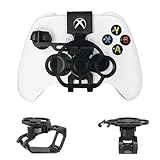
- Budget-friendly Immersion:Designed specifically for X-box controllers, this mini steering wheel is optimized for a wide range of racing games, delivering a premium user experience. When not in use, it can be easily folded and placed in the matching storage bag for easy carrying and management.
- Full Package Construction: The full package construction is designed specifically for safety and stability, greatly enhancing stability and ensuring that it will not shake or fall off during gameplay.With its 135 ° rotation angle, it can achieve precise steering control,allowing you to enjoy an exciting gaming experience with unparalleled value.
- Unique Design: Compared to other Game Boy Accessories, With thoughtful design features such as reserved headphone and charging ports, this steering wheel does not interfere with audio output or access to the charging port, ensuring uninterrupted gameplay while maintaining the full functionality of the controller.
- Exquisite Craftsmanship: Made from premium PLA materials, the steering wheel offers a comfortable grip.Features high-quality metal bearings in the steering wheel for durability and longevity, ensuring extended gaming sessions.Utilizing industrial grade and high-precision 3D printing technology, all accessories are manually adjusted and assembled by employees to ensure consistency between what you see and what you receive.
- Practical Gift: Can be given as a unique gift to parents' wives/husbands, or girl/boy friends on special occasions such as birthdays, Christmas, New Year, Easter, Father's Day, Mother's Day.
Before changing in-game numbers:
- Identify the exact wheel base, rim, pedals and platform (Xbox console or PC).
- Install the manufacturer’s current firmware and, on PC, the correct driver or control-panel software.
- Confirm that the wheel is detected by the operating system or console before launching FH6.
- Check the wheel maker’s compatibility notes if your model is old, modified or using an adapter.
- Record your current FH6 settings so you can restore them after an experiment.
A controller does not require the same setup work, but check its platform connection, battery level and stick condition. A drifting stick can look like a deadzone problem and cannot be fixed reliably with sensitivity changes alone.
Controller settings: prioritize clean input over copied numbers
Playground Games confirms full controller remapping on all platforms, along with returning difficulty settings and driving assists. It does not publish official numerical recommendations for controller sensitivity, steering linearity or stick deadzones in the material available for FH6. Unverified tables copied from another game or device should therefore be treated as personal presets, not authoritative settings.
Remap the controls you actually use
Open the controller configuration screen from FH6’s settings and assign steering, throttle, brake, handbrake, clutch, look and rewind where your fingers can reach them without releasing the main steering stick. The exact menu wording can vary by platform or final game build, so use the in-game controller-mapping page rather than relying on a third-party screenshot. Save a profile after each meaningful change.
Quick wins for a faster PC:
Fix the driver behind crashes, sound loss and screen glitchesFind Drivers →Clear out junk files and repair common Windows errorsFree Scan →Scan for outdated or missing drivers - takes under a minuteDriver Scan →Rank #2

- Compatibility: Exclusively designed for XBOX X/S OEM controllers. Not compatible with XBOX One, XBOX Elite, XBOX 360, Aftermarket, or any other controller models.
- Controller functionality: Screen shot button is not accessible and right stick is limited in the left direction. A short break-in period may be required for optimal performance.
- Snap-On Design: Easy to install and remove, with no additional tools required. Simply snap it onto your controller and start racing!
- Enhanced Gaming Experience: Provides a more realistic steering experience, making it ideal for racing games like Forza Horizon, F1 2023, and more.
- Non-Slip Grip: Thumb impressions on the steering wheel surface ensure a firm and comfortable grip, reducing hand fatigue during extended gaming sessions.
Useful remaps are ergonomic choices, not performance guarantees. For example, placing the handbrake where it is reachable during a turn can make drift transitions less awkward, while moving rewind away from a frequently pressed button prevents accidental resets. Keep essential driving inputs distinct from photo-mode or menu commands.
Use assists as stability controls
FH6 retains its difficulty and driving-assist options. If the car feels unpredictable, change one assist at a time and drive the same route before changing another. Traction control can calm wheelspin; stability control can reduce yaw; assisted braking can help while you learn a car; and automatic or manual transmission changes workload. None of these settings is universally correct, and removing an assist may make the car less forgiving even when steering input is unchanged.
How to tune a stick without inventing a “best” preset
- Start from the game’s defaults and choose a familiar car with predictable grip.
- Drive the same corners repeatedly, using the same camera and assists.
- If the car moves when the stick is untouched, inspect the controller for physical drift before increasing a deadzone.
- If center steering feels too abrupt, make a small linearity or sensitivity change, then repeat the same route.
- If the car refuses to respond to tiny inputs, reduce an overly large deadzone or check for worn hardware.
- Keep the setting only if the change makes corrections easier without creating delay or oscillation.
This is a practical comparison routine, not a validated test procedure. No cited source establishes a controller number that improves handling for every player.
Rank #3

- Immersive Gaming Experience: Perfect for Xbox and PC gaming titles, the Driving Force simulates the feeling of driving a real car with precision steering and pressure-sensitive pedals
- Premium Control: The Driving Force feedback racing wheel provides a detailed simulation of driving a real car, with helical gearing delivering smooth, quiet steering and a hand-stitched leather cover
- Customizable Pedals: These pressure-sensitive nonlinear brake pedals provide a responsive, accurate braking feel on a sturdy base - with adjustable pedal faces for finer control
- 900-Degree Rotation: Lock-to-lock rotation of the Driving Force means you can turn the wheel around two and a half times, hand over hand on wide turns - just like a real F1 race car
- Up Your Game: Take your racing simulation to the next level with Driving Force accessories like the Driving Force Shifter or desk and rig mounts
Wheel settings: use device-specific profiles
Wheel settings are split between FH6’s menus and the wheel manufacturer’s tuning software or display. A value that feels moderate on one base can be overwhelming or ineffective on another. Do not merge numbers from different devices into one preset.
Do these 3 things before closing this tab:
1Scan for outdated or missing drivers - takes under a minute2Clear out junk files and repair common Windows errors3Fix the driver behind crashes, sound loss and screen glitchesFanatec starting point (manufacturer guidance)
Fanatec’s “Forza Horizon 6 – Recommended Settings” page, last updated May 15, 2026, provides a named starting point for Fanatec owners. It separates values by wheel base and platform; its tables include bases such as Podium DD1/DD2 and CSL DD/GT DD Pro. Use the exact table for your base instead of copying a value from a different model.
| Setting | Fanatec guidance | Scope and qualification |
|---|---|---|
| Difficulty → Steering | Simulation | Fanatec’s FH6 recommendation; an in-game option, not a universal wheel rule. |
| Advanced Controls | Defaults, except Invert Force Feedback: Off | Fanatec’s FH6 starting profile. |
| Wheel Damper Scale | 0.2 | Fanatec recommendation; applies to its published setup context. |
| Force Feedback Scale | 1.5 | Fanatec’s Xbox recommendation; not stated as a universal PC or cross-brand value. |
| Steering Rotation | 1440 | Fanatec’s Xbox recommendation; the guide supplies additional base-specific tuning values. |
“Simulation” steering generally gives the wheel a less assisted relationship with the car, so mistakes and over-corrections are more apparent. That does not make it automatically faster or more comfortable. If you prefer a lighter, more filtered response, another steering mode may suit you better. Fanatec’s values are a starting profile, not proof that Simulation is best for every driver.
Rank #4
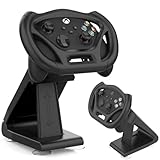
- SPECIAL DESIGN: Megadream Gaming Racing Wheel Dock for Xbox Series S controller, Xbox Series X controller, for motion sensor games only,such as GTA, Formula 1 [Note: This wheel HAS NOT gyroscope function itself]
- HIGH QUALITY: Imitating the real racing wheel, fine workmanship, accurate hole design, bringing you better game racing experience
- MATERIAL: The gaming racing wheel for Xbox Series S controller made of high quality ABS material, owning high strength and strong durability, not easy to wear out, hard to break, long service life
- STABLE: There Are 4 suction cups at the bottom, which are easy to fix and can simulate a real racing steering wheel, which enhances the game experience and is more playable
- DETACHABLE & EASY INSTALLATION: for Xbox Series X controller steering wheel stand can be removed from the holder for use alone and it is easy to install, no hard process
Logitech G923: one owner’s experiment, not a preset
A May 15, 2026 Forza community forum post from a G923 owner described weaker force feedback than in FH5 and reported “some improvement” after using Force Feedback Scale 1.3, Force Feedback Minimum 1.3 and Steering Linearity 33. These three numbers came from one user’s experiment. They were not published by Playground Games, independently tested, or shown to work across G923 units, platforms or firmware versions.
| Setting | Reported value | Evidence level |
|---|---|---|
| Force Feedback Scale | 1.3 | One G923 owner’s forum report. |
| Force Feedback Minimum | 1.3 | One G923 owner’s forum report. |
| Steering Linearity | 33 | One G923 owner’s forum report. |
If you own a G923, you may test those values one at a time, but save your original profile first and stop if the wheel clips, oscillates or becomes tiring. Do not combine them automatically with Fanatec’s 1.5, 1440 or 0.2 values; they belong to different hardware and guidance.
A disciplined wheel-tuning process
- Center and calibrate. Calibrate the wheel and pedals in the manufacturer software, then confirm the wheel is centered in FH6.
- Choose one test car and route. Use the same road, weather, camera and assists for each comparison. This keeps your impressions comparable, although it is not a scientifically validated test.
- Set the manufacturer baseline. Apply the exact profile for your wheel base and platform, if one exists. Do not substitute a similar-looking base.
- Check steering mode. For Fanatec’s published profile, set Difficulty → Steering → Simulation. If that feels too raw, change only this option and retest.
- Adjust strength before detail. Change overall force-feedback scale in small steps. If the wheel becomes constantly heavy or loses distinct bumps, the signal may be clipping; lower strength rather than adding more damping.
- Address a dead zone. Minimum force can make weak forces easier to feel, but too much can create a notchy center. Test it separately from scale.
- Set rotation and linearity. Rotation affects steering travel; linearity affects the center response. Change one, drive the same corners, and keep notes.
- Save a profile. Keep separate profiles for different bases, platforms or cars if your software supports them.
There is no consistent universal value for rotation, force-feedback strength, linearity or minimum force across the cited evidence. A wheel that feels detailed at a desk may feel too strong on a rigid cockpit, and firmware updates can alter the response.
Best Value

- REALISTIC RACING SIMULATION DUO: Feel what is like to drive a real race car with G920 Driving Force Racing Wheel & Pedals and Driving Force Shifter
- PAIRED FOR PRECISION: Take full control of the race with G920 Driving Force Racing Wheel & Pedals and Driving Force Shifter
- PRECISE CONTROL: Helical transmission gears reduce noise and vibration with anti-backlash keeping wheel and pedals tight. The six-speed “H” shifter helps you execute smooth, accurate gear transitions
- FORCE FEEDBACK: The dual motor force-feedback realistically simulates the feel of tires on a turn, understeer, oversteer, drifting and more
- PREMIUM BUILD: Look, feel and durability of a real race car wheel, pedals and shifter. Wheel cover, knob and boot are covered in high-quality, hand-stitched leather with a solid steel gear shaft and polished metal pedals
Fixing weak or inconsistent force feedback
When the wheel feels almost empty
- Confirm the wheel is operating in the correct console or PC mode and is recognized before FH6 starts.
- Check firmware, driver and power connections; a wheel running in a fallback mode may lose features.
- Verify that force feedback is enabled in FH6 and that Invert Force Feedback is not accidentally enabled. Fanatec’s published starting profile specifies Invert Force Feedback Off.
- Raise force-feedback scale gradually, watching for clipping or an excessively heavy rim.
- On a G923, the 1.3 scale and 1.3 minimum-force values are only an anecdotal experiment, not a guaranteed fix.
When the wheel oscillates, clips or feels numb
- Lower overall force before adding damping if the wheel is constantly saturated.
- Reduce excessive minimum force if the center feels notchy or self-steers at rest.
- Lower damping when road texture disappears; damping can mask detail.
- Recheck steering rotation and linearity after every firmware or profile change.
- Test another car and surface to distinguish a vehicle’s handling from a hardware problem.
Controller or wheel: which approach fits?
| Consideration | Controller | Wheel |
|---|---|---|
| Input style | Short stick movement, quick corrections and low setup effort. | Physical steering travel and force feedback; requires mounting space. |
| Platform and model | FH6 supports robust controller functionality on all platforms, including full remapping. | FH5-compatible wheels are broadly supported according to Playground Games; verify your exact model, platform and firmware. |
| Adjustment options | Remapping, assists and user-controlled sensitivity/deadzone choices; no official FH6 numerical preset is established. | In-game settings plus manufacturer tuning menus, often base-specific. |
| Setup effort | Connect, map and calibrate the sticks. | Mount, power, calibrate pedals, update firmware and tune force feedback. |
| Best reason to choose it | Convenience, portability and familiar arcade-style control. | Physical steering feedback and a more gradual steering motion. |
The hardware announcements do not establish that a special controller or wheel handles better than another compatible device. Xbox announced a Forza Horizon 6 Limited Edition Controller and Headset on April 20, 2026, but that announcement does not claim improved steering precision, handling or performance, and it does not establish current retail availability.
Drift Attack and assist choices
Playground Games announced Drift Attack on August 26, 2026 as a shared-world drift feature arriving with the September series update. The announcement encourages turning traction control off for the activity and describes the goal as maintaining control while drifting. That is activity guidance, not a wheel or controller preset.
For Drift Attack, choose the input device that lets you make smooth countersteering corrections. A wheel may provide a larger physical range for those corrections; a controller may make rapid direction changes easier. Keep steering, linearity and force-feedback choices preference-dependent, and change only one variable when practicing a drift line.
Recommended Free Tools
Quick Recap
Recommended starting decisions
- Using a controller: keep the default numerical behavior, remap controls for reach, and tune assists or sensitivity only after repeating the same route.
- Using Fanatec on Xbox: begin with Simulation steering, Invert Force Feedback Off, Wheel Damper Scale 0.2, Force Feedback Scale 1.5 and Steering Rotation 1440, then consult the base-specific Fanatec table.
- Using a Logitech G923: treat 1.3 force-feedback scale, 1.3 minimum force and 33 linearity as an optional single-user experiment, not an official FH6 profile.
- Using another wheel: find the exact base-and-platform guidance from its maker; no cited source supplies a universal cross-brand preset.
Product prices and availability are accurate as of the date/time indicated and are subject to change. Any price and availability information displayed on Amazon at the time of purchase will apply.

