What’s actually slowing this PC down?
Pick the symptom - the matching free tool is one click away.
If Five Nights at Freddy’s: Security Breach keeps closing, freezing, or showing a black screen on your PC, start with software and configuration checks rather than buying hardware. The reliable order is: confirm the Steam requirements, remove every mod, reset the game’s settings file for cinematic or jump-scare black screens, verify the Steam installation, install the latest patch, and then investigate a scene-specific or resource-related failure. These steps also explain what to do when Steam reports that the files are fine but the game still crashes.
Why Security Breach crashes on PC
A crash is not one single fault. On the PC version released through Steam on December 16, 2021, the same symptom can come from a modified installation, a corrupted settings file, incomplete game data, an unfixed game defect, or a computer that falls below the published requirements. The symptom and its trigger determine which fix is sensible.
As an Amazon Associate I earn from qualifying purchases.
A black screen during a cinematic or jump scare points to a documented settings-file problem, especially after configuration changes or mod use. A launch failure after an interrupted update makes file verification and patching more relevant. A crash that happens at exactly the same location may match a defect already addressed in an update. If the machine is below the minimum specifications, instability and poor performance are plausible; meeting the minimum does not guarantee that every configuration will be stable.
Recommended Free Tools
Check the PC requirements before changing anything
Steam’s 2021 listing gives the following baseline. Treat these as screening thresholds, not a promise that the game will run without crashes.
#1 Best Overall
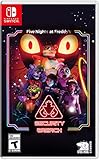
- INCLUDED - Five Nights at Freddy’s: Security Breach will feature an exclusive sticker sheet
- THE HUNTERS AND THE HUNTED - Once nighttime protocols are initiated, the animatronics at Freddy Fazbear’s Mega Pizzaplex will relentlessly pursue all intruders
- ADAPT TO SURVIVE - Access security cameras to survey the environment and plan your route through danger; Distract enemies by knocking over paint cans and toys; Hop into hiding spots and allow danger to pass, or try to outrun your pursuers
- EXPLORE AND DISCOVER - Freddy Fazbear’s Mega Pizzaplex offers a variety of attractions for guests to enjoy - Monty Golf, Roxy Raceway, Bonnie Bowl, the sewers, and… Sewers; The Pizzaplex is vast and has no shortage of goodies to discover
| Component | Minimum | Recommended |
|---|---|---|
| Operating system | Windows 10 64-bit | Not separately stated |
| Processor | AMD Ryzen 5 3600 or Intel Core i5-6600K | AMD Ryzen 7 2700X or Intel Core i7-4790 |
| Memory | 8 GB RAM | 16 GB RAM |
| Graphics | Nvidia GeForce GTX 1050 Ti | Not separately stated |
| Graphics API | DirectX 12 | DirectX 12 |
| Free storage | 80 GB | 80 GB |
To compare your system, press Windows key + R, enter dxdiag, and review the System and Display tabs. In Steam, open Library, right-click the game, choose Properties, and check the installed size and available updates. Leave substantially more than 80 GB free if possible so Windows and Steam have room to create temporary files during updates.
Do these safeguards first
- Close the game and Steam completely. In Task Manager, confirm that no
fnaf9or game process is still running before editing files. - Record the symptom: launch crash, black screen, crash in a cinematic, jump-scare failure, or a repeatable crash in one room. Note whether it began after a mod, update, or settings change.
- Do not delete your whole save directory. The documented workaround targets one settings file only.
- If you plan to reset settings, copy the
SaveGamesfolder to another location first. This gives you a rollback point even though the developer says the workaround should not affect save files.
Fix black screens and crashes after mods or settings changes
Steel Wool Studios published a workaround on August 23, 2023, for a corrupted settings file. It specifically applies when cinematics or jump scares turn the display black, including cases that began after modding or changing configuration.
Rank #2

- The next chapter in fear! Five Nights at Freddy's: Security Breach is the latest instalment of the family-friendly horror games loved by millions of players from all over the globe.
- The hunters and the hunted - Once nighttime protocols are initiated, the animatronics at Freddy Fazbear's Mega Pizzaplex will relentlessly pursue all intruders.
- Adapt to survive - Access the building's security cameras to survey the environment and plan your route through danger.
- Explore and discover - Freddy Fazbear's Mega Pizzaplex offers a variety of attractions for guests to enjoy - Monty Golf, Roxy Raceway, Bonnie Bowl, the sewers, and… Sewers? The Pizzaplex is vast and has no shortage of goodies to discover.
- All retail copies of Five Nights at Freddy's: Security Breach will feature an exclusive sticker sheet!
- Uninstall every mod. Remove mod files and use the mod author’s uninstall procedure if one exists. A partial removal can leave the game in the same broken state, so troubleshoot the unmodified game first.
- Show hidden folders. Open File Explorer, select View, choose Show, and enable Hidden items. On some Windows layouts, use View > Options > View, then select Show hidden files, folders, and drives.
- Open the settings location. In File Explorer’s address bar, enter
C:Users%USERNAME%AppDataLocalfnaf9SavedSaveGamesand press Enter. You can also replace%USERNAME%with your Windows account name. - Back up the folder. Copy
SaveGamessomewhere outside thefnaf9directory, such as your Documents folder. - Remove only
PlayerSettingsSlot.sav. Delete it or move it into the backup folder. Do not remove the other save files. - Start the game. The file will be recreated with default in-game settings. Reapply graphics and control preferences gradually, testing after each major change.
Steel Wool describes this as resetting in-game settings; it says your save files should not be affected. If the black screen remains after the reset, continue with file verification and patch checks instead of repeatedly deleting unrelated files.
Verify the Steam installation
Verification is the correct response to an interrupted download, an unexplained launch failure, or files left behind after removing mods. Steam scans the downloaded data, checks file checksums, and compares them with the game’s file manifest. It can replace damaged or incomplete files, but a successful verification does not prove that every cause of a crash has been removed.
Rank #3
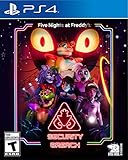
- INCLUDED - Five Nights at Freddy’s: Security Breach will feature an exclusive sticker sheet
- THE HUNTERS AND THE HUNTED - Once nighttime protocols are initiated, the animatronics at Freddy Fazbear’s Mega Pizzaplex will relentlessly pursue all intruders
- ADAPT TO SURVIVE - Access security cameras to survey the environment and plan your route through danger; Distract enemies by knocking over paint cans and toys; Hop into hiding spots and allow danger to pass, or try to outrun your pursuers
- EXPLORE AND DISCOVER - Freddy Fazbear’s Mega Pizzaplex offers a variety of attractions for guests to enjoy - Monty Golf, Roxy Raceway, Bonnie Bowl, the sewers, and… Sewers; The Pizzaplex is vast and has no shortage of goodies to discover
- Open Steam and select Library.
- Right-click Five Nights at Freddy’s: Security Breach and choose Properties.
- Select Installed Files (older Steam layouts may label this Local Files).
- Choose Verify integrity of game files and wait for the process to finish.
- Allow Steam to reacquire any files it reports as missing or damaged, then restart Steam and launch the game without mods.
If Steam reports that every file is valid but the crash continues, that result only clears one branch: the installation data matched Steam’s manifest at that time. The settings-file workaround, an unsupported configuration, a repeatable game defect, or resource pressure can still be responsible.
Install the latest game update
Keep automatic updates enabled or manually check the game’s Properties page for pending downloads. Patch notes matter when the crash follows a recognizable sequence. Steel Wool recorded a fix for an occasional crash that occurred when selecting Restart after being jump scared by Chica while in Cupcake Shoppe. A crash that matches that sequence may be a game defect addressed by an update, not evidence that your graphics card or another component must be replaced.
Rank #4

- The next chapter in fear! Five Nights at Freddy's: Security Breach is the latest instalment of the family-friendly horror games loved by millions of players from all over the globe.
- The hunters and the hunted - Once nighttime protocols are initiated, the animatronics at Freddy Fazbear's Mega Pizzaplex will relentlessly pursue all intruders.
- Adapt to survive - Access the building's security cameras to survey the environment and plan your route through danger.
- Explore and discover - Freddy Fazbear's Mega Pizzaplex offers a variety of attractions for guests to enjoy - Monty Golf, Roxy Raceway, Bonnie Bowl, the sewers, and… Sewers? The Pizzaplex is vast and has no shortage of goodies to discover.
- All retail copies of Five Nights at Freddy's: Security Breach will feature an exclusive sticker sheet!
- In Steam, open Library, right-click the game, and select Properties.
- Open Updates and ensure Steam is allowed to keep the title updated.
- Wait for any queued download to complete before launching.
- After updating, reproduce the original action once. If the crash no longer occurs, avoid restoring old mods or the backed-up settings file until you have tested a clean session.
Choose the troubleshooting branch by symptom
| Observed symptom | Most useful first branch | What the result tells you |
|---|---|---|
| Black screen in a cinematic or jump scare | Remove mods, then reset PlayerSettingsSlot.sav |
Targets the documented corrupted-settings condition. |
| Crash immediately after a mod or configuration change | Return to an unmodified install, reset settings, then verify files | Separates custom files and settings from the base installation. |
| Launch failure after an interrupted update | Verify Steam files and install pending updates | Checks whether downloaded data is incomplete or damaged. |
| Crash at the same room or action every time | Update the game and compare the sequence with patch notes | May indicate a known game-specific defect. |
| Frequent crashes with low memory or an undersized GPU | Compare against the Steam minimums and close competing workloads | Shows whether the computer is below the published baseline. |
When the computer is below or barely meets minimums
The minimum list includes 8 GB of RAM, a GTX 1050 Ti-class graphics card, DirectX 12, a Ryzen 5 3600 or Core i5-6600K-class processor, Windows 10 64-bit, and 80 GB of storage. If one of these is missing, crashes and severe performance problems are plausible. First free storage, close browsers and recording tools, and test the unmodified game after a reboot. These steps reduce competing resource demand, but they cannot turn hardware below the minimum into a guaranteed stable configuration.
If your system meets or exceeds the minimums, do not assume that purchasing a component is the next step. Complete the mod removal, settings reset, verification, and update branches first. The published requirements do not establish a universal crash rate or guarantee stability on every combination of drivers, background software, and display settings.
Best Value

- Two years of Freddy - The core collection includes the first five mainline titles in the fnaf universe that started it all: five nights at freddy's, five nights at freddy's 2, five nights at freddy's 3, five nights at freddy's 4, and five nights at freddy's: sister location.
- celebrate with new friends - meet a colorful cast of robotic companions that are ready to Welcome you to the fazbear family including Bonnie, chica, Foxy and Freddy fazbear himself.
- hide and seek - survive the night by Monitoring the suspicious activity of the haunted animations that come alive at night. They can run, but you can hide.
- console Exclusive features - A new achievement and trophy system as well as optional cheats that give new reasons to revisit fazbear Entertainment
How to test each change without losing track
- Start from a clean, unmodified game and write down the exact action that caused the crash.
- Apply one change only: settings reset, file verification, or update. Restart Steam and test the same action.
- If the crash stops, restore preferences one at a time. Do not restore all mods or old settings simultaneously, because that hides the trigger.
- If it persists, keep the successful changes in place and move to the next branch. For example, retain the reset settings while verifying files.
- If the failure remains at one documented scene after an update and clean installation, record the location, action, and frequency for a support report. Avoid deleting saves or system files that are unrelated to the symptom.
Common mistakes to avoid
- Reinstalling before removing mods: custom files or settings can survive in user folders, so a reinstall alone may not address the cause.
- Deleting the entire SaveGames folder: the official workaround names
PlayerSettingsSlot.sav; removing everything risks your progress without targeting the documented fault. - Treating verification as a complete diagnosis: a clean checksum result does not test settings corruption, hardware requirements, or a scene-specific code defect.
- Buying an accessory as the first response: the cited remedies are software and configuration steps. Consider hardware only after confirming that the computer is below the requirements or that an independent diagnosis identifies a component problem.
- Restoring mods immediately after a fix: test the base game first, then add customizations individually so a returning crash has an identifiable trigger.
When to stop repeating the same fixes
Once mods are removed, the settings file is reset where appropriate, Steam reports a verified installation, and the game is fully patched, repeating those actions is unlikely to add information. At that point compare the exact crash sequence with the requirements and documented patch behavior. A failure confined to one action may be a game defect; broad failures on a machine below the minimums point toward resource limitations. Keep your backup and notes so you can restore the original configuration if a later change makes diagnosis harder.
Quick Recap
As an optional shortcut after the manual steps, Outbyte PC Repair can look for common Windows problems, reduce certain system loads, clean temporary and cache files, and provide tools such as vulnerability checks and crash logging. It complements antivirus software rather than replacing it; results vary and no utility repairs every game crash. It runs on Windows 11, 10, 8, and 7, with a free trial by category for at least two days before a paid subscription.
Product prices and availability are accurate as of the date/time indicated and are subject to change. Any price and availability information displayed on Amazon at the time of purchase will apply.

