Neither EDR nor NDR wins in every unauthorized-access investigation. Endpoint detection and response (EDR) is the more direct source when the evidence is on a managed workstation, server, laptop, thin client, virtual desktop, or other instrumented endpoint. Network detection and response (NDR) is the more direct source when the evidence is suspicious traffic or network activity that reaches a monitored sensor or data feed. If an incident crosses both observation points, using the two together can provide a more complete investigation.
The deciding factor is coverage, not the acronym. An EDR deployment cannot report activity from devices that are unmanaged or not sending the required telemetry, and an NDR deployment cannot analyze traffic or events that never reach its sensors or connected data sources.
As an Amazon Associate I earn from qualifying purchases.
What EDR and NDR actually monitor
EDR watches endpoint activity
The Cybersecurity and Infrastructure Security Agency (CISA) describes EDR as providing cybersecurity monitoring and control of endpoint devices, collecting and managing security-relevant endpoint events, and maintaining endpoint visibility. In practice, an EDR agent or equivalent endpoint feed can record activity such as process launches, command execution, file changes, logons, persistence attempts, and connections made by a covered device. The exact events, operating systems, cloud workloads, and response actions vary by implementation.
What’s actually slowing this PC down?
Pick the symptom - the matching free tool is one click away.
Endpoint evidence answers questions such as: Which device was used? Which account was active? What process opened a connection? What files or settings changed? Did the device show signs of credential theft or malware? Those answers are useful when an alleged unauthorized login results in activity on a managed host.
#1 Best Overall
![Dualcomm10/100/1000Base-T Gigabit Ethernet Network TAP [ETAP-2003]](https://m.media-amazon.com/images/I/41BN4VAnktL._SL160_.jpg)
- Network Tap for use with 10/100/1000Base-T Ethernet link
- Reliable and high performance. Tested with maximum in-line cable length (200m) at full 1Gbps data throughput with no single packet loss
- Capable of being powered from a computer's USB port with built-in inrush current limiting circuit to prevent the computer from possible damages or disturbances by instantaneous current surge
- Compatible with Power-over-Ethernet (PoE)
- Probably the smallest portable GbE Network Tap available on the market
NDR analyzes network event data
CISA’s July 2025 TIC 3.0 Branch Office Use Case defines NDR as “the collection and analysis of network event data to aid in the detection and remediation of malicious activity.” NDR can examine network flows, connection metadata, protocol behavior, DNS activity, proxy records, and other events available from its sensors or supplied network services. The precise data model depends on the deployment.
Network evidence answers a different set of questions: Which internal and external addresses communicated? When did a connection begin? Did a host contact an unusual service? Did traffic move between segments in a way that suggests reconnaissance or lateral movement? NDR can expose activity along a monitored path even when the communicating endpoint has no EDR agent, but only if the relevant traffic or event source is visible to the NDR system.
Which one is more useful for unauthorized access?
Start by locating the evidence you need rather than asking which category is universally better.
| Investigation situation | More direct first source | Why | Important condition |
|---|---|---|---|
| A suspicious process, script, file change, or user session on a managed computer | EDR | It records device-level events and can preserve the process and account context. | The endpoint must be enrolled, online enough to report, and configured to collect the needed events. |
| Unexpected communications crossing a monitored branch, data-center, campus, or internet boundary | NDR | It provides a network-level view of connections and behavior visible on that path. | A sensor, mirror, flow source, proxy, or other feed must actually see the path. |
| Suspicious activity from an unmanaged device | NDR, where the traffic is visible | Network telemetry may reveal the device’s communications even without an endpoint agent. | Encrypted, bypassed, local-only, or otherwise unobserved traffic may leave little usable evidence. |
| A suspected stolen credential used from a managed laptop, followed by unusual internal connections | Both | EDR can establish what happened on the laptop while NDR can show the connections and movement. | The two data sets must be retained and correlated in the investigation workflow. |
| Cloud or virtual activity outside the paths covered by existing sensors | Whichever source covers that environment | Category labels do not create visibility by themselves. | Confirm support for the specific workload, identity source, and network architecture. |
These are evidence priorities, not guaranteed detection outcomes. Neither category identifies every unauthorized user, compromised credential, policy violation, or lateral-movement attempt. Detection depends on what the organization defines as unauthorized, which events it collects, how detections are tuned, and whether someone can investigate the alert.
Rank #2

- (10/100/1G) Gigabit Bypass network tap / sniffer equivalent to port mirror on a switch.
- The two monitor/sniff ports are isolated from the network being monitored.
- Automatic bypass of device on power fail.
- Power-over-Ethernet (POE) pass-through. Rated at .75A max at 57vdc
- 5v power through USB3 port or 5v wall transformer (or both). ~500ma consumption.
EDR and NDR compared by operational concern
| Concern | EDR | NDR |
|---|---|---|
| Primary observation point | Endpoint devices and their security events. | Network events and activity visible to sensors or other network data sources. |
| Best investigative context | Device, account, process, file, configuration, and local timeline details. | Source and destination relationships, timing, protocol behavior, and movement across visible paths. |
| Typical coverage question | Are the relevant workstations, servers, laptops, thin clients, virtual desktops, and workloads enrolled and reporting? | Do sensors or feeds cover the branch, remote-access, campus, data-center, cloud, and third-party paths that matter? |
| Response described by CISA | Policy-configured endpoint actions, including isolating an endpoint from the network. | Support for detection and remediation; the actual response workflow depends on the implementation. |
| Common blind spot | Unmanaged, unsupported, offline, or incorrectly configured devices. | Traffic and events outside sensor locations, feeds, retention windows, or decryption and logging capabilities. |
| Integration questions | Can alerts and events be exported to the SIEM and connected to incident-response procedures? | Can network alerts be correlated with identity, endpoint, cloud, and ticketing systems? |
| Cost and effort factors | Agent rollout, licensing by device or workload, policy tuning, storage, privacy review, and analyst time. | Sensor or feed deployment, traffic acquisition, storage and retention, tuning, network-change coordination, and analyst time. |
Why deployment determines what either tool can see
Endpoint inventory is the EDR boundary
Build an inventory before judging an EDR’s coverage. Include employee workstations, servers, laptops, thin clients, virtual desktops, cloud workloads, administrative jump hosts, and systems owned by contractors or subsidiaries. Check operating-system versions, agent health, network reachability, tamper protection, and whether the policy collects the events needed for an access investigation.
A device can appear in an asset database while still being invisible to the EDR console because its agent is stopped, its license is expired, its operating system is unsupported, or its telemetry is filtered. Test an alert and an investigation timeline on every important endpoint class rather than assuming that enrollment equals useful evidence.
Sensor placement is the NDR boundary
NDR can analyze only the traffic or events delivered to it. CISA describes several ways to obtain visibility, including routing traffic through sensor locations and using visibility supplied by external agency services or infrastructure. Depending on the topology, that may involve network taps, switch mirror ports, flow records, DNS or proxy logs, cloud-native telemetry, or traffic routed through a monitoring service. A physical tap is supporting infrastructure, not an NDR product requirement; confirm that any capture method is compatible with link speeds, redundancy, encryption, and the sensor’s input format.
The Tool Desk
Outbyte PC Repair FREERepair Windows errors before they cause bigger problemsFix Now →Outbyte Driver Updater FREEFix the driver behind crashes, sound loss and screen glitchesFind Drivers →Map the paths that carry authentication and administrative activity: internet egress, site-to-site links, remote-access gateways, branch connections, data-center segments, cloud networks, and third-party integrations. A sensor on one campus VLAN will not automatically see a cloud workload, a home user’s local traffic, or a branch connection that exits through another provider.
Rank #3
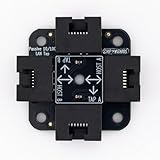
- 40% smaller than standard LAN tap
- Same Throwing Star LAN tap function in a new streamlined design
- Simple device for passively monitoring ethernet based communications
- Updated, intuitive silkscreen and streamlined design
- Every device assembled by hand in the USA with individual inspection and testing
Branch offices need an explicit visibility design
CISA’s July 2025 branch-office guidance presents NDR deployment at branch offices as one option and discusses routing traffic through external sensor locations or obtaining visibility from agency services and infrastructure. This is a design example, not a universal requirement. For each branch, document where traffic leaves the site, whether local east-west traffic is observable, what happens during a WAN outage, and which logs remain available if traffic is encrypted.
Encryption, cloud services, and remote work change the evidence
Encryption can preserve metadata while hiding content that a sensor would otherwise inspect. Cloud platforms may expose flow, audit, identity, and workload logs instead of a traditional network tap. Remote workers may connect through split tunnels, personal networks, or software-defined access paths that bypass a corporate sensor. Evaluate the telemetry available in those environments and record what an investigator will not be able to reconstruct.
Detection is not the same as response
Finding an indication of unauthorized access and stopping it are separate capabilities. CISA’s EDR requirements describe policy-configured endpoint responses, with isolation or containment as an example. Isolation can limit a compromised computer’s communications, but it can also interrupt business processes, remove a responder’s normal access, or sever evidence-collection channels. Define which actions are safe to automate, which require approval, and how an analyst restores service.
Free tools Windows power users keep installed
One-click scans. No signup required.
CISA describes NDR as aiding detection and remediation; that wording does not guarantee a particular automatic response. An NDR alert might create a ticket, trigger a firewall or access-control change through an integration, or simply provide evidence for a responder. Verify the available integrations, approval gates, rollback behavior, and audit trail in the specific implementation.
Rank #4

- Network Tap for use with 10/100Base-T link
- Capable of being powered from a computer's USB port with built-in inrush current limiting circuit to prevent the computer from possible damages or disturbances by instantaneous current surge
- Compatible with PoE. PoE pass-through between two inline ports
- Can also be used as a portable 4-port 10/100 Ethernet switch
Neither tool replaces identity controls. Maintain authoritative authentication, multifactor, privilege, and access-policy records so an analyst can determine whether a connection was authorized at the time it occurred. Define the response owner and escalation path before alerts arrive.
A practical selection process
- Define unauthorized access. Write down the events that matter: impossible-travel logons, use of a disabled account, access outside approved hours, execution from a restricted host, unexpected administrative activity, or prohibited movement between segments. The definition determines which evidence must be collected.
- List every access path. Include office networks, branch sites, remote-access services, cloud environments, data centers, partner links, privileged jump hosts, and unmanaged or personally owned devices that can reach protected resources.
- Match evidence to observation points. For each path, specify whether you need process and file activity, authentication records, network connections, cloud audit events, or a correlation of several sources.
- Measure endpoint coverage. Record which device classes can run the agent, whether they report continuously, what events are retained, and how quickly an endpoint can be isolated under policy.
- Measure network coverage. Draw sensor and log-source locations on the network map. Verify branch, remote, cloud, encrypted, and east-west visibility instead of relying on a single perimeter feed.
- Set retention and investigation requirements. Choose a retention period that matches how long unauthorized access may remain undiscovered. Confirm that raw or sufficiently detailed events can be retrieved for the entire period.
- Test integrations. Send representative EDR and NDR alerts to the existing SIEM, SOAR, ticketing, and incident-response processes. Confirm field mappings, timestamps, deduplication, ownership, and escalation.
- Plan safe actions. Decide when to isolate an endpoint, block a destination, disable an account, or require human approval. Document rollback and evidence-preservation steps for each action.
- Estimate operating capacity. Include deployment, upgrades, sensor maintenance, tuning, privacy review, storage, alert triage, threat hunting, and after-hours response. A tool that produces alerts the team cannot investigate does not solve the coverage problem.
- Validate with realistic scenarios. Exercise a managed-device compromise, a connection from an unmanaged device, branch-to-data-center movement, and a cloud access event. Record which alerts fired, which context was available, and what the responder could actually do.
Deployment examples
Stolen credentials used on a managed laptop
An attacker signs in with a valid account and launches an unusual command on a company laptop. EDR is the direct source for the process tree, user session, command line, and local changes, assuming the laptop is enrolled and those events are collected. NDR can add the destinations contacted by the laptop and show whether the activity reached other segments. Identity logs are needed to establish whether the account use violated policy.
Lateral movement through a branch office
A compromised branch workstation contacts several servers in a short period. NDR is useful if a sensor or feed sees the branch-to-server traffic, because it can reveal the relationship and timing across hosts. EDR adds process and account detail on any enrolled workstation or server. If branch traffic bypasses the sensor, the NDR view will be incomplete and the organization should address that topology gap rather than infer that no movement occurred.
Do these 3 things before closing this tab:
1Fix the driver behind crashes, sound loss and screen glitches2Repair Windows errors before they cause bigger problems3Scan for outdated or missing drivers - takes under a minuteUnmanaged device accessing a protected service
A contractor’s or personal device reaches an internal application without an endpoint agent. Network telemetry may identify the source address, session timing, and unusual destinations, while application and identity logs establish which account and resource were used. If the device’s traffic is local, encrypted without useful metadata, or outside monitored paths, neither EDR nor NDR may provide the required detail; access-control and application logging then become essential evidence.
Best Value

- The SharkTap is a special purpose 10/100/1000Base-T ethernet device that allows you to 'tap into' an ethernet connection. It is intended to be used with the free Wireshark protocol analyzer or equivalent.
- Conventional switches route packets only to the intended destination port, reducing traffic but preventing a third port from seeing all packets. The SharkTap duplicates all packets to or from the Network ports to the TAP port.
- Supports 10, 100 and 1000Base-T, all ports. Power-Over-Ethernet (PoE) pass-through.
- Powered from a USB-B cable (included), draws 350mA or less.
- Other features: Auto-MDIX, so no crossover cables ever needed. Non-conductive enclosure for lab work. Will NOT route packets from TAP to Network ports.
Using both perspectives in an incident workflow
- Preserve the initial alert. Keep the original EDR or NDR event, timestamp, sensor or device identifier, and detection rule so later tuning does not erase the starting point.
- Pivot on stable identifiers. Correlate hostname, device identity, user, IP address, cloud resource, and precise time. Account for address reuse, NAT, roaming laptops, and clock differences.
- Build two timelines. Use EDR to reconstruct local execution and changes; use NDR and related network logs to reconstruct communications and movement. Add authentication and application records to explain authorization.
- Contain proportionately. Apply the approved endpoint, network, or identity action that limits harm while preserving evidence. Record who approved it and what service impact is expected.
- Eradicate and recover. Remove persistence, reset or revoke compromised access, restore systems, and confirm that monitoring resumed before returning a device or account to normal use.
- Improve the control. If the investigation failed because a device, path, or event source was missing, fix that specific coverage gap and test the scenario again.
Common mistakes and how to correct them
- Treating enrollment as coverage: Check agent health, event collection, unsupported systems, and reporting delays.
- Putting one NDR sensor at the perimeter: Add visibility for internal, branch, cloud, and remote-access paths where unauthorized movement could occur.
- Assuming NDR sees all encrypted traffic: Document which metadata is available and combine it with endpoint, identity, proxy, DNS, or cloud audit events.
- Automating containment without policy: Classify assets, define approval thresholds, and test rollback so an alert does not create an avoidable outage.
- Ignoring unmanaged devices: Use network, application, and identity controls to compensate, and decide whether the device should be allowed to reach the resource at all.
- Buying on detection-rate claims: The cited government sources do not establish a universal detection percentage, false-positive ranking, price winner, or product-independent superiority. Compare tested coverage and workflow fit instead.
- Leaving alerts outside the response process: Connect both data streams to the SIEM, SOAR, ticketing, and incident-response procedures, with named owners and service-level expectations.
How current guidance fits the decision
CISA’s CDM Technical Capabilities, Volume 2, version 2.5, dated August 2023, establishes the endpoint-monitoring and control scope associated with EDR and describes response and integration requirements. Microsoft Defender for Endpoint documentation is an example of one vendor’s implementation; its feature list should not be generalized to every EDR product.
CISA’s living StopRansomware guidance recommends EDR-related measures for ensuring that only authorized software executes and discusses intrusion-detection monitoring for malicious network activity. IDS and NDR are related monitoring categories but are not interchangeable labels.
NIST published SP 800-61 Rev. 3 on April 3, 2025. It supersedes Rev. 2 and places incident-response recommendations in the Cybersecurity Framework 2.0 risk-management context. It is useful for organizing preparation, detection, response, and recovery, but it does not define EDR or NDR or declare one category superior.
Quick wins for a faster PC:
Fix the driver behind crashes, sound loss and screen glitchesFind Drivers →Clear out junk files and repair common Windows errorsFree Scan →CISA’s OpenEDR resource page also states that CISA does not endorse commercial products or services. A listing or government reference should therefore be read as capability information, not as a purchase recommendation.
Bottom line
Choose EDR when the critical question is what happened on a managed endpoint and what containment action can be taken there. Choose NDR when the critical question is what crossed a network path that your sensors or feeds can see. Organizations facing both host compromise and network movement generally need both perspectives, joined with identity, application, and cloud records. Validate the actual devices, paths, retention, integrations, response policies, staffing, and cost of the deployment you can operate; no category label can substitute for that coverage test.
Quick Recap
Product prices and availability are accurate as of the date/time indicated and are subject to change. Any price and availability information displayed on Amazon at the time of purchase will apply.

