Yes. Arista’s 7050T-64 configuration has four 40GbE QSFP+ ports alongside 48 1/10GbE ports. Each QSFP+ port can operate as one 40GbE link or break out into four independent 10GbE links. “QSPF+” in the question is a typo; the correct term is QSFP+.
How the 7050T-64 ports work
Arista’s 7050T datasheet describes the 7050T-64 configuration as 48 x 1/10GbE ports and 4 x 40GbE QSFP+ ports. The QSFP+ ports are configurable: each can provide a single 40GbE connection or four separate 10GbE connections. With all four configured for breakout, the switch can provide 64 10GbE ports in total.


As an Amazon Associate I earn from qualifying purchases.
Arista EOS documentation explains that QSFP+ uses four data lanes, which can be combined for a higher-speed interface or used separately. The configuration method depends on the switch platform and EOS release, so check the guidance for the specific switch and software version rather than assuming a command will apply.
Choose the cable or optics for the link
The right connection depends on whether you want one 40GbE link or four 10GbE links, what port is available at the far end, and the required distance and medium. The datasheet lists these examples:
#1 Best Overall

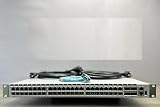
- Arista DCS-7050T-64-R 48x RJ45 1/10GBASE-T 4x QSFP+ L4 Rear-to-Front Airflow Switch w/ Dual AC (Renewed)
| Connection type | Documented reach |
|---|---|
| 40GBASE-CR4 QSFP+ to QSFP+ copper cable | 0.5 m to 7 m |
| 10GBASE-CR QSFP+ to four SFP+ copper breakout cable | 0.5 m to 5 m |
| 40GBASE-SR4 optical | 100 m over OM3 or 150 m over OM4 |
| 40GBASE-LR4 optical | 10 km |
| 40GBASE-ER4 optical | 40 km |
The same datasheet also lists other options, including 40GBASE-XSR4, AOC, PLRL4, UNIV, SRBD, LRL4, and PLR4, with their own media and reach limits. These are product specifications, not a guarantee that an unspecified third-party cable or transceiver will work with your switch and peer device.
Independent reader supportYour contribution helps us test, update, and keep practical guides available for everyone.What to confirm before connecting
- Whether the switch port should carry one 40GbE link or break out into four 10GbE links.
- The far-end port type and supported speed or breakout mode.
- The distance and, for optics, the fiber type.
- The exact cable or transceiver SKU and its compatibility with both devices.
- The switch’s EOS release and the platform-specific configuration guidance.
The datasheet calls this configuration the 7050T-64; the ordering code in the question is DCS-7050T-64-R. The older datasheet establishes the documented port modes and cabling categories, but it does not certify a particular end-to-end setup without details about the peer, cable or optic, distance, and software release.
Quick Recap
Best Value
Rank #4
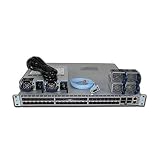
- DCS-7050S-64-R 48x1/10GbE SFP+ 4x40GbE QSFP+
Product prices and availability are accurate as of the date/time indicated and are subject to change. Any price and availability information displayed on Amazon at the time of purchase will apply.

