What’s actually slowing this PC down?
Pick the symptom - the matching free tool is one click away.
Yes—desktop Linux is increasingly ready for ordinary daily use, and its growing “boringness” is a strength. In this context, boring means that updates, hardware support, desktop software and recovery procedures are predictable enough that the operating system does not constantly demand attention. That is a more useful milestone than novelty, but it is not proof that Linux has become the majority desktop platform.
Recent evidence points to a maturing ecosystem: organized maintenance for a full desktop stack, Linux software running on both new and older hardware, and a consumer-facing SteamOS computer announcement. The practical question remains personal: whether the distribution you choose supports your applications, devices and tolerance for setup.
As an Amazon Associate I earn from qualifying purchases.
Why “boring” is the right goal for desktop Linux
An operating system succeeds on a household computer when it fades into the background. People need to write, browse, study, manage photos, play games, connect peripherals and install security fixes without learning the operating system’s internal politics. A desktop that behaves consistently is more valuable than one that introduces a new visual effect or experimental feature every few months.
“Boring” therefore means maintained rather than abandoned, documented rather than mysterious, and recoverable rather than fragile. It includes the entire stack: the kernel and drivers, the desktop environment, system libraries, applications, update tools, installers and hardware firmware. If one layer is neglected, a polished interface does not make the computer dependable.
#1 Best Overall

- WHY CHOOSE G3 ULTRA MINI PC PENTIUM GOLD 7505 - Choose the Intel Pentium Gold 7505 for snappier everyday responsiveness: It delivers up to 30% faster single-core performance than the Ryzen 5 3500U, making office apps and web browsing feel noticeably quicker, while its Intel UHD Graphics (48 EUs) provides 2.4x the GPU performance of the N100 & N150's 24-EU graphics, ensuring smoother 4K streaming and light photo editing.
- 16GB RAM MEMORY & 512GB STORAGE - GMKtec Nucbox G3 Ultra mini computer is prebuilt with 16GB LPDDR4 RAM at 3200 MT/s, you will enjoy a speedier experience with Built-in 512GB M.2 SATA Hard Drive. Our mini desktop pc boots up in seconds, work on multiple browser tabs, software applications and quickly transfers files. There is a primary slot and secondary expansion storage. Primary slot is M.2 2280 PCIE and secondary slot is M.2 2280 SATA.
- RICH INTERFACE - Nucbox pentium mini computer is equipped with 3* USB 3.2 Gen2 ports, up to 10Gbps/S, 1*USB 2.0, HDMI(4K@60Hz)*2, 3.5mm Audio Jack. Supports WiFi 6, and Gigabit Ethernet RJ45 2.5GbE network connectivity, Bluetooth 5.2. This Mini PC supports multiple device connection and can be used with servers, monitoring equipment, office equipment, displays, projectors, televisions, etc.
- 4K DUAL SCREEN DISPLAY - Mini desktop computer is equipped with upgraded Intel Graphics(max 1000MHz), supports 4K video playback and AV1 decoding, connect the pc with a projector as a home theatre, enjoy a variety of entertainments. Two HDMI 2.0 ports allows you to multi-task efficiently on two 4K@60Hz displays.
- UPGRADED COOLING FAN - The G3 Ultra has upgraded the cooling fan to reduce fan noise and thermals. We are using an upgraded thermal paste as well to help reduce heat on the CPU.
Linux remains a family of distributions, not one centrally managed product. That diversity allows different projects to serve different hardware and users, but it also means that support periods, update policies and vendor assistance vary. A claim that one project is reliable cannot automatically be extended to every Linux desktop.
Three signs that the ecosystem is becoming ordinary
Maintenance is being treated as a product feature
Kubuntu’s August 17, 2026 update describes a maintenance initiative spanning KDE Frameworks, Plasma 6.6 LTS and KDE applications. The work includes bug fixes and security updates throughout the Kubuntu 26.04 LTS lifecycle. This is a distribution-specific commitment, not a guarantee for all Linux systems, but it demonstrates the kind of coordinated stewardship a desktop needs after installation.
A complete desktop cannot rely on a single headline release. Frameworks affect the applications built on them; the desktop shell affects settings, notifications and accessibility; applications need their own fixes; and security work must reach users through an update path they can understand. Coordinating these pieces reduces the chance that users are left to assemble a working system from unrelated projects.
Outdated Drivers Are Slowing You Down
One free scan finds every outdated or missing driver and matches the right update for your exact hardware.Free scan · exact hardware matchPC Slower Than It Used to Be?
A free scan shows the junk files, broken settings and background clutter dragging Windows down - then fixes them in one click.Free scan · Windows 10 & 11The same announcement identifies Kubuntu Focus as the hardware partner that funded the initiative with a commitment of more than $100,000. That figure is evidence of a documented partnership and investment in maintenance. It is not a market-size statistic, and it should not be read as an endorsement of a particular computer.
Linux is being used on both new and old machines
In the opening of KDE e.V.’s Community Report 2025, published in June 2026, President Aleix Pol wrote: “We see our products adopted throughout the world; be it in massive deployments, or by individuals who decided to adopt our software both on their new devices and the older ones where manufacturers gave up on them.”
Rank #2

- This Certified Refurbished product is tested and certified to look and work like new. The refurbishing process includes functionality testing, basic cleaning, inspection, and repackaging. The product ships with all relevant accessories, a minimum 90-day warranty, and may arrive in a generic box. Only select sellers who maintain a high performance bar may offer Certified Refurbished products on Amazon.com
- Intel Quad-core i5-6500T up to 3.1G,16G DDR4 memory(2 slots,supports up to 32GB),240G SSD
- Includes USB Keyboard(English Keyboard & Mouse Included)
- I/O ports:Front:2 USB 3.0 ,microphone,headphone ,USB Type-C port Rear:4USB 3.0 ,VGA DP port,RJ-45
- Operating System:Win10Pro64bit
This is KDE’s own account, not an independent survey of global desktop usage. It nevertheless describes an important role for Linux: extending the useful life of computers that no longer receive meaningful vendor attention while also appearing on newly purchased devices. A system that can serve both cases has a broader practical constituency than a project designed only for enthusiasts building experimental hardware.
A consumer product is being announced around Linux software
KDE’s 2025 report records Valve’s announcement of a compact SteamOS desktop PC using KDE Plasma. The example is gaming-focused, so it should not be treated as a universal Linux recommendation or evidence that every Windows application will work. Its significance is narrower and concrete: a major consumer-facing product announcement presents a Linux-based operating system and a familiar desktop environment as part of a finished computer experience.
That changes the conversation from “Can a hobbyist assemble this?” to “What support, updates and compatibility does the product promise?” The latter is the standard ordinary buyers apply to any computer, and meeting that standard is what makes a platform unremarkable in the best sense.
What the September 2026 Steam figures actually show
Valve’s Steam Hardware & Software Survey page says participation is optional and anonymous. The September 2026 page provides a Linux-filtered breakdown. Each percentage below is the share of that displayed Linux survey segment, not the share of all desktop computers or all Steam users.
| Distribution shown by Valve/Steam | Share of the Linux-filtered survey display (September 2026) | What the figure can indicate |
|---|---|---|
| CachyOS | 18.12% | Relative presence among participating Linux Steam respondents |
| SteamOS Holo | 17.37% | Relative presence among participating Linux Steam respondents |
| Linux Mint 22.3 | 8.74% | Relative presence among participating Linux Steam respondents |
| Bazzite | 6.97% | Relative presence among participating Linux Steam respondents |
| Ubuntu 26.04.1 LTS | 2.85% | Relative presence among participating Linux Steam respondents |
The table is useful for showing that Linux Steam users are not concentrated in one distribution. It also shows the visibility of gaming-oriented systems alongside general-purpose desktops. It cannot establish Linux’s global desktop operating-system share, the reliability of any distribution, or the number of computers represented by each percentage. Optional participation and the survey’s Steam-centered audience introduce selection effects.
Rank #3

- 12th Intel Alder Lake N95 Processor – The GMKtec G3 S Mini PC is powered by the 12th Gen Intel N95 processor with 4 cores, 4 threads, 6MB cache and a burst frequency up to 3.4GHz. Compared with N100/N5105/N5100/N5095, the N95 delivers up to 36% overall performance improvement. Perfect for routine tasks, office work, and home entertainment, this compact mini desktop is more convenient than traditional bulky PCs.
- 8GB RAM & 256GB SSD Storage – Pre-installed with 8GB DDR4 memory and a fast 256GB M.2 2242 SSD, the G3 S mini desktop offers quicker startup, smoother multitasking, and faster file transfers. Enjoy seamless performance whether you’re working on multiple applications, browsing, or streaming content.
- Rich Interfaces & Connectivity – The G3 S mini computer comes equipped with USB 3.2 (up to 10Gbps), dual HDMI 2.0 (4K@60Hz), and a 3.5mm audio jack. With support for WiFi 5, Bluetooth 5.0, and Gigabit Ethernet (RJ45 1000MbE), it connects easily with monitors, projectors, printers, office equipment, and other peripherals, making it versatile for both home and business use.
- Dual 4K Display Support – Featuring upgraded Intel UHD Graphics (up to 1000MHz), the G3 S supports 4K video playback and AV1 decoding for a smooth viewing experience. With dual HDMI outputs, you can connect two 4K@60Hz displays simultaneously, enabling efficient multitasking for work and entertainment.
- GMKTEC WARRANTY - GMKtec offers a 3-year limited warranty (1 year replacement + 2 years parts replacement) for each mini PC, starting from the date of the purchase effective on all sales starting Oct. 2026. All defects due to design and workmanship are covered. With a professional after sales team always ready to attend to your needs, you can simply relax and enjoy your mini PC
Is Linux ready for everyday desktop use?
Readiness depends less on an abstract operating-system ranking than on four checks. A computer can be ready for one person and unsuitable for another because their applications, peripherals and support expectations differ.
Free tools Windows power users keep installed
One-click scans. No signup required.
1. Applications you must use
List the programs that are non-negotiable for work, school or administration. Check the developer’s current Linux support, required file formats, plug-ins, hardware keys and collaboration features. A web version may cover one task while failing another, and a compatibility layer may require maintenance that conflicts with your definition of “boring.” Test the exact workflow, not merely whether an application can launch.
2. Hardware and vendor support
Make an inventory before installing: graphics adapter, Wi-Fi and Bluetooth chips, printer or scanner, webcam, docking station, fingerprint reader, audio interface and any specialized controller. Confirm that the chosen distribution recognizes those devices and that firmware updates are available through a supported process. A Linux laptop sold with Linux preinstalled can reduce uncertainty, but the exact model and support terms still need checking.
3. Update and support policy
Identify how long the distribution receives security fixes, how major desktop upgrades are handled and whether you can defer a disruptive change. Long-term-support releases can prioritize continuity; faster-moving releases may deliver newer hardware and features sooner. Neither policy is automatically superior. The right choice matches how often you want to troubleshoot or rebuild the system.
4. Games and launchers
Steam’s Linux survey demonstrates an active gaming population, but a survey percentage does not prove that a particular game, anti-cheat system, launcher or peripheral works on your machine. Check each important title’s current Linux status and test it before committing a work computer or a family PC to a new setup.
Do these 3 things before closing this tab:
1Scan for outdated or missing drivers - takes under a minute2Repair Windows errors before they cause bigger problems3Fix the driver behind crashes, sound loss and screen glitchesRank #4
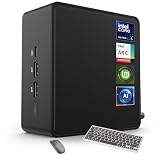
- 🚀 Next-Gen Performance with Open-Source Freedom: The ASUS NUC 14 Pro Linux Mint mini PC features Intel Core Ultra 5 125H with 14 cores, 18 threads, up to 4.5GHz turbo. Preloaded with Linux Mint, it offers a stable, secure, lightweight OS optimized for AI processing, programming, and multitasking. Intel Arc GPU ensures smooth AI, graphics, and multi-display performance. Ideal for developers, data scientists, and open-source enthusiasts.
- ❄ Silent Cooling for Continuous AI & Dev Workloads: Engineered for reliability, this Linux mini PC uses an advanced thermal design with an aluminum fin heatsink, dual copper pipes, and a high-efficiency turbo fan. Combined with Linux Mint’s resource-efficient system, it ensures whisper-quiet and cool operation for 24/7 uptime, even when compiling large projects, training AI models, or running virtual machines. Perfect for coding environments and heavy multitasking with zero noise distractions.
- ⚡ Developer-Ready Memory & Flexible Storage: The ASUS NUC Linux Mint edition supports 16GB to 64GB DDR5 RAM (expandable up to 96GB) and blazing-fast 512GB to 2TB PCIe Gen4 SSD for superior read/write speeds. Additional 2.5-inch SATA slots allow easy storage expansion for large datasets, containers, or NAS setups. With its modular, tool-free design, upgrading RAM or storage is quick—making it the ultimate choice for developers, AI researchers, and Linux power users.
- 🔗 Full Connectivity & Multi-Monitor Productivity: This mini PC includes 2x Thunderbolt 4, 2x HDMI 2.1, 1x USB 3.2 Gen2 Type-C x2, 3x USB 3.2 Gen2 Type-A, 1x USB 2.0, and 2.5G Ethernet. Linux Mint’s driver support and open-source flexibility enable up to 8K or 4x4K HDR displays for coding, virtualization, and AI dashboards. WiFi 6E and Bluetooth 5.3 provide robust wireless performance for remote work and collaboration.
- 🛡 Secure, Open-Source & Space-Saving Design: Preloaded with Linux Mint, this compact mini PC offers a secure, privacy-focused environment with firewall and full-disk encryption. Ideal for developers, AI researchers, and businesses seeking open-source performance. VESA mount-ready for a clean workspace in offices, studios, or embedded setups. Experience powerful AI computing and Linux efficiency. Includes $99 wireless keyboard and mouse bundle.
A low-risk way to try Linux
You can evaluate the experience without immediately replacing your existing installation. The following sequence keeps your current system available while you investigate compatibility.
- Back up personal data. Copy documents, photos, browser exports, password-manager recovery information and application settings to a separate drive or trusted storage. Verify that several files open from the backup.
- Choose a distribution by support needs. Compare its support lifecycle, update policy, hardware documentation and recovery tools. Do not choose solely from a popularity chart or a screenshot.
- Create a bootable USB installer. Download the installer from the project’s official site, verify its published checksum when available, and write it to a spare USB drive. Writing the image erases that drive.
- Boot the live environment. Use the computer’s firmware boot menu to start from USB. Before installing, test Wi-Fi, suspend and resume, external displays, audio, webcam, Bluetooth, printing and any specialist hardware.
- Run your real workflows. Open representative documents, join a meeting, connect cloud storage, pair controllers and test the games or professional tools you actually use. Note missing fonts, codecs, plug-ins or device controls.
- Install only after the test passes. Keep a verified backup. If you need both systems, use the installer’s dual-boot option only after confirming that your existing system’s recovery media and disk-encryption keys are available.
- Update immediately and record recovery steps. Apply the distribution’s offered security updates, create a recovery drive if supported, and write down how to reach the boot menu and restore your backup.
This process turns enthusiasm into evidence. If one device fails in the live session, you can investigate it before changing the internal disk. If the required workflow is missing a feature, you have learned that at low cost.
Independent reader supportYour contribution helps us test, update, and keep practical guides available for everyone.Where Linux can still feel far from boring
Linux’s modular design remains a source of friction. Two distributions may ship different versions of the same desktop, package software differently or expose different recovery controls. Advice written for one release can be wrong for another. Users who expect one vendor to coordinate every component may find the choices empowering or exhausting.
Hardware support can also be uneven. A common keyboard and display may work immediately while a fingerprint sensor, proprietary graphics feature or specialized business peripheral does not. Vendors may publish drivers for one distribution and not another, and firmware tools can be unavailable outside the vendor’s preferred platform.
Application compatibility is a separate issue from desktop polish. A well-maintained desktop cannot create a Linux version of software whose developer does not provide one. Substitutes, web applications and compatibility layers can be useful, but they have their own limitations and update requirements.
Best Value

- Model: Dell OptiPlex 7050 Small Form Factor (SFF)
- Processor: Intel Core i7-7700 3.60 GHz
- Memory: 32GB DDR4 Ram
- Storage: 1TB Solid State Drive (SSD) Fast Boot + Storage
- Operating System: Windows 11 Pro (64-bit)
Finally, “boring” is not the same as frozen. Security fixes and hardware enablement require change. The measure of maturity is whether changes are communicated, tested and recoverable—not whether the screen never changes.
How to judge a distribution without declaring a universal winner
No cited evidence provides a controlled, distribution-by-distribution reliability ranking. Instead, use a decision matrix tailored to your situation:
- Support lifecycle: How many years of security maintenance remain for the release you can install?
- Update behavior: Are updates staged, documented and reversible when a regression appears?
- Hardware relationship: Does your computer maker or component vendor document support for this distribution?
- Application path: Are your required programs native, web-based, available through a supported compatibility layer, or unavailable?
- Recovery: Can you restore a working system without guessing which packages to reinstall?
- Community and commercial help: Is there a current manual, issue tracker or paid support option for the problems you expect?
Score each item for the computer you will actually use. A distribution with a smaller survey presence may still be the responsible choice if its support window and hardware documentation fit your needs.
Why boring matters for Linux’s next stage
Wider adoption requires more than technically impressive software. It requires a chain of organizations willing to maintain the desktop after the launch announcement: developers fixing bugs, distributors shipping updates, hardware partners testing machines and vendors answering support questions. The Kubuntu initiative illustrates this chain at a project level, while KDE’s report describes adoption across new and aging devices. The SteamOS announcement illustrates how the same software can be packaged for a defined consumer use case.
These are signs of ecosystem work, not proof of majority market share. Linux has not thereby become the default desktop for global consumers, and the available evidence does not measure such a transition. The realistic claim is that Linux is becoming less dependent on novelty and more capable of offering an ordinary, supportable computer experience in the cases where its applications and hardware fit.
That is exactly why “boring” is valuable. A platform that earns trust through predictable maintenance can accumulate users who never describe themselves as enthusiasts. For someone deciding whether to replace Windows, the sensible test is not whether Linux is exciting. It is whether the chosen system quietly performs the jobs that matter, receives fixes for the period you need, and gives you a way back when an update or device causes trouble.
Quick Recap
Product prices and availability are accurate as of the date/time indicated and are subject to change. Any price and availability information displayed on Amazon at the time of purchase will apply.
Quick wins for a faster PC:
Repair Windows errors before they cause bigger problemsFix Now →Scan for outdated or missing drivers - takes under a minuteDriver Scan →
