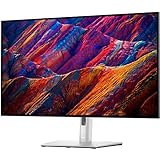
Short answer: Dell’s U3226Q is an unusually complete professional monitor for color-critical work: a 31.5-inch 4K QD-OLED panel, 120 Hz refresh, integrated colorimeter and Thunderbolt 4 docking with up to 140 W charging. macOS is officially supported, but the 140 PPI image is visibly less crisp than a 218 PPI Apple Studio Display, and Dell provides no built-in audio. It is a strong specialist choice rather than a universal Mac replacement.
Identify the right UltraSharp model
The monitor discussed here is the U3226Q, Dell’s 31.5-inch 4K QD-OLED UltraSharp. It should not be confused with the similarly named U3225QE, which uses an IPS Black panel. The U3226Q is the model with the QD-OLED panel, integrated colorimeter and 120 Hz refresh rate.
As an Amazon Associate I earn from qualifying purchases.
Dell announced a US launch price of $2,599.99 and global availability beginning February 24, 2026. Those are announcement details, not a promise of today’s price or inventory; regional pricing and stock can change.
Recommended Free Tools
Key specifications
| Feature | Dell U3226Q specification | Why it matters |
|---|---|---|
| Panel | 31.5-inch QD-OLED | Per-pixel light control enables very deep blacks and high contrast. |
| Resolution and density | 3840 × 2160; 140 PPI | Large 4K workspace, but lower text density than high-density Apple displays. |
| Refresh rate | Up to 120 Hz | Smoother scrolling, pointer movement and compatible video playback. |
| Contrast | 1.5 million:1 typical, according to Dell | Useful for dark scenes and grading work; this is a manufacturer figure. |
| HDR | VESA DisplayHDR True Black 500; Dolby Vision; 1,000 cd/m² peak at 3% APL | Supports HDR workflows, although small bright highlights and sustained brightness are different measurements. |
| Color gamut | 99% DCI-P3 and Display P3; 94% Adobe RGB; 80% BT.2020; 100% sRGB and BT.709 | Broad coverage for video, photography, web and broadcast targets. |
| Factory color claims | Average Delta E below 1 for DCI-P3 D63, Display P3 D65, sRGB D65 and BT.709 D65; below 2 for Adobe RGB D65 and D50 | Indicates Dell’s intended accuracy targets, not an independent laboratory result. |
| Calibration | Integrated colorimeter; Dell Color Management 4.0 and remote-management tools | Allows calibration to be maintained without buying a separate colorimeter. |
| Docking | Thunderbolt 4 upstream with up to 140 W EPR; downstream Thunderbolt 4; HDMI; DisplayPort; USB; 2.5GbE Ethernet | Can replace a separate dock for a compatible laptop desk. |
| Audio | No built-in audio | Budget for speakers, headphones or another audio device. |
Why the color system is the U3226Q’s main attraction
Dell positions the U3226Q for color-critical creative work, and the published figures explain why. The panel covers 99% of both DCI-P3 and Display P3, 94% of Adobe RGB, and the full sRGB and BT.709 spaces according to Dell’s 2026 specification brochure. That combination is relevant to editors working across cinema, modern Apple-oriented video, print photography and web delivery rather than a single color space.
#1 Best Overall

- IMMERSIVE VISUALS - Experience stunning clarity on the 32" 4K UHD (3840 x 2160) LED display, bringing your content to life with incredible detail and vibrant colors for enhanced productivity.
- SEAMLESS CONNECTIVITY - Benefit from the integrated Thunderbolt hub, offering versatile connectivity options for peripherals and devices, streamlining your workspace and boosting efficiency.
- ENHANCED PRODUCTIVITY - Maximize your workflow with the expansive 32-inch screen size, providing ample screen real estate for multitasking and detailed work, reducing the need for multiple monitors.
- SUPERIOR IMAGE QUALITY - Enjoy exceptional visual performance with the high-resolution display, ensuring crisp text and sharp images for comfortable viewing during extended work sessions or entertainment.
- SLEEK AND MODERN DESIGN - Elevate your workspace aesthetic with the Dell UltraSharp monitor's stylish design, featuring a slim bezel and premium finish that complements any professional environment.
Dell also publishes average Delta E targets below 1 for DCI-P3 D63, Display P3 D65, sRGB D65 and BT.709 D65. Its stated target is below 2 for Adobe RGB at D65 and D50. Delta E is a measure of visible color difference: lower values indicate a closer match to the reference. These numbers describe Dell’s specification and calibration claim; they are not a third-party test result and should not be read as a guarantee that every unit or every workflow will behave identically.
Integrated calibration instead of a separate meter
The built-in colorimeter is the practical differentiator. Dell Color Management 4.0 is designed to work with it, and Dell also lists remote-management tools for organizations running multiple displays. A studio can schedule or repeat calibration using the hardware already inside the monitor, while an individual can keep a consistent target after the initial setup without purchasing an external meter.
Calibration still depends on the target you choose. A Display P3 workflow, an Adobe RGB print workflow and an sRGB web workflow are not interchangeable. Set the monitor and your applications to the space required by the job, then use the Dell color-management software and integrated meter to create or maintain the corresponding profile. The software does not remove the need to use correctly tagged media, a color-managed application or a viewing environment appropriate to the deliverable.
What’s actually slowing this PC down?
Pick the symptom - the matching free tool is one click away.
What the QD-OLED panel adds
QD-OLED combines OLED-level pixel control with quantum-dot color conversion. On the U3226Q, that means the panel can turn individual pixels very low or off for dark areas, producing the deep blacks associated with OLED. Dell rates typical contrast at 1.5 million:1. For a grading interface, dark-room editing or mixed light-and-shadow scenes, that contrast can make the image easier to judge than a conventional backlit LCD.
The monitor reaches up to 120 Hz. That is useful for smooth macOS window movement, scrolling timelines and general desktop interaction, not just games. The actual refresh rate available depends on the Mac, cable, resolution and display settings; select 120 Hz only when macOS offers it for the connected configuration.
Rank #2

- Improved ComfortView Plus: Reduces harmful blue light emissions to ≤35%, for all-day comfort without sacrificing color accuracy.
- Refresh rate: A smooth, tear-free experience with AMD FreeSync Premium (refresh rate up to 120Hz) and an ultra-low 0.03ms response time create a captivating experience for work and play.
- Vivid colors: Immerse yourself in 4K visuals with a VA panel. Enjoy true-to-life colors with 99% sRGB and 95% DCI-P3 coverage. The 1500:1 contrast ratio and HDR readiness deliver excellent depth and detail.
- Re-engineered sound quality: Enjoy more detailed sound with spacious audio featuring greater output power, deeper frequency response and more decibel range than the previous generation.
- Ultra-thin bezel: Designed with a sleek, modern aesthetic and an ash white finish, this display features ultra-thin bezels for a refined, minimalist design.
HDR support includes VESA DisplayHDR True Black 500 and Dolby Vision. Dell’s brochure lists a 1,000 cd/m² HDR peak measured at 3% average picture level and a typical brightness of 300 cd/m². A 3% peak describes a small highlight, not a full-screen brightness level. PCWorld’s review judged the HDR image less bright than some competing displays, so buyers who prioritize very bright sustained HDR should treat the certification and peak figure as only part of the decision.
How well it fits a Mac desk
Dell lists macOS as a supported platform. The key connection is the Thunderbolt 4 upstream port, which carries display data and can deliver up to 140 W EPR to a compatible host. AppleInsider reports that this single connection can send video to the monitor and charge a MacBook Pro, making the U3226Q a potential one-cable desk hub.
The Tool Desk
Outbyte Driver Updater FREEFix the driver behind crashes, sound loss and screen glitchesFind Drivers →Outbyte PC Repair FREERepair Windows errors before they cause bigger problemsFix Now →Basic Mac setup
- Connect a certified Thunderbolt 4 cable from the Mac’s Thunderbolt port to the U3226Q’s Thunderbolt 4 upstream port. Do not use the downstream port as the host connection.
- Connect the monitor to AC power and switch it on. Attach Ethernet, USB devices or another display to the monitor’s downstream ports as needed.
- In macOS, open Apple menu > System Settings > Displays. Select the U3226Q, choose the desired resolution or scaling option, and select 120 Hz if that refresh rate is offered.
- Open the monitor’s input and USB settings if a connected accessory is not detected. The host must remain connected to the upstream Thunderbolt port for the monitor hub to operate through the Mac.
- For calibration, use Dell Color Management 4.0 with the integrated colorimeter and select the color target required by your work. Keep the resulting profile associated with the U3226Q in macOS.
The monitor also provides HDMI and DisplayPort for computers or video sources that do not use Thunderbolt. Those connections do not provide the same single-cable Mac charging benefit. Exact charging behavior depends on the host’s USB-C or Thunderbolt implementation and the cable’s capability, so verify your Mac model before treating 140 W as guaranteed charging in every setup.
The Mac compromises are real
Lower pixel density than Apple’s high-density display
The most important trade-off is sharpness. The U3226Q spreads 3840 × 2160 pixels over 31.5 inches, or 140 PPI. In AppleInsider’s comparison, Apple’s Studio Display is rated at 218 PPI. AppleInsider found the Dell visibly softer beside that display, particularly for text and fine interface elements.
The Dell’s larger physical canvas is the counterargument. A 31.5-inch screen gives you more room for a full editing timeline, large palettes and several documents without shrinking every panel. If you sit farther away or value workspace over retina-like text, the size can outweigh the density difference. If you spend the day reading small type, writing code or judging razor-sharp UI text, the softness is more likely to remain noticeable.
Rank #3
- 16:9 widescreen resolution perfect for watching movies, playing video games and getting on with office work.Specific uses for product - Office,Gaming,Desktop
- 4K UHD 4K UHD offers ample amount of desktop space with more than 8 million pixels
- Enjoy crisp content and energetic hues with the 400 Nit brightness
- HDMI interface allows you to connect to a variety of HD devices including gaming consoles, Blu-ray players, laptop PCs, digital cameras and many others for the ultimate true high-definition display
- 5 ms GTG (Fast) response time makes it excellent for latest action films, sports or gaming
No built-in audio
Dell specifies no built-in audio. AppleInsider notes that Apple’s Studio Display includes speakers and a camera, while the U3226Q’s published feature set does not offer an equivalent integrated audio system. Plan for separate speakers, headphones or a USB audio device. The monitor’s hub can simplify the cabling for those accessories, but it does not remove the additional hardware or cost.
Functional rather than showroom styling
AppleInsider describes the Dell’s appearance as conventional dark professional equipment. That is appropriate for a studio or office and leaves room for practical cabling, but it does not match the decorative, minimalist feel some Mac owners expect from an Apple-branded display. Treat the industrial design as a workflow choice rather than a flaw: the U3226Q prioritizes ports, calibration and panel performance over visual ornament.
Using the monitor as a docking hub
The Thunderbolt implementation is more than a display input. The upstream connection can provide the Mac’s video signal, charge a compatible notebook and expose the monitor’s connected USB devices. A second Thunderbolt port can support a downstream device or display in a chain, subject to the Mac’s own display limits and the bandwidth requirements of everything attached.
There are several other connection options:
- HDMI and DisplayPort: useful for desktops, game consoles or a second computer.
- USB ports: connect keyboards, storage, calibration accessories or other peripherals through the monitor.
- 2.5GbE Ethernet: gives a compatible computer wired networking through the hub, which can be useful in a fixed workstation.
- Downstream Thunderbolt 4: supports compatible high-bandwidth devices and possible display chaining; confirm the host and peripheral requirements before planning a multi-monitor layout.
For a MacBook Pro user, the practical result is a cleaner desk: one Thunderbolt cable can replace a separate display cable, charging lead and basic dock connection. That convenience is strongest when the monitor sits at the center of a mostly permanent desk; a portable setup still needs a cable and may require a separate adapter for devices that do not fit the available ports.
Independent reader supportYour contribution helps us test, update, and keep practical guides available for everyone.Price and value over time
The launch price places the U3226Q firmly in the professional-monitor category. Dell announced $2,599.99 in the United States. Later review-era figures were lower but are not current offers:
Quick wins for a faster PC:
Scan for outdated or missing drivers - takes under a minuteDriver Scan →Clear out junk files and repair common Windows errorsFree Scan →Rank #4

- IMMERSIVE VISUALS - Experience breathtaking detail with a 31.5-inch 4K Ultra HD (3840 x 2160) resolution, delivering four times the detail of Full HD for incredibly sharp and clear images on an IPS panel.
- SMOOTH MOTION - Enjoy fluid visuals and reduced motion blur with a 100Hz refresh rate and a 5ms GTG (Fast) response time, perfect for fast-paced content and gaming.
- VIBRANT COLOR ACCURACY - Achieve true-to-life colors with 99% sRGB (CIE 1931) color gamut coverage, ensuring consistent and accurate color reproduction for creative professionals.
- VERSATILE CONNECTIVITY - Power your workflow with extensive options including HDMI 2.1, DisplayPort 1.4, and USB-C with up to 90W Power Delivery for a single-cable solution.
- ENHANCED PRODUCTIVITY - Optimize your workspace with a fully adjustable stand offering tilt, swivel, pivot, and height adjustments, along with narrow bezels for a seamless multi-monitor setup.
| Publication or date | Reported price | How to interpret it |
|---|---|---|
| Dell announcement, 2026 | $2,599.99 US | Launch price; global availability was announced for February 24, 2026. |
| PCWorld review, March 30, 2026 | $2,449; $2,599.99 MSRP | Review-period pricing, not a guaranteed current offer. |
| AppleInsider, August 17, 2026 | $2,439.99 sale price; $2,599.99 estimated value | A dated sale observation; availability and discount may have ended. |
At this level, compare the total workstation rather than only the panel. The U3226Q includes a colorimeter and a substantial Thunderbolt hub, which could reduce the need for separate equipment. Conversely, the missing speakers and lower text density may lead a Mac user to spend more on audio or choose another display altogether. Check Dell or an authorized regional retailer for the live price, warranty terms and return policy before ordering.
Who should buy the U3226Q
Color-critical editors and designers
The combination of wide gamut, stated low Delta E targets and an integrated calibration sensor suits photographers, video editors, designers and colorists who work to named standards. The ability to switch among Display P3, DCI-P3, sRGB, BT.709 and Adobe RGB targets is more valuable than a generic “vivid” mode when deliverables must match other displays or a print process.
MacBook users who want one cable
If your priority is a large desktop, wired networking, peripheral connectivity and notebook charging from one Thunderbolt connection, the hub is a substantial benefit. A MacBook Pro can remain closed or open on the desk while the monitor handles the fixed accessories.
Users who value a large canvas over maximum text density
People who prefer a 31.5-inch workspace for timelines, spreadsheets or multi-window layouts may accept 140 PPI. The size gives more physical room than a smaller high-density screen, particularly when applications expose many panels.
Who should choose something else
- Text-first Mac users: if crisp small type is your top priority and you are accustomed to 218 PPI Apple displays, the reported softness may be distracting.
- Buyers expecting an all-in-one media display: the monitor has no built-in audio, so speakers or headphones are required.
- HDR enthusiasts seeking the brightest sustained highlights: PCWorld found the HDR presentation less bright than some rivals, and Dell’s 1,000 cd/m² figure is a small-area peak rather than a full-screen level.
- Budget-conscious buyers: even review-period prices near $2,400 remain premium. The integrated meter and hub justify that cost only if you will use them.
- People choosing mainly by industrial design: the utilitarian dark styling is functional, not a visual match for every minimalist Mac setup.
A practical buying checklist
- Confirm the model number. Look for U3226Q, not the IPS Black U3225QE.
- Measure your desk and viewing distance. A 31.5-inch panel needs more depth than a compact desktop display, and the preferred distance affects how noticeable 140 PPI appears.
- Check your Mac’s ports and display limits. Confirm that it can drive 3840 × 2160 at the refresh rate you want through Thunderbolt, and that any planned second display is supported.
- Budget for audio. Add speakers, headphones or a USB audio interface because the monitor has no built-in audio.
- Decide which color spaces you actually deliver. The gamut figures are broad, but accurate work still requires the correct application settings, profiles and calibration target.
- Verify cable capability. Use an appropriate Thunderbolt 4 cable for video, hub access and charging; a basic USB-C cable may not provide the same result.
- Check the live regional price and return terms. The $2,599.99 launch figure and later review prices are historical reference points, not a current quotation.
Bottom line
AppleInsider managing editor Mike Wuerthele called the UltraSharp 32 QD-OLED “a strong pick for a specific buyer,” which captures the U3226Q’s position. Its integrated colorimeter, wide-gamut 4K QD-OLED panel, 120 Hz refresh and 140 W Thunderbolt hub can make it an excellent professional workstation display. macOS support and one-cable MacBook connectivity are genuine strengths. The reasons it is not perfect for Mac users are equally concrete: 140 PPI looks softer than Apple’s 218 PPI Studio Display, the chassis is utilitarian, and there is no built-in audio. Buy it when calibrated color, a large canvas and docking convenience matter more than retina-level text sharpness and integrated speakers.
Quick Recap
Product prices and availability are accurate as of the date/time indicated and are subject to change. Any price and availability information displayed on Amazon at the time of purchase will apply.

