Verdict: The Dell Pro 14 Premium PA14250 is a polished 14-inch business notebook built around an unusually sharp Tandem OLED display, efficient Intel Core Ultra hardware and a magnesium chassis. It is most compelling for professionals who value color, resolution, low-noise operation and portable battery life more than a high-refresh screen, user-replaceable memory or a deep-travel keyboard. Notebookcheck measured its tested configuration at 1.261 kg (2.78 lb), not the 2.55-pound figure sometimes used in headlines, so verify the exact Dell configuration before buying.
What the Dell Pro 14 Premium PA14250 is
Dell’s current US product listing identifies the machine as the Dell Pro 14 Premium, model PA14250. It is a commercial, business-focused 14-inch notebook, separate from the similarly named consumer Dell 14 Premium and from Dell Pro 14 models that do not carry the Premium designation. Processor, memory, storage and panel choices vary by region and by configuration, so a PA14250 listing is not automatically equivalent to the unit tested by Notebookcheck.
As an Amazon Associate I earn from qualifying purchases.
The reviewed configuration is the useful reference point for performance and battery claims in this article: Intel Core Ultra 7 268V, integrated Intel Arc 140V graphics, 32 GB of memory, a 1 TB solid-state drive, a 14-inch 2880×1800 Tandem OLED panel, and a 60 Wh battery. Dell’s selectable configurations can differ in processor, RAM, SSD and display, and those changes affect weight, endurance and price.
Configuration facts at a glance
| Item | Notebookcheck review unit | What Dell’s listing means for buyers |
|---|---|---|
| Model | PA14250 | Confirm the model code; “Dell Pro 14 Premium” is not the same product as Dell 14 Premium. |
| Processor | Intel Core Ultra 7 268V | Other processor selections may be offered depending on country and stock. |
| Graphics | Intel Arc 140V integrated graphics | No discrete GPU is identified for the reviewed system. |
| Memory | 32 GB | Memory is soldered, so choose capacity carefully at purchase. |
| Storage | 1 TB SSD | The primary SSD is removable, but the bay supports shorter M.2 2230 drives. |
| Display | 14-inch, 2880×1800 OLED, 60 Hz | Panel options vary; do not assume every PA14250 has Tandem OLED. |
| Battery | 60 Wh | Battery capacity is tied to the reviewed configuration; regional SKUs can differ. |
| Wireless | Wi-Fi 7 and Bluetooth 5.4 | Check the regional specification before ordering. |
Tandem OLED is the main reason to buy it
Dell Technologies announced on January 6, 2025 that “The Dell Pro 14 Premium will be the first commercial notebook with a Tandem OLED display.” That is a manufacturer statement, not an independent industry certification. The panel in Notebookcheck’s tested unit runs at 2880×1800 resolution and 60 Hz.
#1 Best Overall

- ENGINEERED FOR MOBILITY — Meet the Dell Pro 14, the next gen of Latitude 5450. Featuring a high-capacity 55Wh battery, this laptop delivers extended battery life and rapid charging, ensuring uninterrupted productivity during long workdays or on-the-go scenarios. And it passes rigorous MIL-STD 810H tests, making it an ideal choice for professionals on the move, from the office to demanding field environments
- POWERFUL PERFORMANCE — Power with Intel Core 5 120U Processor (10 cores, up to 5.0 GHz) and Intel Graphics, this PC delivers efficient performance for multitasking, data analysis, and content creation. Equipped with 16GB DDR5 and 512GB PCIe SSD, it ensures swift application loading and ample storage for professional workloads
- IMMERSIVE DISPLAY — Features a 14-inch WUXGA (1920x1200) display with narrow borders, 300nits brightness and anti-glare coating to maximize screen real estate and reduce eye strain during extended use. Supports expanding the workspace with 3 external monitors via HDMI, USB-C and Thunderbolt 4 ports, with a max resolution up to 4K@60Hz without docking station
- ADVANCED CONNECTIVITY — With Thunderbolt 4, USB-C, USB-A, and HDMI 2.1, Ethernet (RJ45), and Global Headset Jack, you can easily connect external displays, storage devices and essential peripherals. Stay fast and reliable on the go with Wi-Fi 6E and Bluetooth 5.3, perfect for video calls, cloud work, and wireless devices without lag. The FHD camera with temporal noise reduction ensures crisp video calls in any lighting and secure facial recognition login. Plus, the backlit keyboard enables precise typing in low-light environments
- OPERATING SYSTEM - Preinstalled with Windows 11 Pro 64-bit, including enterprise features such as BitLocker encryption, Remote Desktop, Hyper-V virtualization, and Group Policy management. It enhances productivity with intelligent assistance for tasks such as document creation, data analysis, email drafting, and virtual meetings
At this resolution, text and fine interface elements look exceptionally clean, while OLED’s per-pixel lighting produces genuinely black shadows and strong contrast. Notebookcheck praised the panel’s fidelity. The display is a strong fit for photo review, design work, video watching and anyone who prefers a dense workspace on a 14-inch screen.
Dell says its Tandem OLED design is 24% more power efficient and 49% lighter than traditional OLED displays. Those percentages are Dell’s comparisons, not Notebookcheck measurements, and they should not be treated as a guarantee for every panel option or workload.
The 60 Hz limitation
The same panel has a clear trade-off: a 60 Hz refresh rate. Notebookcheck considers that dated beside business ultraportables offering 90 Hz or higher. Scrolling, cursor movement and animation are perfectly usable, but they will not look as fluid as on a faster display. The reviewed lineup did not provide a high-refresh alternative, so buyers who prioritize smooth motion should weigh the OLED image quality against that limitation before ordering.
Crashes, No Sound, or Screen Glitches?
Random freezes, missing sound and display glitches usually trace back to one bad driver. Find and replace yours safely.Free scan · under a minutePC Slower Than It Used to Be?
A free scan shows the junk files, broken settings and background clutter dragging Windows down - then fixes them in one click.Free scan · Windows 10 & 11Brightness, color and practical concerns
The available evidence supports excellent fidelity, resolution and contrast, but it does not establish a universal brightness figure for every PA14250 configuration. Confirm the exact panel specification if outdoor visibility or color-critical work is important. OLED can also be more vulnerable to image-retention concerns than an ordinary IPS panel when static elements remain on screen for very long periods; use the operating system’s display sleep and screen-saving settings rather than leaving a fixed desktop visible indefinitely.
Weight: the 2.55-pound headline is not verified
Notebookcheck weighed its PA14250 test system at 1.261 kg, or 2.78 lb. Dell’s product page, as captured for this review, did not provide a starting weight. That means the often-quoted 2.55-pound figure cannot be presented as a confirmed weight for the product family.
Weight can change with the processor, panel, battery and other configuration details. If portability is decisive, check the weight for the exact service tag or SKU on Dell’s authoritative specification page, and distinguish the notebook-only figure from a figure that includes an adapter or other accessories. The measured 2.78 lb belongs specifically to Notebookcheck’s OLED/Core Ultra 7 configuration.
Rank #2
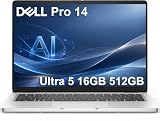
- ENGINEERED FOR AI & MOBILITY — Meet the Dell Pro 14, the next gen of Latitude 5450. Featuring a high-capacity 55Wh battery, this laptop delivers extended battery life and rapid charging, ensuring uninterrupted productivity during long workdays or on-the-go scenarios. And it passes rigorous MIL-STD 810H tests, making it an ideal choice for professionals on the move, from the office to demanding field environments
- POWERFUL PERFORMANCE — Power with Intel Core Ultra 5 235U Processor (12 cores, up to 4.9 GHz) and Intel Graphics, this AI PC delivers efficient performance for multitasking, data analysis, and content creation. Equipped with 16GB DDR5 and 512GB PCIe SSD, it ensures swift application loading and ample storage for professional workloads
- IMMERSIVE DISPLAY — Features a 14-inch WUXGA (1920x1200) display with narrow borders, 300nits brightness and anti-glare coating to maximize screen real estate and reduce eye strain during extended use. Supports expanding the workspace with 3 external monitors via HDMI, USB-C and Thunderbolt 4 ports, with a max resolution up to 4K@60Hz without docking station
- ADVANCED CONNECTIVITY — With Thunderbolt 4, USB-C, USB-A, and HDMI 2.1, Ethernet (RJ45), and Global Headset Jack, you can easily connect external displays, storage devices and essential peripherals. Stay fast and reliable on the go with Wi-Fi 6E and Bluetooth 5.3, perfect for video calls, cloud work, and wireless devices without lag. The FHD camera with temporal noise reduction ensures crisp video calls in any lighting and secure facial recognition login. Plus, the backlit keyboard enables precise typing in low-light environments
- OPERATING SYSTEM - Preinstalled with Windows 11 Pro 64-bit and AI-powered Copilot, including enterprise features such as BitLocker encryption, Remote Desktop, Hyper-V virtualization, and Group Policy management. It enhances productivity with intelligent assistance for tasks such as document creation, data analysis, email drafting, and virtual meetings
Magnesium construction and serviceability
Dell says the chassis contains 90% recycled magnesium. That is a manufacturer material claim. Notebookcheck found a largely magnesium-alloy structure in the reviewed machine, giving the PA14250 the rigid, cool-to-the-touch character expected from a premium business notebook without making it unusually heavy.
What’s actually slowing this PC down?
Pick the symptom - the matching free tool is one click away.
The internal layout is more mixed than the exterior suggests. Notebookcheck reports that the RAM and wireless module are soldered. The battery and primary M.2 SSD can be removed, and the USB-C ports are modular and designed for replacement. Those details matter over a multi-year deployment: a worn battery or failed USB-C connector may be serviceable, but a memory upgrade is not available after purchase.
What can and cannot be upgraded
- Memory: soldered; select the required capacity when ordering.
- Wireless card: soldered; replacement or future wireless upgrades are constrained.
- Primary SSD: removable; the slot is designed for shorter M.2 2230 drives.
- Battery: removable according to Notebookcheck’s service inspection.
- USB-C ports: modular and intended to be replaceable rather than permanently integrated into the mainboard.
This is a reasonable compromise for a thin business system, but it is less flexible than a thicker notebook with socketed memory and a full-length M.2 2280 bay. Buyers planning five-year ownership should budget the initial RAM capacity with that limitation in mind.
Performance, acoustics and graphics
The reviewed PA14250 pairs Intel’s Core Ultra 7 268V with integrated Arc 140V graphics. Notebookcheck describes strong performance per watt and quiet behavior at low to medium loads. That combination suits office applications, large browser sessions, conferencing, software development, document work and moderate creative tasks where efficiency matters more than sustained workstation throughput.
There is no discrete graphics processor in the reviewed configuration. Integrated Arc graphics can handle ordinary productivity, media playback and many lighter creative or gaming workloads, but this is not a substitute for a mobile workstation with a dedicated GPU. The absence of published, directly comparable benchmark numbers in the available evidence means performance should be judged by the processor and graphics class rather than by an invented score.
Do these 3 things before closing this tab:
1Repair Windows errors before they cause bigger problems2Scan for outdated or missing drivers - takes under a minute3Clear out junk files and repair common Windows errorsThermal expectations
Quiet operation at low and medium loads is one of the review’s positives. Under a long, demanding export or compile, fan behavior and surface temperature will depend on the selected CPU, firmware and power mode. Use Dell’s thermal or power profiles when you need a quieter meeting-room machine, and switch to a performance-oriented profile only when sustained throughput is more important than acoustics.
Rank #3

- TINY YET POWERFUL - The Dell Pro Micro is the AI enhanced evolution of the OptiPlex 7000, delivering efficient performance in an extremely small design. Weighing just 2.56 lbs, it is 1/4 the weight of its SFF version and 96% smaller than a traditional desktop, allowing it to fit where larger PCs cannot and helping save valuable workspace. Built for reliability, all Dell Pro desktops are tested to military grade standards to adapt to a wide range of office environments.
- HIGH-PERFORMANCE COMPUTING - Powered by the Intel Core i5-14500T processor and integrated Intel Graphics, the Dell Pro Micro delivers responsive, power-efficient performance for modern business workloads. Combined with 32GB DDR5 memory and 1TB M.2 NVMe SSD, it provides fast responsiveness, seamless multitasking, and ample storage capacity for applications, files, and everyday productivity.
- RICH CONNECTIVITY OPTIONS - Equipped with one USB‑C and five USB‑A ports, along with DisplayPort, HDMI, Headset Jack and Ethernet for flexible device connections. Supports dual external displays via DisplayPort and HDMI, with up to 4K@60Hz. Built‑in Wi‑Fi 6E and Bluetooth ensure fast, stable wireless connectivity, with support for standard keyboard and mouse for convenient everyday use.
- OPERATING SYSTEM - Windows 11 Pro with Copilot AI enables AI‑assisted productivity across business applications, supporting task organization, information retrieval, and collaboration. Built‑in security protections and enterprise‑grade management features help safeguard data, enforce policies, and simplify system administration, delivering a stable and secure operating environment for professional computing.
- BUILT FOR MODERN BUSINESS USE - Ideal for professionals, small business users, developers, and IT teams who need a secure, space‑saving, and AI‑ready micro desktop for modern offices, hybrid workspaces, retail environments, front‑desk deployments, and back‑of‑house computing. Designed for reliable daily operation, it fits well in space‑constrained setups while supporting business productivity, remote management, and efficient multitasking.
Battery life and charging
Notebookcheck recorded 15 hours and 9 minutes in its WLAN web-surfing test on the Core Ultra 7 268V, 32 GB, 1 TB and OLED configuration. That is a controlled result from one review unit and one method, not a promise of 15 hours in every working day. Video playback, high brightness, conferencing, external displays and heavy CPU use will reduce runtime.
The same review measured 2.7 hours in its load test and a little over 90 minutes for a full charge from empty. Those figures are useful for planning demanding travel or a rapid turnaround between meetings, but they are not universal charging or endurance guarantees. Charger wattage, battery health, firmware and regional packaging can all matter.
Notebookcheck expects the base IPS configuration to last longer than the OLED version under similar conditions. That creates a practical choice: the OLED model delivers superior contrast and resolution, while an IPS model may be the better fit for long unplugged workdays and static business interfaces.
Ports and wireless connectivity
The reviewed configuration lists two Thunderbolt 4 USB-C ports, one USB-A port, HDMI 2.1 and a headset jack. It also lists Wi-Fi 7 and Bluetooth 5.4. Two high-speed USB-C ports cover charging, docks and fast storage, while HDMI 2.1 allows direct connection to a modern display without an adapter.
There is no SD card reader. Photographers, videographers and editors who move media from full-size cards will need a USB card reader or a dock, which uses one of the notebook’s limited physical connections. The single USB-A port can also become scarce when a mouse, security key and wired accessory are used together.
Port planning for a desk setup
- Use one Thunderbolt 4 port for the charger or dock and keep the second available for a fast drive or monitor.
- Reserve the USB-A port for the peripheral that cannot be replaced with a USB-C version.
- Choose a dock with an SD reader if your workflow depends on camera cards.
- Confirm the monitor’s resolution and refresh requirements; HDMI 2.1 is present on the reviewed configuration, but regional configurations can vary.
Keyboard, camera and everyday ergonomics
Notebookcheck’s main input criticism is a shallow, somewhat spongy typing feel. That may be acceptable for email and short documents, but writers who prefer a crisp, deep key press should test the keyboard in person or plan to use an external one at a desk. The trade-off is common in thin business notebooks: reducing chassis thickness leaves less room for key travel.
Rank #4

- ENGINEERED FOR AI & MOBILITY - Meet the Dell Pro 16 Plus, the AI-enhanced evolution of the Latitude 5550. Engineered for on-the-go productivity, it features a slim and lightweight design, delivers up to 11.9 hours of battery life, and supports ExpressCharge capability to keep you efficient. Boasting a durable aluminum chassis and having passed MIL-STD 810H tests, it offers robust reliability for professionals on the move, from the office to demanding field environments
- POWERFUL PERFORMANCE – The Dell Pro 16 Plus delivers power-efficient performance for demanding workloads with an AI PC powered by the AMD Ryzen 5 220 processor (up to 4.9GHz) and integrated AMD Radeon 740M Graphics. Equipped with 16GB LPDDR5x RAM and 512GB M.2 NVMe PCIE SSD, enabling smooth multitasking and fast loading across a wide range of applications
- IMMERSIVE DISPLAY - Features a 16-inch WUXGA (1920x1200) display with narrow borders, 300 nits brightness, and anti-glare coating to maximize screen real estate and reduce eye strain during extended use. Expand your workspace by connecting up to 3 external monitors via HDMI or Thunderbolt 4, with a max resolution of up to 4K@60Hz without docking station
- ADVANCED CONNECTIVITY -With Thunderbolt 4, USB-A, and HDMI 2.1, MicroSD card reader, Global Headset Jack and RJ45 Ethernet port, you can easily connect external displays, storage devices, and essential peripherals. Stay fast and reliable on the go with Wi-Fi 7 and Bluetooth 5.4, perfect for video calls, cloud work, and wireless devices without lag. The 1080p IR camera with temporal noise reduction ensures crisp video calls in any lighting and secure facial recognition login. Plus, the backlit keyboard enables precise typing in low-light environments
- OPERATING SYSTEM – Pre-installed with Windows 11 Pro, offering enterprise-grade security with BitLocker and Remote Desktop, designed to support demanding professional applications and enhanced by AI Copilot for smarter, more efficient productivity across business and creative tasks
The evidence supplied for this model does not establish a universal webcam resolution, biometric configuration or speaker measurement, so those features should be checked on the exact regional SKU rather than assumed from the Premium name. For a managed fleet, verify camera, microphone, Windows Hello and docking requirements before standardizing on the platform.
The Tool Desk
Outbyte Driver Updater FREEScan for outdated or missing drivers - takes under a minuteDriver Scan →Outbyte PC Repair FREEClear out junk files and repair common Windows errorsFree Scan →How to choose the right PA14250 configuration
- Start with the display. Decide whether the 2880×1800 60 Hz Tandem OLED panel’s contrast and resolution matter more than the potentially longer battery life of an IPS option.
- Set memory for the full ownership period. Because RAM is soldered, choose 32 GB if you expect virtual machines, large projects, data analysis or many years of multitasking. Do not assume a later memory upgrade will be possible.
- Choose storage based on service plans. A removable SSD provides a path to replacement, but the M.2 2230 format narrows the pool of compatible drives. Confirm the drive length before buying an upgrade.
- Match the processor to the workload. The Core Ultra 7 268V review unit is an efficient premium configuration. Lower-tier options may cost less or change battery and thermal behavior; compare the exact processor code rather than relying on “Core Ultra” branding.
- Audit your ports. Count USB-A devices, displays, card readers, wired headsets and dock connections. One USB-A port and no SD slot may require a dock in a photo or lab environment.
- Verify weight and warranty. Use Dell’s current specification and support pages for the exact SKU. Treat the 2.78 lb Notebookcheck measurement as a reference for its tested unit, not a guaranteed family-wide figure.
- Check price and availability on the purchase date. Dell’s displayed price changes with country, configuration, promotions and stock. Record the region, processor, memory, SSD, panel and date when comparing offers.
Dell Pro 14 Premium versus the named business alternatives
Notebookcheck compares the PA14250 with the Lenovo ThinkPad T14s Gen 6 Intel and HP EliteBook Ultra G1i 14, as well as older Dell Latitude and XPS systems. A fair buying decision requires matching processor class, memory, storage, display type and battery-test method. The following table captures the decision points established by the review rather than inventing cross-platform numbers that were not supplied.
| Decision factor | Dell Pro 14 Premium PA14250 | ThinkPad T14s Gen 6 Intel | EliteBook Ultra G1i 14 |
|---|---|---|---|
| Display emphasis | Reviewed unit: 2880×1800 Tandem OLED at 60 Hz | Compare the exact panel; do not assume equivalent OLED resolution or refresh | Compare the exact panel; do not assume equivalent OLED resolution or refresh |
| Weight evidence | 1.261 kg (2.78 lb) measured by Notebookcheck for its test unit | Use the same review’s configuration-specific measurement | Use the same review’s configuration-specific measurement |
| Memory serviceability | Soldered RAM | Check the tested configuration and service design | Check the tested configuration and service design |
| Storage serviceability | Removable M.2 2230 primary SSD | Compare the exact drive format and access | Compare the exact drive format and access |
| Ports | Two Thunderbolt 4 USB-C, one USB-A, HDMI 2.1, headset jack; no SD reader | Count ports on the regional model | Count ports on the regional model |
| Keyboard feel | Notebookcheck found shallow, spongy feedback | Evaluate the actual keyboard if typing feel is decisive | Evaluate the actual keyboard if typing feel is decisive |
| Battery comparison | 15 h 9 min WLAN in the tested OLED/Core Ultra 7 unit | Use same-method results, not vendor estimates | Use same-method results, not vendor estimates |
The table’s “check” entries are deliberate: a comparison is only meaningful when the competing model’s processor, panel, battery and regional port layout are identified. Prices also vary by geography, channel and date, so a current quote must be recorded alongside the full configuration.
Who should buy it
Choose the PA14250 if
- You want OLED-level contrast and 2880×1800 sharpness in a business notebook.
- You value efficient performance and quiet behavior during ordinary office workloads.
- You can live with a 60 Hz panel because image quality matters more than animation smoothness.
- You prefer a magnesium chassis and appreciate a removable battery and SSD.
- Your workflow fits two Thunderbolt 4 ports, one USB-A port and HDMI 2.1, or you already use a dock.
Look elsewhere if
- You require a 90 Hz-or-faster display for frequent scrolling, animation or gaming.
- You need socketed memory for future upgrades.
- You regularly import photos from SD cards without carrying a reader.
- You expect deep, firm key travel from a built-in keyboard.
- You need workstation-class graphics or sustained heavy rendering.
Buying and verification checklist
Before placing an order, capture the complete configuration name, processor, RAM, SSD capacity, panel type, battery size, wireless standard and listed weight. Confirm that the listing explicitly says PA14250 and identify whether the panel is Tandem OLED or IPS. Do not infer the panel from a product photograph or from an abbreviated marketplace title.
For a business deployment, verify the warranty term, on-site options, regional keyboard layout, operating-system edition, docking compatibility and support coverage. Dell’s commercial offer and prices can change, and a marketplace listing may omit the panel or memory details. If a seller does not provide the full specification, treat the configuration as unverified rather than assuming it matches Notebookcheck’s review unit.
Quick wins for a faster PC:
Fix the driver behind crashes, sound loss and screen glitchesFind Drivers →Clear out junk files and repair common Windows errorsFree Scan →Scan for outdated or missing drivers - takes under a minuteDriver Scan →Final assessment
The Dell Pro 14 Premium PA14250 succeeds by combining a distinctive 2880×1800 Tandem OLED screen with efficient Core Ultra performance, a largely magnesium chassis and useful business connectivity. Its measured 15-hour-plus web result is strong for the reviewed OLED configuration, while quiet low-to-medium-load operation improves meeting-room usability.
The compromises are equally concrete: the verified review weight is 2.78 lb rather than 2.55 lb, the display is limited to 60 Hz, memory and wireless are soldered, the SSD uses the shorter 2230 format, there is no SD reader, and the keyboard feels shallow and spongy. Choose it when OLED fidelity, portability and efficiency outweigh those constraints, and verify every specification against the exact PA14250 SKU because Dell sells more than one configuration under the same model name.
Quick Recap
Product prices and availability are accurate as of the date/time indicated and are subject to change. Any price and availability information displayed on Amazon at the time of purchase will apply.

