The Tool Desk
Outbyte Driver Updater FREEScan for outdated or missing drivers - takes under a minuteDriver Scan →Outbyte PC Repair FREEClear out junk files and repair common Windows errorsFree Scan →The Dell Precision 3510 can be a capable older mobile workstation, but the model name alone does not tell you what you are buying. Dell offered it with several sixth-generation Intel processors, integrated or AMD FirePro graphics, markedly different screens, multiple storage layouts, and optional Thunderbolt 3. For a used machine, confirm the exact configuration before judging its performance, display, ports, or upgrade potential.
What the Precision 3510 is—and why configurations matter
Dell identified it as the Precision 3000 Series model 3510. Its launch-era options included Intel Core i5-6300HQ, Core i5-6440HQ, Core i7-6700HQ, Core i7-6820HQ, and Xeon E3-1505M v5 processors. Graphics could be Intel HD Graphics 530, Intel HD Graphics P530, or a dedicated AMD FirePro W5130M with 2 GB of GDDR5. Dell listed memory configurations up to 32 GB of 2133 MHz non-ECC or ECC RAM. These are offered configurations, not a description of every machine now for sale. Dell’s Precision 3510 specification sheet details the original options.
As an Amazon Associate I earn from qualifying purchases.
That variation matters for workload decisions. A unit with the FirePro GPU is not equivalent to an integrated-graphics configuration, and benchmark results from one processor-and-GPU combination should not be generalized to all 3510s. Treat the model as a configurable workstation platform, not one fixed performance tier.
How well does it perform?
Notebookcheck reviewed a configuration with a Core i7-6700HQ and AMD FirePro W5130M. In that 2016 review, its SPECviewperf results varied by workload; the reported results included 26 fps in Siemens NX and 22 fps in Maya. Those figures describe that tested system and those benchmark workloads at the time—not present-day application performance, every 3510 configuration, or a guarantee under different drivers and thermal conditions. Notebookcheck’s Precision 3510 review provides the test context.
#1 Best Overall
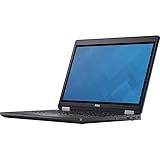
- Intel Core i7-6700HQ Processor (Quad Core, 2.60 GHz, 6MB SmartCache)
- 16GB (2x8GB) DDR4-2133 Non-ECC
- 1TB 7,200RPM Hard Drive
- AMD FirePro W5130M w/2GB GDDR5
- Microsoft Windows 7 Professional 64-bit (includes Windows 10 Pro license)
For a prospective buyer, identify both the CPU and graphics hardware before comparing machines. Then match benchmark evidence to the software and workload you actually use. A professional GPU option may be relevant for supported workstation applications, but the evidence here does not establish how a particular used unit will perform in a current application or under sustained load.
Which screen does a particular 3510 have?
Dell offered several 15.6-inch displays: a 1366 × 768 anti-glare TN panel, 1920 × 1080 IPS panels, and an FHD touch option. That is a significant difference in resolution and panel type. Notebookcheck criticized the low-resolution TN panel on its reviewed unit; that criticism should not be extended to the FHD IPS versions.
Because the display option is not determined by the 3510 name, ask for the resolution and panel details of the actual machine. A system report or clear display documentation is more useful than an assumption based on the model label.
Crashes, No Sound, or Screen Glitches?
Random freezes, missing sound and display glitches usually trace back to one bad driver. Find and replace yours safely.Free scan · under a minuteWindows Errors? Fix Them Before They Spread
Repair common Windows errors and clear accumulated junk for a smoother, more stable PC - no reinstall needed.Free scan · no reinstallRank #2

- Dell Precision 3561 Laptop 15.6" Non-Touch Screen
- Intel Core i7 11th Gen i7-11800H Eight-Core Processor 2.3GHz (4.6GHz With Turbo Boost)
- 512GB SSD Hard Drive & 32GB RAM Memory
- 1920x1080 FHD resolution Non-Touch with an integrated Yes and an Nvidia T1200 Graphics Card
- Wireless Wifi & Bluetooth. Windows11 Pro
Storage, SSD upgrades, and the battery trade-off
Original storage options included 2.5-inch hard drives and SSDs, M.2 SATA SSDs, and M.2 PCIe NVMe SSDs up to 1 TB, according to Dell. The company’s service documentation describes installing an optional PCIe SSD. That establishes an upgrade path for supported configurations; it does not confirm that every current retail SSD listing will fit or work in every individual machine. Before buying, check the installed drive, physical form factor, interface, and the unit’s configuration against the documentation. See the Dell Precision 3510 specification sheet and Dell owner’s manual.
Dell listed four-cell 62 Wh and six-cell 84 Wh batteries. StorageReview notes that, in the reviewed design, the larger battery and 2.5-inch drive area compete for space. Do not assume that a machine can accommodate both options at once. The StorageReview configuration and service-access observations describe that physical trade-off.
The bottom cover is screw-fastened, and Notebookcheck and StorageReview describe access to internal components after its removal. That access can support servicing or upgrades, but it does not mean every part is tool-free or universally interchangeable. Dell’s manual gives component-specific procedures; identify the exact battery already installed before sourcing a replacement.
Rank #3

- Dell Precision 7560 Laptop 15.6" Non-Touch Screen
- Intel Core i7 11th Gen i7-11850H Eight-Core Processor 2.5GHz (4.8GHz With Turbo Boost)
- 512GB SSD Hard Drive & 32GB RAM Memory
- 1920x1080 FHD resolution Non-Touch with an integrated Yes and an Nvidia RTX A2000 Graphics Card
- Wireless Wifi & Bluetooth. Windows11 Pro
Ports and Thunderbolt 3: verify the individual unit
Dell listed three USB 3.0 ports, HDMI 1.4, VGA, RJ-45 Ethernet, an SD 4.0 card reader, and a docking connector. Thunderbolt 3 over USB Type-C was optional, not standard across every 3510. Notebookcheck’s reviewed configuration included Thunderbolt 3, but that is evidence about its test unit only.
Recommended Free Tools
If you need a Thunderbolt dock or display setup, verify the port on the machine itself rather than relying on a product listing that says only “Precision 3510.” Also distinguish Thunderbolt from the separate docking connector when checking accessory compatibility.
Independent reader supportYour contribution helps us test, update, and keep practical guides available for everyone.Size, weight, and power
Dell’s launch-era specification sheet lists a width of 14.61 inches and a depth of 9.94 inches, a 130 W power adapter, and a starting weight of 4.92 lb for the HD non-touch configuration with the four-cell battery. That starting weight is tied to that specific configuration and is not the weight of every 3510.
Rank #4

- Powerful Performance: Equipped with an Intel i5 10th Gen processor and 16GB RAM, ensuring smooth multitasking and efficient computing.
- Fast Storage: 256GB NVMe SSD provides Very-fast data access and ample storage space for files and applications.
- Latest OS: Comes pre-installed with Windows 11, offering a sleek and user-friendly interface with improved security features.
- Portable Design: The Dell Precision 3550 laptop offers a compact and lightweight form factor for on-the-go productivity.
- Multimedia Ready: Features an integrated camera for video conferencing and multimedia applications.
What to check before buying a used Precision 3510
Ask the seller to establish what is installed, rather than relying on the model name or a generic listing. A BIOS or system report can help confirm the processor, graphics, memory, and storage; request display resolution and panel details separately if they are not reported. Practical checks include:
- Processor model and whether graphics are integrated or the FirePro W5130M.
- Installed RAM and storage type, form factor, and interface.
- Display resolution and panel option, plus whether touch is present.
- Whether Thunderbolt 3 is present if your dock or workflow requires it.
- Battery capacity and reported health, along with the included charger.
- Physical condition and operation of the ports you intend to use.
Compare candidates on those same attributes and on the workload you intend to run. Independent benchmark results are useful only when the tested hardware and workload are sufficiently similar to the system you are considering.
Quick wins for a faster PC:
Repair Windows errors before they cause bigger problemsFix Now →Fix the driver behind crashes, sound loss and screen glitchesFind Drivers →Quick Recap
Product prices and availability are accurate as of the date/time indicated and are subject to change. Any price and availability information displayed on Amazon at the time of purchase will apply.

