Recommended Free Tools
You can transfer Spotify playlists from the YouTube Music Android app: open Profile picture → Settings → Privacy & data → Transfer playlists from other apps, connect Spotify, choose playlists, and authorize your Google Account. This creates a copy in YouTube Music; it does not remove the Spotify originals or keep the services automatically in sync.
Transfer a Spotify playlist from the YouTube Music app
- Open the YouTube Music app on your Android phone.
- Tap your profile picture, then go to Settings → Privacy & data → Transfer playlists from other apps.
- Tap Let’s start and sign in to Spotify. Review and grant the access requested to connect your account.
- Select the playlist or playlists you want to copy, then tap Transfer to YouTube Music.
- When prompted, sign in to the Google Account you use with YouTube Music and authorize the transfer.
After processing finishes, look for the playlists in your YouTube Music library. Google says larger libraries may take longer and processing can continue in the background, so you do not need to keep the app open. There is no guaranteed completion time. See YouTube Music’s playlist-transfer instructions for the current guidance.
| # | Preview | Product | Price | |
|---|---|---|---|---|
| 1 |

|
Guitar Center Physical Gift Card - $50 | $50.00 | Buy on Amazon |
| 2 |
|
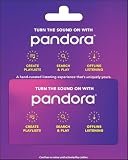
Pandora Music Physical Gift Card - $50 | $50.00 | Buy on Amazon |
| 3 |

|
$500 Apple Gift Card—Email Delivery - Season's greetings | $500.00 | Buy on Amazon |
| 4 |
|
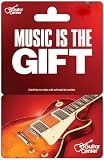
Guitar Center Physical Gift Card - $100 | $100.00 | Buy on Amazon |
| 5 |

|
Guitar Center Physical Gift Card - $25 | $25.00 | Buy on Amazon |
As an Amazon Associate I earn from qualifying purchases.
What the transfer does—and does not do
- It copies playlists. Your Spotify playlists remain on Spotify; transferring does not delete or move the originals.
- It is not an ongoing sync. Later changes in Spotify do not automatically update the YouTube Music copy. Google cautions that “Changes made in YouTube Music won’t automatically sync between services.”
- It transfers playlist information, not audio files. You will listen through YouTube Music, rather than receive downloadable music files from Spotify.
- Podcasts are excluded. YouTube Music’s playlist-transfer feature does not import or export podcasts.
- Some songs may not transfer. Google notes, “Some songs may not be available on YouTube Music.”
If the transfer option is missing
Check that YouTube Music is up to date, then reopen Profile picture → Settings → Privacy & data and look for Transfer playlists from other apps. Google documents this route, but menu availability can change or vary by account or region. If it still does not appear, consult the current YouTube Music Help page or consider a third-party transfer service.
Use Soundiiz as an alternative
Google lists Soundiiz and TuneMyMusic as third-party options, but says it does not guarantee third-party services or resolve disputes involving them. Review a provider’s terms and privacy policy before connecting your accounts. Google’s listing is not an endorsement or a guarantee of availability for every account or region.
#1 Best Overall
- Turn it into music with a Guitar Center gift card.
- Guitar Center - the world's largest retailer of guitars, amplifiers, percussion instruments, keyboards, pro audio & recording equipment.
- Redeem at any Guitar Center location nationwide.
- No returns and no refunds on gift cards.
Soundiiz documents a Spotify-to-YouTube Music playlist workflow: connect both services, choose a playlist, review the selection, and start the transfer. It can be used in a browser or its official Android app; if installing the app, check that the publisher is BRICKOFT. Soundiiz says a normal transfer leaves the Spotify source unchanged. Its free plan documentation, current in 2026, allows one playlist at a time and up to 200 selected tracks from that playlist per transfer. For longer playlists, the first 200 tracks are selected by default, and the selection can be adjusted. Batch transfers and some other transfer types require a paid plan; check the service’s current limits before starting.
See Soundiiz’s Spotify-to-YouTube Music transfer guide and its transfer support page for its workflow and terms. Google also names TuneMyMusic’s Spotify-to-YouTube Music transfer as an option.
Rank #2
- Give the music lover in your life the gift of music.
- Listen anytime, anywhere. Take your music wherever you go.
- Listen to Pandora on mobile devices, desktop, TV, Apple Watch, using voice assistants, or in the car.
- Redemption of this gift card is to be redeemed online at pandora.com
- Redeemable only at pandora.com/upgrade. Requires a Pandora account
Find and fix missing or incorrect tracks
When the playlist appears in YouTube Music, scan it against the Spotify version, especially if a playlist is long or includes alternate recordings. Different country catalogs, metadata, or versions can prevent an exact match. Soundiiz says it compares details such as title, artist, album, duration, and version, and uses identifiers such as ISRC for tracks or UPC for albums when available. A close title match may still be the wrong recording or remaster.
- Open the destination playlist and compare its entries with Spotify.
- Check the transfer result report, if using Soundiiz, for unmatched tracks.
- Search YouTube Music for any missing song by title and artist; verify the album or version before adding it.
- If the exact recording is unavailable, choose an available version only if it suits your playlist.
Soundiiz’s matching details and service limits are described in its support article. Catalog availability can differ, so neither a successful transfer process nor a reported match guarantees that every destination entry is the exact Spotify recording.
Quick Recap
Best Value
- Turn it into music with a Guitar Center gift card.
- Guitar Center - the world's largest retailer of guitars, amplifiers, percussion instruments, keyboards, pro audio & recording equipment.
- Redeem at any Guitar Center location nationwide.
- No returns and no refunds on gift cards.
Rank #4
- Turn it into music with a Guitar Center gift card.
- Guitar Center - the world's largest retailer of guitars, amplifiers, percussion instruments, keyboards, pro audio & recording equipment.
- Redeem at any Guitar Center location nationwide.
- No returns and no refunds on gift cards.
Rank #3
- For all things Apple - products, accessories, apps, games, music, movies, TV shows, iCloud+, and more.
- Perfect for App Store purchases and subscriptions—get apps, games, music, movies, TV shows, and more.
- The perfect gift to say happy birthday, thank you, congratulations, and more.
- Available in $15 - 500, Card delivered via email or SMS
- Use it for purchases at any Apple Store location, on the Apple Store app, apple.com, the App Store, iTunes, Apple Music, Apple TV, Apple News+, Apple Books, Apple Arcade, iCloud+, Fitness+, Apple One, and other Apple properties in US only
Product prices and availability are accurate as of the date/time indicated and are subject to change. Any price and availability information displayed on Amazon at the time of purchase will apply.

