The Tool Desk
Outbyte Driver Updater FREEScan for outdated or missing drivers - takes under a minuteDriver Scan →Outbyte PC Repair FREERepair Windows errors before they cause bigger problemsFix Now →There is no universal winner. ColorOS 16 is the more distinctive choice if you want OPPO’s AI Mind Space, creative tools and links between OPPO phones, iPhones and Macs. One UI 8 or 8.5 is the stronger fit if you already use Galaxy devices and want Samsung’s AI, notification surfaces, privacy controls and phone-to-foldable-to-tablet workflows. Your exact phone, country, language, carrier, accounts and connected devices determine which features you can actually use.
The comparison below treats vendor descriptions as feature claims, not independent performance tests. Check the software build installed on the specific phone you are considering before deciding.
As an Amazon Associate I earn from qualifying purchases.
What is being compared
“ColorOS 16” identifies OPPO’s current feature set described on its official ColorOS 16 page. “One UI” is a moving target: Samsung announced One UI 8 in September 2025 and began a staged One UI 8.5 rollout in May 2026. A phone advertised with One UI 8 may not have the same functions as a phone running One UI 8.5, and a model sold in one market may receive a different schedule or language support from the same model elsewhere.
Recommended Free Tools
For a fair comparison, write down the exact handset, software version, region and carrier for both sides. OPPO says its ColorOS 16 schedule can change with model, region, carrier and development progress; Samsung gives similar qualifications for country, network, model, language and service. Some features also require a Samsung or Google account, an OPPO account or an internet connection.
#1 Best Overall

- 6.82 inches, LTPO AMOLED, 1B colors, 1440 x 3168 pixels
- 512GB Storage, 12GB RAM
- Android 16, Qualcomm SM8850-AC Snapdragon 8 Elite Gen 5 (3 nm), Octa-core (2x4.6 GHz Oryon V3 Phoenix L + 6x3.62 GHz Oryon V3 Phoenix M)
- Rear: 200 MP, f/1.5, 23mm (wide), 1/1.12", PDAF, OIS, 200 MP, f/2.2, 70mm (periscope telephoto), 1/1.28", PDAF (15cm - ∞), OIS, 3x optical zoom, 50 MP, f/3.5, 230mm (periscope telephoto), 1/2.75", PDAF, OIS, 10x optical zoom, 50 MP, f/2.0, 14mm, 123˚ (ultrawide), 1/1.95", PDAF, Front: 50 MP, f/2.4, 21mm (wide), 1/2.75", PDAF
- 163.2 x 77.0 x 8.7 mm or 9.1 mm
| Software | Evidence covered here | Important qualification |
|---|---|---|
| ColorOS 16 | OPPO’s official feature page and rollout schedule | Functions can depend on hardware, software version, region, language, network and cloud capability. |
| One UI 8 | Samsung’s September 15, 2025 rollout announcement | Availability and supported functions vary by country, network, model, language and service. |
| One UI 8.5 | Samsung’s May 6, 2026 rollout announcement | The announcement describes a staged rollout, not proof that every listed phone has updated in every region. |
Official feature pages are useful for understanding intended capabilities, but they do not establish that one interface is objectively faster, safer or better for every user.
Quick comparison for everyday tasks
| Everyday need | ColorOS 16 | One UI 8 / 8.5 | What decides the result |
|---|---|---|---|
| Smoothness and app switching | OPPO highlights the Luminous Rendering Engine and Trinity Engine for animation, app switching and multitasking. | Samsung emphasizes AI, multiple form factors and workflow features rather than a comparable whole-interface smoothness test. | No equivalent independent benchmark is established here; compare the exact phones. |
| Capturing and finding information | AI Mind Space uses a Snap Key to capture voice, text or images, then organizes them into Smart Collections with an AI Mind Assistant. | Now Brief provides daily updates and personalized suggestions; Now Bar surfaces app activity and media progress. | Choose whether you prefer a personal capture archive or proactive briefings and live status. |
| Search, translation and assistance | Gemini Live can work with camera or screen sharing on compatible setups. | Samsung describes Gemini Live, Circle to Search translation, game help, Call Captions and Interpreter. | Language packs, accounts, connectivity and device compatibility can limit either side. |
| Privacy and security | OPPO describes keeping personal data in Private Cloud and says cloud capability and regional law affect AI functions. | Samsung describes KEEP encrypted app-specific storage, Knox Matrix and Secure Wi-Fi with post-quantum cryptography. | Look at where processing occurs and which controls your model and market expose; neither source supports a blanket privacy winner. |
| Cross-device continuity | O+ Connect links OPPO devices with iPhone and Mac for screen mirroring and clipboard sharing. iPhone call and message sharing is restricted to OPPO devices with preinstalled Odialer. | Galaxy ecosystem features include large-screen workflows, Multi Window and selected foldable FlexWindow functions. | Your existing phone, computer, tablet and wearable ecosystem may matter more than the feature count. |
| Media and creative work | AI Portrait Glow, Master Cut, Motion Photo Collage, AI Recording, AI Writer and flexible note editing are highlighted. | Audio Eraser, Portrait Studio, Drawing Assist, Writing Assist and AI results in split or floating views are highlighted. | Feature names do not prove equal output; test the same task on the exact devices. |
Which interface feels smoother?
OPPO’s ColorOS 16 pitch is built around animation and task switching. The company names a Luminous Rendering Engine and a Trinity Engine, and says the latter integrates software and hardware into a processing pipeline for animations. OPPO’s exact promotional wording is: “The All-New Trinity Engine introduces industry-first chip-level Dynamic Frame Sync, deeply integrating software and hardware to construct an exclusive processing pipeline for animations.” That is OPPO’s description of its technology, not an independent assessment.
Samsung’s One UI announcements do not publish a directly comparable whole-interface smoothness test. They concentrate on AI assistance, notifications, form-factor adaptations and cross-device workflows. Therefore, the available material cannot establish that ColorOS 16 is faster than One UI, or vice versa.
Free tools Windows power users keep installed
One-click scans. No signup required.
In practice, smoothness depends on the processor, display refresh behavior, thermal state, storage, background applications and the particular software build. Compare the same actions on the phones you are considering: unlock, open a camera, switch among several applications, return to a large game, rotate the screen and use split-screen mode. Record whether an app reloads or remains where you left it. That observation tells you more about your purchase than a vendor figure collected under a different test setup.
Capturing information: AI Mind Space versus Samsung’s briefing surfaces
ColorOS 16 AI Mind Space
AI Mind Space is designed for information you intentionally save. OPPO says a Snap Key can capture voice, text or an image. The system then places items into Smart Collections and offers an AI Mind Assistant to help you work with what was saved. This workflow suits someone who frequently clips a confirmation, records a thought, saves a photograph of a document or wants related material grouped later.
OPPO qualifies content and language support by software version and region. A feature shown on the global page may therefore be absent, translated differently or limited on a regional build. Confirm support for the phone and language you use before relying on it for work or study.
One UI 8 and 8.5 Now Brief and Now Bar
Samsung’s Now Brief is a proactive surface for daily updates and personalized suggestions. Now Bar presents app activity and media progress where Samsung supports it. This approach is less about building a personal archive from individual captures and more about seeing relevant status and recommendations without opening each application.
Samsung says Now Brief requires a Samsung Account and that availability varies. Network access, supported services and language can also affect what appears. If you do not want to sign in or prefer to keep information manually organized, the surface may be less useful than its description suggests.
Rank #2

- 6.59 inches, AMOLED, 1B colors, 1256 x 2760 pixels
- 512GB Storage, 12GB RAM
- Android 16, Mediatek Dimensity 9500 (3 nm), Octa-core (1x4.21 GHz C1-Ultra & 3x3.5 GHz C1-Premium & 4x2.7 GHz C1-Pro)
- Rear: 50 MP, f/1.6, 23mm (wide), 1/1.4", 1.12µm, multi-directional PDAF, OIS, 50 MP, f/2.6, 73mm (periscope telephoto), 1/1.95", 0.61µm, 3x optical zoom, multi-directional PDAF, OIS, 50 MP, f/2.0, 15mm, 120˚ (ultrawide), 1/2.76", 0.64µm, multi-directional PDAF, Front: 32 MP, f/2.4, 21mm (wide), 1/2.74", 0.8µm
- 157 x 73.9 x 8 mm (6.18 x 2.91 x 0.31 in)
Choosing between the workflows
- Choose the ColorOS approach when your priority is deliberately saving mixed media and retrieving it as organized collections.
- Choose the One UI approach when you want a daily overview and a persistent status surface for current activities.
- If you need both, check whether your exact phone exposes all advertised components; the names alone do not guarantee access.
Search, translation and AI assistance
Both platforms rely partly on Google services, so the same underlying assistant may appear on otherwise different phones. ColorOS 16 highlights Gemini Live with camera or screen sharing on compatible setups. Setup is required, and availability varies by device, account, language and region.
Samsung lists a broader set of examples in its One UI announcements: Gemini Live, Circle to Search translation, game help, Call Captions and Interpreter. These functions can require a Samsung or Google account, network connectivity, language packs or a compatible device. Translation and caption quality can also differ by language, so do not infer universal coverage from an English-language demonstration.
For a real decision, test the task rather than the label. Ask the assistant to identify something through the camera, translate a sign, summarize a page, caption a call or help with a game. Check whether processing works offline, what happens when the connection drops and whether the requested language is supported. A feature that needs a cloud connection may be unavailable on a flight or in an area with weak service.
Privacy and security controls
ColorOS 16’s approach
OPPO says personal data can remain in Private Cloud and notes that AI capability depends on cloud infrastructure and regional laws. The practical question is which operation happens on the phone, which sends data to a cloud service and what consent or account is required. Read the permission prompt for each AI feature instead of assuming that all processing is local.
One UI’s approach
Samsung describes KEEP as encrypted, app-specific storage. It also highlights Knox Matrix and Secure Wi-Fi with post-quantum cryptography. Samsung’s own qualifications say device and market availability differ, and that Personal Data Engine behavior depends on supported products and services.
How to compare the settings
- Open the privacy or security area on each phone and list the controls available for the AI feature you intend to use.
- Check whether the feature asks for a Samsung, Google or OPPO account and whether an internet connection is mandatory.
- Review permissions for microphone, camera, photos, contacts and files before enabling recording, writing or assistant functions.
- Look for an option to delete stored captures, recordings or generated history, then confirm how long cloud copies remain.
- Repeat the check after a regional software update, because availability and behavior can change with the build.
These checks let you choose based on your own risk tolerance. The cited vendor descriptions do not justify declaring either platform the universally more private option.
Cross-device continuity and ecosystems
OPPO, iPhone and Mac connections
OPPO positions O+ Connect as a bridge among OPPO hardware, iPhone and Mac. The page describes screen mirroring and clipboard sharing, which can reduce friction when moving text or viewing a phone on another screen. iPhone call and message sharing is restricted to OPPO devices that have Odialer preinstalled, so an otherwise compatible OPPO model may not provide that function.
Galaxy phones, tablets and foldables
Samsung emphasizes workflows across Galaxy phones, foldables and tablets. One UI includes Multi Window for large-screen work, while selected foldables add FlexWindow features. These functions are most valuable when your other devices are already in the Galaxy ecosystem and your model is one of the supported variants.
Rank #3

- 6.78 inches, LTPO AMOLED, 1B colors, 1272 x 2772 pixels
- 512GB Storage, 16GB RAM
- Android 16, up to 5 major Android upgrades, ColorOS 16, Mediatek Dimensity 9500 (3 nm), Octa-core (1x4.21 GHz C1-Ultra & 3x3.5 GHz C1-Premium & 4x2.7 GHz C1-Pro)
- Rear: 50 MP, f/1.5, 23mm (wide), 1/1.28", 1.22µm, multi-directional PDAF, OIS, 200 MP, f/2.1, 70mm (periscope telephoto), 1/1.56", 0.5µm, 3x optical zoom, multi-directional PDAF, OIS, 50 MP, f/2.0, 15mm, 120˚ (ultrawide), 1/2.76", 0.64µm, multi-directional PDAF, Front: 50 MP, f/2.0, 21mm (wide), 1/2.76", 0.64µm, PDAF
- 161.3 x 76.5 x 8.3 mm (6.35 x 3.01 x 0.33 in)
If your computer is a Mac and your second phone is an iPhone, OPPO’s stated cross-platform focus may be more relevant. If you already own a Galaxy tablet, foldable or other Galaxy accessories, One UI’s continuity can outweigh an isolated ColorOS feature. Do not compare ecosystem claims without listing the devices you actually carry.
Media, recording and creative tools
ColorOS 16 tools
OPPO highlights AI Portrait Glow for portraits, Master Cut for editing, Motion Photo Collage, AI Recording, AI Writer and flexible note editing. The useful distinction is breadth: the page presents capture, editing, recording and writing in one feature family. Availability can still depend on hardware, software version and region.
One UI tools
Samsung highlights Audio Eraser, Portrait Studio, Drawing Assist and Writing Assist. It also describes displaying AI results in split or floating views, which can make it easier to keep the original application visible while reviewing a generated result.
Outdated Drivers Are Slowing You Down
One free scan finds every outdated or missing driver and matches the right update for your exact hardware.Free scan · exact hardware matchWindows Errors? Fix Them Before They Spread
Repair common Windows errors and clear accumulated junk for a smoother, more stable PC - no reinstall needed.Free scan · no reinstallThese names do not establish that an Audio Eraser matches Master Cut, or that one writing assistant produces better text. For a meaningful comparison, use the same portrait, noisy recording, handwritten sketch and paragraph on both phones. Check export quality, processing time, watermarking, language support and whether the original file is preserved.
Multitasking and large-screen use
ColorOS 16’s Trinity Engine description specifically includes app switching and multitasking. Its strongest case is therefore a phone-centered workflow in which you move among several applications and expect animations to remain fluid.
One UI’s advantage is breadth across form factors. Samsung’s announcements cover phones, foldables and tablets, with Multi Window and selected FlexWindow functions. A tablet or foldable can change how much information is visible at once, even if a single phone performs similarly to a competing phone.
When comparing, open the same pair of applications, enter split-screen, resize each pane, rotate the device and return to the applications after several minutes. Note whether either app reloads. This is a device-and-build observation, not a universal score for the operating systems.
Rollout dates and supported devices
ColorOS 16 schedule
OPPO’s official page publishes approximate rollout periods for device families and says the schedule can change with model, region, carrier and development progress. It lists a Q1 2026 group that includes Find X5 Pro and numerous Reno, K, F and Pad models. Some functions require specific hardware, and features may arrive through an over-the-air update after the initial launch. Confirm the named phone against OPPO’s regional support information before buying or waiting for an update. See OPPO’s ColorOS 16 feature and rollout page.
Rank #4
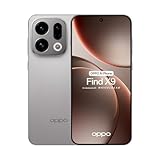
- 6.59 inches, AMOLED, 1B colors, 1256 x 2760 pixels
- 512GB Storage, 12GB RAM
- Android 16, Mediatek Dimensity 9500 (3 nm), Octa-core (1x4.21 GHz C1-Ultra & 3x3.5 GHz C1-Premium & 4x2.7 GHz C1-Pro)
- Rear: 50 MP, f/1.6, 23mm (wide), 1/1.4", 1.12µm, multi-directional PDAF, OIS, 50 MP, f/2.6, 73mm (periscope telephoto), 1/1.95", 0.61µm, 3x optical zoom, multi-directional PDAF, OIS, 50 MP, f/2.0, 15mm, 120˚ (ultrawide), 1/2.76", 0.64µm, multi-directional PDAF, Front: 32 MP, f/2.4, 21mm (wide), 1/2.74", 0.8µm
- 157 x 73.9 x 8 mm (6.18 x 2.91 x 0.31 in)
One UI 8 announcement
Samsung’s September 15, 2025 announcement lists Galaxy S25 and S24 families, selected foldables, tablets and A-series devices. Samsung warns that functions vary by country, network, model, language and service, and that some features require Samsung or Google account access and network connectivity. A listed family is not a guarantee that every regional variant receives every function.
One UI 8.5 announcement
Samsung says the One UI 8.5 rollout started in Korea on May 6, 2026, followed by Europe, Hong Kong, India, Latin America, North America, Southeast Asia and Taiwan from May 11, with additional regions to follow. The announcement names Galaxy S25 and S24, S25 FE and S24 FE, Z Fold7 and Z Flip7, Z Fold6 and Z Flip6, Tab S11 and Tab S10 families. Staging means you should not describe every listed device as updated in every market. Check Samsung’s update screen and local support page for your exact model. The rollout announcement is available from the Samsung Gulf newsroom.
The original One UI 8 rollout announcement is at Samsung Global Newsroom.
What’s actually slowing this PC down?
Pick the symptom - the matching free tool is one click away.
What OPPO’s performance numbers do—and do not—show
OPPO publishes three figures in its ColorOS 16 material. They are vendor-reported, the page does not state the test year, and the footnotes say results depend on hardware and software optimization, network conditions and personal habits.
| Figure | How to read it |
|---|---|
| 37% overall stability | OPPO attributes this to its comparison and testing material for ColorOS 16. It is not independent testing, and the page does not state the publication year. |
| 4.1°C rise after two app launch-switch cycles | OPPO reports this conditionally; actual experience varies. It is not a general temperature promise for every phone or workload. |
| 13% power consumption | OPPO says the comparison is ColorOS 16 versus ColorOS 15.0. It is not an independently reproduced battery result and should not be treated as a guaranteed saving. |
There is no equivalent independent, directly comparable benchmark established for One UI in the cited material. Use these numbers as descriptions of OPPO’s own testing claims, not as a measured ranking between the two platforms.
Which software is better for different users?
Choose ColorOS 16 when your priority is information capture
ColorOS 16 is the more natural candidate if you want a dedicated key for saving voice, text and images, automatic Smart Collections and an assistant that works on those captures. Confirm the supported language, device and regional build first.
Choose One UI when you live in the Galaxy ecosystem
One UI is the practical fit when your daily work spans a Galaxy phone, tablet or foldable and you will use Multi Window, FlexWindow or Samsung’s notification and briefing surfaces. The benefit comes from the connected devices, not from the name alone.
Do these 3 things before closing this tab:
1Scan for outdated or missing drivers - takes under a minute2Repair Windows errors before they cause bigger problems3Fix the driver behind crashes, sound loss and screen glitchesChoose ColorOS 16 for mixed OPPO, iPhone and Mac ownership
O+ Connect’s stated screen-mirroring and clipboard features are relevant when your computing life includes an iPhone or Mac. Verify the Odialer requirement if you expect iPhone call or message sharing.
Best Value

- 6.82 inches, LTPO AMOLED, 1B colors, 1440 x 3168 pixels
- 512GB Storage, 12GB RAM
- Android 16, Qualcomm SM8850-AC Snapdragon 8 Elite Gen 5 (3 nm), Octa-core (2x4.6 GHz Oryon V3 Phoenix L + 6x3.62 GHz Oryon V3 Phoenix M)
- Rear: 200 MP, f/1.5, 23mm (wide), 1/1.12", PDAF, OIS, 200 MP, f/2.2, 70mm (periscope telephoto), 1/1.28", PDAF (15cm - ∞), OIS, 3x optical zoom, 50 MP, f/3.5, 230mm (periscope telephoto), 1/2.75", PDAF, OIS, 10x optical zoom, 50 MP, f/2.0, 14mm, 123˚ (ultrawide), 1/1.95", PDAF, Front: 50 MP, f/2.4, 21mm (wide), 1/2.75", PDAF
- 163.2 x 77.0 x 8.7 mm or 9.1 mm
Choose One UI for Samsung’s wider AI menu
Samsung lists Circle to Search translation, Call Captions, Interpreter, game help, Gemini Live, Audio Eraser, Portrait Studio and Drawing Assist. If those specific tasks matter, check language, account, network and model support rather than counting feature names.
Choose neither on marketing claims alone
If smoothness, battery life or privacy is your deciding factor, perform a short hands-on check on the exact phones. The available vendor pages do not provide a neutral test that can settle those questions for every model.
A practical comparison checklist before buying
- Record the exact model number, storage configuration, carrier and country for each phone.
- Open the software-information screen and note whether the phone runs ColorOS 16, One UI 8 or One UI 8.5.
- Check the manufacturer’s regional update page and the phone’s own software-update screen; a staged announcement is not proof of local availability.
- Test one capture workflow, one search or translation task, one recording or editing task and one multitasking session.
- Verify which features require a Samsung, Google or OPPO account and which stop working without internet access.
- Check language support for captions, translation, writing and assistant features.
- Review privacy permissions and cloud-processing disclosures for microphone, camera, photos, contacts and documents.
- Test continuity with the computer, tablet, watch or second phone you already own.
- Confirm that any foldable, tablet or large-screen function is supported on your precise model, not merely on the product family.
- Keep the return policy in mind if a critical feature is unavailable in your market or language.
Common pitfalls and how to avoid them
Assuming a feature page equals universal availability
Both manufacturers qualify their claims by model and market. Treat a feature shown on a global page as a possibility until your regional build and language confirm it.
Quick wins for a faster PC:
Scan for outdated or missing drivers - takes under a minuteDriver Scan →Clear out junk files and repair common Windows errorsFree Scan →Comparing different software generations
Do not compare a phone on One UI 8.5 with an older ColorOS build and call the result a platform verdict. Record the versions and compare current software on both devices.
Ignoring account and network requirements
AI assistants, briefings, translation and cloud-backed tools may need an account, connectivity or a language pack. Test in the conditions where you will actually use the phone.
Reading vendor statistics as laboratory facts
OPPO’s 37%, 4.1°C and 13% figures are company-published, have no stated test year and carry stated conditions. They cannot substitute for an independent test of your device.
Confusing a shared service with a unique advantage
Gemini Live appears in both ecosystems in different contexts. Distinguish Google services available on compatible phones from integrations that are specific to OPPO or Samsung.
Quick Recap
Product prices and availability are accurate as of the date/time indicated and are subject to change. Any price and availability information displayed on Amazon at the time of purchase will apply.

