What’s actually slowing this PC down?
Pick the symptom - the matching free tool is one click away.
A dashboard that renders events proves only that a configured data-and-visualization path can display results. It does not prove the records came from real users, represent the actions you intend to measure, or cover every step of a real customer journey. To make a trustworthy funnel, verify data provenance, define ordered event conditions and identity rules, check event integrity, and match the reporting window and filters.
Does a demo dashboard prove the tracking is working?
It can show that some data reached a query and appeared in a visualization. That is useful for exercising ingestion, queries, and charts, but it is not evidence by itself that production tracking captures real customer behavior.


As an Amazon Associate I earn from qualifying purchases.
ClickStack documents both sample data and synthetic telemetry generators such as otelgen and telemetrygen, which send generated logs, traces, and metrics to an OpenTelemetry collector. Those paths are meant to demonstrate or test telemetry flows; they do not establish that the displayed actions were performed by customers. See ClickStack documentation.
Quick wins for a faster PC:
Clear out junk files and repair common Windows errorsFree Scan →Scan for outdated or missing drivers - takes under a minuteDriver Scan →Repair Windows errors before they cause bigger problemsFix Now →First identify what data the chart is using
Before interpreting a count, establish whether the selected dataset is production application events, an imported sample dataset, generated synthetic telemetry, or a mixture. Inspect the dashboard configuration, data source, and generator setup. If the event schema supports it, use an explicit environment or source attribute to distinguish test records; do not assume an unspecified demo system already has such a field.
#1 Best Overall
If test events and production events share a table or stream, make their separation an explicit part of the query and dashboard labeling. Otherwise a chart can look plausible while its counts combine fundamentally different kinds of records.
What makes a sequence a real funnel?
A funnel is a defined, ordered sequence of business actions—not simply several charts or event totals placed side by side. Describe the intended outcome and each step in plain language, then map each step to the actual event name and any required parameter conditions.
Rank #2

- LORA > WIFI! YoLink devices don’t use your WiFi, ensuring no crowding or slowing down of your network. Instead, they operate with a unique LoRa-based, long-range, low-power wireless protocol. Place smart devices in areas WiFi can’t reach—outdoors, several floors away, in fridges, gun safes, or beyond WiFi range! Using YoLink’s industry-leading technology, this sensor monitors up to 2034 feet in open air.
- Temperature Monitoring: Accurately track temperature levels with consistent updates to the YoLink app. Easily manage conditions in your home, greenhouse, fridge or freezer, barn, bedroom, chicken coop, dog kennel, plant nursery, or child's nursery—anywhere you need reliable temperature awareness. Perfect for maintaining optimal conditions across a wide range of locations and uses.
- Customizable Alerts & Notifications: Stay informed with multiple alert options! Set custom thresholds for temperature, and choose to receive alerts via text, email, or push notifications. Apple users can bypass silent mode with "Critical Alerts," while Android offers similar options. SMS messages are limited to the total of 5 times each device plus 5. A hub and one sensor provides you with 15 free SMS per month.
- Battery-Powered with Extended Lifespan: Powered by two AA batteries, the sensor delivers up to 5 years of continuous operation, depending on usage and environmental conditions. Receive real-time low battery alerts via the YoLink app, ensuring you're notified when it’s time for a replacement. Designed for convenience, its long-lasting battery life minimizes the need for frequent replacements, making it perfect for hard-to-reach areas and critical monitoring applications.
- IFTTT & Alexa Integration: trigger IFTTT applets based on high or low temperature set points reached (when device alerts). Voice query Alexa for the temperature. Triggering Alexa routines is not supported at this time.
Specify entry, identity, and scope
- Entry rule: Say whether a person can enter at any step (an open funnel) or must begin with the first step (a closed funnel). Google Analytics defines funnel reports as sequences of steps and distinguishes open from closed entry; those rules can change counts. See Google Analytics funnel reporting documentation.
- Step conditions: Record the event and parameter conditions that qualify for each step. A broad event name may capture more than the intended action.
- Identity basis: State whether the report counts users, sessions, or another identifier, and how anonymous activity or identity changes are handled.
- Time and filters: Record the date range, time zone, dimensions, metrics, and filters used to produce the report.
- Deduplication policy: Define how multiple records for one action are recognized, without collapsing genuinely separate actions.
Use actual customer-journey steps rather than adding artificial stages to make a chart appear complete. OpenAI’s event-quality guidance cautions that its check does not verify whether an entire funnel is complete. See OpenAI event-quality guidance.
Do these 3 things before closing this tab:
1Clear out junk files and repair common Windows errors2Scan for outdated or missing drivers - takes under a minute3Repair Windows errors before they cause bigger problemsHow do you know if funnel events are duplicated?
Investigate event integrity before calculating conversion rates. A repeated or concentrated event pattern is a lead for investigation, not proof of a bad event or fraudulent behavior: a user can legitimately repeat an action, and automated systems can legitimately retry delivery.
- Confirm event meaning: Check that each event fires after the action it claims to represent, rather than on page load, button display, or an earlier callback.
- Trace repeat paths: Look for refreshes, duplicate tags, callbacks, queued delivery, and retries that could send the same action more than once.
- Check identifiers: Determine whether copies of one action share a stable event ID and whether distinct actions receive distinct IDs. If browser and server events both report the same action, confirm that the event definitions and identifiers let the pipeline recognize the copies.
- Check timestamps: Verify that the recorded time represents when the action happened, not merely when a delayed or retried record arrived.
- Reconcile where possible: Compare event records with an authoritative source for the outcome, such as order or registration records, while accounting for legitimate differences in scope and timing.
OpenAI’s event-quality guidance discusses repeated or concentrated conversion signals but does not make an anomaly conclusive. Use the event-quality check as one input, not as a substitute for validating the tracking logic and underlying business records.
Can ClickHouse query logs tell you whether conversions are real?
No. ClickHouse query logs describe database activity, not the truth of an application-level conversion. The system.query_log table can help investigate queries processed by ClickHouse, including details such as duration and rows read when those fields are available in the deployed version. A successful query or a QueryFinish record proves neither that a user completed a business action nor that the corresponding application event is valid.
Rank #4

- INNOVATIVE FEEDBACK GATHERING - The Capture 360 NFC business google review stand revolutionize how businesses collect feedback. By simply tapping the stand with their NFC-enabled device, customers can quickly access your page, making it easier than ever to share their experience using the business google review stand feature.
- QUICK SETUP & USE - Designed for convenience, these stands require minimal setup. They come pre-programmed, ready to deploy in your space, ensuring you're equipped to start gathering digital feedback in no time, with no technical hassles. The inclusion of google review tap card ensures a seamless process.
- ADAPTABLE DESIGN - Suitable for any business environment, from cafes to retail shops, salons, and hotels, the sleek design and compact size of these stands ensure they fit seamlessly wherever you need them, encouraging more customer interactions with the help of zappy cards google reviews stand.
- SINGLE-TAP TECHNOLOGY - The user-friendly interface of the NFC tap technology minimizes the effort for customers to share feedback, providing a hassle-free experience that encourages valuable customer insights and helps improve your service quality through the use of NFC tags.
- PRODUCT SPECS - Pack includes NFC feedback stands, each crafted for durability and ease of use. Compatible with any NFC-enabled device, they serve as a modern solution for improving your business's digital footprint and elevate customer experience. Enhance your feedback process with the innovative features of zappy cards and google review stand functionalities.
ClickHouse’s audit guidance treats query activity and session activity as separate questions; session logs can record login attempts. Use these logs to investigate database operations or access, and use application-event provenance and business records to assess the measured journey. See ClickHouse system-table documentation and ClickHouse database audit-log documentation.
Account for deployment and version differences
In ClickHouse Cloud, system logs can be node-local; inspecting activity across a cluster may require a cluster-wide query such as clusterAllReplicas. Exact tables, fields, permissions, and availability vary by version and deployment, so verify them before adapting an example. ClickHouse documents system.user_query_log as added in release 26.8 for current-user query history; access to system.query_log is permission-controlled. See ClickHouse system-table documentation and ClickHouse user query-log documentation.
Best Value
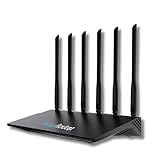
- 24/7 Internet Uptime with Self-Healing Technology – Proactively monitors your network, performs automatic reboots, and ensures uninterrupted connectivity without manual intervention.
- Smart Power Cycling for Speed Optimization – Seamlessly integrates with Keep Connect Rebooter Smart Plugs to trigger power cycles or reboots when speeds fall below user-defined thresholds.
- Free Local Monitoring & Alerts – Enjoy no-cost connection monitoring with email and SMS notifications, ensuring real-time updates on your network status without subscriptions.
- Advanced Cloud Features (Optional) – Upgrade to Keep Connect Cloud Services for remote management, analytics, and consolidated reporting across multiple devices, starting at just $24.99/year.
- Customizable OpenWrt Firmware – Built on OpenWrt for enhanced performance and flexibility, including regular speed tests, heartbeat checks, and both local and cloud-based reporting.
Why can funnel counts change when the report changes?
Counts are conditional on the report definition. A different entry rule, step condition, identity setting, date window, dimension, metric, or filter can change who qualifies and what is counted. For comparisons, align these settings before treating a discrepancy as a tracking problem.
Google Analytics notes that different reporting identity settings can produce different user counts and advises matching query settings to the interface when comparing results. Its funnel API documentation also distinguishes open and closed entry. These are Analytics-specific reporting behaviors, not ClickHouse defaults, but the underlying lesson applies to any comparison: make the measurement rules explicit and consistent. See Google Analytics funnel reporting documentation and Google Analytics reporting identity documentation.
How should you monitor ClickHouse without confusing operations with product analytics?
Directly querying ClickHouse system tables for monitoring has operational costs. ClickHouse warns that direct system-table queries add load to the production service, can prevent ClickHouse Cloud instances from idling, and couple monitoring availability to production health. For operational monitoring, consider ClickHouse’s pre-scraped Cloud Console dashboards or Prometheus-compatible metrics endpoint, while keeping the separate task of validating application events distinct. These options are relevant to both ClickHouse Cloud and self-managed deployments, though availability and setup differ. See ClickHouse monitoring documentation.
Outdated Drivers Are Slowing You Down
One free scan finds every outdated or missing driver and matches the right update for your exact hardware.Free scan · exact hardware matchPC Slower Than It Used to Be?
A free scan shows the junk files, broken settings and background clutter dragging Windows down - then fixes them in one click.Free scan · Windows 10 & 11ClickHouse’s audit-log guide says system-table logs are retained for up to 30 days by default, but actual retention can be shorter or longer and is affected by merge frequency. Materialized views or export to object storage or a SIEM are documented approaches for longer retention. This retention statement concerns system-table audit logs; it should not be assumed to describe application-event tables. See ClickHouse database audit-log documentation.
Quick Recap
Product prices and availability are accurate as of the date/time indicated and are subject to change. Any price and availability information displayed on Amazon at the time of purchase will apply.

