Yes, but not as a conventional PC installation. PlayStation’s current listings identify Bloodborne as a “PS4 Version.” You can play it on a computer by streaming it through PlayStation Plus Premium when the game is eligible in your country, or by using PS Remote Play from a PS4 or PS5 that you can access. In both cases, the game runs on PlayStation hardware or Sony’s streaming infrastructure—not locally on Windows.
That distinction determines what you need. Cloud streaming requires a Premium subscription, a PlayStation Network account, a compatible controller and a suitable broadband connection. Remote Play requires access to a PS4 or PS5 with the game and sends that console’s output to your computer. PlayStation’s official materials do not identify a native Windows or Steam edition.
| # | Preview | Product | Price | |
|---|---|---|---|---|
| 1 |

|
Bloodborne PS4 Game of the Year Edition | $34.95 | Buy on Amazon |
| 2 |
![Bloodborne - Game Of The Year Edition [PS4]](https://m.media-amazon.com/images/I/51rSUixk1XL._SL160_.jpg)
|
Bloodborne - Game Of The Year Edition [PS4] | $44.99 | Buy on Amazon |
| 3 |
|
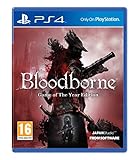
Bloodborne - Game of the Year (PS4) | $39.91 | Buy on Amazon |
| 4 |

|
Bloodborne (PS4) | $25.99 | Buy on Amazon |
As an Amazon Associate I earn from qualifying purchases.
What “playing Bloodborne on PC” actually means
There are two different ideas that are often confused:
Quick wins for a faster PC:
Scan for outdated or missing drivers - takes under a minuteDriver Scan →Clear out junk files and repair common Windows errorsFree Scan →Fix the driver behind crashes, sound loss and screen glitchesFind Drivers →- Playing through a PC: Your computer displays a stream and sends controller input while the game runs elsewhere.
- A native PC version: The game is installed and rendered by your computer, like a normal Windows game.
The official PlayStation Store listing labels Bloodborne “PS4 Version” and marks it “Remote Play supported.” PlayStation’s catalog and PC-app documentation describe streaming selected games, not a downloadable Windows build. Therefore, the supported PC routes documented by PlayStation are cloud streaming and Remote Play. Neither route creates a local PC installation.
#1 Best Overall
- Bloodborne Game of The Year
- If Bloodborne needs to be summed up, then the prevalent themes would be: exploring the fearsome unknown, intense life-and-death battles, and a familiar yet uniquely new online experience
- From the makers of the infamous Souls series, From Software's PS4 exclusive will attempt to take the tried and tested formula of giving players a sense of achievement to the next stage - especially when Miyazaki, the original creator of the Souls series is back at the helm
- What is promised is a harrowing experience like no other, and fans of tension, discovery, and straight up fun will sure to be excited to play Bloodborne
- If you have played the previous Souls games, then this one is a definite must buy
PlayStation’s United States catalog currently displays Bloodborne as part of the PlayStation Plus catalog. That is a US example, not a worldwide guarantee. Catalog titles, streaming eligibility, subscription names and availability can differ by country and can change over time.
The official ways to play on a computer
| Route | Where the game runs | What the computer does | Key conditions |
|---|---|---|---|
| PlayStation Plus cloud streaming | PlayStation streaming infrastructure | Receives video and sends controller input | Premium membership, supported region, current catalog eligibility, PC app, compatible controller and broadband. Some catalog games may not be streamable. |
| PS Remote Play | Your PS4 or PS5 console | Controls the console and receives its stream | Access to a compatible console and the game, Remote Play software, controller and a network connection. |
| Native PC game | Not stated in the official PlayStation materials reviewed | Would run the game locally | No official Windows installation route is identified in the cited PlayStation listings and guides. |
PlayStation Plus Premium cloud streaming
Cloud streaming is the only documented option that can work without you owning a PS4 or PS5. You subscribe to the Premium tier, open the PlayStation Plus PC app, find an eligible catalog title and stream it. Sony operates the game session remotely; your PC is a client for the video, audio and input.
Eligibility is conditional. A title can appear in a regional catalog yet be unavailable to stream, and catalog membership can change. Before paying for Premium specifically for Bloodborne, sign in with the account and region you intend to use and confirm that a Stream control is available. Do not rely on a listing from another country or an old screenshot.
PS Remote Play
Remote Play is different from cloud streaming. The game must be available on a PS4 or PS5 you can use, and that console performs the game’s processing. The PC receives the console’s video feed and returns your inputs over the network. This can be useful when the console is in another room, but it does not remove the need for the console.
Rank #2
- Bloodborne - Game Of The Year Edition [PS4]
PlayStation supports Remote Play on PC and Mac and lists DUALSHOCK 4, DualSense and DualSense Edge among compatible controllers. The exact options shown by the Remote Play application can vary with the console software version.
Cloud-streaming requirements for a PC
PlayStation’s current US PC and streaming guidance lists the following requirements. These are minimums and service recommendations, not independent performance tests.
| Requirement | PlayStation’s stated guidance | Why it matters |
|---|---|---|
| Subscription | Active PlayStation Plus Premium membership | Cloud streaming is associated with the Premium tier; lower tiers are not presented as the route for this catalog stream. |
| Account | PlayStation Network account with payment details | Used to authenticate the app and membership. |
| Age | 18 or older for the PC app | The PC service has an age requirement separate from the game’s content rating. |
| Controller | DUALSHOCK 4 or another compatible controller | PlayStation requires a compatible game controller for the PC app; a keyboard and mouse are not identified as substitutes. |
| Operating system | Windows 10 minimum in the US guide | The listed PC app requirements are for Windows PCs. |
| Processor | Core i3 2.0 GHz minimum | Sony’s stated baseline for running the app. |
| Memory and storage | 2 GB RAM and 300 MB free storage minimum | Storage is for the application and related files; the game is not installed locally. |
| Other hardware | Sound card and USB port | Needed for audio and a wired or otherwise supported controller connection. |
| Internet connection | 5 Mbps or higher recommended; 15 Mbps specified for 1080p on the US page | Bandwidth affects whether the service can deliver the stream. It does not guarantee low latency or a particular image quality. |
A faster connection alone cannot guarantee a responsive session. Wi-Fi interference, congestion, distance to the streaming service and household traffic can all affect delay and picture stability. Sony’s figures are guidance thresholds, not a promise of console-like latency.
Recommended Free Tools
How to try Bloodborne through PlayStation Plus
- Check regional eligibility first. Open the PlayStation Plus catalog while signed in to the account and region you will use. Search for Bloodborne and verify that the title has a Stream option, not merely a catalog mention.
- Confirm the membership tier. Cloud streaming requires Premium. Check the current plan name and terms shown for your country; plan labels and benefits vary by region.
- Prepare the PC. Use a Windows 10-or-newer system that meets Sony’s listed processor, memory, storage, sound and USB requirements. Keep the operating system and controller drivers current.
- Install the official PlayStation Plus PC app. Sign in with the same PlayStation Network account that has the Premium membership and catalog access.
- Connect a compatible controller. Pair or plug in a supported controller before starting the stream. A controller purchase does not turn the game into a native PC title.
- Test the connection. Aim for at least Sony’s recommended 5 Mbps, and for the US 1080p guidance aim for 15 Mbps. Pause large downloads and, where possible, use a stable wired connection or strong, uncongested Wi-Fi.
- Start the stream from the game page. If the Stream control is missing, stop and investigate region, plan and catalog eligibility rather than repeatedly reinstalling the app.
How to use Remote Play from a PS4 or PS5
- Make sure you have console access. The PS4 or PS5 must be available to you, and Bloodborne must be accessible on that console. Remote Play does not supply the game independently.
- Enable Remote Play on the console. In the console’s settings, turn on the Remote Play option. Menu wording can change with system software updates, so use the setting labeled for Remote Play.
- Install the official PS Remote Play application. Choose the PC or Mac version that matches your computer and sign in with the PlayStation Network account associated with the console.
- Connect a supported controller. PlayStation identifies DUALSHOCK 4, DualSense and DualSense Edge as supported controller families for Remote Play. Connect the controller to the computer in the manner supported by your operating system.
- Pair the application with the console. Follow the app’s on-screen prompt to select the PS4 or PS5. The computer then receives the console’s video and audio while the console continues to run the game.
- Launch the game on the console interface. Start Bloodborne after the Remote Play session connects. Closing the session stops the remote view; it does not convert the game into a PC installation.
Remote Play performance depends on the connection between the computer and console, and on the console’s own network connection when the devices are in different locations. The official listing confirms support for Remote Play, but it does not promise a particular frame rate, latency or image quality.
Rank #3
- A Terrifying New World: Journey to a horror-filled gothic city where deranged mobs and nightmarish creatures lurk around every corner.
- Strategic Action Combat: Armed with a unique arsenal of weaponry, including guns and saw cleavers, you'll need wits, strategy and reflexes to take down the agile and intelligent enemies that guard the city's dark secrets.
- A New Generation of Action RPG: Stunningly detailed gothic environments, atmospheric lighting, and advanced new online experiences showcase the power and prowess of PlayStation 4.
Which option fits your situation?
Choose cloud streaming when you do not have a console
Cloud streaming is the practical route if you lack a PS4 or PS5 but live in a region where your Premium account currently shows Bloodborne as streamable. You must accept the recurring subscription requirement and the possibility that catalog eligibility changes. This route also depends most directly on sustained internet performance.
Choose Remote Play when you already have a console
Remote Play avoids the question of whether the game is in the cloud catalog because the session comes from your own console. It is the appropriate choice when you already have console access and want to play from a laptop or desktop elsewhere. You still need the game on that console, a compatible controller and a reliable network path.
Do not treat either route as a PC port
If your goal is to install Bloodborne on an SSD, launch it without PlayStation services or use PC-native graphics settings, neither documented route meets that requirement. The official PlayStation materials cited here identify the PS4 edition and streaming features, not a native Windows release. No release timetable for a PC edition is provided in those materials.
Common problems and what they mean
The game does not appear in the catalog
Check the country associated with the account, the current Premium tier and the date of the listing. Catalog availability varies by region and time. A US listing cannot establish availability for an account elsewhere.
Rank #4
- A terrifying new world: journey to a horror-filled gothic city where deranged mobs and nightmarish creatures lurk around every corner
- strategic action combat: armed with a unique arsenal of weaponry, including guns and saw cleavers, you'll need wits, strategy and reflexes to take down the agile and intelligent enemies that guard the city's dark secrets
- a new generation of action RPG: stunningly detailed gothic environments, atmospheric lighting, and advanced new online experiences showcase the power and prowess of the PlayStation 4 system
- ever-changing chalice dungeons to explore: use Holy chalices to gain entrance to a network of vast underground ruins, filled with traps, beasts, and rewards, to explore and conquer alone or with others. These procedurally generated dungeons offer brand new challenges to master, and can be uploaded or shared with friends.Subtitle
The game appears, but there is no Stream button
PlayStation warns that some catalog games may not be streamable. Confirm that you are using the PC app, that Premium is active and that the title is eligible for streaming in your location. If those checks pass and the control is still absent, the game may be catalog-only for that account or temporarily unavailable.
The stream is blurry or keeps disconnecting
Compare your connection with Sony’s 5 Mbps recommendation and 15 Mbps 1080p guidance, then reduce competing traffic. Prefer a wired connection where practical. These steps address bandwidth, but they cannot guarantee low delay or a fixed resolution.
The controller is not detected
Reconnect the controller before launching the session, try a direct USB connection if wireless pairing is unreliable and verify that the model is supported for the route you selected. The PS Plus PC app and Remote Play have overlapping but separately documented controller guidance.
Remote Play cannot find the console
Confirm that Remote Play is enabled on the PS4 or PS5, that the application and console use the intended PlayStation Network account and that both ends have network access. Remote Play cannot work without an available console session.
Bottom line for PC players
In 2026, you can play Bloodborne on a PC by streaming it, not by installing an official native PC version identified by PlayStation. Use PlayStation Plus Premium only after confirming a Stream option for your region and account, or use PS Remote Play if you have access to a PS4 or PS5 running the game. A compatible controller and adequate broadband are essential for both approaches.
Quick Recap
Product prices and availability are accurate as of the date/time indicated and are subject to change. Any price and availability information displayed on Amazon at the time of purchase will apply.

