Recommended Free Tools
Usually, yes: a genuine Ryobi lithium-ion charger is designed to monitor the pack, balance its cells, and stop active charging when the battery reaches 100 percent. An overnight charge is reasonable when the battery and charger belong to the same Ryobi platform, the pack is undamaged, and the setup is dry, ventilated, and within the temperature limits in the manual.
That does not mean the charger should remain connected indefinitely. Ryobi model instructions tell you to disconnect after charging, so the conservative routine is to let the battery charge overnight only when needed, then unplug the charger and remove the pack in the morning. Never charge a leaking, swollen, visibly damaged, or frozen battery.
As an Amazon Associate I earn from qualifying purchases.
What “overnight” means for a Ryobi battery
An overnight charge is a single charging session that ends when you wake up and disconnect the equipment. It is different from leaving a battery permanently docked for days or weeks. Ryobi’s charger guidance says compatible lithium-ion chargers include overcharge protection: the electronics monitor battery condition, balance the cells, and stop active charging once the pack reaches 100 percent.
Quick wins for a faster PC:
Repair Windows errors before they cause bigger problemsFix Now →Scan for outdated or missing drivers - takes under a minuteDriver Scan →Clear out junk files and repair common Windows errorsFree Scan →That protection answers the narrow overcharging question: a compatible charger should not continue forcing charging current into a full pack. It does not remove the need to follow the instructions for your particular charger and battery. Ryobi sells several voltage platforms and charger models, and the permitted combinations are not interchangeable merely because the packs look similar.
#1 Best Overall

- Indicator lights to show charging status
- Maintenance mode conditions the batteries stored on the charger for peak performance
- Keyholes are located on the underside of the tool so you can keep it anywhere in the workshop
- Batteries sold separately
- Power source type: corded-electric
Why a compatible charger stops at full charge
Ryobi Tools UK describes its lithium-ion charger protection this way: “Any charger which can charge a Lithium battery however must have overcharge protection which stops charging the battery once it reaches 100%.” The same guidance says the charger electronics monitor battery condition and balance cells while charging.
Those statements apply to a genuine, compatible Ryobi charger, not to an arbitrary power adapter or a charger intended for another voltage platform. The charger must be matched to the battery family listed in its instructions. A charger that fits physically but is not approved for the pack is not a safe substitute.
Current Ryobi charger guidance references 18V ONE+ chargers including RC18115, RC18120, and RC18150. It also cites charger-current examples of 1.5A, 2.0A, and 5.0A. Those current figures describe charger options; they do not make every charger suitable for every Ryobi battery. Use the exact model and compatibility list supplied with your equipment.
What’s actually slowing this PC down?
Pick the symptom - the matching free tool is one click away.
Rank #2
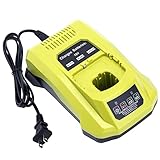
- 100% Compatible with Ryobi 18V ONE+ Lithium-Ion NiCad NiMh Battery P102 P103 P104 P105 P106 P107 P108 P109 P100 P122 P161 P189 P190 P191 P197, HP battery PBP005 PBP002. Also compatible with Ryobi 12V 14.4V ONE+ NiCad NiMh Battery (DON'T fit 12V 14.4V lithium Battery)
- Replacement for Ryobi 18V battery charger P117, P118, P118B, P135, P166, 140237023, 140153004. (1 battery charger for 3 TYPES 18V batteries )
- Advanced charging technology, universal 100V-240V voltage input. Output 12V~18V 2A for Li-ion Batteries, 1.5A for Ni-MH&Ni-CD Batteries.A full charge for 6.0Ah 18V lithium battery in 3 hours or less thus minimizing downtime.
- Smart LED indicator will show battery charging status, Power On-Steady Red, Defective-Flashing Red, Abnormal Temperature-Flashing Yellow, Charging-Flashing Green, Charged-Steady Green.
- Built-in multiple safety protection measures to prevent battery overheat, overcurrent, overload, overcharge and short circuit. 60 days money back, 12 months warranty. 24*7 hours prompt customer service.
Check the voltage platform before you plug anything in
Ryobi 18V ONE+, 40V, and 80V products are separate platforms. Do not assume that a battery can be charged on a different platform because the connector appears similar or because both products carry the Ryobi name.
| Platform or example | What the official material establishes | Safe decision |
|---|---|---|
| 18V ONE+ | Ryobi charger guidance lists 18V ONE+ charger models RC18115, RC18120, and RC18150. | Use an 18V ONE+ lithium-ion pack listed as compatible with that charger model. |
| 40V | 40V is a distinct Ryobi battery platform from 18V ONE+ and 80V. | Use only the 40V charger and pack combination identified by the product manual. |
| 80V | The Ryobi OP80RM2 manual gives a specific disconnect procedure after the tool or pack is fully charged. | Follow the OP80RM2 instructions for the 80V equipment rather than applying an 18V routine. |
If you cannot identify the platform, stop and read the label on both the battery and charger before connecting them. The voltage marking and model number are more reliable than the physical shape of the plug.
How to charge overnight as safely as possible
- Match the platform and model. Confirm that the battery is a Ryobi lithium-ion pack for the same platform as the charger. For an 18V ONE+ setup, verify the pack against the charger’s approved compatibility list; for 40V or 80V equipment, use the charger specified for that platform.
- Inspect the pack before charging. Do not proceed if the casing is cracked, swollen, leaking, badly dented, or otherwise damaged. Set aside any pack that has been exposed to conditions that make it frozen. Do not try to “test” a questionable battery by putting it on the charger.
- Choose the right location. Charge indoors in a dry, ventilated area on the hard, stable surface specified by the manual. Keep the charger and battery away from moisture and from locations where heat can build up. Do not cover the charger or place it on an unstable or heat-sensitive surface.
- Stay within the manual’s temperature range. If the pack or charger is outside the temperature range stated in the instructions, wait until the equipment is within that range. The cited Ryobi instructions specifically warn against charging a frozen pack.
- Connect the equipment exactly as directed. Seat the battery fully in the charger and connect the charger to the power supply according to its instructions. Do not improvise with extension arrangements, adapters, or a charger from another platform.
- Leave it only for the intended session. An overnight session is a practical convenience when you need a charged pack in the morning. It is not a reason to leave the battery connected continuously for several days.
- Finish in the morning. Disconnect the charger and remove the battery. For the RC18120 instructions, Ryobi also tells users to remove the product plug from the power socket when the charger is not in use.
What Ryobi manuals say about disconnecting after charging
Ryobi’s general charger guidance explains why a compatible charger stops active charging at full capacity, but individual manuals can be stricter about what you do next. The RC18120 instructions say to remove the product plug from the power socket when it is not in use. The Ryobi OP80RM2 manual states: “When the tool or battery pack is fully charged, disconnect the charger from the tool or battery pack, then disconnect the charger from the power supply.”
Rank #3

- ONE BATTERY TO POWER THEM ALL. The ultimate versatility. Do more jobs and finish all the tasks with just one battery. Power up and work with all the 225 tools in the RYOBI 18V ONE+ System. From drilling, driving, cutting and fastening to lighting plumbing, cooling and rocking to trimming, edging, mowing and clearing. ONE+ is the system that delivers more. 100 percent compatible to all.
- CORDLESS POWER. Maximize your capability without distractions of heavy and tangled wires. Delivers fade-free power for maximum performance that is comparable or even more powerful than your corded tools. Never be limited with power cords and extension cords. Complete your DIY project even without electric power souce.
- LONGER RUNTIME. Don't pause but power through. With up to 1.5x more runtime, you'll absolutely end your task without holding back just to charge.
- CHARGE EFFICIENTLY. Charge fast while conserving the energy. Powers from 0 to 100 in less than an hour. With the IntelliPort technology feature, in every charge you do, conserving energy, protecting battery cells, and maximizing battery life is ensured.
- POWER THAT PERFORMS. Worry less and be confident in extreme weathers. Works perfectly and delivery the same output..
These directions make the morning disconnect the conservative default. The charger’s full-charge protection addresses overcharging during the session; unplugging and removing the pack prevents an overnight charge from becoming an unattended, indefinite connection and keeps your routine aligned with the model’s written instructions.
Free tools Windows power users keep installed
One-click scans. No signup required.
Do not charge overnight in these situations
- Visible damage: A cracked, crushed, swollen, or leaking battery should not be placed on a charger.
- Freezing: Ryobi battery instructions warn against charging a frozen pack. Let the pack return to the temperature range specified by its manual before deciding what to do, and follow the manual’s fault procedure if it has been damaged.
- Excess heat or moisture: Move the session to a dry, ventilated location that stays within the charger’s stated temperature limits. Stop if the environment cannot meet those conditions.
- Uncertain compatibility: If the voltage platform or model cannot be confirmed, do not connect the battery merely because the plug fits.
- Abnormal condition during charging: If you notice damage, leakage, or another condition covered by the manual’s warnings, stop charging, disconnect the equipment safely, and consult the instructions for that model.
These are stop conditions, not problems to solve by repeatedly reseating the pack or trying a different outlet. A damaged lithium-ion battery needs the handling procedure specified by Ryobi, not an overnight experiment.
Overnight use versus long-term storage
The best charge level depends on whether you need the tool tomorrow or are putting the battery away. For storage longer than 30 days, Ryobi and Techtronic Industries Australia battery instructions from the 2021-era guidance recommend storing the pack at 30%–50% charge and below 27°C (80°F).
Rank #4

- Stens replacement parts have become a favorite among lawn and landscape professionals thanks to exceptional performance.
That recommendation is different from charging to 100% for immediate work. If you will use the battery the next day, a full charge at the end of a supervised, compatible charging session is the practical goal. If the battery will sit unused for weeks, do not leave it continuously full on the charger; prepare it for storage at the recommended partial charge and temperature instead.
| Situation | Recommended approach | Reason |
|---|---|---|
| Need the battery for work the next morning | Charge on the matching Ryobi charger overnight under the safe conditions above, then disconnect and remove it in the morning. | Uses the charger’s full-charge protection while following the model manuals’ disconnect direction. |
| Battery will be unused for more than 30 days | Store at 30%–50% charge and below 27°C (80°F), according to the cited Ryobi instructions. | Ryobi’s long-term storage guidance calls for a partial charge rather than continuous full charge. |
| Battery or charger is damaged or compatibility is unclear | Do not charge; identify the correct manual or arrange the manufacturer’s approved handling. | Charging a questionable pack or mismatched platform increases the risk of an unsafe condition. |
Common scenarios and the right decision
The battery is full before bedtime
Disconnect the charger and remove the pack rather than leaving it attached until morning. The charger may have stopped active charging already, but the manuals’ completion procedure still calls for disconnecting after the pack is full.
Do these 3 things before closing this tab:
1Clear out junk files and repair common Windows errors2Fix the driver behind crashes, sound loss and screen glitches3Repair Windows errors before they cause bigger problemsThe battery is only partly charged at bedtime
If the battery, charger, location, and temperature all meet the requirements, an overnight session is generally acceptable. Use the matching charger and complete the disconnect procedure when you wake up.
Best Value

- ✅Intelligent & Efficient: This P117 fast charger features a 100-240V AC input, with an 18V/2A output for Li-ion and a 12V-18V/1.5A output for NiCd batteries. It can fully charge a 6.0Ah 18V battery in 3 hours or less, minimizing downtime. For protection, it includes a built-in cooling system and actively controls current, voltage, and temperature to optimize battery life
- ✅Dual Chemistry Charger P117: One charger for three types of 18V batteries, compatible with Ryobi 18V ONE+ Lithium-Ion NiCad NiMh Battery P102 P103 P104 P105 P106 P107 P108 P109 P100 P122 P161 P189 P190 P191 P197, HP battery PBP005 PBP002 etc. Also compatible with Ryobi 12V/14.4V ONE+ NiCad/NiMh Battery (DO NOT fit 12V/14.4V lithium Battery)
- ✅Helpful Design: This P117 18V battery charger has an LED indicator that shows charging/maintenance status. Compact, space-saving design. Eco-friendly packaging: minimalist carton design, plastic-free
- ✅Your Direct Replacement & Upgrade: Biswaye P117 battery charger replacement compatible with Ryobi 18V battery charger P117, P118, P118B, P135, P166, 140237023, 140153004
- ✅Certified to meet FCC, RoHS, and CE safety standards. Contact us: for any questions, click "Ask a question" on our storefront or in the "YOUR ORDER" options, then click "Contact Seller"
The charger and battery are from different voltage families
Do not try the combination. An 18V ONE+ charger is not a general-purpose charger for a 40V or 80V pack. Find the charger specified for the battery platform and verify the model compatibility list.
The pack was stored in a cold garage
Do not charge it while frozen. Bring the equipment into the temperature range stated in the manual before charging, and inspect the pack for damage before connecting it.
You are leaving for several weeks
Do not use an overnight routine as a storage strategy. Prepare the battery for storage at 30%–50% charge and below 27°C (80°F) when the idle period will exceed 30 days.
A simple morning checklist
- Confirm the charger has completed the session and the pack is not showing a condition covered by the manual’s warnings.
- Disconnect the battery from the charger.
- Disconnect the charger from the power supply when it is not in use, as directed by the RC18120 instructions.
- Move the battery to the tool or to appropriate storage; do not leave it connected to the charger indefinitely.
- If the pack will be unused for more than 30 days, make sure it is in the 30%–50% storage range and below 27°C (80°F).
The practical answer is therefore qualified rather than absolute: a compatible Ryobi lithium-ion charger is designed to stop active charging at 100 percent, so charging overnight for next-day use is usually acceptable in a safe setup. Disconnecting the charger and removing the battery in the morning remains the cautious, manual-aligned habit, and damaged, frozen, wet, overheated, or incompatible equipment should never be charged.
Quick Recap
Product prices and availability are accurate as of the date/time indicated and are subject to change. Any price and availability information displayed on Amazon at the time of purchase will apply.

