What’s actually slowing this PC down?
Pick the symptom - the matching free tool is one click away.
For Sony DVD players sold in the United States, the answer is no: Sony says there is no way to override the region code or make the player support a different video format. If you are outside the U.S., check the manual and local support page for your exact model; Sony India also says region mismatches generally cannot be overridden, while directing owners to model documentation for exceptions.
Why your Sony DVD player rejects a disc
A DVD must pass two separate compatibility checks: its region code must be supported by the player, and its video format must be supported by the player. Sony says U.S.-sold DVD players and recorders support NTSC and Region 1, but not other regions or PAL/SECAM video. A disc can therefore fail because of its region, its format, or both.
As an Amazon Associate I earn from qualifying purchases.
Sony lists the region number in a small globe symbol on the disc or packaging. When more than one region is supported, multiple numbers appear. A disc without regional coding may be marked “0” or “ALL.”
Outdated Drivers Are Slowing You Down
One free scan finds every outdated or missing driver and matches the right update for your exact hardware.Free scan · exact hardware matchPC Slower Than It Used to Be?
A free scan shows the junk files, broken settings and background clutter dragging Windows down - then fixes them in one click.Free scan · Windows 10 & 11DVD region reference
| Region | Sony’s geographic description |
|---|---|
| 1 | Canada, the United States and U.S. territories |
| 2 | Japan, Europe, South Africa, the Middle East (including Egypt) and Greenland |
| 3 | Southeast Asia and East Asia (including Hong Kong) |
| 4 | Australia, New Zealand, the Pacific Islands, Central America, Mexico, South America and the Caribbean |
| 5 | Eastern Europe, Russia, the Indian subcontinent, Africa, North Korea and Mongolia |
| 6 | China |
| 7 | Reserved for unspecified special use |
| 8 | Special international venues, such as air and ocean travel |
These are Sony’s geographic descriptions, not a substitute for checking the disc’s printed symbol and your player’s documentation. Sony also notes that region codes do not apply to recordable DVDs.
#1 Best Overall
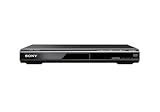
- Multi-format DVD and CD media playback
- Control TV functions using the multi-brand remote
- Upscale DVDs to near HD quality via an HDMI output
- Pic Navi title/chapter viewer and high-speed search function
What to check before assuming the player is locked
- Read the disc’s region symbol. Compare it with the region supported by the player. Sony gives a Region 6 disc in a Region 1 player as an example of a mismatch that can trigger an area-limit error.
- Check the video format. Look for NTSC, PAL or SECAM on the disc or packaging. For U.S.-sold Sony players, Sony lists NTSC support and says PAL/SECAM discs are not compatible.
- Try a Region 0 or All disc, if available. Sony says U.S. players can play discs labeled Region 0 or All. This is a characteristic of those discs, not a way to unlock the player for other region-coded commercial DVDs.
- Confirm the exact model and sales country. Consult the manual and the model’s support page in the country where the player was sold. Sony’s statements about U.S. equipment should not be assumed to cover every model or market.
What an area-limit error means
Sony reports messages including “ERROR: Playing Of This Disc Prohibited By Area Limits” and “Playback prohibited by area limitations.” These usually indicate that the disc’s region does not match the player. If a disc is the correct region for the player but the error appears unexpectedly, Sony says service may be required.
Can a remote-control code or firmware update unlock it?
Sony’s U.S. support guidance says, “There is no way to override the region code or make the player support a different video format.” The available Sony guidance does not establish a model-specific remote sequence or firmware procedure for changing the region. Do not treat an unverified sequence as universal: the stated compatibility depends on the model and country, and changing region would not by itself make an unsupported PAL or SECAM disc playable.
Rank #2

- Multi-format DVD and CD media playback
- Connector Type: AV cable required (No HDMI port)
- Control TV functions using the multi-brand remote
- Ultra-compact 10.63 in design
- Supports fast and slow playback with sound
Options if you need to play DVDs from another region
Use a Region 0 or All disc
If the title is available in a version labeled Region 0 or All, Sony says U.S. players support those discs. Confirm the video format as well, since region coding and NTSC/PAL/SECAM compatibility are separate.
The Tool Desk
Outbyte PC Repair FREERepair Windows errors before they cause bigger problemsFix Now →Outbyte Driver Updater FREEScan for outdated or missing drivers - takes under a minuteDriver Scan →Use a separate multi-region DVD player
A separate device advertised as multi-region may be an alternative when cross-region playback is a recurring need; it does not change the capabilities of your existing Sony player. Before buying, verify the exact supported DVD regions, NTSC/PAL compatibility, disc formats, output connections and manufacturer support terms. Availability and specifications vary by model, so check the device documentation rather than relying on the “region-free” label alone.
Rank #3

- Enjoy Blu-ray Disc movies in Full HD as well as DVD discs
- Upscale your DVDs to near HD quality
- Easy set-up with included HDMI cord
- Boot up in less than a second with super quick start mode
- Keep things simple with the new user-friendly interface
Seek service for an unexpected mismatch error
If the disc’s region and format match what your model supports but playback is still prohibited, use Sony support for your model and country to determine whether service is appropriate.
Quick Recap
Best Value

- 🌷【HIGH DEFINITION PICTURE QUALITY】This DVD player adopts 1080P technology, allowing you to experience higher definition picture quality and perfect sound.
- 🌷【MULTIMEDIA SUPPORTED】Direct play in formats: CD,DVD,VCD,CD-R/RW,DVD-R/+R,DVD+RW/-RW, MP3,JPEG,SVCD(Blu-ray DVD not supported);It is Region free.
- 🌷【DVD PLAYER HDMI】This region-free DVD player easily inserts and plays MP3/WMA digital audio and JPEG picture files recorded on a USB flash drive,Upgraded to support up to 128GB (FAT32 format only, NTFS/exFAT not supported.) making it a high-quality DVD player for all your entertainment needs!
- 🌷【IMPORTED MOVEMENT】This all-region DVD player with hdmi is equipped with an original imported movement with fast reading, error correction and anti-shock functions, which can load the discs in advance to enhance your movie watching experience
- 🎁【PERFECT GIFT】This dvd player for tv is made of high quality material, well made, stylish and generous appearance, it is the best gift for your relatives and friends.
Rank #4

- 1080p HDMI Upscaling - Upscales standard-definition DVD content to Full HD using advanced picture enhancement and progressive scan technology, delivering a clearer and more immersive viewing experience—perfect for your home theater setup.
- Multi-Region DVD Playback - Plays DVDs from all regions (1–6) and supports both PAL and NTSC video standards for worldwide compatibility.
- Multi-Format Compatibility - Supports video discs including DVD, DVD+R/R DL, DVD+RW, DVD-R/R DL, DVD-RW, SVCD, VCD; audio discs including CD, CD-R, and CD-RW; plus MP3, WMA, and JPEG file formats. Note: Not compatible with Blu-ray discs.
- USB Port - Plays MP3/WMA audio and JPEG image files directly from USB flash drives. Supports drives up to 128GB (FAT32 format only; NTFS and exFAT are not supported).
- Easy Setup - Connects easily to your Smart TV, HDTV, or projector via HDMI for high-quality digital audio and video through a single cable. Also includes RCA AV output for older TVs and a coaxial digital audio output for connection to a multi-channel home audio system (coaxial cable not included).
Product prices and availability are accurate as of the date/time indicated and are subject to change. Any price and availability information displayed on Amazon at the time of purchase will apply.

