Windows Errors? Fix Them Before They Spread
Repair common Windows errors and clear accumulated junk for a smoother, more stable PC - no reinstall needed.Free scan · no reinstallOutdated Drivers Are Slowing You Down
One free scan finds every outdated or missing driver and matches the right update for your exact hardware.Free scan · exact hardware matchAn IBM ServeRAID M5014 can be cross-flashed because it uses the same SAS2108 MegaRAID family as the LSI 9260-8i. The operation does not turn it into an IT-mode HBA, however, and a skipped reboot, wrong image, interrupted write, or mismatched SBR can leave the controller undetected or permanently damaged. First preserve the card’s identity and stop writing random firmware; then decide whether low-level recovery is realistic or whether a replacement is safer.
What an M5014-to-9260-8i flash actually changes
The M5014 and 9260-8i are related SAS2108 hardware. ServeTheHome described the M5014 in 2012 as essentially a 9260-8i with 256 MB of cache instead of 512 MB, and without RAID 6 or RAID 60 support unless the IBM M5000 feature key is present.


As an Amazon Associate I earn from qualifying purchases.
A cross-flash changes the firmware identity and branding. It does not add cache, create missing feature keys, or change the controller into a direct-disk HBA. The result remains a hardware RAID adapter running MegaRAID firmware.
Quick wins for a faster PC:
Repair Windows errors before they cause bigger problemsFix Now →Fix the driver behind crashes, sound loss and screen glitchesFind Drivers →How a failed flash can appear
| Symptom | What it may indicate | Immediate response |
|---|---|---|
| No RAID BIOS banner or MegaRAID utility entry | Invalid or incomplete firmware/SBR state, or a controller that is no longer initializing | Check PCI detection once, then stop repeated writes |
| PCI device appears but firmware tools cannot use it | The adapter may enumerate while its firmware is unusable | Record PCI identifiers and preserve all backups |
| Repeated beeps after flashing | Possible bad sequence or firmware state; a ServeTheHome comment reported beeping after a missed reboot, but this is anecdotal | Power down safely and verify the documented sequence |
| Complete non-detection | Software recovery may not be possible if the host cannot see the PCI device | Move to hardware replacement or specialist repair planning |
Do these preservation steps first
- Disconnect production arrays if continued experimentation could put their metadata or data at risk.
- Keep the original SBR, flash backup, SAS address/WWID, serial information, and PCI identifiers. Do not overwrite the only copy.
- Write down the exact image names, utility versions, adapter slot, and every command already run.
- Do not try random ROMs from SAS2008, 9240, 9211, or another controller family. A SAS2108 card needs a verified image intended for that device family.
- Work on a non-production card with a verified backup. The historical guide warns that the procedure may permanently damage hardware.
The historical DOS sequence
The commonly documented workflow is order-sensitive. It uses a DOS or FreeDOS environment containing MegaRec and verified SAS2108 ROM and SBR files:
#1 Best Overall
- Boot DOS/FreeDOS and confirm that the target adapter is the one you intend to modify.
- Preserve the original card state and SAS identity before writing anything.
- Write an empty SBR:
megarec -writesbr 0 sbrempty.bin - Write the LSI SBR:
megarec -writesbr 0 sbrlsi.bin - Clean the flash:
megarec -cleanflash 0 - Reboot back into the flashing environment. This reboot boundary is part of the procedure.
- Write the target ROM:
megarec -m0flash 0 0102_lsi.rom - Reboot again and verify that the adapter enumerates with the expected identity.
0102_lsi.rom is a filename shown in the historical guide, not a universal or current recommendation. Firmware files, compatibility, and utility syntax can change or disappear. Confirm the exact device family and image provenance before using any command.
Can software recover the card?
If the adapter is still visible at PCI level, low-level tools may be able to read or restore an SBR, and some workflows can temporarily host-boot firmware. The open-source lsirec project documents backup and host-boot capabilities, but labels MegaRAID-to-IT/IR conversion “completely untested.” It also warns that the process can brick or damage an adapter and that disks must not be in use during reset operations.
Rank #2
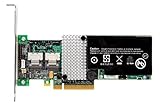
- RAID controller upgrade key
- for ServeRAID M5014
- M5015; System x3250 M3; x3630 M3 7377; x3650 M3; x3950 X5
That makes lsirec experimental recovery work, not a guaranteed repair. Use it only on a non-production controller after securing array backups and the original identity data. If the card is not visible to the host at all, software cannot address it in the normal way; specialist hardware repair or replacement is more realistic.
Why this is not an IT-mode conversion
The familiar M1015-to-9211-8i IT-mode procedure applies to SAS2008 HBA hardware. An M5014-to-9260-8i operation stays inside the SAS2108 MegaRAID family. It therefore continues to present virtual disks through hardware RAID rather than exposing each disk directly.
Rank #3
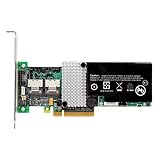
- IBM Option
- Electronics > Computers > Computer Components > I/O Cards & Adapters
If your goal is ZFS, Linux mdraid, unRAID, or another software-defined storage stack that needs direct disk presentation, buy a purpose-built HBA. Do not rely on this cross-flash to provide IT mode.
Recovery versus replacement
| Option | Architecture | Main risk | Operational considerations |
|---|---|---|---|
| Experimental low-level recovery | SAS2108 MegaRAID hardware with restored or host-boot firmware | Can brick or damage the adapter; MegaRAID-to-IT/IR conversion is untested | Requires PCI visibility, original identity data, downtime, and careful array handling |
| Same-model M5014 replacement | IBM MegaRAID hardware RAID | Used hardware may have unknown cache, battery, or firmware condition | Best match for existing IBM metadata and feature expectations; verify compatibility before importing arrays |
| LSI MegaRAID 9260-8i replacement | Related SAS2108 MegaRAID hardware RAID | Different cache, firmware identity, or feature-key state can affect behavior | Direct replacement class, but confirm firmware and array metadata compatibility before use |
| Purpose-built IT-mode HBA | Direct-disk HBA rather than MegaRAID | Not a drop-in replacement for existing hardware RAID virtual disks | Appropriate only when you intentionally migrate to software-defined storage |
What to verify before buying a replacement
- Exact model and cache: an M5014 is associated with 256 MB, while the 9260-8i is commonly specified with 512 MB; do not assume every used listing matches those figures.
- Feature keys: RAID 6/60 support on the IBM card depends on the M5000 feature key.
- Cache protection: check whether the battery or battery-backup/cache-protection module is included, healthy, and recognized.
- Firmware identity: confirm IBM versus LSI firmware and the version expected by your enclosure and array metadata.
- Physical fit: verify the bracket, connectors, and cable orientation for your chassis.
- Array recovery plan: have a verified backup and know whether you will import an existing configuration or recreate arrays. Never initialize disks until you have confirmed the metadata and recovery path.
When recovery fails or the controller is absent from PCI enumeration, an LSI MegaRAID 9260-8i or a matching M5014 is usually the most practical path back to hardware RAID. Choose an HBA instead only when direct-disk operation—not a repaired MegaRAID volume—is the actual requirement.
Quick Recap
Best Value
Product prices and availability are accurate as of the date/time indicated and are subject to change. Any price and availability information displayed on Amazon at the time of purchase will apply.

