The best documented choices are the Nacon REVOLUTION 5 PRO and the Turtle Beach Victrix Pro BFG Reloaded. Choose the Nacon for the strongest all-round combination of Hall-effect sticks and triggers, asymmetric ergonomics, profile-based button programming, wireless options and four rear paddles. Choose the Victrix Pro BFG Reloaded if interchangeable hardware matters most: it includes swappable stick modules, multiple D-pad and button layouts, and four remappable back paddles.
Both use Hall-effect sensing for the analog sticks, which measures magnetic position instead of relying on the traditional contact track associated with many drift problems. That can reduce stick-drift risk and improve long-term consistency, but it does not make every component failure-proof. The Victrix also gives up PS5 haptic feedback and adaptive triggers, while third-party feature support should be checked game by game for either controller.
As an Amazon Associate I earn from qualifying purchases.
Quick verdict: which controller should you buy?
There are two clearly documented matches for the specific combination of Hall-effect sticks and programmable rear controls. They serve different kinds of players rather than representing a simple first- and second-place ranking.
Free tools Windows power users keep installed
One-click scans. No signup required.
| Controller | Best for | Hall-effect hardware | Rear controls | Distinctive strengths | Important trade-off |
|---|---|---|---|---|---|
| Nacon REVOLUTION 5 PRO | Most players who want a configurable pro-style pad | Sticks and triggers, according to Nacon | Four rear paddles | Asymmetric layout, programmable buttons, individual profiles, wireless RF, USB-C and Bluetooth 5.2, Bluetooth audio | Less hardware modularity is documented than on the Victrix; confirm the exact PS5 feature set for your games |
| Turtle Beach Victrix Pro BFG Reloaded | Players who want to physically change the control layout | Analog sticks and triggers, as reported in the Reloaded review | Four remappable back paddles | Eleven interchangeable parts, six-button fight-pad module, reversible D-pad and swappable stick modules | No haptic feedback or adaptive triggers |
If you mainly play shooters, action games or racing titles and want rear inputs without changing the shape of the controller, start with the Nacon. If you play fighting games, regularly switch between symmetrical and offset stick layouts, or want to tune the D-pad and button module, the Victrix is the more flexible design.
#1 Best Overall
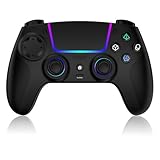
- Seamless Compatibility:This game controller is compatible with PS5, Pro, Slim, PC, and Steam Deck. Enjoy seamlesg integration with your console and all your PS5 games without any complicated setup
- Adjustable RGB Lighting: Personalize your setup with vibrant, 7-color adjustable RGB lighting. Choose from 4 distinct lighting modes (Steady, Breathing, Color Cycle, and Reactive) to match your mood, game, or gaming environment
- 3-Speed Turbo: Gain a competitive edge with the 3-speed adjustable TURBO function. Simply map any action button to turbo for rapid, continuous firing—perfect for shooting games or actions requiring high-speed input
- Programmable Back Buttons: Take command with fully programmable rear buttons M1 & M2. Map complex in-game commands or macros to these buttons, saving your configurations for instant access to advanced maneuvers and shortcuts
- Ergonomic Design: Its form-fitting shape, balanced weight, and soft-touch materials offer superior comfort. This non-slip design ensures stable control and prevents slippage, even with sweaty hands
What Hall-effect sticks actually change
A conventional analog stick reports position through physical electrical contacts. As those surfaces wear or become contaminated, the controller can begin reporting movement when the stick is at rest; players experience that as stick drift. Hall-effect hardware instead uses a magnet and a sensor to measure the stick’s position without the same contact surface.
For these two controllers, Hall-effect sensing is used on the analog sticks, and the documented specifications also identify Hall-effect triggers. The practical benefits are consistent centering, less contact wear and a lower risk of the particular drift mechanism associated with potentiometer tracks. Nacon describes its magnetic system as increasing precision and durability and says it eliminates “stick drift.” That is a product claim, not a guarantee that a controller can never develop a fault.
- Hall sensors do not prevent every problem: a damaged spring, loose mechanism, dirt, firmware defect, wireless fault or worn button can still require service.
- Trigger sensing and stick sensing are separate circuits. Hall-effect triggers can improve consistency, but they do not automatically provide the same resistance or travel as adaptive triggers.
- Dead-zone settings, game software and calibration still affect how a stick feels. A Hall sensor cannot correct a poorly configured in-game dead zone.
When comparing listings, check the exact model name. The Hall-effect hardware is specifically documented for the Victrix Pro BFG Reloaded; do not assume that an older or differently named package has the same internals.
Nacon REVOLUTION 5 PRO: the balanced all-round choice
Hall-effect sticks and triggers
Nacon states that both the sticks and triggers use magnetic Hall-effect technology. Its product wording presents the system as a precision and durability improvement designed to eliminate stick drift. The important qualification is that this describes the sensing method, not an unconditional warranty against all future failures.
Four rear paddles and profile programming
The controller has four rear paddles, giving you four additional inputs without taking a thumb off either stick. PlayStation Direct describes a dedicated app with programmable buttons and individual profile settings. That lets you create separate mappings for different games or genres rather than changing every assignment manually each time.
Rank #2

- 【Usage Notes】When using the gamepad for the first time, it needs to be connected to the PS5 console via a USB-C cable(It must be the data cable included in the package or the original data cable), and then press the Home button to activate it.
- 【Extended Grip Controller 】Its larger, ergonomic design—paired with Hall Effect joysticks and triggers—fits bigger hands perfectly, ensuring comfort and significantly reducing hand fatigue during long gaming sessions. Compatible with PS5 Pro/Slim/PC/Mac/iOS/Android.
- 【4 Macro Buttons 】Four programmable back paddles on the controller offer remappable functionality, supporting up to 16-key programming. Seamlessly clear all settings with one button, they enhance your gaming experience.
- 【Adjustable Vibration & RGB Lighting 】Enjoy granular control with four adjustable vibration modes and intensity settings from 0 to 100%, while personalizing your setup with a spectrum of 7 RGB colors and a memory function to lock you into the action.
- 【Controller with Sound】 The controller is capable of producing sound, providing an immersive gaming experience. Please note that the controller is only equipped with a speaker and has no microphone. If you want to use the microphone fuacnction, please use an external headset. It is equipped with a 3.5mm TRRS headphone jack(not compatible with Apple headphones.)
A useful profile strategy is to reserve one rear paddle for a frequent face-button action, one for a sprint or melee command, and the remaining paddles for actions that normally force a thumb away from the right stick. Keep the same physical location for the same type of action across profiles; consistency matters more than filling every slot.
Layout, connections and audio
The Revolution 5 Pro uses an asymmetric stick arrangement. Players who prefer the offset layout of an Xbox-style controller may find the left stick position more natural, while people accustomed to Sony’s symmetric arrangement should allow time to adjust. Nacon lists wireless RF, USB-C and Bluetooth 5.2 connections, and the product information also highlights Bluetooth audio.
Wireless RF is useful when you want a low-latency console connection without a cable across the room. USB-C is the predictable choice for charging or wired play. Bluetooth 5.2 expands device compatibility, but the exact functions available over Bluetooth can vary by platform and mode; use the connection mode specified for PS5 play in the manual.
Who should choose it
- Players who want four rear controls and software profiles but do not need to rebuild the controller’s physical layout.
- People who prefer an asymmetric stick arrangement.
- Users who want several connection options, including wireless RF and USB-C.
- Anyone seeking Hall-effect sensing on both sticks and triggers rather than sticks alone.
Before buying, confirm the current firmware process, the included wireless receiver or cable, and whether your preferred games preserve every mapped function. Third-party controllers can omit first-party DualSense behavior even when their basic buttons and sticks work correctly.
Turtle Beach Victrix Pro BFG Reloaded: the modular alternative
What the Reloaded package includes
A Tom’s Guide review reports Hall-effect analog sticks and triggers, four remappable back paddles and eleven interchangeable parts. The package includes a six-button fight-pad module, a reversible D-pad and swappable stick modules. Those parts let you change more than button assignments: you can alter the physical controls to suit a particular genre.
Rank #3

- 【MULTI-PLATFORM WIRELESS CONTROLLER】: Compatible with PS5 series consoles, Windows 10+ PC, Steam Deck, Mac, Android 10+ devices, and iOS devices. This Bluetooth gaming controller provides flexible compatibility for console, computer, and mobile gaming.
- 【HALL EFFECT JOYSTICKS & TRIGGERS】: Magnetic Hall sensing delivers smooth, precise input with reduced wear and improved resistance to stick drift, giving you confident control in FPS, racing and action games.
- 【2 PROGRAMMABLE BACK BUTTONS】: Map frequently used controls to the rear buttons for faster access without taking your thumbs off the sticks. Customize your setup directly on the controller with no app required.
- 【IMMERSIVE GAMEPLAY FEATURES】 : 6-axis motion control, adjustable dual vibration, a built-in speaker and a 3.5mm headset jack add more feedback and immersion to compatible games and devices.
- 【1500mAh BATTERY & CUSTOM RGB】: Play longer between charges with the built-in rechargeable battery, personalize your setup with adjustable RGB lighting, and use Turbo when you want rapid repeated inputs. Textured grips help keep the controller secure during long sessions.
The modular design is the reason to buy this model. A player can use a conventional stick module for a shooter, install the fight-pad module for a fighting game, and reverse the D-pad to change its directional feel. Swappable stick modules also make it possible to choose between the supplied options instead of accepting one permanent cap and gate arrangement.
The Tool Desk
Outbyte Driver Updater FREEFix the driver behind crashes, sound loss and screen glitchesFind Drivers →Outbyte PC Repair FREEClear out junk files and repair common Windows errorsFree Scan →Four remappable back paddles
All four rear paddles can be assigned to other controller inputs. Four paddles are most useful when you have a clear plan for them; assigning every paddle randomly can make muscle memory harder. Start with one or two actions, then add the others after you can reach them without shifting your grip.
PS5 feature trade-offs
The same review explicitly notes that the Victrix Pro BFG Reloaded lacks haptic feedback and adaptive triggers. Those are important omissions for PS5 owners who want the full DualSense experience. You still get ordinary button, stick and trigger input, but a game cannot provide the distinctive resistance and vibration effects associated with those first-party features through this controller.
This trade-off is easier to accept if you prioritize competitive consistency, a fight-pad layout or rear paddles over cinematic feedback. It is harder to accept if you primarily play first-party adventures that use adaptive trigger resistance and haptic effects as part of the experience.
Who should choose it
- Players who want to change stick, D-pad or button modules rather than only remap software.
- Fighting-game players who benefit from a six-button face module.
- People who want four paddles and multiple physical configurations in one package.
- PS5 users who are comfortable giving up haptic feedback and adaptive triggers.
Side-by-side comparison
| Buying factor | Nacon REVOLUTION 5 PRO | Victrix Pro BFG Reloaded |
|---|---|---|
| Stick sensing | Magnetic Hall-effect sticks | Hall-effect analog sticks |
| Trigger sensing | Hall-effect triggers | Hall-effect triggers |
| Rear controls | Four rear paddles | Four remappable back paddles |
| Stick layout | Asymmetric | Modules can be changed; the supplied review emphasizes layout flexibility |
| Physical modularity | No interchangeable-part system documented in the supplied product notes | Eleven interchangeable parts, including stick, D-pad and fight-pad modules |
| Profiles and app | Dedicated app with programmable buttons and individual profile settings | App and profile support not stated in the supplied review notes |
| Connections | Wireless RF, USB-C and Bluetooth 5.2 are listed by Nacon | Wireless and wired options are not stated in the supplied review notes |
| Bluetooth audio | Highlighted in Nacon’s product information | Not stated |
| Haptic feedback | Confirm the behavior for your games; third-party feature parity is not guaranteed | Absent, according to the review |
| Adaptive triggers | Confirm the behavior for your games; third-party feature parity is not guaranteed | Absent, according to the review |
| Trigger-stop details | Not stated in the supplied product notes | Not stated in the supplied review notes |
| Button-feel measurements | Not stated | Not stated |
How to decide between four paddles and modular parts
Choose the Nacon’s fixed shape when consistency is the priority
A fixed shell means your hand always meets the same rear controls and face buttons. That is useful if you play several games competitively and want one stable grip. The Nacon’s individual profiles add software flexibility without requiring you to physically rebuild anything.
Rank #4

- Upgraded Hall Effect Anti-Drift Joystick: Adopts premium Hall effect analog sticks with zero drift and accurate deadzone control. This wireless gaming controller is fully compatible with PS5, PS5 Slim, PS5 Pro and Windows PC
- Programmable Back Paddles & Macro Function: Features 2 customizable rear back paddles, supports macro recording and button remapping. Built-in turbo rapid fire function greatly improves your gaming operation efficiency
- 6-Axis Gyro Motion Control & Dual Vibration: Built-in 6-axis gyroscope motion sensor and high-performance dual vibration motors, delivering realistic immersive gaming feedback and precise motion aiming
- Stable Bluetooth 5.0 Connection & Powerful Battery: Equipped with low-latency Bluetooth 5.0 wireless transmission and colorful RGB LED light. Built-in 1000mAh rechargeable battery delivers long play sessions and quick USB-C charging
- Muilt-Platform & Plug and Play: Native support for PS5 (Pro & Slim) and Windows PC; Android and PS4 support available via Bluetooth/USB (see setup notes). and a 3.5mm audio jack for headsets. Plug and play wireless gamepad, ideal replacement for original PS5 controller
Choose the Victrix’s modules when the game changes the ideal layout
A six-button fight-pad module can make a traditional fighting-game layout more practical than a standard four-button cluster. A reversible D-pad can suit players who prefer a different directional shape, while alternate stick modules allow a different reach or cap style. The cost of that flexibility is setup time and more parts to store safely.
Do not confuse four paddles with four extra independent buttons
Rear paddles are remappable controls: they normally duplicate existing inputs rather than adding new commands that a game does not recognize. Their value is access. You can press a duplicated jump, crouch, reload or face-button command while keeping your thumb on the right stick.
PS5 compatibility and feature expectations
Both products are described as PS5 controllers, but compatibility is not identical to feature parity. A controller can handle ordinary inputs while omitting proprietary effects or behaving differently in a particular game.
- Check the game’s controller support if you rely on motion aiming, headset audio, touchpad functions or special trigger behavior.
- Expect the Victrix Pro BFG Reloaded to operate without haptic feedback and adaptive triggers.
- For the Nacon, verify the behavior of any DualSense-specific feature you consider essential instead of assuming that a third-party replacement reproduces it.
- Confirm whether your chosen connection mode is supported on PS5, PS4 and PC; Nacon explicitly lists all three platforms, while the Victrix documentation should be checked for the exact package and firmware.
Set up a controller with rear paddles on PS5
1. Update before creating profiles
Connect the controller by USB-C or use its specified wireless receiver, then follow the manufacturer’s firmware instructions. Updating first prevents you from building profiles around behavior that a later firmware release changes.
Recommended Free Tools
2. Pair it with the console
- For a first wired connection, connect the controller to the PS5 with a data-capable USB cable and press the PS button.
- For Bluetooth pairing, open Settings > Accessories > General > Bluetooth Accessories on the PS5 and select the controller when it appears in pairing mode.
- If the controller does not appear, disconnect other Bluetooth devices temporarily, charge the controller and repeat the pairing sequence from its manual.
3. Create a simple first profile
Use the dedicated configuration app where one is provided. Assign only the actions you reach most often, save the profile with a recognizable game name, and test every paddle in a practice area. On the Nacon, the documented app supports programmable buttons and individual profile settings.
Best Value

- Vibrant RGB Lighting for PS5 Pro Controller: Affordable High‑Quality Gamepad Compatible with PS5 Pro, PS5, Windows, Mac and Steam Deck. It features 7‑color RGB lighting (Red, Orange, Yellow, Green, Cyan, Blue, Violet) and 4 light modes: Dazzle, Solid Color, Solid‑Color Breathing Light, Cyclic Solid‑Color Breathing Light.
- Hall‑Effect Technology for Wireless Controller: Advanced Hall‑Effect Joysticks Eliminate Stick‑Drift and Deliver Pixel‑Precise Control via Magnetic Sensors. The controller responds accurately to every input, ideal for competitive gaming. Hall‑Effect Triggers work without physical contact points to prevent wear and greatly reduce degradation of joystick performance. Enjoy long‑lasting reliable performance with a significantly longer service life compared to traditional gamepads with potentiometers.
- Dual‑Motor Vibration, Turbo Function & 6‑Axis Motion Control: Dual‑motor vibration delivers realistic tactile feedback so you can feel every hit, collision and game environment. The turbo function provides programmable rapid‑fire for lightning‑fast in‑game responses. Equipped with 3D‑Sensor and G‑Sensor, the 6‑axis system enables natural tilting, steering and aiming for a truly intuitive gaming experience.
- Friendly Reminder: #1 When connecting to the host for the first time for pairing, please do not touch the joysticks on the controller. They will calibrate automatically during the pairing process. Calibration is complete once pairing succeeds. #2 When charging the controller, it is recommended not to use it while charging and use the supplied USB‑cable for charging. Higher output power compared to input power may incorrectly give the impression that the controller cannot be charged.
- Up to 10 Hours Battery Life & Excellent Customer Service: The gamepad is equipped with a powerful 2000 mAh battery. When fully charged, it delivers up to 10 hours of non‑stop gaming. We offer a 12‑month warranty for this device. Please contact us if you have any questions or encounter any problems.
4. Match assignments to your grip
Hold the controller normally and press each paddle without squeezing the shell. If you hit two paddles together or move your middle finger unnaturally, swap the assignments or leave a paddle unused. A reachable, repeatable press is more valuable than a fully populated profile.
5. Test wired and wireless modes
Play a short session in the connection mode you intend to use. Check input latency as subjectively as your game allows, headset audio, rumble behavior, profile switching and the PS button. Keep the cable available in case the wireless receiver, battery or pairing state becomes the source of a fault.
Reducing drift risk and extending controller life
- Store the controller covered and dry. Dust and liquids can affect buttons, springs and connectors even when the stick sensors are Hall-effect.
- Do not force a stick or paddle beyond its designed travel. Magnetic sensing does not make the surrounding plastic and springs indestructible.
- Use the game’s dead-zone setting conservatively. An unnecessarily large dead zone hides small movements and makes precise aiming harder; an extremely small setting can expose normal sensor noise.
- Keep firmware current, but record your profile assignments before updating so you can restore them if the app resets.
- If a stick moves at rest, test another game, disconnect and reconnect the controller, reset its profile and check for a firmware or calibration procedure before assuming the Hall sensor has failed.
Troubleshooting common problems
A paddle does nothing
Confirm that it is assigned to an input recognized by the game and that the correct profile is active. Test the duplicated face button directly. If the face button works but the paddle does not, save the profile again, reconnect the controller and check for a firmware update.
What’s actually slowing this PC down?
Pick the symptom - the matching free tool is one click away.
The PS5 sees the controller but a game does not
Close and restart the game after pairing, then test USB mode. Some games restrict controller types or special functions. If ordinary buttons work but a feature such as adaptive trigger resistance does not, that may be a documented limitation rather than a defect.
The stick still drifts
Try another game and restore the controller’s default profile to rule out a software mapping. Inspect the stick for physical obstruction and follow the model’s calibration instructions. Hall-effect sensing lowers the risk of contact-track wear; it cannot eliminate damage, contamination or a defective mechanical assembly.
Wireless audio or connection is unreliable
Move the console or receiver away from dense wireless clutter, fully charge the controller and test USB-C mode. On the Nacon, compare the listed RF, Bluetooth 5.2 and wired modes to determine whether the issue is limited to one connection path.
Buying checklist
- Confirm the exact name: REVOLUTION 5 PRO for the Nacon, or Pro BFG Reloaded for the modular Victrix model.
- Verify that the listing explicitly mentions Hall-effect sticks; do not infer the hardware from a similar-looking older package.
- Count the rear controls and check their placement. Both documented choices provide four, but the shell and paddle geometry differ.
- Decide whether you need software profiles, physical modules, or both.
- Choose whether losing PS5 haptic feedback and adaptive triggers is acceptable. It is an explicit Victrix trade-off.
- Check the current firmware, warranty terms, return window and included cables or wireless receiver.
- Review regional stock and price immediately before purchase. Prices, availability and warranty coverage change by country and retailer.
Bottom line
The Nacon REVOLUTION 5 PRO is the safer all-round recommendation for a player who wants Hall-effect sticks and triggers, four rear paddles, an asymmetric layout, programmable profiles and several connection choices in one controller. The Turtle Beach Victrix Pro BFG Reloaded is the better specialist option when interchangeable modules are the reason you are replacing the standard pad. Its four paddles and eleven-part modular system are compelling, but its lack of haptic feedback and adaptive triggers is a firm PS5 compromise. Neither controller makes every possible failure mode disappear, so buy the exact model, update it, test your preferred games and keep the retailer’s return and warranty terms in mind.
Do these 3 things before closing this tab:
1Fix the driver behind crashes, sound loss and screen glitches2Clear out junk files and repair common Windows errors3Scan for outdated or missing drivers - takes under a minuteQuick Recap
Product prices and availability are accurate as of the date/time indicated and are subject to change. Any price and availability information displayed on Amazon at the time of purchase will apply.

