The best PoE switch is the one whose power budget, standards, port speeds, and management features match your devices—not a universal winner. Count every powered endpoint, identify its required IEEE 802.3 standard and maximum draw, then compare both per-port output and the switch’s total PoE budget. A small powered switch can suit a few access points or cameras, while a 24- or 26-port model is better for a larger installation. The models below are manufacturer-specified examples; no independent head-to-head testing, reliability ranking, pricing comparison, or availability claim is established here.
What a PoE switch does
A Power over Ethernet (PoE) switch carries data and electrical power over Ethernet cabling to compatible equipment such as wireless access points, security cameras, VoIP phones, intercoms, and sensors. One cable run can replace a separate electrical feed at the device location, but the switch must support the device’s PoE standard and provide enough aggregate power for all connected equipment.
As an Amazon Associate I earn from qualifying purchases.
Two limits matter at the same time:
- Per-port capability: the maximum power a single port can negotiate and deliver under its supported standard.
- Total PoE budget: the power available to all powered ports combined. It is possible for every port to advertise a high per-port limit while the switch still cannot supply that maximum to every port simultaneously.
Ethernet speed is a separate decision. A switch may provide power correctly while becoming a bottleneck for a multi-gigabit access point, a high-capacity uplink, or a group of cameras sending traffic to a recorder.
Start with a power and port inventory
Write down the devices you intend to connect before comparing models. For each endpoint, record its required PoE standard, maximum power draw, Ethernet speed, and whether it needs a dedicated configuration such as a VLAN or traffic-priority policy.
#1 Best Overall

- Power Over Ethernet 4× PoE(802.3af) ports providing up to 15.4W per port, total PoE budget 57W
- Easy Smart Management Simple setup and monitor your network with easy-to-use web-based management interface and smart configuration utility
- Network Segmentation Abundant VLAN features improve network security via traffic segmentation
- Advanced Software Features Prioritize your traffic and guarantee high quality of video or voice data transmission with Port-based 802.1p/DSCP QoS, IGMP Snooping, rate limiting and traffic monitoring
- Plug and Play Easy setup with no software installation or configuration needed
- Count powered endpoints. Include devices you will add soon, not only those installed on day one.
- Identify the standard. Check the device label or manufacturer documentation for 802.3af, 802.3at, 802.3bt Type 3, 802.3bt Type 4, or a vendor-specific passive system. Do not assume that a port marked “PoE” supports every standard.
- Record maximum draw. Use the endpoint’s stated maximum rather than its typical idle consumption. Motorized cameras, heaters, infrared illuminators, and high-performance access points can draw more than basic devices.
- Add the loads. Compare the resulting total with the switch’s published PoE budget. Leave practical headroom for startup demand, environmental accessories, and future devices instead of selecting a budget that is already fully committed.
- Check the port count. Reserve ordinary data ports for non-powered devices and uplinks. A 24-port switch does not necessarily provide 24 powered ports.
For example, the NETGEAR GS524UP has 24 Gigabit ports, but its manufacturer configuration assigns 16 ports to 802.3bt PoE++ Type 3 and eight ports to PoE+. The D-Link DGS-1026P has 26 Gigabit ports and a 240 W aggregate budget; its up-to-30 W per-port figure does not mean all 26 ports can deliver 30 W simultaneously.
Understand PoE standards before choosing a model
802.3af, 802.3at, and 802.3bt describe progressively higher-power Ethernet capabilities. The endpoint and switch must negotiate a compatible mode. A newer switch can often power a lower-power compliant device, but a lower-capability switch cannot provide the requirements of a higher-power endpoint.
802.3af and 802.3at
These standards cover many phones, basic access points, and fixed cameras. The DGS-1026P is an 802.3at PoE+ switch with up to 30 W available per port within its 240 W budget. That aggregate limit still governs the combined load.
802.3bt Type 3 and Type 4
802.3bt supports higher-power endpoints. The GS524UP specifies 802.3bt Type 3 on 16 of its ports, alongside eight PoE+ ports. The compact Omada SG2005P-PD accepts a PoE++ input and changes its output budget according to the input standard: 64 W with 802.3bt Type 4 input rated at 90 W, 44 W with 802.3bt Type 3 input rated at 60 W, 19 W with 802.3at input, or 6 W with 802.3af input.
Those SG2005P-PD figures describe a powered switch receiving its own electricity over Ethernet. They are not four independent output modes available from a wall power supply; the upstream injector or PoE switch determines how much power remains for its four outputs.
Rank #2

- 𝐅𝐥𝐞𝐱𝐢𝐛𝐥𝐞 𝐅𝐮𝐥𝐥 𝐆𝐢𝐠𝐚𝐛𝐢𝐭 𝟐𝟖-𝐏𝐨𝐫𝐭 𝐏𝐨𝐄 𝐂𝐨𝐧𝐟𝐢𝐠𝐮𝐫𝐚𝐭𝐢𝐨𝐧: 24 x PoEplus (802.3at/af) 10/100/1000 Mbps RJ45 ports providing up to 30W per port and total PoE power budget of 250W, together w/ 2x Gigabit Non-PoE Ports and 2 SFP Slot for high-speed connections.
- 𝐄𝐚𝐬𝐲 𝐒𝐦𝐚𝐫𝐭 𝐌𝐚𝐧𝐚𝐠𝐞𝐦𝐞𝐧𝐭: Simple setup and monitor your network with easy-to-use web-based management interface and smart configuration utility.
- 𝐍𝐞𝐭𝐰𝐨𝐫𝐤 𝐒𝐞𝐠𝐦𝐞𝐧𝐭𝐚𝐭𝐢𝐨𝐧: Abundant VLAN features improve network security via traffic segmentation.
- 𝐏𝐨𝐄 𝐀𝐮𝐭𝐨 𝐑𝐞𝐜𝐨𝐯𝐞𝐫𝐲: The switch automatically detects and reboots the dropped or unresponsive PoE-powered devices without the need for manual monitoring or resetting (Configuration Required).
- 𝐏𝐥𝐮𝐠 𝐚𝐧𝐝 𝐏𝐥𝐚𝐲: Easy setup with no software installation or configuration needed.
Do not confuse active PoE with passive power
Active IEEE PoE checks the connected device before applying power. Passive systems can apply a fixed voltage without that negotiation and therefore require exact compatibility. If documentation does not clearly identify the standard, verify the electrical requirements before connecting it.
Compare the leading manufacturer-specified examples
The following products illustrate different deployment shapes. Their figures come from manufacturer product information and are not independent throughput or reliability tests.
| Model | PoE configuration and budget | Data ports and switching information | Management and practical fit |
|---|---|---|---|
| NETGEAR GS524UP | 16 802.3bt PoE++ Type 3 ports plus 8 PoE+ ports; 480 W total PoE budget | 24-port Gigabit; manufacturer describes a non-blocking switching architecture | Unmanaged; suited to a larger installation that needs simple plug-and-power operation |
| TP-Link Omada SG2005P-PD | One PoE++ input and four PoE+ outputs; output budget is 64 W with 90 W 802.3bt Type 4 input, 44 W with 60 W 802.3bt Type 3 input, 19 W with 802.3at input, or 6 W with 802.3af input | Compact five-port powered switch; the input also consumes one port | Designed for extending a network where local power is unavailable; its usable budget depends on the upstream PoE source |
| D-Link DGS-1026P | 802.3at PoE+; up to 30 W per port within a 240 W total budget | 26-port Gigabit unmanaged switch | Unmanaged; appropriate when a larger port count and straightforward deployment matter more than configuration controls |
The Zyxel GS1915v2 family is a different option: its smart-managed variants list 802.3at and 802.3bt support, along with published PoE budgets and switching capacities that vary by exact configuration. Verify the complete model number, port count, hardware revision, and regional specification before treating any GS1915v2 figure as applicable to your installation.
Choose the right model for common deployments
A few remote devices with no local outlet
A powered compact switch such as the SG2005P-PD can add four PoE+ outputs near a group of devices. It is useful when an upstream Ethernet cable must provide both data and power. First verify the upstream port’s PoE standard and available wattage: the downstream budget ranges from 6 W on an 802.3af input to 64 W on a 90 W 802.3bt Type 4 input.
A larger plug-and-play installation
The GS524UP combines 24 Gigabit ports with 480 W of total PoE capacity, including 16 Type 3 ports. Its unmanaged design avoids configuration overhead. It fits a deployment where devices can share one switch policy and the installer does not need VLAN, monitoring, or per-port controls.
Rank #3

- GIGABIT ETHERNET PORTS: Features 8 x 1.0Gbps Ethernet ports for high-speed connectivity. Auto-negotiating ports detect the optimal speed for connected devices and work with existing Cat5e or Cat6 Ethernet cables.
- POWER-OVER-ETHERNET (PoE): Includes 8 PoE+ ports with 62W total power budget, plus uninterrupted PoE and per-port PoE controls for managed power delivery.
- EASY SMART MANAGED NETWORK SWITCH: Intuitive software interface offers Easy Smart Managed Essentials capabilities to configure VLANs, prioritize traffic with QoS, monitor ports, and manage network security for small businesses.
- FLEXIBLE MOUNTING OPTIONS: Compact metal design supports desktop or wall-mount placement for versatile installation.
- SILENT & ENERGY-EFFICIENT OPERATION: Fanless design ensures silent performance, while IEEE 802.3az Energy Efficient Ethernet reduces power consumption without compromising high-speed network performance.
Many Gigabit endpoints with a lower-power mix
The 26-port DGS-1026P provides 802.3at PoE+ and a 240 W budget. It can suit phones, cameras, and access points whose documented draw fits within that limit. Calculate the combined load rather than multiplying the 30 W per-port figure by all 26 ports.
Do these 3 things before closing this tab:
1Scan for outdated or missing drivers - takes under a minute2Clear out junk files and repair common Windows errors3Fix the driver behind crashes, sound loss and screen glitchesA deployment that needs visibility and configuration
The smart-managed GS1915v2 family is the candidate to investigate when you need managed controls. Because the family spans variants, select the exact model only after matching its published budget, switching capacity, port speeds, and hardware revision to your bill of materials.
Managed or unmanaged: make the feature trade-off deliberate
When unmanaged is the better choice
- The network uses one flat configuration with no VLAN segmentation.
- Devices should work as soon as cables are connected.
- No one needs port statistics, remote status checks, scheduled power cycling, or traffic-priority policies.
- The installer wants fewer settings that can be misconfigured.
The GS524UP and DGS-1026P are manufacturer-described unmanaged switches. They reduce administration, but they also provide fewer tools for diagnosing a failed endpoint or separating cameras, voice, guest Wi-Fi, and management traffic.
When smart management pays off
- You need VLANs to isolate cameras, voice, guest access, or building-control devices.
- You need to see link state, negotiated speed, PoE consumption, or error counters remotely.
- You want to prioritize latency-sensitive traffic or disable a port without unplugging it.
- The site has several switches and requires a consistent configuration.
A managed feature is valuable only if someone will configure and maintain it. Confirm that the exact switch model exposes the controls you require; a product family name alone is not enough.
Match Ethernet speed and switching capacity
Gigabit access ports are sufficient for many cameras, phones, and standard access points, but the access link is only one part of the path. Check three points:
Free tools Windows power users keep installed
One-click scans. No signup required.
Rank #4
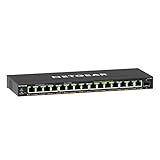
- GIGABIT ETHERNET PORTS: Features 15 x 1.0Gbps Ethernet ports for high-speed connectivity. Auto-negotiating ports detect the optimal speed for connected devices and work with existing Cat5e or Cat6 Ethernet cables.
- POWER-OVER-ETHERNET (PoE): Includes 15 PoE+ ports with 180W total power budget, plus uninterrupted PoE and per-port PoE controls for managed power delivery.
- SFP CONNECTIVITY: Includes 1 x 1G SFP port for fiber optic connections and network expansion
- EASY SMART MANAGED NETWORK SWITCH: Intuitive software interface offers Easy Smart Managed Essentials capabilities to configure VLANs, prioritize traffic with QoS, monitor ports, and manage network security for small businesses.
- FLEXIBLE MOUNTING OPTIONS: Compact metal design supports desktop or wall-mount placement for versatile installation.
- Endpoint port speed: identify whether each device has 100 Mbps, 1GbE, or multi-gigabit Ethernet.
- Switch uplink speed: ensure the connection to the router, core switch, or recorder can carry the combined traffic. A fast access point connected through a slower uplink can be constrained even when its local port negotiates correctly.
- Switching capacity and architecture: use the manufacturer’s switching-capacity figure where provided, and look for a non-blocking design when simultaneous traffic matters. The GS524UP is described as using non-blocking switching architecture.
D-Link’s broader business portfolio spans 10/100 Mbps through 10GbE port options, with products covering 802.3af, 802.3at, and 802.3bt. Those are portfolio ranges, not specifications for every D-Link model; verify the exact data sheet for the speed and uplink arrangement you need.
Form factor and installation constraints
Port count and power are not the only physical considerations. Before ordering, confirm the switch’s mounting method, available shelf or rack space, power-cord route, ambient temperature rating, and access to status indicators. The supplied specifications do not establish comparative noise levels, dimensions, warranty terms, or retailer availability, so obtain those details from the exact regional product page or reseller.
For a compact powered switch, plan where the upstream PoE cable enters and where the four downstream runs leave. For a 24- or 26-port switch, reserve space for the larger cable bundle and label both ends of every run. Keep the switch and its power source accessible for service rather than placing them where a single failed port requires a lift or shutdown.
A step-by-step buying method
- Build the endpoint list. Record quantity, PoE standard, maximum draw, Ethernet speed, and any management requirement.
- Separate powered ports from uplinks. Count how many ports must supply power and how many are needed for routers, recorders, or inter-switch links.
- Set the minimum per-port standard. Choose a switch that supports the highest standard required by any endpoint, not merely the average device.
- Calculate aggregate demand. Sum the documented maximum draw and compare it with the published total budget. Leave headroom for future additions and transient demand.
- Check speed end to end. Match endpoint, switch, uplink, and upstream equipment. A fast port does not remove a slower link elsewhere.
- Decide on management. Select unmanaged operation for a stable, simple network; select smart management when segmentation, monitoring, or traffic controls have a clear purpose.
- Verify the exact hardware. Read the complete model number, hardware revision, region, port map, and power table. This is essential for families such as GS1915v2 and for products whose budgets depend on the input source.
- Document the installation. Label ports, note the expected load on each, save the configuration for managed models, and keep the product specification with the site records.
Troubleshooting PoE problems
The device has a link but will not power
- Confirm that the endpoint uses an IEEE standard supported by the port.
- Test the cable and connectors with a known-good run.
- Check whether the port is disabled in a managed configuration.
- On a powered switch such as the SG2005P-PD, verify the upstream input standard and available budget.
Some devices work until more are connected
This symptom usually indicates the aggregate budget rather than a defective port. Add the maximum loads, compare them with the switch’s total rating, and disconnect or move a high-draw endpoint to a switch with greater capacity. The DGS-1026P’s 240 W total and the GS524UP’s 480 W total are shared resources.
Recommended Free Tools
The access point is slower than expected
Inspect negotiated speed at the endpoint, switch, and uplink. A Gigabit switch cannot provide a multi-gigabit access link, and a slower router or inter-switch connection can limit total throughput even when local links are healthy.
Best Value
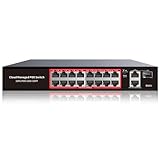
- High-Power PoE+ Connectivity for All Your Devices: The STEAMEMO 16 port managed PoE switch is a powerhouse for your network. With 16*100Mbps PoE ports, each capable of delivering up to 30W, and a total PoE budget of 240W, it ensures reliable power and data transmission to all your IP devices. IEEE 802.3at PoE+ compliance guarantees high - power delivery, making it perfect for demanding devices like PoE cameras, smart home systems, and advanced IoT devices. Whether you're setting up a home office or a small business network, this switch is your ultimate solution for seamless connectivity.
- Smart Management – Control Your Network from Anywhere: STEAMEMO 16 ports PoE+ switch Manage your network effortlessly with web interface, desktop software, or mobile app. Monitor real-time traffic, prioritize devices with QoS, and configure VLANs (802.1Q) for better security. Ideal for users who want "smart managed switch" features without complexity—great for home offices, remote work, and small business networks.
- Enterprise-Level Performance – Faster, More Secure Networking: Unlock enterprise-level capabilities with the STEAMEMO 16-port PoE network switch. It offers automatic cable quality detection, precise bandwidth control, QoS, 802.1Q VLAN support, DHCP Snooping, and port mirroring. Boost security with storm control, static MAC addressing, and flow control, ensuring stable, lag-free performance for streaming, gaming, and business applications.
- Cost-Effective, Durable Design for Long-Term Use:The STEAMEMO 16-port PoE+ ethernet switch features a rugged casing and advanced heat dissipation, paired with low-power, fanless operation for silent, long-lasting performance—even under heavy loads. Plus, its intuitive visual interface simplifies remote management: easily monitor network status, configure devices, and troubleshoot on-site issues without needing to be physically present.
- Dual - Mode Flexibility and Durable Design: Seamlessly switch between managed and unmanaged modes for zero - configuration deployment. This compact solution grows with your infrastructure, offering plug - and - play simplicity and cost - optimized scaling. Additionally, the 4KV lightning protection, network cable short-circuit protection mechanism, and fanless design add to its reliability. The versatile design supports both desktop and wall mounting for easy installation.
A family specification does not match the product in hand
Stop using the family-level assumption. Photograph the label, identify the hardware revision, and retrieve the regional specification for that exact unit. PoE standards, budgets, port counts, and switching capacities can differ across variants.
What the specifications do—and do not—prove
Manufacturer figures establish a switch’s stated port arrangement, PoE standards, budget, and advertised switching design. They do not establish comparative real-world throughput, thermal behavior, long-term reliability, noise, support quality, street price, or stock in a particular country. Treat the GS524UP’s 480 W, the DGS-1026P’s 240 W, and the SG2005P-PD’s input-dependent budgets as design limits to check against your installation, not as independent performance rankings.
Pricing, warranty, regional variants, and retailer terms change over time. Check those items at the time of purchase and make sure the listing describes the same model and hardware revision as the technical documentation.
The Tool Desk
Outbyte PC Repair FREERepair Windows errors before they cause bigger problemsFix Now →Outbyte Driver Updater FREEScan for outdated or missing drivers - takes under a minuteDriver Scan →Bottom line
Choose by deployment: the SG2005P-PD for a small remote extension whose upstream PoE input can support the required output; the GS524UP for a 24-port unmanaged Gigabit installation with substantial Type 3 capacity; the DGS-1026P for a 26-port unmanaged 802.3at network within a 240 W budget; and an exact GS1915v2 variant when smart management and the documented 802.3at/802.3bt capability justify it. In every case, endpoint inventory, aggregate wattage, port speed, uplink capacity, and exact model verification matter more than a generic “best” label.
Quick Recap
Product prices and availability are accurate as of the date/time indicated and are subject to change. Any price and availability information displayed on Amazon at the time of purchase will apply.

