Free tools Windows power users keep installed
One-click scans. No signup required.
You can keep Halloween fun without asking a child to tolerate ghosts, jump scares, or dark imagery. The strongest choices fall into three groups: a screen-free activity book, gentle Nintendo Switch games, and printable party activities. Start with the format your child enjoys, then check the specific pictures, sounds, age guidance, and play mode before setting it up. “Non-scary” is a publisher description, not a guarantee that every child will react the same way.
Quick picks by format and intensity
These options cover independent play, family activities, and simple video games. The descriptions below reflect the publishers’ own listings, so use them as a starting point rather than a personalized suitability test.


As an Amazon Associate I earn from qualifying purchases.
| Option | Format | What the publisher says | Play pattern | Useful fit |
|---|---|---|---|---|
| Halloween Games (Highlights Fun to Go) | Physical activity book | Take-along Halloween games for family or independent play; ages 6–9 | Screen-free, solo or shared | Travel, quiet time, or a low-pressure family activity |
| Spooky Tales and Mummy Trails | Nintendo Switch game | A “charming, non scary Halloween game” for all ages | Digital adventure | Children who want a seasonal video game without a deliberately frightening premise |
| Learn to Play – Pumpkin Smash! | Nintendo Switch game | Family-friendly Halloween party game with three difficulty modes | Single-player or two-player | Short, repeatable sessions with a sibling or adult |
| Halloween Puzzle & Coloring Fun Games | Nintendo Switch game | Puzzles and coloring for young children, with “no scary or difficult elements”; ages 0–7 | Digital puzzle and coloring activities | Very young players who prefer calm, simple tasks |
| Children’s Halloween activity pack | Printable or screen-free party activities | The Children’s Trust pack includes party games | Group play | A party table or classroom-style activity station; check that the exact pack is currently available |
Choose the level of Halloween atmosphere first
“Halloween” does not describe one emotional experience. A child may enjoy pumpkins, colors, costumes, and puzzles while avoiding monsters or sudden noises. Instead of asking whether a game is universally scary, decide how much seasonal intensity your child wants.
Level 1: Halloween theme without threat
Look for coloring, puzzles, pumpkins, friendly characters, and predictable rules. Halloween Puzzle & Coloring Fun Games is the clearest match in the listed options because Nintendo describes it as having no scary or difficult elements and gives an age range of 0–7. The same approach works with a physical activity book: the child can stop, skip a page, or switch activities without losing progress.
#1 Best Overall
Level 2: Gentle adventure
A child who likes a story and exploration may be ready for Spooky Tales and Mummy Trails. Nintendo calls it a charming, non-scary Halloween adventure for all ages. That wording is promotional copy from the software listing, not an independent assessment. Preview the game if your child is particularly sensitive to mummy imagery, dark scenes, sound effects, or unexpected movement.
Level 3: Lively party competition
Some children are comfortable with Halloween imagery but dislike suspense. A short party game can work better than an adventure because each round has a clear beginning and end. Learn to Play – Pumpkin Smash! is described by Nintendo as a family-friendly Halloween party game with three difficulty modes and either single-player or two-player play. Choose the easiest mode first and play alongside the child so you can stop immediately if the tone is wrong.
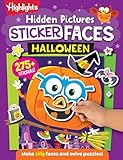
Best screen-free choice: Halloween Games by Highlights
Halloween Games from Highlights Fun to Go is a physical, take-along activity book. Its publisher lists the age range as 6–9 and describes it for family or independent play. That combination makes it useful when a child wants Halloween content but not a console, headphones, or animated imagery.
Why a book can be easier to regulate
- The child controls the pace and can turn a page or close the book without waiting for a level to end.
- Adults can see the entire page before handing it over and skip anything that uses an unwanted character or illustration.
- Family members can solve an activity together, while a child who prefers privacy can work independently.
- A take-along format fits car trips, restaurants, waiting rooms, and breaks at a party.
How to introduce it
- Preview the pages and identify the activities that match your child’s comfort level.
- Offer two or three choices rather than presenting the whole book as a test.
- Set out pencils, crayons, or a small writing kit so the activity starts without extra decisions.
- Let the child switch pages or stop; the book is most useful when participation is voluntary.
The 6–9 label is a publisher age range, not a promise that every child in that span will enjoy every illustration. A younger child with strong reading or puzzle skills may need help, while an older child may still prefer the simpler, screen-free format.
Best gentle adventure: Spooky Tales and Mummy Trails
Nintendo’s software listing says: “Enjoy a charming, non scary Halloween game that’s great for all ages.” Treat that sentence as Nintendo’s own promotional description. It tells you the intended tone, but it cannot account for an individual child’s reaction to a mummy, a dark background, a sudden animation, or a sound cue.
Who may enjoy it
- Children who want a Halloween story or exploration rather than a puzzle-only activity.
- Families looking for a shared console experience that can be watched before the child takes a turn.
- Players who understand that “Halloween” can include spooky-looking decorations without requiring frightening challenges.
Preview checklist
Before a sensitive child plays, open the current Nintendo listing for your region and review its screenshots, description, platform details, and availability. If gameplay footage is available through a legitimate source, watch a short segment with the sound on. Pay attention to the child’s specific triggers: ghosts, monsters, mummy imagery, darkness, sudden motion, or loud effects. A publisher’s “for all ages” wording does not replace that preview.
Best party-style game: Learn to Play – Pumpkin Smash!
Nintendo describes Learn to Play – Pumpkin Smash! as a family-friendly Halloween party game. It offers three difficulty modes and supports both single-player and two-player play, giving adults a way to adjust the challenge and decide whether the child wants company.
The Tool Desk
Outbyte Driver Updater FREEScan for outdated or missing drivers - takes under a minuteDriver Scan →Outbyte PC Repair FREEClear out junk files and repair common Windows errorsFree Scan →Use the difficulty modes as a confidence ladder
- Begin with the easiest mode while an adult or trusted sibling plays too.
- Ask whether the child wants another round before increasing difficulty.
- Keep sessions short; a party game does not need to become a long commitment.
Because the listing identifies it as a party game, it may fit a child who enjoys action but not a narrative that builds suspense. Still, “family-friendly” is a publisher description. Check the current regional listing and screenshots for the exact version you intend to use, since digital availability and presentation can change.
Single-player or two-player?
- Single-player: useful when the child wants control and a quiet turn.
- Two-player: useful when an adult can model the game, explain a rule, or provide reassurance.
Do not assume two-player is automatically less stressful. Some children find competition exciting; others prefer to avoid a score or a faster pace. Let the child choose.
Best for very young children: Halloween Puzzle & Coloring Fun Games
Nintendo’s listing describes Halloween Puzzle & Coloring Fun Games as a collection of puzzles and coloring activities for young children, with “no scary or difficult elements.” The listing gives an age range of 0–7. Among the researched choices, this is the most explicit match for children who want Halloween visuals while avoiding both frightening content and demanding gameplay.
Why puzzles and coloring can work
- Activities are structured and predictable rather than suspense-driven.
- Coloring lets the child decide how characters and scenes look.
- Puzzles provide a clear task without requiring the player to defeat an enemy or explore an unknown area.
The 0–7 range is still a publisher label. A toddler may need an adult to handle controls, while a seven-year-old may want more complex challenges than the game offers. Sit with the child for the first session and observe whether the interface, music, and images feel comfortable.
Do these 3 things before closing this tab:
1Repair Windows errors before they cause bigger problems2Scan for outdated or missing drivers - takes under a minute3Clear out junk files and repair common Windows errorsScreen-free party option: activity packs
The Children’s Trust Halloween activity pack is an example of a printable or activity-pack category that includes party games. It can create a shared Halloween station without putting a game console at the center of the event. The pack is best treated as a category example rather than a product recommendation based on independent testing; check whether the exact pack is still available and read its activities before the party.
How to adapt a pack for sensitive players
- Print only the activities you have previewed.
- Remove pages that rely on frightening pictures or themes your guests avoid.
- Offer cooperative versions of games so children do not have to compete.
- Keep a quiet alternative, such as drawing or a simple puzzle, available at the same table.
For a mixed-age group, place activities in separate stations. Children can choose a calm station without having to announce that they dislike scary games.
Match the game to the child and the setting
| Situation | Start with | Why | What to check |
|---|---|---|---|
| Travel or waiting time | Halloween Games | Take-along, screen-free format with family or independent play | Whether the listed 6–9 range fits the child’s ability and interest |
| Young child who wants calm digital play | Halloween Puzzle & Coloring Fun Games | Puzzles and coloring; Nintendo says there are no scary or difficult elements | Controls, music, and the child’s response to the on-screen art |
| Child asking for an adventure | Spooky Tales and Mummy Trails | Nintendo describes a charming, non-scary Halloween adventure | Mummy imagery, darkness, sound effects, and current regional listing |
| Sibling or parent game session | Learn to Play – Pumpkin Smash! | Three difficulty modes and solo or two-player play | Whether competition and faster rounds feel exciting or stressful |
| Halloween party with several children | Activity pack plus a quiet station | Group games can run away from the console and allow flexible participation | Exact pack availability and every printed activity’s imagery |
A practical preview routine before you hand over the controller
Previewing is especially important when a child has already said they do not want scary games. Use the same routine for any title, including one marketed as family-friendly or non-scary.
- Read the full listing. Check the current Nintendo page for your region, platform, screenshots, age information, and purchase or availability details.
- Separate theme from intensity. Note whether Halloween appears only in colors and pumpkins or also in ghosts, monsters, mummies, darkness, or threatening scenes.
- Check sound. Music, alarms, sudden effects, and volume changes can be more upsetting than a still image.
- Watch a brief segment. If legitimate gameplay footage is available, preview enough to see ordinary play, not only a menu screen.
- Explain the plan. Tell the child what they will see and how to stop. Avoid promising that nothing will be surprising unless you have verified that yourself.
- Play together first. Sit nearby, use the easiest setting when available, and let the child hand over the controller.
- Stop without debate. If the child wants to quit, switch to the book, a coloring activity, or another party station.
This process does not require deciding whether a game is objectively scary. It checks whether this particular child is likely to feel comfortable with this particular presentation.
PC Slower Than It Used to Be?
A free scan shows the junk files, broken settings and background clutter dragging Windows down - then fixes them in one click.Free scan · Windows 10 & 11Crashes, No Sound, or Screen Glitches?
Random freezes, missing sound and display glitches usually trace back to one bad driver. Find and replace yours safely.Free scan · under a minuteBuild a Halloween game table with an exit option
A simple setup prevents one game from becoming the only way to participate. Put the chosen activity in a visible place, then add an immediate alternative.
For a family evening
- Place Halloween Games and drawing supplies on the table.
- Offer Halloween Puzzle & Coloring Fun Games for a short digital session.
- Try Pumpkin Smash! only if the child wants a more active round.
For a mixed-age party
- Use the activity pack for group games that can be explained aloud.
- Create a quiet table with coloring, puzzles, or the physical activity book.
- Schedule the Switch games as optional stations rather than the event’s main attraction.
For a child who changes their mind quickly
Keep sessions modular. A page, puzzle, or single party round should feel complete on its own. Avoid saving progress as a reason to continue after the child is uncomfortable.
Age labels are starting points, not emotional guarantees
The options use different kinds of age guidance: Highlights lists 6–9 for its activity book; Nintendo lists 0–7 for Halloween Puzzle & Coloring Fun Games; and Nintendo describes Spooky Tales and Mummy Trails as suitable for all ages. These labels address intended audience or content positioning, not a universal threshold for fear, sensory sensitivity, reading ability, or motor skills.
Use the label together with what you know about the child. A child within the stated range may dislike a particular picture, while another child outside it may enjoy the format. When in doubt, preview first and make stopping easy.
Quick wins for a faster PC:
Repair Windows errors before they cause bigger problemsFix Now →Scan for outdated or missing drivers - takes under a minuteDriver Scan →Clear out junk files and repair common Windows errorsFree Scan →Common mistakes to avoid
- Equating “family-friendly” with “fear-free.” The phrase comes from a publisher and does not describe every child’s reaction.
- Relying only on an age number. Age guidance does not reveal every image, sound, or control demand.
- Making the child prove they are brave. A Halloween activity should remain optional.
- Starting at the hardest setting. Use the easiest mode in Pumpkin Smash! and increase challenge only if the child asks.
- Forgetting screen-free choices. The activity book and a printable pack make it possible to celebrate without a console.
- Ignoring regional availability. Nintendo listings, platform details, and purchase options can change; verify the current page before planning an event.
Frequently asked questions
Which option is the safest first try for a child who dislikes scary imagery?
Start with the Highlights Halloween Games activity book or a previewed puzzle-and-coloring activity. Both let the child control the pace, and the Nintendo listing for Halloween Puzzle & Coloring Fun Games specifically says it has no scary or difficult elements.
Is Spooky Tales and Mummy Trails guaranteed not to frighten a child?
No. Nintendo describes it as a charming, non-scary adventure for all ages, but that is publisher copy. Preview its imagery and sounds for the child’s particular sensitivities.
Can Pumpkin Smash! be played without another person?
Yes. Nintendo lists both single-player and two-player options, along with three difficulty modes. Choose the mode and player count that make the child most comfortable.
What if a child wants Halloween but refuses video games?
Use the physical Halloween Games book or a Children’s Trust-style activity pack. Add drawing supplies and let the child select activities without requiring a digital alternative.
Are there statistics showing how many children prefer non-scary Halloween games?
The reviewed product listings and roundup do not provide a relevant named statistic. Avoid treating any unsupported percentage as evidence of children’s preferences.
Frequently Asked Questions
Which option is the safest first try for a child who dislikes scary imagery?
Start with the Highlights Halloween Games activity book or a previewed puzzle-and-coloring activity. Both let the child control the pace, and Nintendo describes Halloween Puzzle & Coloring Fun Games as having no scary or difficult elements.
Is Spooky Tales and Mummy Trails guaranteed not to frighten a child?
No. Nintendo calls it a charming, non-scary adventure for all ages, but that is publisher copy. Preview its imagery and sounds for the child’s particular sensitivities.
Can Pumpkin Smash! be played without another person?
Yes. Nintendo lists single-player and two-player options, plus three difficulty modes.
What’s actually slowing this PC down?
Pick the symptom - the matching free tool is one click away.
What if a child wants Halloween but refuses video games?
Use the physical Halloween Games book or a Children’s Trust-style activity pack, with drawing supplies as an optional alternative.
Are there statistics showing how many children prefer non-scary Halloween games?
The cited listings and roundup do not provide a relevant named statistic, so no reliable percentage should be claimed.
Quick Recap
Product prices and availability are accurate as of the date/time indicated and are subject to change. Any price and availability information displayed on Amazon at the time of purchase will apply.

